

Journeys
Explore visitor journeys in Swetrix to see how people navigate between pages and discover common paths through your website.
Journeys (also known as user flow) visualise the paths visitors take through your website: which page they land on, where they go next, and where they drop off. Each journey is the ordered sequence of pages a visitor viewed within a single session.
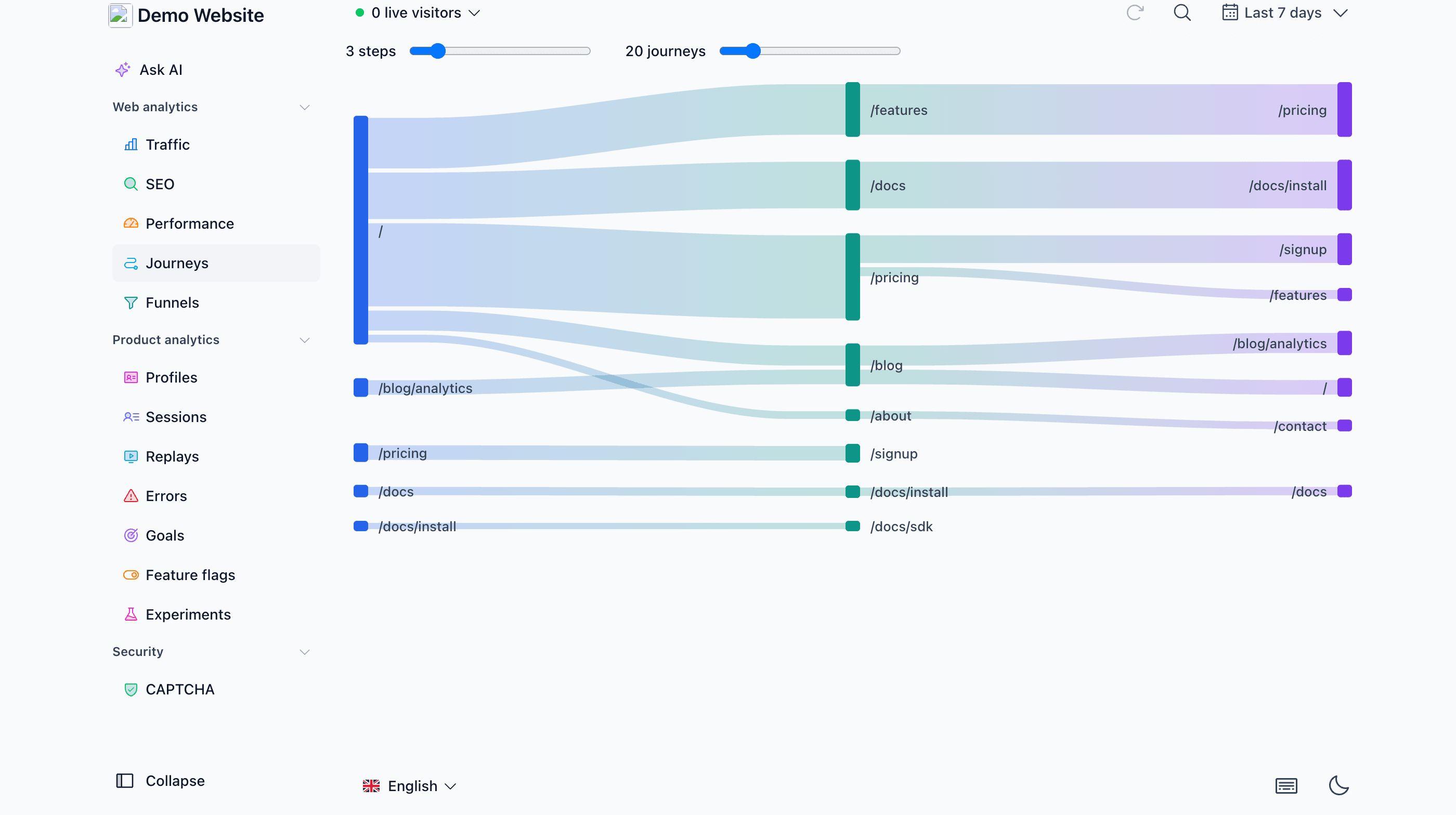
Overview
The Journeys tab shows a Sankey diagram of the most popular navigation paths for the selected time period. Each column is a step in the visitor's session: the first column shows the pages visitors landed on, the second column shows the pages they viewed next, and so on. The thickness of a band is proportional to how many sessions travelled that way.
Two sliders let you control how much detail is shown:
- Steps: how many pages deep each journey goes (2 to 10). More steps show longer navigation chains; fewer steps keep the diagram compact.
- Journeys: how many of the most popular journeys are included (5 to 100). Increasing it reveals rarer paths; decreasing it focuses the diagram on the dominant flows.
Consecutive views of the same page (e.g. reloads) are collapsed, so a journey shows the sequence of distinct pages. Journeys also respect any filters you have applied to the dashboard, so you can look at the paths of, say, visitors from a specific country or referrer.
Reading the diagram
Hover over a node (page) to see the details for it:
- The page path and which step of the journey it represents.
- How many sessions viewed this page at this step.
- What share of all sessions in the period that is.
Hovering a band between two pages shows how many sessions navigated from one page to the other, and what share of the source page's sessions continued that way.
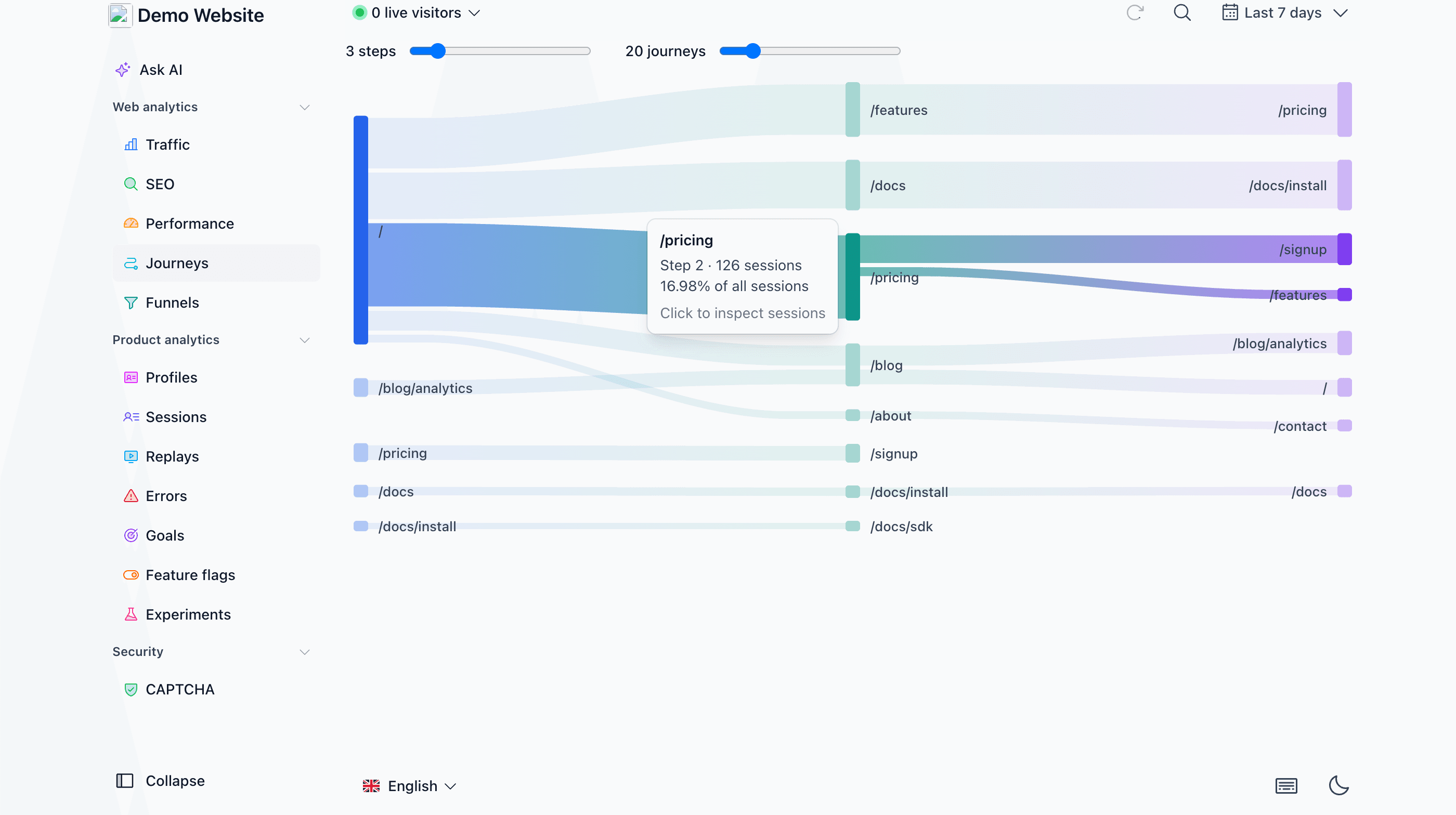
Inspecting sessions
Click any node to open a sessions drawer listing the individual sessions that viewed that page at that step of their journey. From there you can open any session to see its full pageflow, custom events and details — the same session view used across the rest of the dashboard.
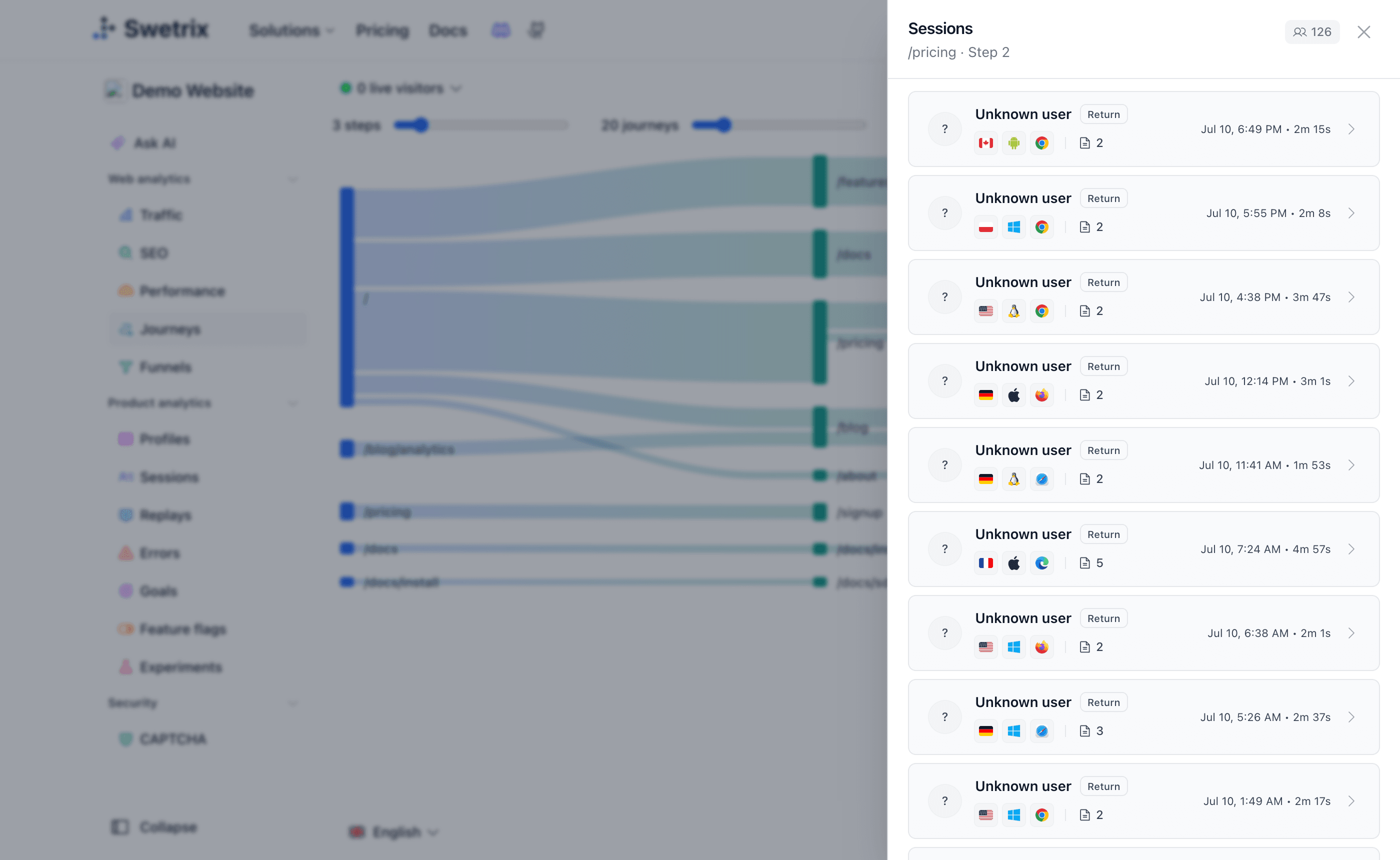
Journeys vs Funnels
Journeys are exploratory: they show you every path visitors actually take, with no setup. If you already know the sequence you care about (e.g. /pricing → /signup → /dashboard), create a funnel to measure conversion and drop-off for that exact flow.

Help us improve Swetrix
Was this page helpful to you?