

Site settings
How to access site settings
Find your Swetrix project settings to manage website tracking, permissions, security, email reports, and other project options.
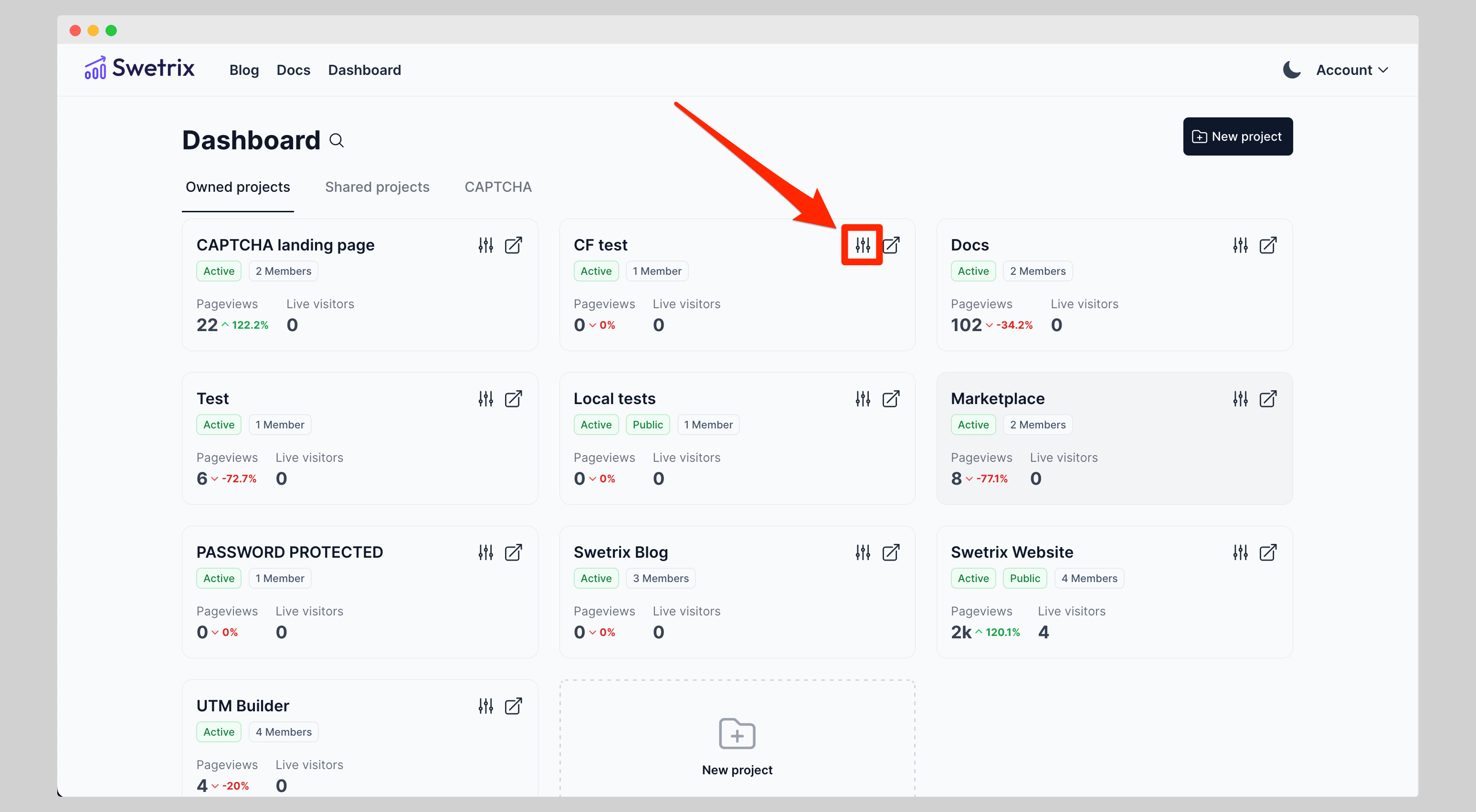
You can access your site settings in two ways:
Click on the 'Settings' icon in the top right corner of site on the dashboard page.

Help us improve Swetrix
Was this page helpful to you?
Live Visitors
Monitor live visitors in Swetrix to see current website activity, active pages, traffic sources, and real-time audience trends.
Project Configuration & Security
Manage your Swetrix project settings, allowed domains, shields, and security options to control how website traffic is collected.