

Upgrade from trial to a paid subscription
Upgrade your Swetrix trial to a paid plan, choose a subscription, and keep collecting website analytics after your trial ends.
When you sign up for Swetrix, you start with a free 14-day trial. You choose a plan before the trial starts, and a payment method is required, but you won't be charged until the trial period ends. We'll send you a reminder email before your trial expires so there are no surprises.
If you do not cancel before the trial ends, the trial automatically converts to the plan you selected.
We do not stop collection or reset your collected data. The analytics data is preserved when you update from a trial to a paid plan, or change your paid subscription to another plan.
Choosing the trial plan
Choose a plan
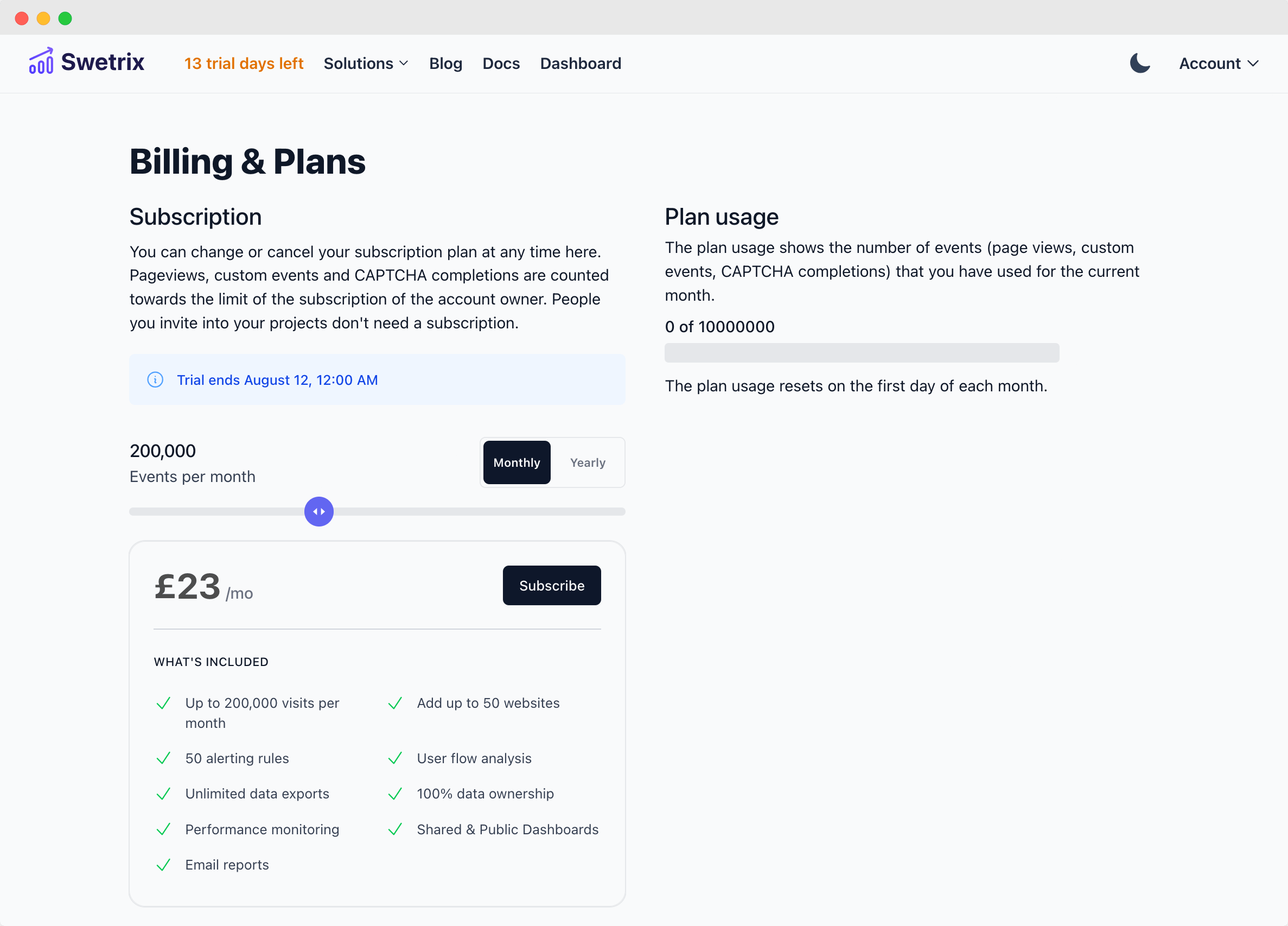
Log in to your account and go to the Plan and billing page, then click Choose a plan.
You will see the Usage section with an indicator of how many events you used during the current calendar month. You can hover over this chart and see what kind of events you used during that period.
We count pageviews, custom events, CAPTCHA events, and error events as "events".
On the plan selection page, choose:
- The monthly event volume that fits your expected traffic.
- The plan type: Standard, Plus, or Enterprise.
- The billing interval: monthly or yearly.
You can get 2 free months with a yearly subscription.
Confirm payment details
You can pay with a card, PayPal, Apple Pay, or Google Pay through Paddle. You will not be charged during the 14-day trial.
After you're done, click Subscribe now. You'll receive an email confirmation and your trial will be active immediately.
You cannot change the selected plan while a paid trial is running. If you picked the wrong plan, cancel the trial before it ends and subscribe again with the plan you want, or change the plan after the trial converts to a paid subscription.
Opt into company VAT refund for your subscription
You can add your company details and VAT ID when subscribing to one of our plans. If you're eligible, no VAT or other sales taxes will be added to your subscription price.
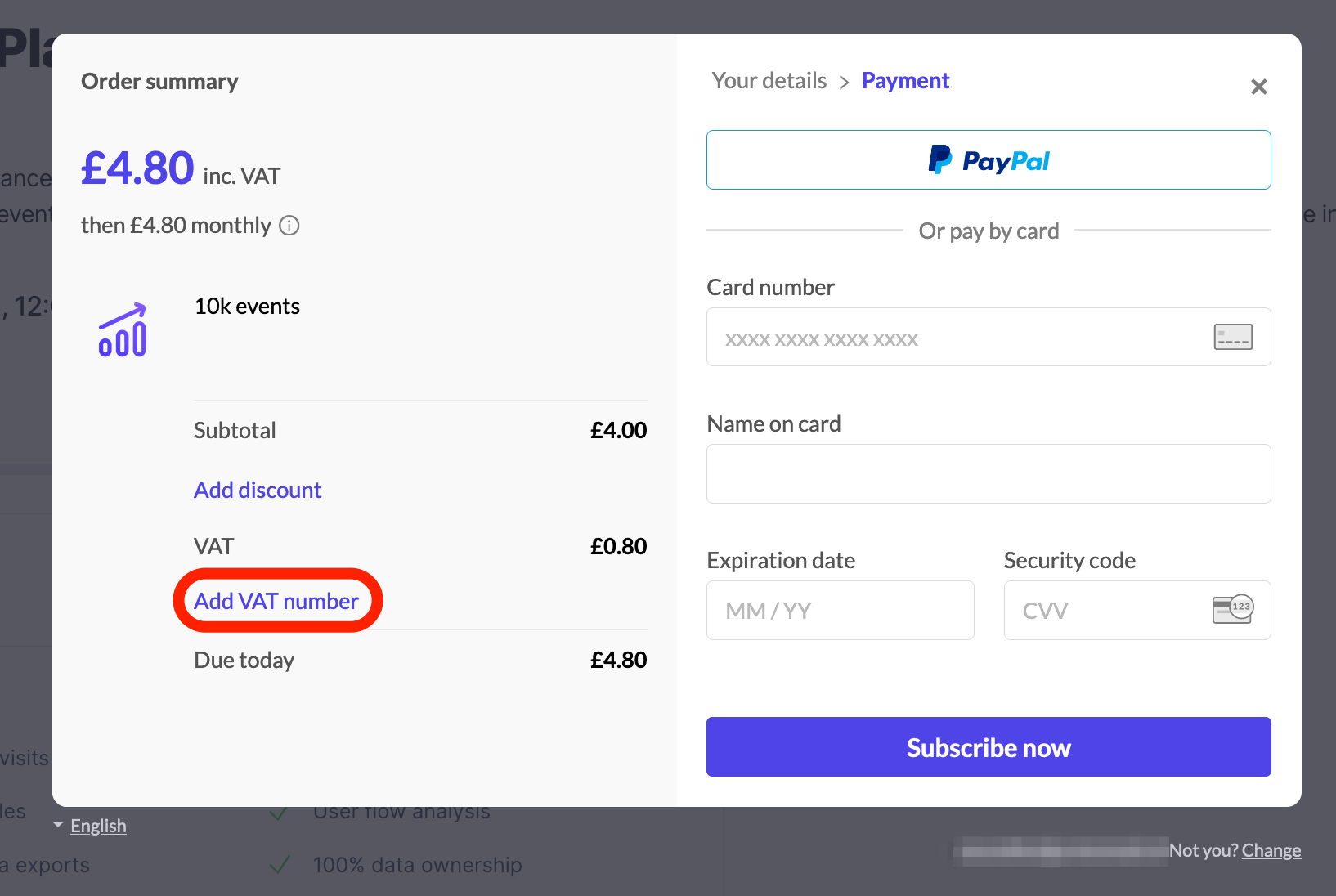
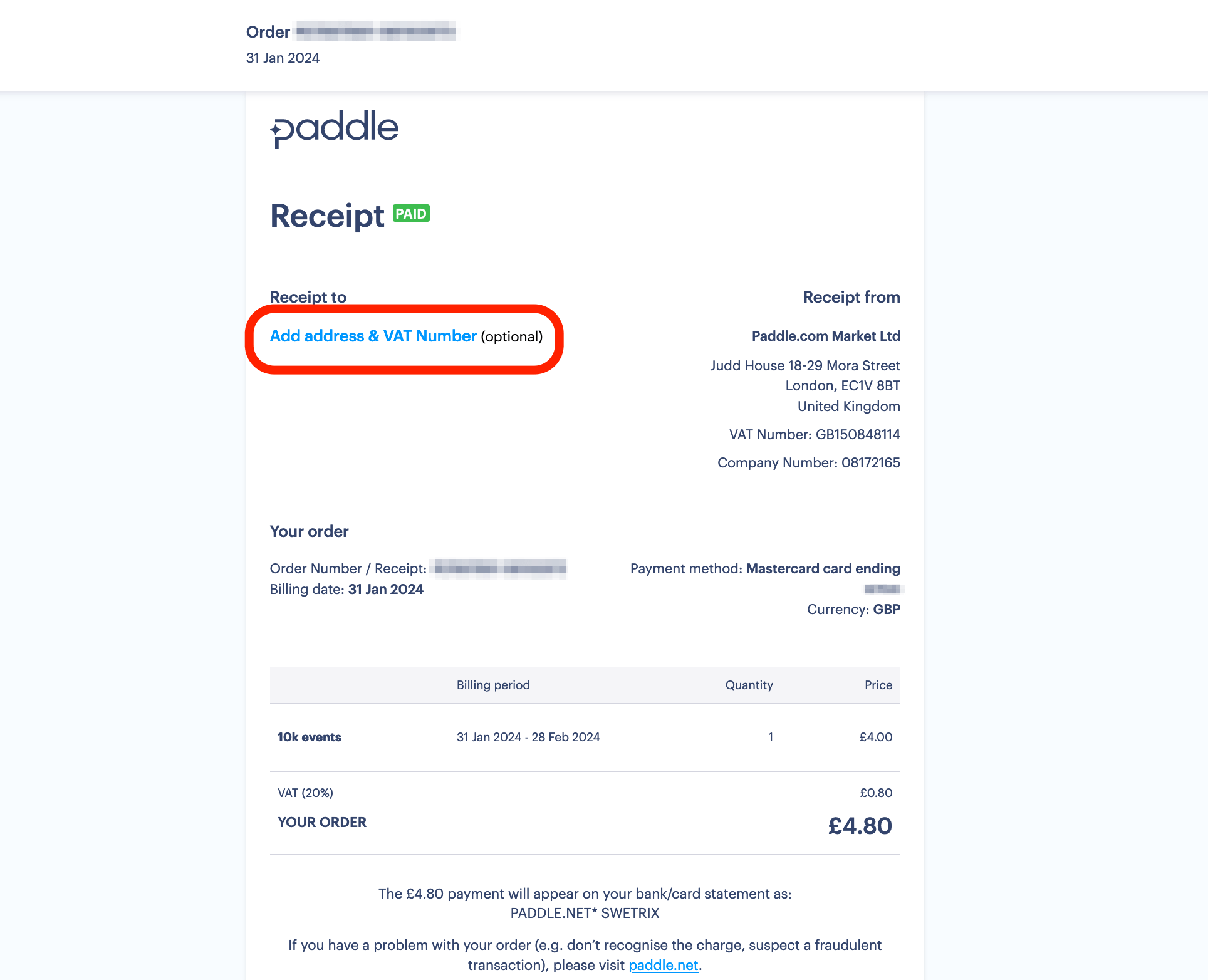
You can also add your VAT number after you created a subscription, to do that open the invoice Paddle sent you to your email address, and click on the "Add address & VAT Number" button.
To learn more about billing, visit our billing FAQ page.

Help us improve Swetrix
Was this page helpful to you?
Other account settings
Manage your Swetrix account preferences and other settings to customise how you use your website analytics dashboard.
Exceeding your subscription plan limits
Understand what happens when your Swetrix usage exceeds your plan limits and how to manage traffic growth and subscription capacity.