

Billing FAQ
Find answers to Swetrix billing questions about payments, invoices, taxes, subscriptions, and managing your analytics plan.
Do I need a credit card to start the free trial?
Yes. A valid payment method is required to start your 14-day free trial, but you won't be charged until the trial ends. We'll send you a reminder email before your trial expires, so you can cancel beforehand if you decide Swetrix isn't for you.
How does billing work?
Your subscription is made up of a plan type, a monthly event volume, and a billing interval.
- Standard covers privacy-friendly analytics, funnels, error tracking, bot filtering, email reports, API access, and the core dashboard features.
- Plus includes everything in Standard and adds session replays, feature flags, A/B testing, higher API rate limits, larger account limits, and priority support.
- Enterprise is for custom limits, infrastructure, support, legal terms, and invoicing.
If you subscribe to a monthly plan, you will be billed on the same day each month unless you change your plan. For example, if you subscribe on the 15th of July, you will be billed on the 15th of each subsequent month.
If you have an annual plan, you will be billed on the same day each year. Annual billing is priced as 10 months, so you get 2 months free.
Will I be billed per account or per website?
TLDR: We charge per account.
Our subscription tiers are based on the total number of pageviews, custom events, CAPTCHA events, and error events across all projects you create on your account. You can add as many sites to Swetrix as you like; the total number of events across all of them counts toward your subscription tier.
Your plan includes a website allowance, shown on your Plan and billing page. Invited project members do not need their own subscription; their usage counts toward the account owner's plan.
If you need more websites than your plan includes, you can buy a recurring website add-on from the Add-ons section of the billing page. Website add-ons are sold in bundles of 50 extra websites, up to 1,000 additional websites.
What counts toward my monthly event limit?
Pageviews, custom events, CAPTCHA events, and error events count toward your monthly event limit. The billing page shows the current calendar month breakdown and how much of the limit remains.
How do add-ons work?
Add-ons are recurring extras on top of your base subscription. They are available for active paid subscriptions, but not while a trial is still running, a subscription is scheduled for cancellation, or billing is suspended.
Website add-ons can be managed from Plan and billing, then Add-ons. Increases are charged immediately, with proration when you already have an active website add-on. Decreases, cancellations, and billing interval changes take effect on the next add-on renewal.
Yearly website add-on billing is available when your main subscription is billed yearly. If your main subscription is monthly, website add-ons are billed monthly.
Session replay add-ons are not self-serve yet. If you need a higher replay quota than your plan includes, please contact us.
How do I access my invoices?
Every payment on your account is listed in the Invoices section at the bottom of your Plan and billing page. Each entry shows the date, description, and amount of the charge, and links to the full receipt. Clicking an invoice opens the receipt hosted by Paddle, our payment processor, where you can also download it.
Paddle additionally sends every invoice by email, with a copy in the body of the email and a link to view the invoice on a hosted website.
Can I switch between monthly and yearly billing?
You can switch between monthly and annual billing from the plan selection page. The exact price is shown before you confirm the change.
For active subscriptions, plan changes are prorated. For example, if you are halfway through an annual subscription and decide to switch to a monthly subscription, the preview will account for what you have already paid.
What payment methods does Swetrix accept?
We accept credit/debit cards, PayPal, Google Pay and Apple Pay. All payments are processed securely through Paddle.
Can I get a VAT refund on my subscription?
You can add your company details and VAT ID when subscribing to one of our plans. If you're eligible, no VAT or other sales taxes will be added to your subscription price.
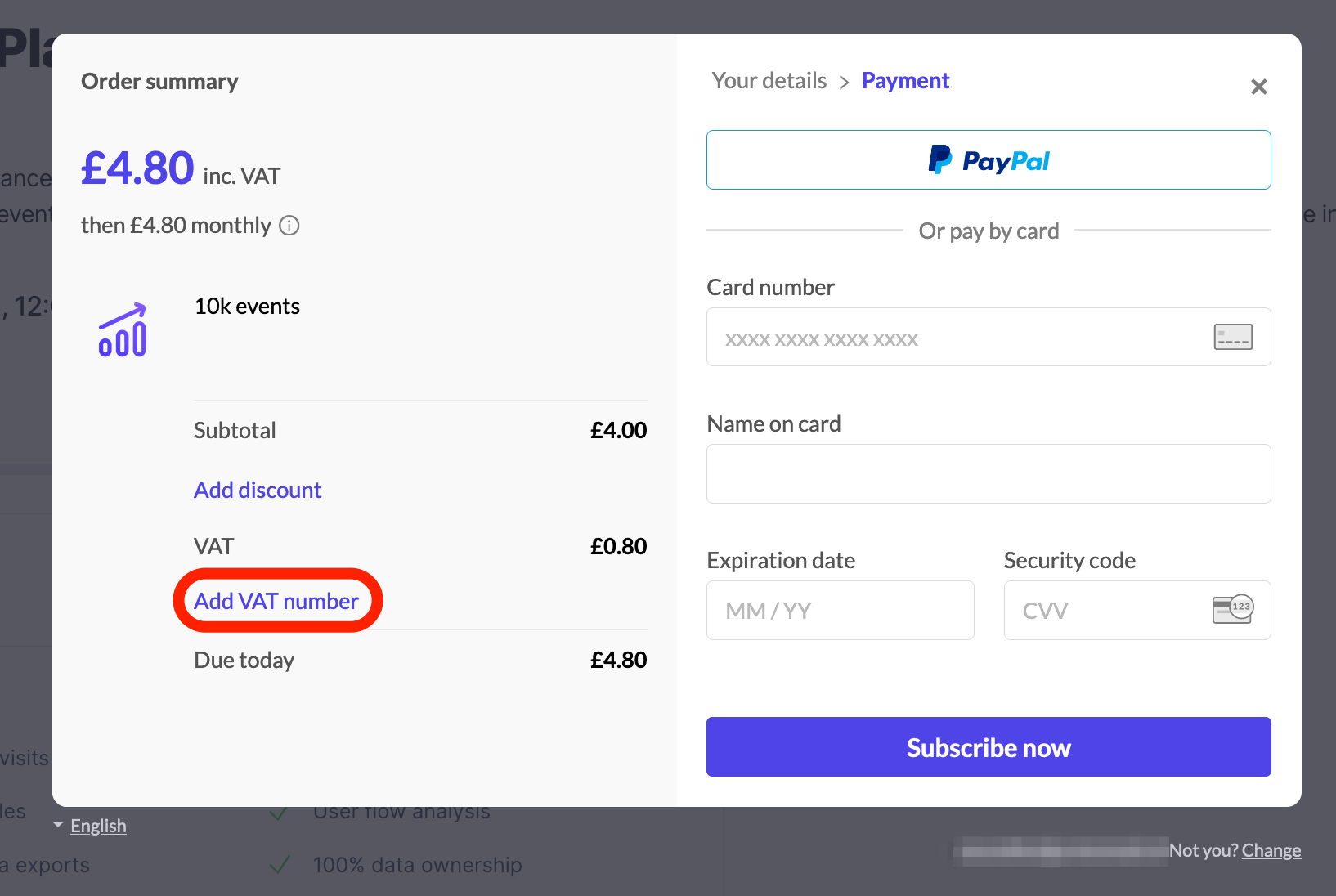
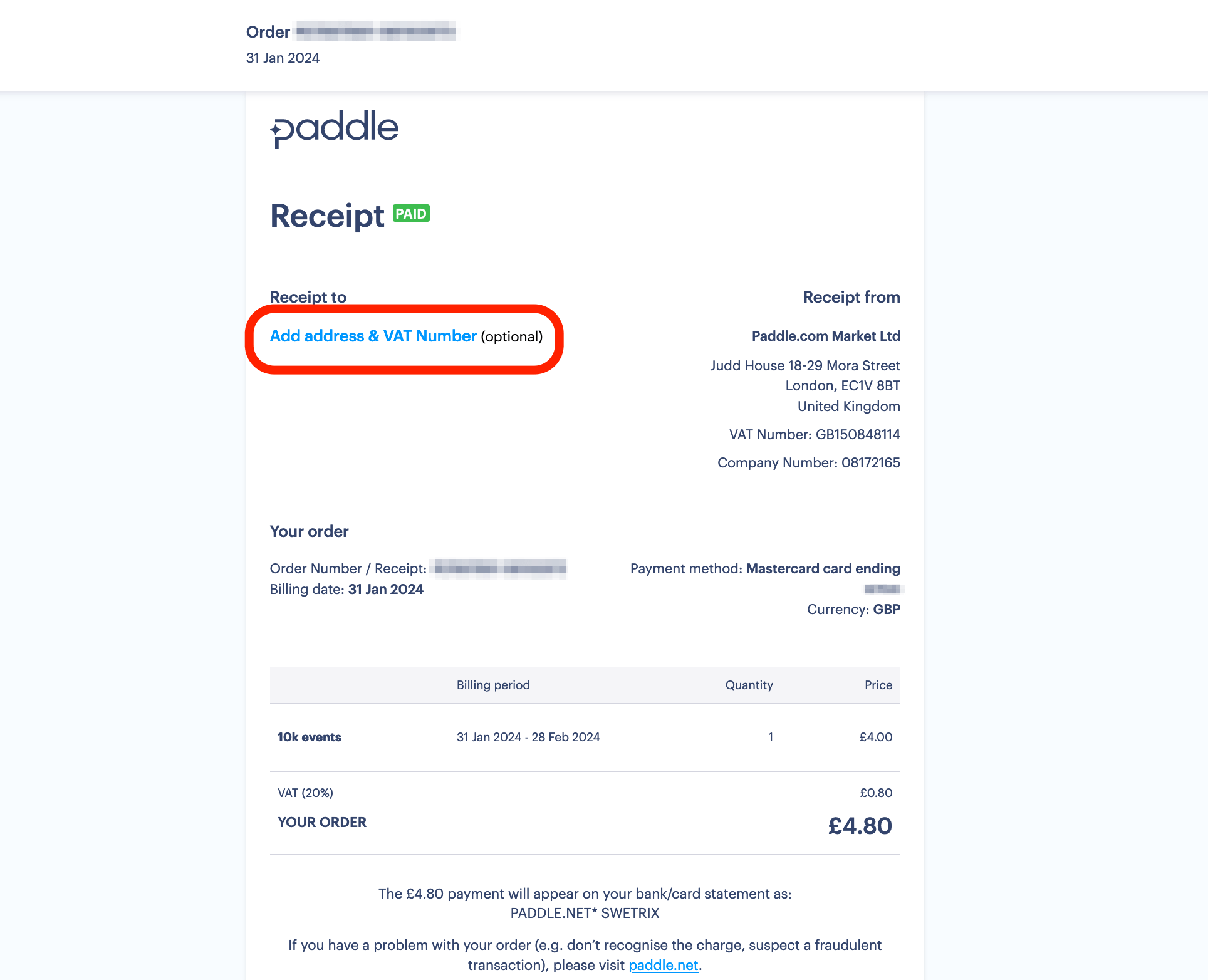
You can also add your VAT number after you created a subscription, to do that open the invoice Paddle sent you to your email address, and click on the "Add address & VAT Number" button.
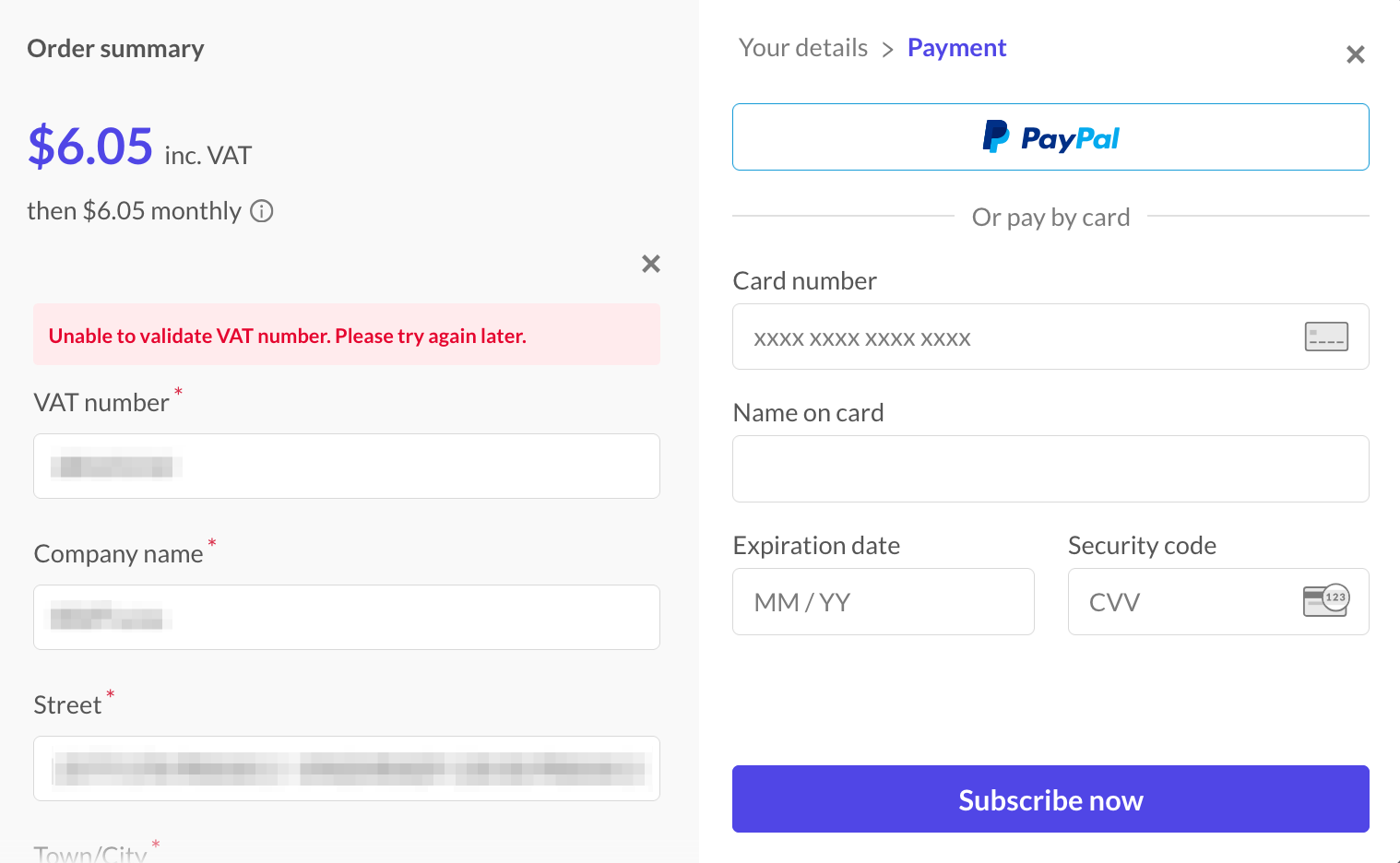
I am seeing "Unable to validate VAT number" error when adding my VAT number
If your VAT number has a country code prefix in it (e.g. "DE" in "DE123456789"), please remove it and try entering only the numbers.
The reason for this is that you are selecting the country code from the list of countries below, so the VAT number is validated separately. Our payment processor Paddle handles the VAT processing. Here is a list of VAT numbers formats accepted by Paddle.
If you are still having this issue, please contact us.
How can I update my payment information?
To update your billing information, log in to your account and go to the Plan and billing page. There you will find a "Payment details" button which will take you to the Paddle subscription management page where you can edit your payment details.

Help us improve Swetrix
Was this page helpful to you?
How to cancel your subscription
Learn how to cancel your Swetrix subscription and understand what happens to your billing and analytics access after cancellation.
How to deal with adblockers
Learn how adblockers affect Swetrix tracking and compare reverse proxy options for serving analytics requests through your own domain.