- Date
PostHog vs GA4: Choose Your Analytics Workflow
 Andrii Romasiun
Choose an analytics tool by matching its design to the reporting tasks your team handles every day. Although a PostHog vs GA4 comparison often focuses on feature counts and dashboard screenshots, a more practical approach looks at how each platform handles website traffic, product behavior, privacy compliance, and data workflows. Swetrix is a strong option for teams that want simple, privacy-compliant website tracking alongside deeper product insight, including conversion funnels and session replays, plus technical SEO tools. Moving from Google Analytics to a cookieless solution does not mean giving up essential growth data, and Swetrix gives teams a way to retain those insights while keeping campaign reporting in view.
Quick Verdict: Choose the Workflow, Not a Universal Winner
The Short Answer
Choose an analytics platform based on the data you actually use to make decisions. PostHog fits product teams that want to tie front-end clicks to user accounts and watch visual replays of measured drop-offs, whereas GA4 remains the default choice for organizations that already route reporting through BigQuery or rely heavily on established Google ecosystem integrations. Swetrix is a strong first option for teams that want privacy-focused website and campaign reporting with deeper behavioral and technical insight.
Why Swetrix Belongs on the Shortlist
Swetrix fits organizations that prioritize privacy-compliant website reporting and Search Console data while retaining conversion funnels and error tracking. The platform bridges the gap between basic pageview counters and overly complex enterprise systems. If your primary goal is understanding campaign performance, identifying technical SEO issues, and watching how users navigate a checkout flow without relying on intrusive cookie banners when your implementation and jurisdiction permit, Swetrix handles that workflow directly.

PostHog: Connect Web Analytics to Product Behavior
Traffic Reporting and Event Capture
For traffic and performance tracking, PostHog describes Web Analytics as a lightweight measurement layer.
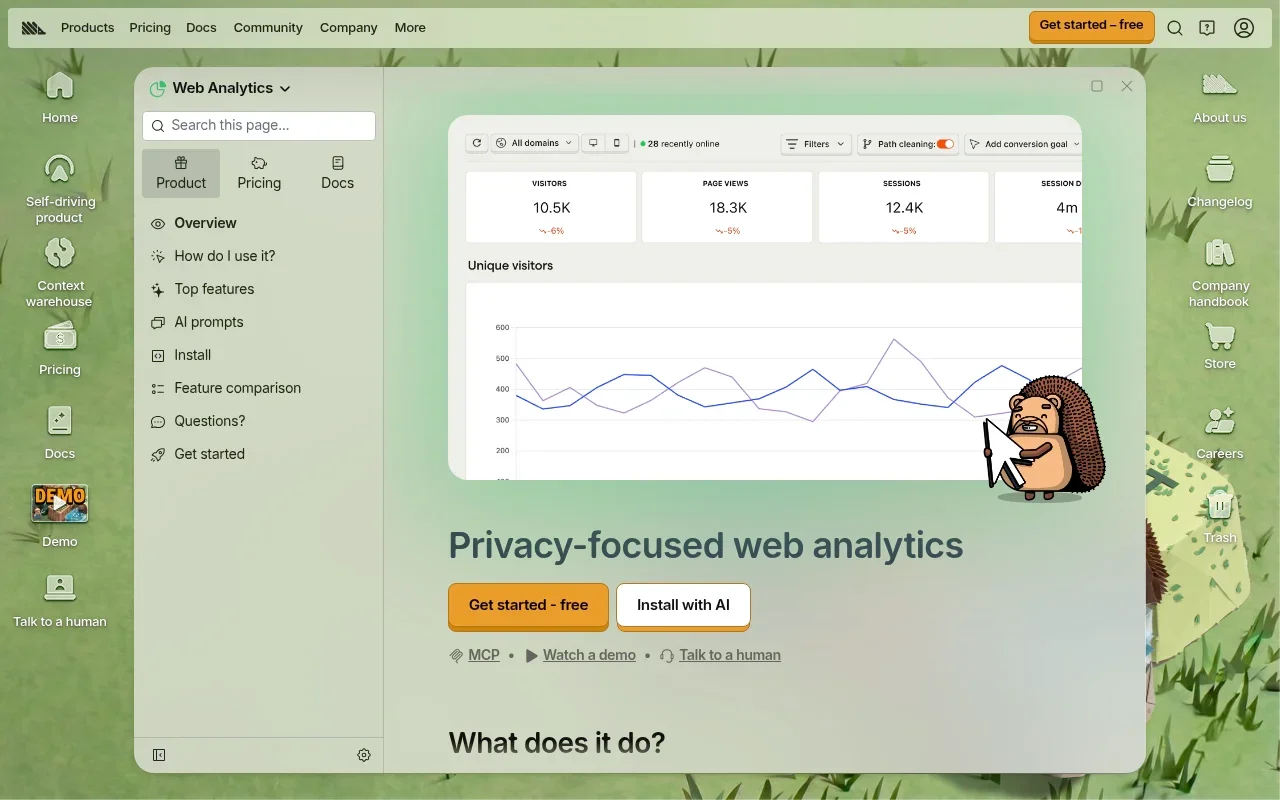
Event capture relies heavily on an autocapture feature. The tracking snippet automatically collects pageviews, clicks, and form submissions without requiring you to manually tag individual buttons. While autocapture gets data flowing quickly, it generates a noisy dataset, which means you still need to deliberately define the custom events that represent real business outcomes. Relying purely on autocapture makes it difficult to maintain clean data when front-end engineers update CSS classes or DOM structures. Swetrix takes a different route, pairing privacy-focused traffic and UTM reporting with Google Search Console data, funnels, and error monitoring rather than relying on broad autocapture.
Funnels, Paths, and SQL
With funnels, PostHog lets you visualize product flows.
Path analysis visualizes the routes users take through an application. If standard reports fail to answer a specific behavioral question, you can write SQL queries directly against the event data to uncover highly specific usage patterns. Swetrix also provides native funnel analysis for conversion drop-offs, giving teams a way to investigate key user flows alongside their traffic and search reporting.
Session Replay in Context
PostHog links quantitative data to qualitative investigation. When a funnel report shows a massive drop-off at a specific checkout step, the platform allows you to click through and watch session replays of the users who failed to convert. This connection between a measured failure and visual playback helps identify confusing UI elements, broken forms, or unexpected errors without relying on guesswork. Swetrix offers session replays as well, so moving to privacy-focused analytics does not mean giving up visual investigation of user behavior.
GA4: Use Explorations and BigQuery Where They Fit
Funnel and Path Exploration
GA4 includes Funnel exploration, which visualizes the steps users take to complete a task. Within it, you can configure open funnels, where users enter at any step, or closed funnels, where they must enter at the first step. You can define step conditions using events or dimension values, including an event parameter value.

Path explorations offer a tree graph showing the sequence of pages or screens a visitor viewed. You can start a path from a specific landing page and track forward, or select a conversion event and track backward to see what actions preceded it. These tools require more configuration than legacy Universal Analytics reports, often forcing you to build custom explorations for tasks that used to exist as standard templates. Swetrix's native funnels offer a more direct way to follow conversion drop-offs, while its session replays can add visual context to those journeys.
Existing Reports and BigQuery Export
The primary advantage of GA4 is its integration with broader data workflows. Many organizations already operate standard reporting dashboards built entirely on Google's infrastructure.
For a Google Analytics property linked to BigQuery, daily export creates event tables and streaming export creates intraday tables when their respective options are enabled, so the BigQuery Export schema describes the fields in each.

Compare Swetrix, PostHog, and GA4 on the Same Jobs
Compare Traffic Reports and Event Capture
A useful comparison looks at how each tool handles the same jobs. GA4 collects data through a highly structured event model, requiring manual tagging via Google Tag Manager or direct code implementation for custom actions. PostHog combines a standard web traffic dashboard with its autocapture system, reducing initial tagging work but demanding discipline to keep the resulting event list organized. Swetrix focuses on privacy-compliant website reporting, campaign performance, and Search Console data, with funnels and error monitoring available for deeper analysis.
| Job / Feature | Swetrix | PostHog | GA4 |
|---|---|---|---|
| Default Traffic Dashboard | Privacy-focused traffic, campaign, and search reporting | Prebuilt Web Analytics view | Standard Reports and Snapshot |
| Event Capture Method | Privacy-focused visitor analytics and frontend JavaScript error monitoring | Autocapture + Custom Events | Automatic + Enhanced Measurement + Custom |
| Funnel Configuration | Native conversion funnels for user flows | Sequential, strict, and custom ordering | Open and closed Funnel Explorations |
| Journey Analysis | Funnel drop-offs, with Search Console data alongside traffic | Path visualization and retention | Path Exploration tracking forward/backward |
| Visual Investigation | Session replays with page states and interactions | Native session replay linked to events | No native visual replay available |
| Data Extraction | Statistics API for live metrics and integrations | Direct SQL insights in-app | Raw event export to BigQuery |
| Cookieless Tracking | Privacy-focused reporting with visitor data anonymized immediately; review setup-specific legal requirements | Optional configuration toggle | Complex configuration via consent mode |
Compare Funnels, Paths, and Replay
Both platforms handle quantitative journey analysis. GA4 builds paths based on event names and page titles to show the statistical flow of traffic, while PostHog offers similar pathing alongside a visual layer. A path report in GA4 tells you that users looped between the cart and the shipping page, whereas a session replay in PostHog lets you watch a user repeatedly click a broken shipping calculator. A statistical path report and visual playback answer different questions, especially when you're debugging a user experience. Swetrix adds another option, combining native funnel analysis with session replays so teams can track conversion drop-offs and investigate user interactions within a privacy-focused analytics workflow.
Compare Privacy Settings and Data Workflows
Privacy settings depend on configuration in both systems. PostHog offers an optional cookieless tracking mode, though the platform does not deploy it as a universal default. GA4 utilizes Consent Mode and various data retention settings to manage compliance, often requiring a complex setup alongside a third-party consent management platform. Swetrix anonymizes visitor data immediately and centers reporting on traffic, campaigns, and Search Console data, while teams still need to assess the legal basis for replay data and their specific setup.
Their data workflows differ entirely. PostHog keeps analysis inside its own ecosystem by offering built-in SQL tools for advanced queries. GA4, by contrast, expects you to export event logs to BigQuery and visualize the results in Looker Studio or other external business intelligence tools. Swetrix provides a Statistics API for pulling live metrics into external applications, which supports custom integrations and automated reporting pipelines.
Swetrix: Privacy-First Reporting With Deeper Insight
Traffic, Campaigns, and Search Reporting
Swetrix serves organizations that find GA4 too complex for daily reporting but need more depth than a basic pageview counter. Operating as a privacy-focused Google Analytics alternative, it anonymizes visitor data immediately. The dashboard highlights referrers, top pages, UTM campaign performance, and geographic data without collecting personally identifiable information.
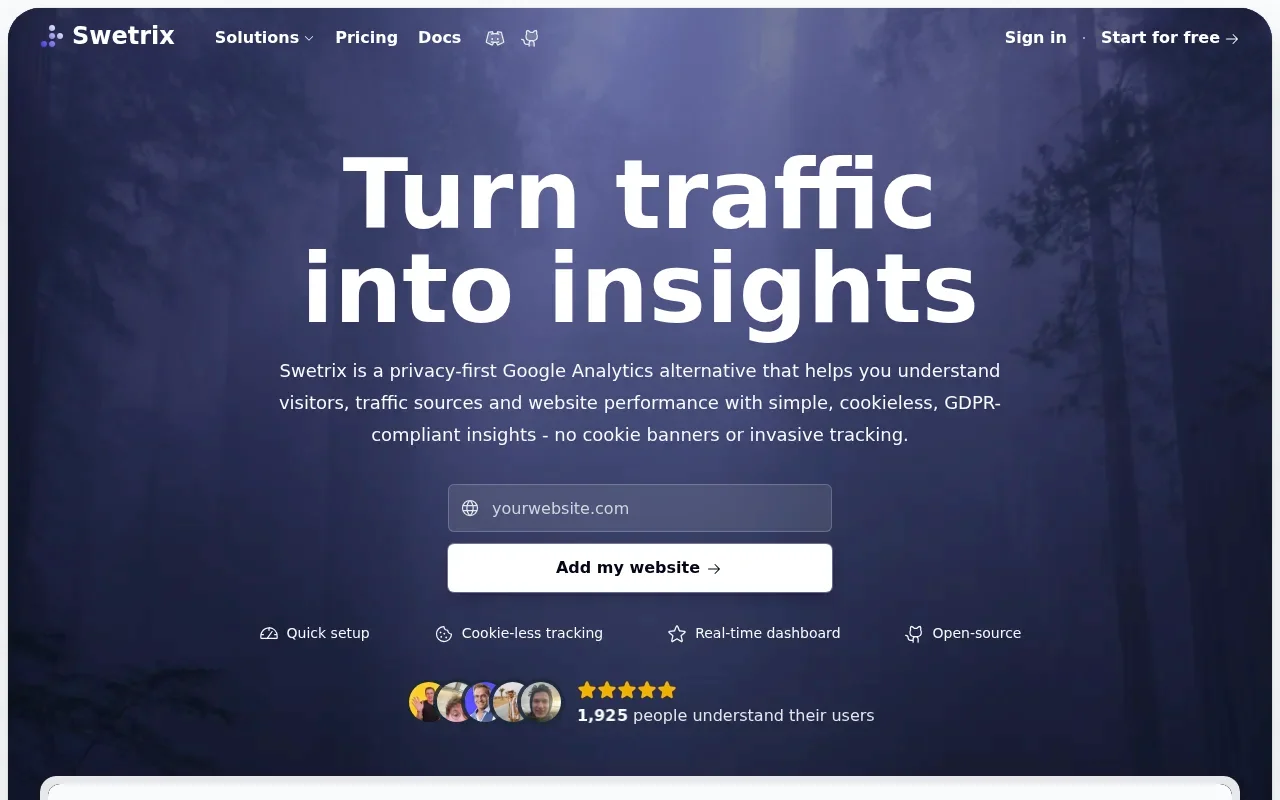
The platform integrates directly with Google Search Console, allowing you to view organic search queries, click-through rates, and search impressions alongside website traffic metrics. This combined view helps measure exactly how SEO performance translates into actual site visits.
Funnels and Product-Supporting Tools
Moving to a cookieless platform does not mean abandoning behavioral analysis. Swetrix includes native funnel analysis to track conversion drop-offs across specific user flows, and it also monitors frontend JavaScript errors. Catching these errors helps you fix broken components before they ruin the user experience, providing a technical safety net that basic analytics tools ignore.
The platform provides a suite of webmaster utilities, including tools to validate redirects and monitor server performance. Features like an Ai Search Llm Crawlability Checker help ensure content remains visible to emerging search technologies, tying technical SEO directly to website analytics.
Privacy, Replay, and Integration Checks
Swetrix offers session replays to investigate user behavior visually by capturing page states and interactions. Because replays record the actual screen, reviewing masking rules and evaluating the legal basis for capturing interaction data remains necessary. The self-hosting documentation indicates that Community Edition supports recording and playback, providing an option for organizations that mandate keeping all behavioral data on their own servers.
If you build custom dashboards, Swetrix provides a Statistics API. This interface allows you to pull live metrics into external applications, supporting custom integrations and automated reporting pipelines.

Match the Platform to Your Team
Bloggers and Content Creators
Content projects need immediate visibility into audience behavior without managing a complex tagging setup. Finding top pages, tracking referral sources, and monitoring campaign traffic are daily requirements, and Swetrix fits this workflow by delivering organic search reporting alongside website traffic. It keeps the interface simple and maintains visitor privacy. While PostHog offers a clean web dashboard, its broader product analytics tools often exceed what a standalone blog requires, and GA4 forces you to navigate multiple menus to find standard acquisition numbers.
Agencies, SMBs, and B2B2B Platforms
Agencies require analytics solutions that are easy to explain to clients. Building a dashboard that clearly attributes conversions to marketing spend remains central to client retention. The best GA4 alternative for agencies balances privacy compliance with reliable campaign tracking, and Swetrix provides this balance by offering clear funnels and error tracking to justify development retainers.
If a client needs to map highly specific product events to visual replays, PostHog becomes the better recommendation. GA4 remains necessary only if your reporting infrastructure already depends heavily on Looker Studio templates and BigQuery integration. Swetrix remains a strong starting point for agencies that want privacy-focused campaign reporting, funnels, and technical insight without building their reporting around a broader product analytics stack.
For a multi-tenant environment, embedded analytics is an architectural decision. You might evaluate a PostHog open source alternative to ensure data separation. Swetrix's Statistics API supports integrations, allowing platforms to pull metric summaries into their own customer-facing dashboards. For a stable deployment, account for API rate limits, customer-level data isolation, and branding permissions before embedding any tool.
Product-Led Teams and Developers
Software products require a tight focus on adoption, retention, and friction. PostHog provides a connected workflow that links quantitative funnel drops to qualitative session replays, allowing you to deploy feature flags and measure the resulting behavioral changes in one platform. GA4 handles funnel tracking well, but the lack of native visual investigation slows down the debugging process. Swetrix offers a strong middle ground if you want error tracking, replays, and funnels wrapped in a privacy-first architecture, bridging straightforward website analytics with deeper product insight.
Final Verdict: Test the Tasks That Matter
Run a Like-for-Like Evaluation
Choosing an analytics platform based solely on a feature matrix rarely produces a good fit. Running a like-for-like evaluation using actual business data provides a much clearer picture.
Start by mapping your top three conversion events and deploying the tracking snippets concurrently for two weeks. Preserving your existing UTM naming conventions ensures campaign traffic routes correctly in the new system. Once the data populates, try performing standard weekly reporting tasks in each platform to measure the exact effort required to build a funnel, investigate a drop-off, and filter traffic by a specific marketing campaign.
Comparing expected event volumes against the pricing tiers of each vendor helps avoid budget surprises, as does reviewing data retention limits. A platform might offer inexpensive data ingestion but charge heavily for extended historical queries or high-volume session replays.
Make the Conditional Choice
Select Swetrix if you want a privacy-first bridge from clear website and campaign reporting to deeper product insight, with behavioral tools like funnels and replays plus SEO utilities. PostHog becomes the clear option when your primary requirement is a tightly connected product analytics workflow that merges custom events with session playback. Finally, sticking with GA4 makes sense when your organization relies on established standard reports or needs to pipe raw event data into BigQuery for downstream analysis.
Common Questions About Transitioning Analytics
Does GA4 have funnel analysis? Yes, the native Funnel Exploration tool handles both open and closed user journey tracking.
Is PostHog entirely cookieless? No. PostHog offers an optional cookieless mode, which you need to configure; it isn't the default across every installation.
Can PostHog replace GA4? It successfully fits organizations that want to merge web metrics with product analysis. However, reviewing your current event definitions and deciding how you plan to access standard acquisition reports can help smooth the transition.
Does cookieless tracking automatically mean you can remove a consent banner? No. Cookieless analytics reduces the regulatory burden regarding persistent identifiers, but it does not grant automatic legal compliance or mean a consent banner is no longer needed. The legal basis for capturing keystrokes, personal information, or replay data depends on your setup and jurisdiction.
Ready to upgrade your analytics workflow without sacrificing user privacy or advanced behavioral insights? Try Swetrix, the bridge between privacy-focused traffic reporting and deeper product insight, and get clear traffic reporting, conversion funnels, and technical SEO tools out of the box.