- Date
Multi-Site Analytics Management: The 2026 Buyer's Guide
 Andrii Romasiun
A client asks for a quarterly performance review covering their forty regional websites. You open your standard analytics platform, switch properties forty separate times, export forty different spreadsheets, and spend the rest of the afternoon merging columns in Excel. This manual extraction process breaks agency margins and leaves little room for optimization. Scoping strict initial website parameters and utilizing unified reporting layers can reduce initial client reporting investments. Without these consolidated frameworks, establishing complex customized CMS and analytics integrations across diverse portfolios inflates operational budgets needlessly.
Managing multiple web properties forces a choice between two distinct operational models. One path relies on heavy enterprise tools that treat every website as an isolated silo with severe data processing delays. The other path uses modern collection engines designed specifically for multi site analytics management, which bypass cookie banners, unify fragmented data, and feed customized client portals through open APIs.
Swetrix provides that second option, operating as a centralized, zero-configuration solution that consolidates cross-portfolio views without harvesting personally identifiable information.
Choosing the right platform requires evaluating how well a tool separates data collection from client reporting, how much weight it adds to page speed, and whether it handles complex product tracking alongside basic traffic counts.

Calculating the Cost of Fragmented Portfolio Analytics
Operating a single website requires a standard dashboard showing basic traffic patterns and referral sources, but scaling that interface up to fifty client sites introduces operational bloat. Without a unified view, you end up repeating configuration steps across dozens of isolated properties.
This repetition exacts a compounding financial toll. A recent Oviond benchmark reveals that marketing agencies waste an average of 18 hours per month manually rebuilding reports, a metric that varies based on client volume and agency size, while over 60 percent of these firms suffer from fragmented data across analytics, SEO, and advertising tools. When metrics live in separate silos, identifying macro trends across an entire client roster becomes impossible. Google Analytics 4 currently holds a 49.3 percent market share among websites using known traffic analysis tools, which means almost half the web defaults to these isolated property configurations. In contrast, enterprise alternatives like Adobe Analytics secure 3.1 percent, and privacy-focused tools like Matomo hold 6.8 percent, leaving a massive gap for streamlined multi-site solutions.
For example, a sudden algorithmic penalty might impact all your ecommerce sites simultaneously, which takes days to notice if you track them individually. By contrast, a centralized platform alerts you to the pattern immediately by displaying portfolio-wide traffic shifts on a single screen. Operators frequently struggle to maintain accurate conversion funnels and UTM attribution across domains when relying on platforms that require third-party cookies, making centralized infrastructure vital.
Weigh the initial cost of migrating properties against the ongoing labor drain of your current stack. Relying on default Google Analytics 4 (GA4) properties means accepting fragmented views and continuous manual report generation, whereas transitioning to a Google Analytics alternative like Swetrix natively groups related websites to eliminate that 18-hour reporting deficit.
Audit your agency hours spent on manual reporting this week, multiply that time by your hourly rate, and use the resulting baseline to justify switching to a unified platform. Document exactly how many minutes your team spends downloading CSV files for each client, because those micro-tasks compound into lost profitable work.
Securing Privacy and Access Across Multiple Domains
Deploying intrusive consent banners across dozens of domains interrupts the user experience and artificially lowers conversion metrics because a significant percentage of visitors reject tracking. Clients often ask if they must maintain these cookie banners when you track multiple websites for them. Utilizing a platform that avoids persistent cookies and cross-site tracking identifiers answers that question.
Modern platforms solve this legal friction by utilizing cookieless hash identification, which eliminates the need for consent prompts entirely. The software avoids placing a persistent text file on a visitor's browser by generating a unique, non-reversible identifier using the visitor's IP address, User-Agent string, and Site ID paired with a rotating daily salt. This resulting hash allows you to track unique visitors over a 24-hour period without storing personal data.
This technical shift eliminates the legal requirement for consent banners under GDPR, CCPA, and PECR frameworks. Adopting these privacy-compliant analytics tools allows multi-site operators to maintain accurate attribution without risking regulatory fines, because these systems process data without tracking persistent personal identifiers.
Beyond public privacy, managing fifty websites requires strict internal access controls to juggle stakeholders and department leads. Granular Role-Based Access Control (RBAC) isolates these views completely, ensuring a client checking their specific ecommerce store never sees traffic data for another company in your portfolio. Business-to-business SaaS platforms increasingly rely on this isolation to provide end-users with native customer views directly inside their own administrative panels.
Data latency also dictates your response time. Standard GA4 properties often impose delays of up to 24 hours before processing custom event data, which frustrates agencies trying to diagnose live traffic drops, but privacy-focused platforms reduce this wait. Processing data in near real-time grants you the visibility needed to monitor live product launches across multiple domains as they happen.
Remove any platform relying on persistent cross-site tracking cookies from your vendor shortlist today to eliminate legal liabilities and secure uninterrupted traffic data.

Maximizing Tracking Depth Without Sacrificing Page Speed
Marketing teams want deep behavioral data, while technical SEO teams demand fast page loads, forcing a compromise when deploying enterprise tracking scripts. Developers routinely worry that deploying analytics across a massive portfolio will hurt page load speeds or trigger render-blocking risks.
The standard GA4 payload adds roughly 20KB to your page weight, which degrades Core Web Vitals scores across a large portfolio. Every extra kilobyte forces browsers to spend more time parsing JavaScript, delaying visual rendering and frustrating mobile users on slow connections.
Privacy-first tags reduce this bloat by averaging between 1KB and 2KB. For instance, modern tracking scripts like Pirsch weigh less than 1KB, and Fathom averages 2KB, drastically reducing page bloat compared to legacy platforms. Exact sizes vary based on platform and custom event implementations, but lightweight alternatives consistently improve Core Web Vitals across multi-site portfolios. This historically meant sacrificing behavioral insights for speed, as early cookieless platforms operated as basic pageview counters. To compensate, agencies installed secondary tools like Hotjar for session replays or Sentry for error tracking, creating the same performance drag as one heavy enterprise tag.
Modern standards merge technical monitoring and behavioral insights into a single lightweight execution, blurring the lines between web analytics vs product analytics. The latest 2026 documentation from Swetrix's open-source Github repositories highlights a convergence of technical SEO and product analytics. Swetrix directly resolves this tension by combining traffic counting, conversion funnels, and session replays with technical webmaster utilities.
This unified approach allows you to monitor server-side performance metrics like Time to First Byte (TTFB), DNS resolution, and TLS handshake times alongside client-side JavaScript errors without adding a second script. You capture granular product interactions for marketers while preserving fast rendering times for technical SEO teams.
Consolidate disparate tracking tags into a single script this week by identifying domains running separate tools for traffic, heatmaps, and error logging. Replacing them with one tracker improves page speed metrics while maintaining deep visibility.
Decoupling Data Collection from Client Reporting Portals
Agencies and B2B SaaS platforms are abandoning native out-of-the-box dashboards for client reporting, because sending clients a direct link to a raw GA4 property causes confusion. Untrained users face overwhelming navigation and frequently misinterpret thresholded data or attribute conversions incorrectly. Content creators and bloggers particularly suffer from these steep learning curves and arbitrary data thresholding.
To prevent this confusion, multi-site operators decouple the data collection engine from the presentation layer by deploying robust backend trackers to harvest data, then piping that information into dedicated client portals. This 2026 trend utilizes developer APIs to abandon raw interfaces entirely. For example, a platform providing analytics to individual restaurant owners embeds traffic and reservation conversion metrics directly inside the restaurant's existing admin panel. The end user views their isolated data presented in a familiar, branded environment without knowing they are looking at a third-party analytics tool.
Swetrix supports this model natively through API endpoints and password-protected sharing features, allowing your developers to pull specific metrics like unique visitors or funnel drop-offs. Integrating Google Search Console data directly brings impressions and top queries alongside AI search referrals, all within a zero-configuration interface that requires no technical training to read. Displaying these metrics where the client expects to see them reduces support tickets and adds perceived value to your proprietary software or agency service offering.
Different organizational models require different approaches to data sharing. Use the following decision matrix to determine how to present your multi-site analytics:
| Operating Model | Client Technical Skill | Recommended Presentation Strategy | Ideal Tool Features |
|---|---|---|---|
| Enterprise Agency | Low to Medium | White-labeled external dashboards deployed on custom subdomains | Open API, native graphing integrations, custom CSS overrides for exact brand matching |
| B2B SaaS Platform | Low | Embedded in-app analytics tied directly to the user's primary login session | REST API endpoints, strict RBAC provisioning, high concurrent rate limits |
| Technical SEO Firm | High | Direct shared dashboard access focusing on core web vitals and crawl errors | Password-protected public links, real-time data streaming, granular error logging views |
| Portfolio Owner | N/A (Internal only) | Centralized master dashboard aggregating total network traffic and conversions | Master account views, cross-domain tagging logic, global anomaly detection alerts |
Map out an embedded analytics strategy for your highest-tier clients this month by determining exactly which metrics they read. You can then plan a transition where they only interact with customized, branded interfaces instead of raw backend panels. Survey your clients to ask whether they prefer weekly automated email summaries or a persistent dashboard link, and configure your multi-site deployment accordingly.
Standardizing Implementation for Multi-Site Rollouts
Rolling out a new analytics infrastructure across dozens of separate domains requires strict standardization, because allowing developers to implement tracking scripts manually causes naming conventions to drift. If one site logs a button click as newsletter_signup while another logs Newsletter Submit, the inconsistency destroys your ability to build portfolio-wide reports.
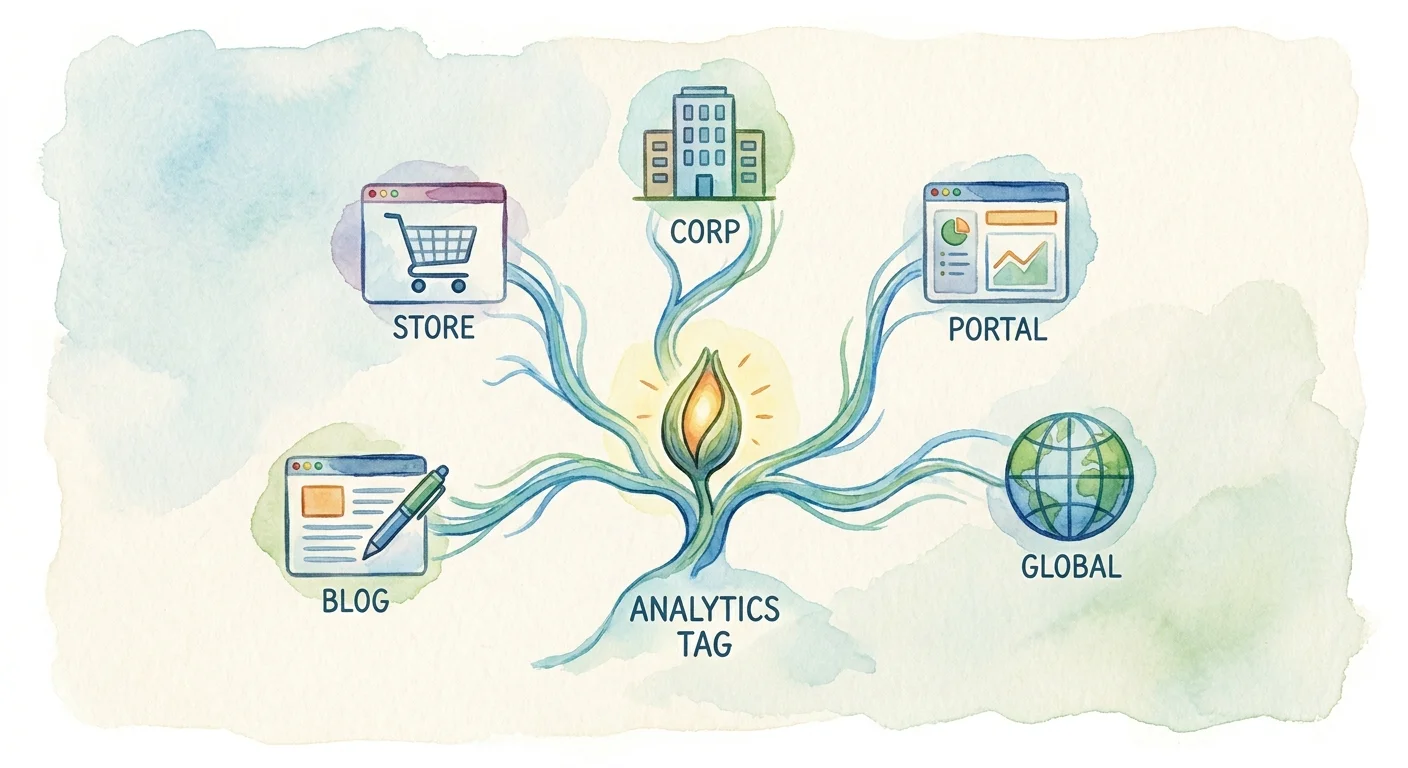
Establish a unified Google Tag Manager (GTM) master container strategy to prevent this drift. Deploying a privacy-first tool via a single master container ensures every site receives the exact same event tracking structure without constant developer dependency. Configuring custom events, triggers, and variables once inside a central container lets you deploy that same logic across your entire client roster. Whenever you need to track a new product interaction, updating the master container cascades the change across every managed website.
Script loading behavior also demands standardization, so always enforce async or defer attributes on your tracking snippets. Synchronously loaded scripts block the browser from rendering the page until the analytics tracker finishes executing, creating layout shifts and delaying the largest contentful paint. Using the defer attribute guarantees the tracking payload executes only after the visual page completes rendering.
Once your collection infrastructure runs smoothly, establish routine automated anomaly checks. The volume of data generated by fifty websites makes manual daily reviews impossible, guaranteeing you miss sudden spikes in 404 errors on secondary client sites if you rely on ad-hoc dashboard checks. Establishing a formal weekly protocol helps prevent algorithmic penalties from cascading across your entire portfolio.
Implement a weekly 10-minute cross-domain audit protocol to catch these issues by filtering your centralized dashboard to compare the previous seven days of traffic against the preceding seven-day period. Sorting the properties by percentage change rather than total volume highlights the outliers.
When a specific property drops by 40 percent, you know where to focus your attention. You can deploy a specialized AI search LLM crawlability checker to determine if a recent site update blocked indexing bots, or review session replays to identify broken checkout buttons. Instead of logging into a separate marketing tool for conversions and a separate technical tool for bugs, mapping JavaScript errors directly to specific user session replays closes the gap between marketing analytics and site reliability.
Set up this weekly comparison filter in your primary workspace tomorrow morning to catch algorithmic penalties, widespread 404 spikes, or broken funnels before your clients notice them.
Swetrix combines the simplicity of a privacy-first web tracker with the depth of advanced product analytics. Our cookieless platform lets you manage dozens of client websites from a single dashboard, bypass intrusive consent banners, and feed white-labeled portals through a robust API. Stop wrestling with fragmented reports and heavy tracking scripts. Try Swetrix today to unify your cross-portfolio data natively.