- Date
How to Combine Search Console and Analytics Data
 Andrii Romasiun
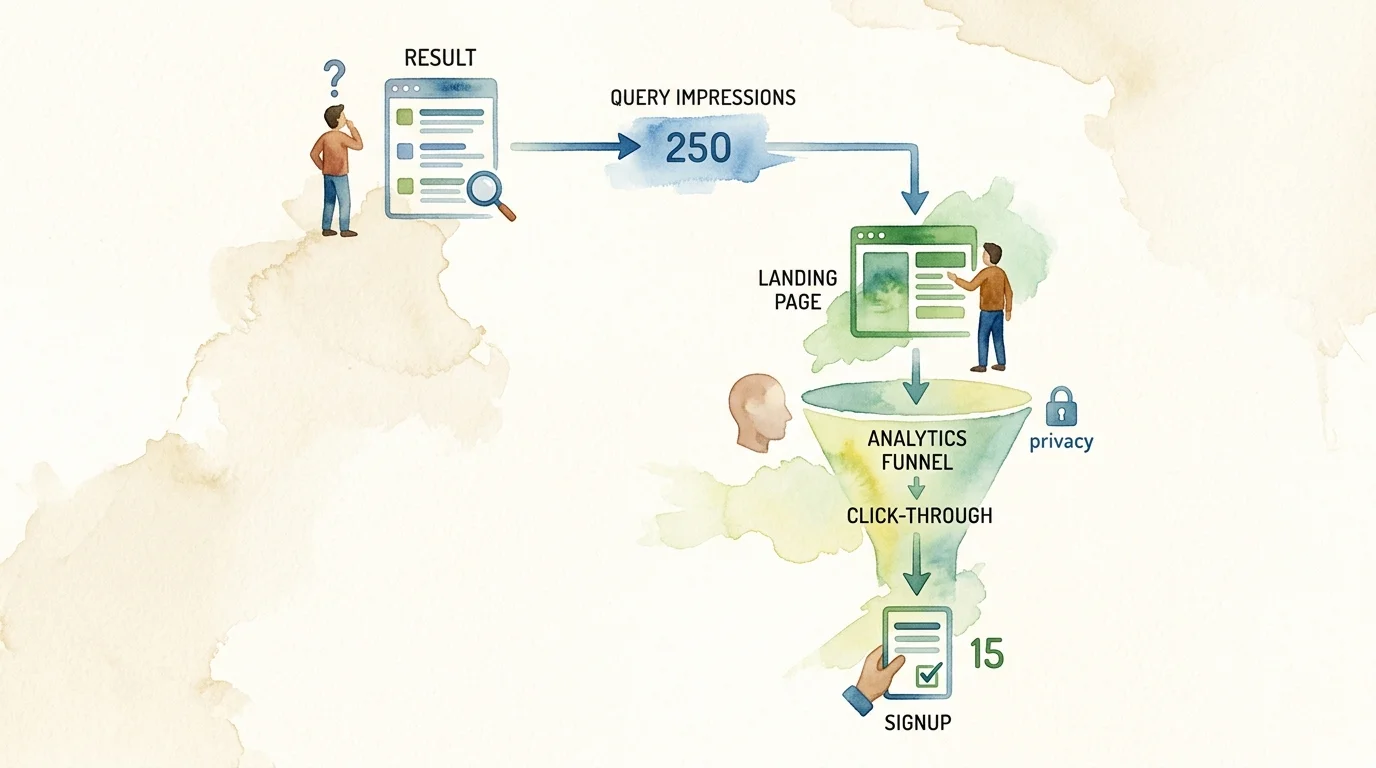
Connecting pre-click search visibility to post-click user behavior shows which ranking pages generate newsletter signups or product activations. When you combine search console and analytics data, you bridge the gap between Google Search impressions and on-site conversions. Swetrix provides a privacy-first workflow for this process, pulling Search Console queries alongside cookieless referral data without defaulting to invasive tracking.
1. Define the Search-to-Outcome Data Model
Start by mapping out what each platform contributes to the measurement pipeline. Search Console provides the source of truth for Google Search visibility, offering reports that contain queries, pages, clicks, impressions, click-through rate, countries, and devices. The average position metric specifically reflects the topmost result from your property across relevant queries, rather than a universal static ranking across all searchers. This visibility data stops the moment a user clicks a link on the results page.
Your analytics platform picks up the journey from there. Whether you use Swetrix or GA4, the software records sessions, landing pages, traffic sources, custom events, and goal completions. To measure organic success effectively, trace a core path flowing from search visibility to a landing-page visit, through user behavior, and ultimately to a product outcome.
Choose a specific business outcome before connecting any tools, because a documentation page might target software downloads while a pricing page targets demo requests. A blog post might target newsletter signups, whereas an e-commerce catalog page targets checkout events. Define a page-plus-date reporting grain by pairing one specific landing page with a defined calendar date to form the basis of your analysis.
Google’s native Performance report integration centers on this landing-page dimension, offering limited compatibility for country and device breakdowns. The native query report, by contrast, exposes Search Console query metrics without permitting unrestricted Analytics user dimensions or event conversions. Because native integrations prevent unrestricted query-level conversion tracking, bridging the two datasets requires relying on the landing page URL as the shared operational anchor.
Search Console (Pre-click)              Analytics Platform (Post-click)
┌─────────────────────────┐             ┌─────────────────────────┐
│ Queries & Impressions   │             │ Sessions & Referrers    │
│ Average Position & CTR  │ ── Click ──>│ Custom Events & Funnels │
│ Landing Page Discovery  │             │ Goals & Conversions     │
└─────────────────────────┘             └─────────────────────────┘
2. Prepare the Sources and Connect the Analytics Layer
Prepare the sources by verifying your Search Console property and confirming your analytics project covers the exact same hostname. Domain properties in Search Console cover all subdomains and protocols, whereas URL-prefix properties restrict data to specific URL structures, so align your analytics tracking script to match that exact scope. Test pageview collection and validate at least one meaningful event before joining the platforms.
Connect Swetrix as the primary privacy-first analytics layer by navigating to the integrations panel, authorizing the read-only Google Search Console connection, and selecting your verified site. The Swetrix SEO dashboard then populates with queries and pages alongside branded versus non-branded traffic splits. If you run a self-hosted Swetrix instance, ask your system administrator to configure a Google Cloud OAuth client and enable the Search Console API manually. Expect the incoming SEO data to lag by roughly one to two days, matching Google's own processing timelines, which means short real-time views like the last hour are not available for search metrics.
Link GA4 when it remains a required part of your stack. Connecting one verified Search Console property to a single GA4 web data stream activates the Google Organic Search Queries and Google Organic Search Traffic reports. Keep in mind that a Search Console property links to only one web data stream, and that stream links to only one Search Console property, which limits multi-domain configurations. Linking GSC does not make GA4 cookieless, since Google Analytics 4 still relies on first-party cookies to distinguish users and sessions by default, setting identifiers like _ga with a default expiration of two years.
Set realistic expectations around data availability. Search Console retains a maximum sixteen-month history, linked GA4 reports delay data by about forty-eight hours, and event-retention settings dictate how long custom events survive. In GA4, standard event retention is set to two or fourteen months, while 360 properties offer twenty-six, thirty-eight, or fifty months. Validate one complete landing page and one conversion path end to end before rolling the reporting out to the wider team to prevent premature troubleshooting.
3. Build a Reliable Page-Level Data Join
Build a schema that reliably connects these two distinct systems. A mismatch in URL formatting breaks the connection, which leaves you with orphaned search data and unattributed conversions.
| Platform | Required Fields | Best Used For |
|---|---|---|
| Google Search Console | Date, Canonical URL, Query, Clicks, Impressions, CTR, Average Position, Country, Device | Search visibility, SERP opportunities, query discovery, indexing verification |
| Swetrix / GA4 | Date, Landing Page, Source/Medium, Sessions, Events, Goals, Funnels, Page Performance, Errors | Engagement, product behavior, conversion attribution, funnel drop-off diagnostics |
Normalize the URLs before attempting to join the rows. Start by resolving equivalent HTTP and HTTPS variants, removing tracking parameters while preserving content-bearing parameters, and standardizing trailing slashes based on your server configuration. Follow redirects to their final destination, as failure to do so masks the SEO impact of redirect loops and orphans your traffic. Where duplicate URLs exist, retain Google’s canonical URL since Search Console assigns performance data to that specific version. Never lowercase URL paths unless your web server explicitly treats them as case-insensitive.
Incoming URL Examples:
  https://example.com/blog/guide/
  http://example.com/blog/guide
  https://example.com/blog/guide?utm_source=google
           │
           ▼
[URL Normalization Pipeline]
  - Enforce HTTPS protocol
  - Strip non-content parameters (UTMs)
  - Enforce standard trailing slash
  - Resolve canonical redirect target
           │
           ▼
Standardized Join Key:
  https://example.com/blog/guide/ + [Date]
Use normalized_final_url + date as your primary key. Performing a left join ensures that pages with Search Console impressions but no analytics sessions remain visible in the report. Add country or device fields only after confirming both platforms define those regions identically. Keep query-level data strictly separate from conversion outcomes to analyze topics, intent, and CTR. Because Google suppresses some queries for privacy reasons, treat missing query data as unavailable rather than assuming those terms have zero demand. Finally, preserve the raw URLs alongside your normalized fields to flag unmatched records during audits.
4. Turn Combined Data Into SEO and Conversion Actions
Turn this combined dataset into repeatable optimization playbooks by finding high-impression pages with weak click-through rates. Filter Search Console by specific pages and queries, examine the average position, and review the current search engine results page context. Test clearer title tags, better intent alignment, and updated structured data to capture the missing clicks. Swetrix’s SEO dashboard provides a position-and-CTR quadrant to pinpoint high-rank pages with low CTRs, comparing them against your site-specific history to provide relevant context.
               Swetrix SEO Opportunity Quadrant
 High CTR  │
           │   Niche Winners          High-Impact Core
           │   (Low Rank / High CTR)  (High Rank / High CTR)
           │
           │───────────────────────────────────────────
           │
           │   Low-Yield Experiments  Snippet Fix Priorities
           │   (Low Rank / Low CTR)   (High Rank / Low CTR)
  Low CTR  │
           └───────────────────────────────────────────
             Low Rank (e.g. pos 20+)    High Rank (e.g. pos 1-5)
Identify organic landing pages that attract clicks but fail to convert by combining the landing-page traffic metric with Swetrix goals and funnels. Goals trigger on simple page views or complex custom events, while funnels track ordered two-to-ten-step user journeys. Add technical diagnostics to investigate forms that fail to submit or buttons that break on mobile displays. For example, a pricing page receiving steady organic visits might show drop-offs at step two of a registration funnel due to an unhandled JavaScript error. When properly configured with explicit activation and consent reviews, session replays help uncover message mismatch or trust issues that standard analytics graphs obscure.
Find high-value pages with weak discovery metrics, because some content generates strong engagement and signups despite displaying low Search Console impressions. Improve internal linking to these pages, expand topic coverage, and verify indexability. Check if zombie pages are cannibalizing crawl budget and diluting the authority of your best converting assets. Score every opportunity by business value, effort, and confidence, then assign specific technical or UX tests to track subsequent performance improvements.
5. Troubleshoot Discrepancies Before Changing the Site
Discrepancies between the two platforms happen by design. A Search Console click registers when a user interacts with a Google Search result, whereas an analytics session exists only after the destination site’s collection script successfully loads and records the visit. Differences between these metrics are normal and expected.
User Searches on Google ──> Clicks Result (Search Console records 1 Click)
                                   │
                    ┌──────────────┴──────────────┐
                    │ Browser navigates to site   │
                    ▼                             ▼
        User closes tab early /           Script loads & executes
        Ad blocker blocks script         (Analytics records 1 Session)
        (0 Sessions recorded)
Users frequently abandon a page before the analytics script executes. Ad blockers, strict consent choices, browser protections, and broken redirects widen the gap further, preventing clicks and sessions from matching perfectly. Safari limits client cookie lifetimes to seven days when users do not return, while Chrome limits cookies to four hundred days. Diagnose sudden website traffic drops by following a specific sequence:
- When impressions drop, investigate visibility, indexing, or search demand problems.
- If impressions hold steady but clicks drop, investigate snippet quality, CTR, or changes in SERP features.
- When search clicks remain stable but sessions fall, check for tag failures, consent banner issues, or slow page loads.
- If sessions stay level but conversions decline, audit the product, pricing, form design, or landing page messaging.
Validate data freshness before interpreting any trend. Search Console’s newest data often appears preliminary, and linked GA4 reports lag by roughly forty-eight hours. Swetrix documents a one-to-two-day delay for its SEO dashboard. Align time zones and define complete date ranges before exporting data to ensure accurate comparisons. Exclude incomplete days from your analysis, preserve unmatched rows, and rely on documented definitions to explain the discrepancies to stakeholders.
6. Add AI-Search and Privacy Context Without Mixing Metrics
Generative search merits a separate measurement layer, and Google introduced generative-AI performance reports in Search Console in June 2026.
Analytics platforms measure the resulting referral visits independently. Google Analytics categorizes recognized assistants like ChatGPT, Claude, and Gemini using an ai-assistant medium and an (ai-assistant) campaign value. Swetrix exposes AI referrals in a dedicated dashboard view, separating them from standard search engine traffic. Monitor your site’s readiness for these bots using the Ai Search Llm Crawlability Checker to audit llms.txt files, robots directives, and structured data. Keep AI-feature impressions, AI-assistant sessions, and crawlability checks in separate KPI panels.
┌────────────────────────────────────────────────────────────────────────┐
│                        Discovery & Privacy Stack                       │
├──────────────────────────┬──────────────────────┬──────────────────────┤
│ Metric Layer             │ Primary Tool         │ Data Source          │
├──────────────────────────┼──────────────────────┼──────────────────────┤
│ Google AI Visibility     │ Search Console       │ AI Overviews / Mode  │
│ AI Assistant Referrals   │ Swetrix / GA4        │ `ai-assistant` tags  │
│ Crawlability Signals     │ Crawlability Checker │ robots.txt, llms.txt │
│ Cookieless Analytics     │ Swetrix              │ Privacy-first events │
└──────────────────────────┴──────────────────────┴──────────────────────┘
Privacy compliance dictates how you collect this post-click data. The UK Information Commissioner’s Office finalized guidance on storage and access technologies on April 29, 2026, explaining how PECR and, where relevant, data protection law apply to technologies that store or access information on a device. Its scope includes cookies, tracking pixels, web storage, scripts or tags, and device fingerprinting, so assess each collection method under the applicable rules. Inventory every data flow, collect only the events necessary for your defined business outcome, and review each feature that stores or accesses information against those rules before activation.
7. Scale, Migrate, and Report the Workflow
Automate the workflow to move beyond manual dashboard screenshots. The Swetrix Statistics API provides programmatic access to aggregated analytics and Search Console keyword data, allowing developers to pipe insights into internal tools. Dashboard embedding supports agencies and B2B companies that need to display search and conversion metrics directly inside a customer portal using secure iframes.
Warehouse teams can export a page-day model that joins normalized Search Console records with analytics event tables. Google announced Search Console bulk exports to BigQuery in 2023, offering daily dumps that bypass standard interface row limits, though you should confirm the current availability, quotas, and limitations in your account before depending on it. If you retain GA4, the BigQuery export delivers daily event tables, updating late-arriving events for up to three days after collection.
                   Data Warehouse Join Model
Search Console Bulk Export               GA4 / Swetrix API Export
┌────────────────────────┐              ┌────────────────────────┐
│ date                   │              │ date                   │
│ canonical_url          │ ── Left ───> │ landing_page           │
│ search_clicks          │    Join on   │ organic_sessions       │
│ impressions            │  URL + Date  │ goal_completions       │
│ average_position       │              │ funnel_drop_offs       │
└────────────────────────┘              └────────────────────────┘
Migrate historical GA4 context carefully. Swetrix imports historical data via the GA4 Data API in monthly batches, retaining pageview dimensions, source fields, UTMs, and non-standard custom events. Map your most valuable GA4 events directly to Swetrix goals and funnels, then validate the resulting attribution logic and metric definitions instead of promising executives a perfect one-to-one match with legacy reports.
Publish a repeatable dashboard and distribute an internal FAQ. Build a search visibility panel for pre-click metrics, a landing-page panel for sessions and goals, and a technical health panel for errors and funnel drop-offs. Using clearly labeled columns distinguishes clicks from sessions. Establish a monthly review cadence, annotate major site changes, and maintain a data-quality checklist to keep the combined reporting accurate.
Stop forcing disconnected spreadsheets to make sense of your organic traffic. Get privacy-first conversion tracking, funnels, and your Google Search Console data in one clean dashboard with Swetrix.