- Date
Where Is My IP Address? Find It Fast
 Andrii Romasiun
Use a public IP-check website to see the network address outside servers receive from your connection. To find the local address your specific device uses on a private Wi-Fi or Ethernet network, open your device network settings. An IP-location lookup estimates the geographic area of a network connection, but it is not a GPS pin and cannot identify your specific home address.
Site owners transitioning to a cookieless Google Analytics alternative often use IP geography to view broad regional traffic patterns. These location reports provide helpful analytics context without pinpointing individual people. Choosing the right lookup method depends on whether you need the public routing address, the internal network configuration, or the geographic estimate of a visitor.
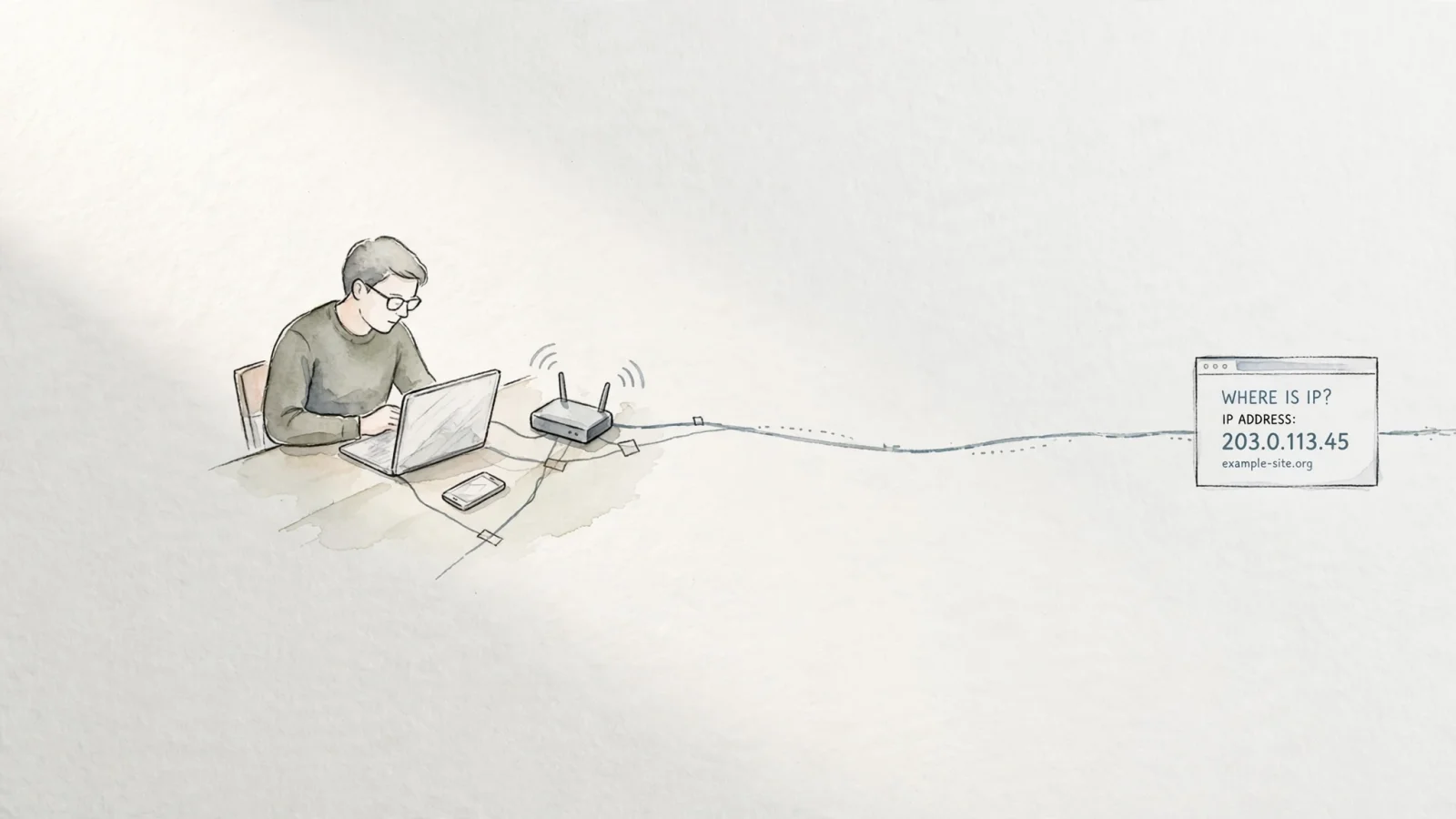
Finding the public IP websites see
Opening a public IP-check webpage reveals the network address your connection broadcasts to the internet. This test works because web browsing requires a two-way exchange of data. According to Cloudflare's DNS glossary, each webpage request travels in network packets that include a source IP address, so the remote server knows where to route the text, images, and HTML in response. The checking tool reads that incoming source address and prints it back to you.
On a standard home or office network, the address shown on the check page differs from the one assigned directly to your laptop or phone. Your internet service provider assigns a single public-facing IP address to your router, which acts as a middleman. It receives all outgoing requests from your household devices, stamps them with the public IP, and sends them out to the internet. When the reply comes back, the router matches the data to the correct internal device and delivers it, meaning outside websites only ever see the router's public address.
Activating a virtual private network or a proxy server changes the result of a public lookup because these services insert an additional routing step between your device and the destination website. If you test your connection while connected to a VPN, the check page displays the IP address of the provider's server rather than the one assigned by your home internet provider. This mechanism obscures your underlying connection from the websites you visit, forcing them to send responses to the VPN server, which then securely forwards the data back to your device.
Locating your device’s private IP
Your local IP address is a private identifier used exclusively within your home or office network. Devices rely on this number to communicate with the router and with each other, such as when sending a document to a wireless printer or casting a video to a smart television. Because this address stays inside your local network, external websites never receive it.
To find an IP address in Windows, open Settings > Network & internet. Microsoft network guidance directs users to select Wi-Fi and then the connected network, or to select Ethernet. In either case, look for the IP address next to IPv4 address.
Private-use IP addresses fall within three ranges: 10.0.0.0 to 10.255.255.255, 172.16.0.0 to 172.31.255.255, and 192.168.0.0 to 192.168.255.255. The Internet Assigned Numbers Authority (IANA) lists these ranges as reserved for use on private networks and says they should never appear on the public Internet. These ranges are documented in RFC 1918.
| Private IPv4 Range | Number of Addresses Available | Common Usage |
|---|---|---|
| 10.0.0.0 – 10.255.255.255 | 16.7 million | Large enterprise networks |
| 172.16.0.0 – 172.31.255.255 | 1.04 million | Mid-sized office networks |
| 192.168.0.0 – 192.168.255.255 | 65,536 | Home routers and consumer Wi-Fi |
Because routers never broadcast private ranges to the public internet, millions of different households can use the exact same 192.168.1.5 address for their laptops simultaneously. The router handles the translation between these repeating internal addresses and the single unique public address assigned by the internet provider.

Geographic data revealed by an IP address
A basic “where is this IP?” query returns an estimated geographic center for the network connection, frequently narrowed to a country, state, or metropolitan area. These lookup tools do not query a GPS satellite or track a physical device in real time; they reference massive databases compiled by companies that map IP blocks to the regions where internet service providers deploy them.
Database provider MaxMind notes its GeoIP data lacks the precision to identify a specific household, individual user, or street address. Instead, IP geolocation estimates a broader region from various clues; at the country level, providers may validate location using traceroutes and proprietary data about where networks are in use. Corporate networks bring another limitation, since behavioral signals may be less relevant when employees access the network from home or while traveling.
Precision varies heavily depending on the country, the internet service provider, and the connection type. A desktop computer wired into a stable fiber connection typically resolves to the correct city or metropolitan area, while mobile phones moving between cell towers present a much harder target for geolocation databases. Cellular connections frequently resolve to a central carrier routing hub located in a different part of the state.
Causes of incorrect city-level IP lookups
Several network configurations cause an IP lookup to report a city hundreds of miles away from your physical location, with VPNs or corporate proxies being the most common reason for a mismatch. If you live in London but connect to a VPN server hosted in Frankfurt, any geolocation database identifies the IP address as belonging to a German data center. The lookup works as designed by locating the active endpoint of the connection.
Mobile networks operate on shared infrastructure that aggregates traffic over large regions. A smartphone connecting to a cellular data network in a rural town might have its traffic routed through a carrier gateway in a major city three hours away, so the geolocation database maps the IP to the gateway facility rather than the local cell tower.
IP geolocation accuracy varies with ISP practices, so city-level results are estimates with limited precision. MaxMind accuracy documentation reports 66% accuracy for U.S. city-level results within a 50-kilometer radius of the city; it also says accuracy varies by country, distance, and IP type.
Data websites extract from your IP connection
A website learns the routing address of your active connection, providing enough information to send data back to you and estimate your broad network geography. The web server uses this public address to apply regional language settings, comply with local content licensing restrictions, or calculate approximate shipping costs. Unless you bypass standard network hardware, the website receives your router's public address and remains blind to your device's private local IP.
Receiving a public IP address provides a website operator neither your name, your exact street coordinates, nor your account history, as geolocation lookups stop at the city or neighborhood level. Connecting an IP address to a specific person requires legal authority to demand connection logs directly from the internet service provider. The ISP holds the billing records matching a specific IP address to a customer account at a specific timestamp, keeping that information sealed behind legal processes and privacy policies.
Websites track individual users across sessions by setting persistent cookies or requiring account logins, largely because the IP address itself remains unstable for identification purposes. Consumer internet providers rotate public IP assignments constantly, meaning the address your house uses today might belong to a house across town next week. An IP provides technical routing instructions and regional context, functioning as a description of a network path rather than a reliable identifier for a person.

Using IP geography as a site analytics signal
Site owners use IP-derived geography to understand market reach and optimize regional campaigns. Comparing broad visitor regions alongside referrer data reveals whether a localized marketing push drove traffic from the target market. A sudden spike in visits from a specific country often indicates a successful social media mention or a new ranking in regional search results.
Swetrix aggregates this location data to populate approximate country, region, and city reports in your dashboard. You can use these broad geographic segments to filter custom events and conversion funnels, identifying which regions generate the highest conversion rates. These geographic reports sit alongside technical tools like an AI search LLM crawlability checker or an on-page SEO checker, giving you a complete view of how technical performance and regional visibility interact.
Privacy-first analytics platforms extract this geographic value without storing personal data. In its default cookieless flow, Swetrix processes the incoming IP address and User-Agent temporarily to derive the geographic estimate and calculate a unique visitor hash. This process combines the connection data with a project ID and a rotating salt, allowing the system to use the resulting anonymous hash to link pageviews into a coherent session before immediately discarding the raw IP address.
Because the salt rotates daily, the system prevents profiling users across multiple days or building long-term behavioral profiles. Swetrix avoids storing raw IP addresses in your database entirely. This transient processing approach allows you to view accurate geographic distributions and session metrics while remaining compliant with GDPR and PECR regulations out of the box, removing the need for cookie consent banners.
Preserving visitor location through backend servers
Sending analytics events from a server instead of a browser requires specific configuration to preserve visitor geography. When someone interacts with your frontend, their browser connects to your reverse proxy, content delivery network, or application server. If your backend infrastructure then fires the tracking event directly to the Swetrix Events API, the analytics platform receives the connection from your server rather than the visitor.
Without additional headers, your dashboard records the IP address of your AWS or DigitalOcean data center. This skews analytics data, creating a massive spike in traffic attributed to the city where your server lives while failing to count distinct visitor sessions accurately.
To fix this routing issue, backend integrations must extract the original IP from the initial connection and pass it forward. Most load balancers and proxies append the visitor's address to the X-Forwarded-For HTTP header automatically. The Swetrix Events API accepts this header and uses it to process the geographic lookup and visitor hash as if the browser had connected directly. Verifying that your proxy chain appends the original address guarantees your regional reports reflect accurate user locations instead of your hosting infrastructure.
Swetrix provides cookieless, privacy-first web and product analytics that deliver granular behavioral data without intrusive consent banners. Track custom events, analyze conversion funnels, and monitor technical SEO performance while keeping your user data fully anonymized. Build a better analytics stack today at swetrix.com.