- Date
Best Session Replay Tool Open Source Options In 2026
 Andrii Romasiun
When a visitor fills out half a form and abandons the page, traditional analytics platforms record the drop-off as a single abandoned session, leaving you to guess what went wrong. You might assume the pricing was too high or the copy failed to persuade, but the cause remains hidden on the user's screen.
Session recording software captures the exact cursor movements, code mutations, and interface errors that lead to an exit. Finding a reliable session replay tool open source in 2026 resolves these blind spots without routing sensitive visitor data through proprietary enterprise clouds. By self-hosting an ethical tracking solution, you secure total data sovereignty, bypass cookie banner rejections, and optimize the user experience legally.
Swetrix provides both privacy-friendly analytics and deep product telemetry, so transitioning from Google Analytics to a cookieless environment no longer requires sacrificing conversion funnels, session playbacks, or technical SEO insights.
Why Move to a Session Replay Tool Open Source Platform?
The shift toward self-hosted analytics comes down to raw economics and data control. Enterprise Software-as-a-Service platforms charge for every recorded interaction, turning high traffic into a financial penalty.
Under these per-session commercial terms, standard enterprise replay platforms can cost a mid-sized agency $10,000 to $50,000 annually. Every time a marketing campaign succeeds and traffic spikes, your analytics bill scales with it.
Open source alternatives restructure this equation because deploying the tracking software on your own infrastructure means you pay only for the raw server compute power required to process the data. A standard Virtual Private Server handles hundreds of thousands of monthly events for a fixed, predictable fee. This decoupling of traffic volume from software cost prevents vendor lock-in and protects your margins.
Furthermore, closed-source SaaS platforms force you to send customer behavioral data to third-party servers. If that vendor suffers a data breach or updates their terms of service to train AI models on your traffic, you have little recourse. An open architecture grants full transparency into how the software handles network payloads, allowing your developers to audit the code and verify that no hidden tracking mechanisms exist.

Privacy First: Implementing Cookieless Analytics
Deploying a traditional tracking script in 2026 requires asking visitors for explicit permission to monitor them, and when confronted with a consent pop-up, a massive segment of your audience will opt out.
Industry benchmarks indicate that nearly 70 percent of German visitors either reject or ignore cookie banners, while rejection rates in the United States often exceed 40 percent depending on the banner's design. These figures vary by industry and the level of visitor trust. This dynamic creates a fractured dataset where the majority of your highest-intent buyers disappear from reports, breaking attribution models and rendering conversion funnels useless.
Modern session recording bypasses this failure point by abandoning persistent browser storage. Instead of dropping a cookie to identify a user across multiple weeks, cookieless platforms calculate a temporary, anonymized session identifier on the server side using non-personal data points like an IP address and a browser user agent. The server securely hashes these details with a daily rotating salt that changes at midnight, permanently erasing all ties to the previous day's identities.
Because this method avoids accessing information stored on the user's terminal equipment, it complies with the ePrivacy Directive and GDPR. You can use Swetrix to monitor full product funnels and capture session playbacks legally, restoring an accurate view of user flow without displaying a disruptive consent banner.

Core Decision Criteria for Replay Technology in 2026
Evaluating a session replay tool open source involves separating basic mouse-tracking scripts from enterprise-grade telemetry systems that balance deep diagnostic capabilities with adherence to data protection laws.
AI-Automated Frustration Detection
Manual playback becomes unscalable the moment your site crosses a few thousand weekly visits, as you cannot pay analysts to watch hours of flawless navigation hoping to spot a specific checkout error. To solve this, the platform must auto-surface friction points without requiring complex manual tag configuration.
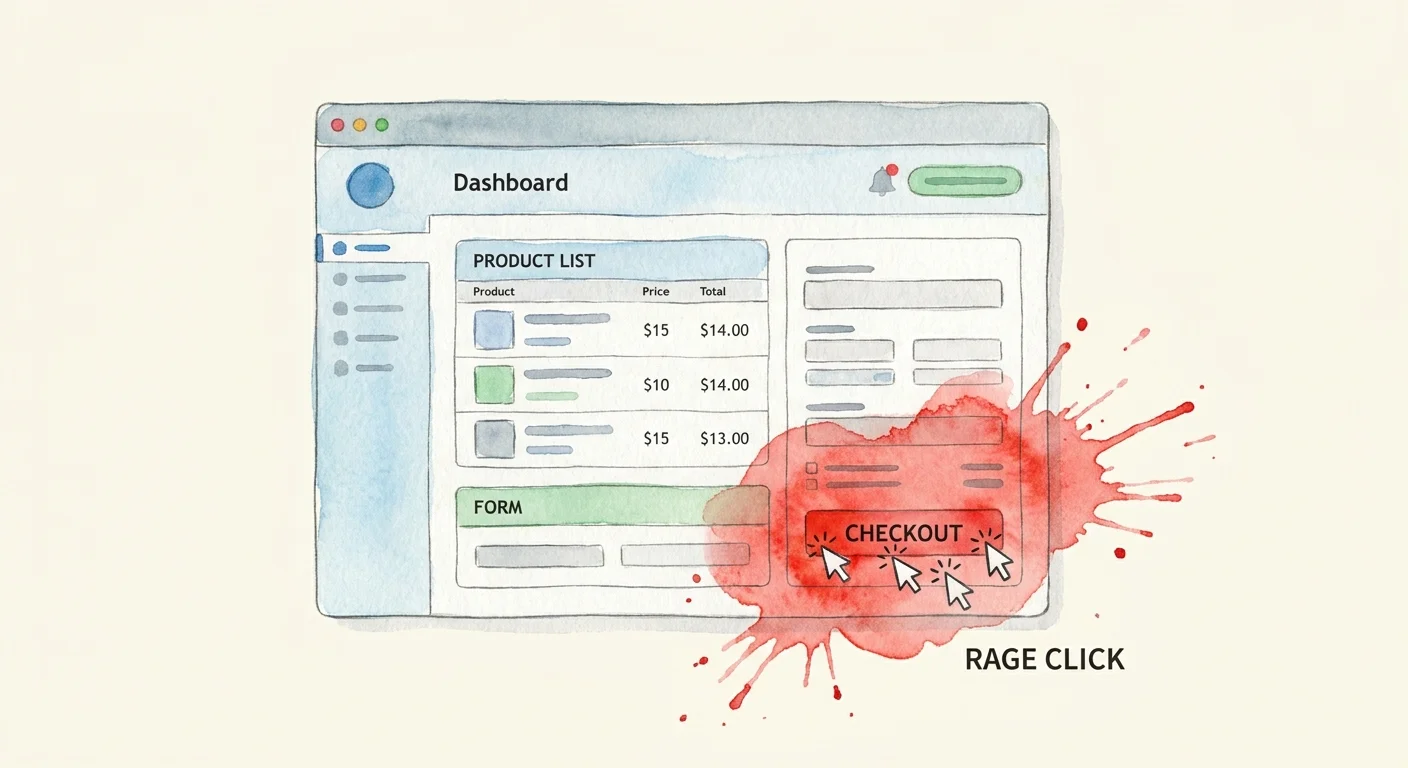
Modern tools detect and index frustration signals automatically. For example, if a user clicks an unlinked image five times in three seconds, the system tags the session with a rage-click identifier, and if a JavaScript exception prevents a dropdown from rendering, the software flags a dead click. You filter your dashboard to show only the sessions containing these errors, turning weeks of manual video review into a ten-minute targeted diagnostic exercise.
Strict Client-Side PII Masking by Default
Session replay does not record actual desktop video; instead, it logs Document Object Model (DOM) mutations, mouse coordinates, and network requests to reconstruct a synthetic playback. This method keeps file sizes manageable, but it still captures whatever text renders on the page.
To maintain CCPA and GDPR compliance, the tracking script must implement DOM masking on the client side, replacing sensitive elements with asterisks inside the visitor's browser before the data payload transmits to the server. If personal identifiable information like passwords, credit card numbers, or personal emails hits your backend database, you have already violated privacy regulations, so check the documentation of any platform you evaluate to confirm that input fields mask by default.
Performance and Infrastructure Requirements
Adding behavioral tracking scripts to a website introduces third-party code that, if executed poorly, blocks the main thread, delays visual rendering, and degrades search rankings.
Protecting Core Web Vitals with Lightweight Payloads
Performance optimization requires evaluating how a tool handles network requests. While older replay scripts send continuous streams of data that keep the browser's connection open and drain mobile battery life, modern open-source solutions solve this by batching DOM mutations and transmitting them asynchronously.
The tracking payload should remain under a few kilobytes to prevent UI latency. Measure the exact impact of third-party scripts on your total page weight by running your URLs through a Page Size Checker before and after deployment. If a replay script balloons your document size or causes layout shifts, the diagnostic insights will cost you organic traffic.
Layer 4 Bot Filtering for Accurate Data
Because automated scraping programs cannot interact with a website the way a human does, bots executing JavaScript often trigger hundreds of overlapping clicks, rapid-fire scrolling, and instantaneous page transitions.
Global invalid traffic hit 20.64 percent in 2026 according to fraud prevention firm Fraudlogix, though this rate fluctuates by device type and browser environment. If your analytics platform processes these artificial sessions, your heatmaps will show intense activity in empty white space, and your rage-click metrics will skyrocket. To prevent corrupted data, the system must reject known datacenter IP addresses, headless browser user agents, and rapid-fire interaction patterns at the server level, ensuring your visual reports reflect only human behavior.
Evaluating the Top Session Replay Tool Open Source Contenders
Selecting the right platform requires mapping your technical resources against your diagnostic needs, as some tools prioritize lightweight compliance while others function as massive data warehouses requiring dedicated DevOps support.
| Feature / Tool | Swetrix | PostHog |
|---|---|---|
| Primary Focus | Privacy-first Web & Product Analytics | Comprehensive Customer Data Platform |
| Cookie Banner Needed | No (Cookieless by design) | Often Yes (Depends on user identification) |
| Deployment Complexity | Low (Single script, easy self-hosting) | High (Multiple containers, heavy infrastructure) |
| Target Audience | Marketers, Creators, B2B2B Admin Panels | Data Engineers, Large SaaS Engineering Teams |
| White-Label APIs | Yes (Built for end-user dashboards) | Limited (Designed for internal company use) |
Swetrix: The Streamlined All-in-One Solution
Swetrix serves as the optimal bridge between standard traffic counting and advanced product analytics by tracking custom events, monitoring conversion funnels, and recording high-fidelity session playbacks without relying on persistent tracking cookies.
This lightweight architecture caters directly to privacy-conscious developers and content creators who want immediate insights without managing a complex server stack. Swetrix includes a suite of technical SEO utilities alongside its behavioral tracking, such as AI search crawlability checkers and server-side performance monitors.
For B2B2B companies, Swetrix offers a distinct structural advantage through its white-label capabilities. You can integrate the analytics directly into your customer-facing admin panels using raw API access, providing end-users with compliant web traffic data without exposing them to third-party branding or data brokers. If your primary goal is legally collecting web insights while retaining a full view of marketing attribution and user friction, Swetrix delivers an efficient path to deployment.
PostHog and Alternative Options
Operating at the opposite end of the complexity spectrum, PostHog combines session recording with feature flags, A/B testing infrastructure, and deep user profiling into a single massive platform.

This density makes PostHog powerful for large engineering teams building complex SaaS applications, as the software excels at tracking individual users across multi-month journeys to tie specific feature adoption to long-term retention rates.
However, this power demands substantial server resources, meaning self-hosting PostHog requires managing multiple Docker containers, a ClickHouse database cluster, and dedicated ingestion pipelines. Small agencies and content creators often find this infrastructure overwhelming. Furthermore, achieving cookieless compliance often requires disabling core features or implementing complex consent management workflows, because PostHog's default mechanics rely on persistent cross-site user profiles to power its product insights.
Best Practices for Analyzing Session Replays
Since accessing the software is the first step, you must implement structured workflows to extract actionable insights from the raw behavioral data, otherwise you risk drowning in unorganized video files.
Pairing Qualitative Video with Quantitative Data
Never open a dashboard and watch sessions without a specific goal, because a sixty-second recording of a user reading a blog post provides zero diagnostic value. Instead, you must anchor your qualitative viewing to quantitative failure points.
Start by defining conversion funnels for your highest-value actions, such as a multi-step checkout process or a software signup flow. Once the platform collects a statistically significant sample size, identify the specific step where the largest percentage of users exit.
Filter your replay dashboard to show only the visitors who dropped off at that exact stage, isolating failures so you watch twenty targeted videos instead of two thousand random ones. You might spot users struggling with a validation error on a postal code field or attempting to click a static image they mistake for a button. After identifying this friction, model the financial impact of the lost traffic through a Conversion Rate Calculator to justify the development time required to fix the interface.
Implementing Cookieless UTM Tracking
You can maintain flawless attribution and track campaign ROI without persistent cookies by enforcing Urchin Tracking Module (UTM) parameters on every inbound link.
Append structured tags like ?utm_source=linkedin&utm_medium=cpc&utm_campaign=q3_demo to your ad destinations and organic social posts. When a visitor clicks the link, the cookieless analytics server reads the parameters from the URL string, attaches them to the temporary session ID, and files every subsequent pageview, custom event, and session recording under that specific campaign.
This discipline prevents paid and organic traffic from blurring together into a single direct bucket. By segmenting your replay dashboard by traffic source, you observe how users arriving from a targeted LinkedIn ad interact with a landing page compared to visitors arriving from an organic Google search. If the paid traffic exhibits high rage clicks and rapid exits, feed those design variations into an AB Test Calculator to determine whether a layout change will improve the campaign's return on ad spend.
Set clear naming conventions in a shared document before launching any campaign, because a misspelled parameter splits your data into two separate rows and forces manual reconciliation during reporting. When every link carries perfect tracking tags, your analytics system delivers absolute clarity into both the source of your traffic and the behavioral reasons behind every conversion.
Stop losing critical behavioral data to cookie banner rejections and bloated enterprise SaaS fees. You can protect your users' privacy while retaining the advanced funnels, event tracking, and session replays required to grow. Start tracking ethically today at Swetrix.