- Date
How to Track Visitors to a Website The Right Way
 Andrii Romasiun
To really understand what's happening on your website, you need to add a small tracking script to your code. This little snippet is what gathers anonymous data on what your visitors do—like which pages they look at and where they came from—and sends it all to a dashboard. This is where you can start to see patterns in user behavior and make smart, data-backed decisions. It's a pretty straightforward process, but it’s absolutely fundamental to knowing your audience.
Why Tracking Website Visitors Is Still Essential
Even with all the new privacy laws and the slow death of cookies, understanding how people use your site is more important than ever for growing your business. We've come a long way from the old-school "hit counters." Today, visitor tracking is a strategic tool that turns raw numbers into real-world insights that can shape everything from product development to marketing.
For a startup, this data is gold. It’s how you find product-market fit. By seeing which features people actually use, founders can focus their energy on what’s working and cut what isn't. In the same way, marketing teams can use this data to prove their worth, showing exactly which campaigns are bringing in traffic that converts and delivering the best return on investment.
The Evolution of Visitor Tracking
Website analytics has changed drastically over the years. Back in the early 1990s, we were digging through server logs for basic info like HTTP requests from certain IP ranges. By the late '90s, tools like WebTrends and Urchin) (which Google later bought) made log analysis more popular, giving us a clearer view of pageviews and referrers.
Fast forward to today, and the internet has exploded. With 5.30 billion users online as of October 2023, tracking visitors isn't just a nice-to-have; it's a strategic necessity. There are over a billion websites out there, with about 252,000 new ones popping up every single day. In a sea that vast, understanding your visitors is what keeps you afloat. You can dive deeper into these website statistics to get the full scope.
Of course, this massive growth eventually ran headfirst into privacy concerns. Game-changing laws like the EU's GDPR made everyone stop and think about how to measure site activity without building creepy, invasive profiles on users. The momentum for a new approach really picked up when Google announced it would phase out third-party cookies in Chrome—a browser that holds over 70% of the global market share on desktops.
A Modern Approach to Analytics
These days, tracking isn't about counting every single click. It's about finding a balance: getting accurate traffic data while respecting user privacy and staying on the right side of the law. Adopting a modern, privacy-first approach isn't just about compliance; it's a real competitive advantage that helps you build trust with an audience that's savvier than ever about their digital footprint.
The real challenge isn’t just grabbing data. It’s about collecting the right data in a way that respects privacy but still gives you the clarity you need to grow. Forget vanity metrics; it's all about actionable, compliant insights now.
This shift in thinking means you need to focus on the key performance indicators (KPIs) that actually move the needle:
- Conversion Rates: Which traffic sources are bringing in people who actually sign up, buy something, or take another key action?
- User Engagement: What content really connects with your audience? Looking at time on page and specific interaction events will tell you.
- Funnel Drop-offs: Where are you losing people? Pinpointing the exact spot in your checkout or sign-up process where users bail is incredibly valuable.
When you adopt this mindset, your analytics stop being a simple reporting tool and become a powerful engine for strategic growth.
Choosing Your Visitor Tracking Approach
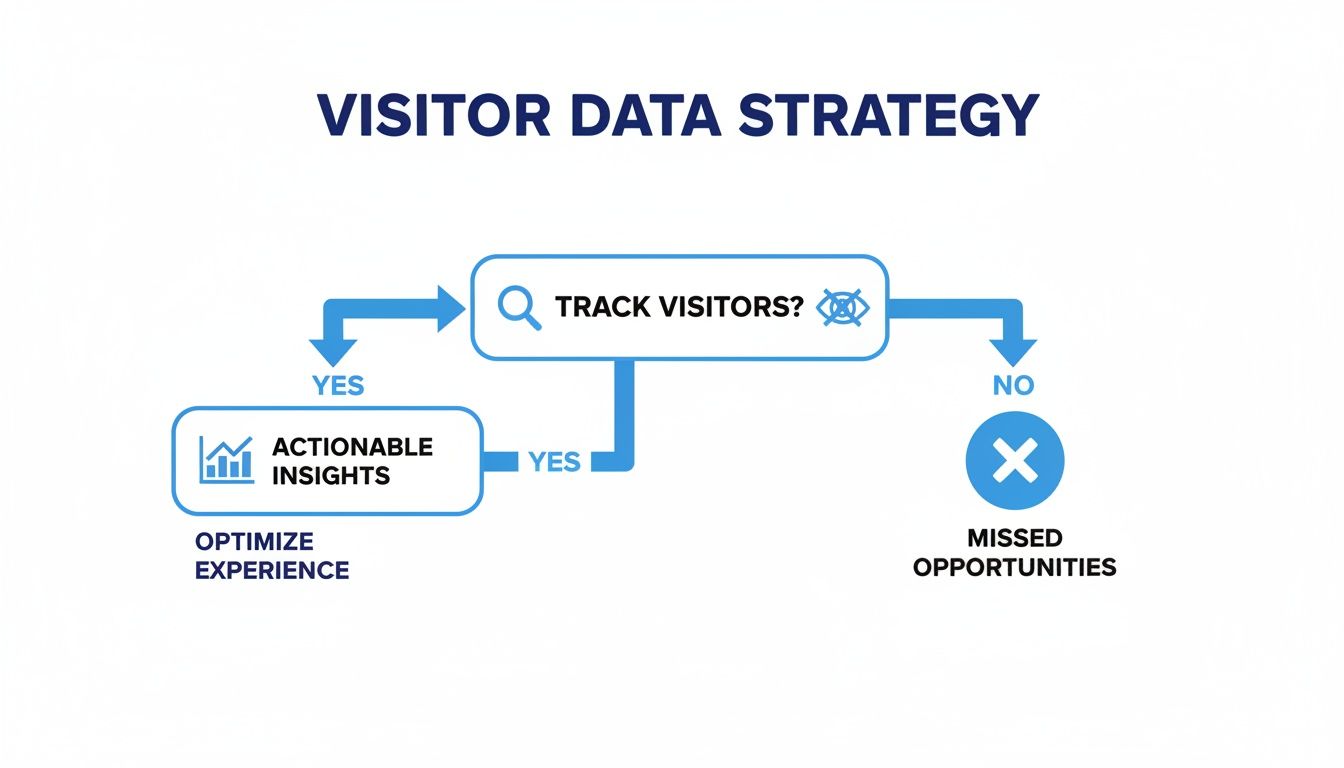
Deciding how to track visitors on your website isn't just a technical choice—it's a strategic one. The method you pick has a ripple effect, influencing everything from data accuracy and site speed to your relationship with users and your ability to comply with privacy laws. At its core, the decision comes down to where and how you collect your data.
The Old Guard: Traditional Client-Side Tracking
For years, the default method has been client-side tracking. This is the classic model used by tools like Google Analytics. You drop a JavaScript snippet onto your site, and it runs directly in your visitor’s browser (the "client") to gather data and send it off to the analytics provider.
It became the standard for a reason: it's incredibly easy to set up. But its reliance on the browser is now its biggest weakness. With over 42% of internet users running ad-blockers or privacy-focused browsers, these scripts often get blocked entirely. The result? A big, messy hole in your data. Plus, piling on third-party scripts can drag down your site's performance, which is bad for both user experience and SEO.
A More Robust Method: Server-Side Tracking
To get around the pitfalls of browser-based tracking, many have shifted to a server-side approach. Here, instead of the browser sending data to a dozen different marketing and analytics tools, it sends a single, clean stream of information to your server first. From there, your server securely relays that data to the platforms you use.
This model puts you back in the driver's seat. Because the data requests come from your own server, they're invisible to ad-blockers and browser restrictions, leading to far more accurate and complete datasets. It’s also a win for site speed, as you’re loading fewer heavy scripts on the user's end.
The trade-off, however, is complexity. Setting up and maintaining a server environment for tracking isn't trivial. It often requires dedicated developer resources, which can be a non-starter for smaller teams.
The Modern Way: Privacy-First Analytics
Lately, a third and much-needed approach has emerged: privacy-first tracking. This is about getting the insights you need without compromising user privacy. Tools like Swetrix were built from the ground up on this principle, gathering useful data without ever using cookies or the creepy cross-site identifiers that follow people around the internet.
Privacy-first solutions zero in on anonymous, aggregated metrics. You can still see your top pages, understand where traffic comes from, map out user journeys, and track conversions. You just do it without creating invasive profiles of individual people. This makes navigating complex regulations like GDPR and CCPA so much easier, as you simply aren't collecting the type of personal data that lands you in hot water.
If you’re exploring this path, it’s worth digging into the current landscape of alternatives to Google Analytics in 2026 to see how these modern tools stack up.
Key Takeaway: Prioritizing privacy isn't just about compliance; it's about building trust. When people know you respect their data, they're more likely to stick around. It turns a legal requirement into a genuine brand advantage.
Comparison of Website Visitor Tracking Methods
To help you decide which path is right for you, this table breaks down the key differences between the three main approaches. Your choice will ultimately depend on your technical resources, business needs, and your company's stance on data privacy.
| Feature | Traditional Analytics (e.g., Google Analytics) | Server-Side Analytics | Privacy-First Analytics (e.g., Swetrix) |
|---|---|---|---|
| Data Accuracy | Moderate (affected by ad-blockers) | High (resilient to ad-blockers) | High (focused on essential, reliable metrics) |
| Site Performance | Can be negatively impacted | Improved (fewer client-side scripts) | Excellent (lightweight script) |
| Privacy Compliance | Complex (requires cookie banners, consent) | Can be complex depending on data use | Simplified (cookieless, anonymous data) |
| Setup Complexity | Easy (copy-paste script) | High (requires server setup) | Easy (copy-paste script) |
| Data Ownership | Data often owned by the provider | Full ownership of your data | Full ownership, especially with self-hosting |
In the end, there's no single "best" answer, but for many businesses today, a privacy-first tool strikes the perfect balance. It delivers powerful, actionable insights while fostering user trust and keeping you on the right side of the law.
Getting Privacy-First Analytics Up and Running
Making the switch to a privacy-first analytics tool is one of the best decisions you can make for your website. This isn't just about ticking a compliance box; it's about building genuine trust with your audience. And the best part? Setting it up is often just as easy as the old-school platforms. I'll use Swetrix as our main example to show you how it's done.
The first thing you’ll always do is add a tracking script to your site. This small bit of JavaScript is the bridge between your website and the analytics service, sending anonymous data about page views and interactions back to your dashboard. You'll usually find this script waiting for you in your project settings.
Just copy the script and pop it into the <head> section of your website’s HTML. If you're on a CMS like WordPress or Webflow, they almost always have a dedicated spot for header scripts, so you don't even have to touch the code directly.
Dialing in Your Key Tracking Metrics
Once that script is live, you'll start seeing page views roll in automatically. But to really understand your visitors, you need to go deeper. This is where custom events, campaigns, and funnels come into their own, helping you measure the actions that truly matter to your business.
Custom Events are your way of tracking specific interactions that go beyond a simple page load. Think about things like:
- Button Clicks: How many people are hitting "Request a Demo"?
- Form Submissions: Are people actually signing up for your newsletter?
- Video Plays: Is anyone watching that expensive marketing video you made?
- Feature Usage: For a SaaS app, you could track when a user tries out a new feature.
Setting these up is surprisingly simple. You just add a little function call to the element you want to track. To monitor a newsletter signup, your button's code might look like: onclick="swetrix.track({ event: 'Newsletter Signup' })". That one line gives you a wealth of information about how engaged your users are.
Here’s a look at what this can look like in practice, turning simple code into a clear view of user actions.
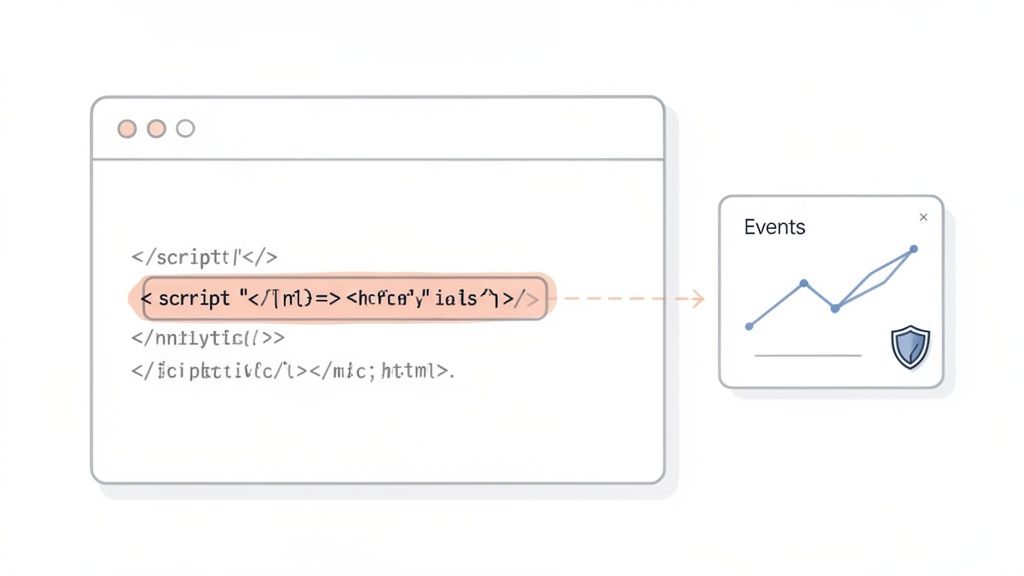
As you can see, a tiny code addition can power a really insightful events dashboard.
Tracking Your Marketing ROI with UTMs
If you're putting money or effort into marketing, you have to know what's paying off. This is where UTM parameters are absolutely essential. They’re just simple tags you append to your URLs to tell you the source, medium, and campaign that sent a visitor your way.
For example, a properly tagged URL looks like this: yourwebsite.com?utm_source=twitter&utm_medium=social&utm_campaign=summer_sale. A solid analytics tool will instantly recognize these tags and show you which campaigns are driving traffic and, crucially, which ones are leading to conversions.
By diligently tagging every single campaign link, you get rid of the guesswork. You can confidently say, "Our Twitter summer sale campaign brought in 350 visits and led to 15 sign-ups." That's the kind of hard data that justifies marketing budgets.
To start, you need a clear naming convention for your team. This stops you from getting messy data where "twitter," "Twitter," and "twt" are all tracked as different sources. Our guide on how to track website visitors ethically shares more tips on keeping your data clean and useful.
Mapping the User Journey with Funnels
A funnel is basically a map of the steps a user takes to reach a specific goal, like buying a product or starting a free trial. By setting one up, you can pinpoint exactly where people are getting stuck and dropping off.
For an e-commerce site, a classic funnel might look like:
- Visited Product Page
- Added Item to Cart
- Proceeded to Checkout
- Completed Purchase
When you track this flow, you might find that 70% of users who add an item to their cart bail before even starting the checkout. That’s a massive red flag. It tells you to immediately go investigate your cart page—maybe your shipping costs are a nasty surprise, or maybe there's a technical bug.
Keeping an Eye on Site Health and User Experience
Great analytics isn't just about marketing numbers; it's also about the technical health of your site. Session analysis tools let you watch anonymized recordings of user sessions, which is an incredible way to see where people are getting confused or frustrated on your site.
On top of that, Real User Monitoring (RUM) gives you a real-time pulse on your site's performance from your visitors' perspective. It helps you answer tough but vital questions:
- Is the site painfully slow for users in Australia?
- Are JavaScript errors breaking the site for people on older browsers?
- Which pages have terrible Core Web Vitals scores that might be hurting SEO?
Finding and fixing these performance bottlenecks is critical. We've all seen the studies showing that even a one-second delay in load time can tank conversions. With RUM data, you can proactively squash bugs and speed issues before they cost you real customers. It’s about more than just tracking visitors—it's about giving them a great experience.
Turning Visitor Data into Actionable Insights
Collecting website data is just the first step. Think of it like gathering ingredients—you have all the raw materials, but the real value comes from what you create with them. Watching pageview numbers go up and down is fine, but it won't drive real growth. The magic happens when you translate those numbers into smart, strategic business decisions.
This is where you shift from just watching metrics to asking the right questions. Instead of only seeing how many people visit, you start to understand who they are, what they’re looking for, and why they leave. The ultimate goal is to connect every piece of visitor behavior to a tangible outcome, whether that's more revenue, better user retention, or a stronger product.
Discover Your Top-Performing Content
One of the quickest wins you can get from your analytics is figuring out what content actually connects with your audience. Don't just glance at the pages with the most views; you need to dig a little deeper. A well-organized dashboard makes this incredibly intuitive. You can learn more about creating one in our guide to building an effective web analytics dashboard.
Look for the sweet spot where high traffic meets high engagement. Keep an eye on these metrics:
- Average Time on Page: Longer time on page is usually a strong signal that your content is hitting the mark.
- Low Exit Rate: If people aren't bailing immediately after reading, they likely found what they needed.
- High Conversion Events: Do certain blog posts or landing pages drive more newsletter sign-ups or demo requests?
For instance, you might find that a detailed case study gets less traffic than a punchy listicle, but visitors who read the case study convert at a rate 5x higher. That's a powerful insight. It tells you to double down on creating more in-depth content to attract qualified leads who are ready to act.
Pinpoint Your Most Valuable Traffic Sources
Here's a simple truth: not all traffic is created equal. Some sources bring you window shoppers, while others deliver motivated buyers. By analyzing where your visitors come from, you can figure out where to focus your marketing budget for the best return.
Start by segmenting visitors by their referrer. Are they coming from organic search, social media, paid ads, or direct links? For each channel, you should be asking:
- Which source brings in the most engaged visitors (low bounce rate, high time on page)?
- Which channel is driving the most conversions for your key goals, like a completed purchase?
- Is that expensive ad campaign actually delivering visitors who stick around, or are they just bouncing?
Imagine you run a SaaS company and notice that traffic from a niche developer forum has an incredibly high free-trial sign-up rate. This insight is pure gold. It’s a clear signal to invest more time in that community—maybe through guest posts or sponsorships—because you have hard data proving it works.
Optimize Your Conversion Funnels
Every website has a goal, whether it's a sale, a sign-up, or a download. Funnels are how you track the path visitors take to get there, and more importantly, they show you exactly where people are dropping off.
The real reason founders and marketers obsess over tracking is that small tweaks can lead to huge results. Global data shows that 58–61% of website traffic now comes from mobile devices, yet many businesses haven't fully adapted their experience. Without structured tracking—segmenting by device, location, and on-site actions—it's impossible to know which campaigns or UX changes are actually driving growth. You can see more examples of how small data points lead to big wins in these vital web analytics statistics.
Visualizing each step of your funnel helps you spot the leaks immediately. For example, an e-commerce store might see that 90% of users who add an item to their cart proceed to checkout, but a whopping 60% abandon the process on the shipping information page. That’s a massive red flag pointing directly to a problem—maybe it’s high shipping costs, a confusing form, or a lack of payment options.
Armed with this data, you can stop guessing and start testing real solutions. You could introduce a free shipping threshold or simplify the address form. By monitoring the funnel, you'll see right away if your changes are plugging the leak and recovering that lost revenue. This is how you systematically turn data into dollars.
Advanced Tracking Techniques for Better Results
Once you have your basic tracking in place, it’s time to level up. You can move beyond just looking at reports and start building a proactive, data-driven workflow. This is where the magic happens—where your analytics platform stops being a passive dashboard and becomes an active partner in your growth. It’s all about connecting what your visitors do directly to what your team does.
The goal is to shift from manually checking stats to building automated systems that flag important changes the moment they happen. Instead of you hunting for problems, your analytics tool should tell you when something needs your attention. This frees you up to focus on the bigger picture.
Set Up Automated Alerts for Key Events
How many times have you discovered a critical issue hours—or even days—too late? Automated alerts make that a thing of the past. Modern tools like Swetrix let you create custom notifications for specific events and pipe them straight into your team’s Slack or Discord.
You can set up alerts for both good and bad news:
- A sudden spike in sign-ups? This might mean a marketing campaign is crushing it. Now you know to double down on what’s working.
- An increase in website errors? Get an instant ping when JavaScript errors surge, so your developers can squash the bug before it impacts thousands of users.
- A drop in conversion rates? If your checkout completion rate suddenly tanks, an alert can help you spot a broken payment gateway or a faulty button immediately.
These simple alerts can transform your team from reactive to proactive, closing the gap between insight and action.
Run Data-Backed Product Experiments
For any product team, launching new features can feel like a shot in the dark. Advanced tracking takes the guesswork out of the equation with controlled experiments like A/B testing and feature flags.
A feature flag lets you roll out a new feature to a small, controlled segment of users—maybe just 5% of your audience—before a full release. You can then watch their behavior closely. Are they using the feature? Is it improving retention? This kind of controlled exposure seriously minimizes risk.
The technology to track visitors has evolved far beyond simple pageview counters, with some platforms now handling billions of events monthly. The sheer volume of traffic online is staggering; Google alone sees over 98 billion monthly visits. For most businesses, this means your visitors come from just a handful of major ecosystems, making accurate referral and UTM tracking essential for making sense of it all. Discover more about global digital trends to see the full picture.
A/B testing takes this a step further. You can show two different versions of a page—an "A" version and a "B" version—to different user groups and measure which one performs better. For example, does a green "Buy Now" button get more clicks than a blue one? Instead of arguing about it in a meeting, you get a real, statistically significant answer based on actual user behavior.
Maintain Impeccable Data Hygiene
As your tracking setup gets more sophisticated, keeping your data clean becomes absolutely essential. Inaccurate data is worse than no data at all because it leads you to make bad decisions with confidence.
A great place to start is with a strict and consistent UTM naming convention for your entire team. This one simple step prevents you from having fragmented data where Facebook, facebook.com, and FB are all tracked as different sources, muddying your reports.
Create a short, easy-to-follow guide for your team:
utm_source: The platform (e.g.,google,twitter,newsletter).utm_medium: The marketing channel (e.g.,cpc,social,email).utm_campaign: The specific promotion (e.g.,q4-black-friday-sale).
Finally, get into the habit of auditing your event tracking regularly. At least once a quarter, sit down and review your custom events. Make sure they are still firing correctly and are relevant to your current goals. This small, consistent effort ensures the data you rely on remains trustworthy, accurate, and genuinely useful.
Got Questions About Tracking Visitors? We've Got Answers.
Even with the best plan in place, a few questions always pop up once you start digging into website analytics. Let's tackle some of the most common ones I hear from people just getting started.
Is Tracking Website Visitors Even Legal with GDPR?
Yes, it absolutely is—as long as you go about it the right way. The heart of GDPR compliance is being smart about personally identifiable information (PII). You can't just collect it without a user's explicit say-so.
This is exactly where privacy-first analytics tools shine. They're built from the ground up to focus on anonymous, aggregated data. Think of it this way: they don't use cookies, they don't fingerprint users, and they certainly don't build creepy profiles of individual people. This approach lets you gather all the essential insights you need—like your most popular pages, where your traffic is coming from, and how people navigate your site—without the legal headaches.
So, Do I Still Need to Show a Cookie Banner?
Probably not, and that’s a huge win. Cookie banners are only required when you use non-essential cookies to store or access information on a visitor's device. Since privacy-focused platforms like Swetrix are completely cookieless, you get to skip that step entirely.
This is a bigger deal than you might think. It simplifies your compliance checklist, sure, but it also massively improves your user experience. A 2023 study found that over 70% of users are just plain annoyed by cookie banners. Getting rid of them makes for a much cleaner, more welcoming first impression.
Just keep in mind, if you’re running other services that do set cookies (like advertising pixels or some live chat tools), you'll still need a banner to cover those.
How Do I Track Visitors Without Being Invasive?
It all starts with an ethical approach to analytics. Your goal should be to understand broad user behavior, not to shadow individuals around the internet. It's a simple but powerful shift in mindset.
Here’s how to put that into practice:
- Go Cookieless: Choose an analytics tool that doesn't rely on persistent digital trackers.
- Anonymize Everything: Make sure that no personal data, like a user's full IP address, is ever stored.
- Stay on Your Own Turf: Never track users across different websites. Your analytics should begin and end on your own domain.
- Be Upfront: Even if you're not legally required to, a simple, clear privacy policy goes a long way in building trust.
This isn't about sacrificing data; it's about tracking trends, not people. You get the insights you need while respecting everyone's right to privacy.
Can I Really Get Accurate Data Without Cookies?
You bet. The old way of doing things relied heavily on third-party cookies, but the game has changed. Modern cookieless methods are incredibly reliable for the metrics that actually drive decisions. Plus, with ad-blocker usage now topping 42%, many traditional, cookie-based scripts get blocked anyway, leaving huge gaps in your data.
Privacy-first tools often fly under the radar of these blockers because their tracking scripts are so lightweight. This means you often get a more complete picture of your traffic, not less. You can still accurately measure all the crucial stuff:
- Pageviews and unique visitors
- Session duration and bounce rates
- Referral sources and UTM campaigns
- Conversion events and funnel performance
You're getting actionable data for growth, often with better accuracy than the old, invasive methods. It’s the best of both worlds—great data and happy users.
Ready to track your website visitors the right way? Swetrix provides powerful, privacy-first analytics that helps you grow your business without compromising on user trust. Get the clear, actionable insights you need, stay GDPR compliant, and ditch the annoying cookie banners for good. Start your 14-day free trial today.