- Date
What Claude.ai/referral Means in Analytics
 Andrii Romasiun
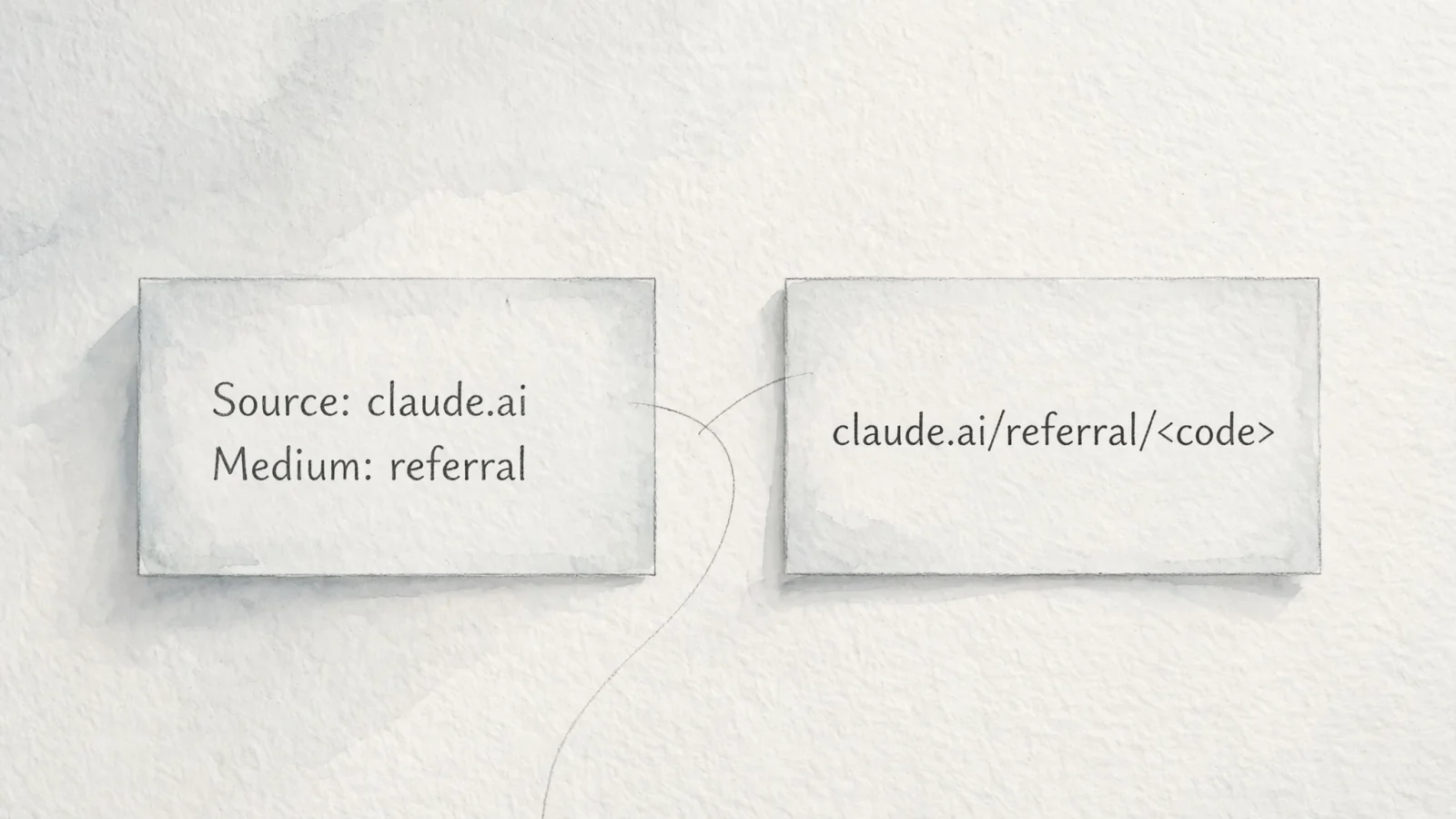
In a standard analytics source and medium report, the label claude.ai / referral means your tracking platform recorded a visitor arriving from Claude's interface. The hostname claude.ai acts as the recorded traffic source, and referral serves as the medium. This combination indicates a visit attributed to a link in Claude's interface, assuming your attribution rules have not overwritten the browser's default data.
When checking your dashboard in Google Analytics or a privacy-first cookieless alternative like Swetrix, this label represents an attributed click. It describes recorded traffic, not a transcript of the chat, so it can't identify the specific prompt the user typed or the exact response that generated the citation. Analytics platforms only see the referring domain passed by the browser.
How Analytics Platforms Process Claude Referrals
Understanding this label requires separating the technical dimensions of web analytics from literal web addresses. Google's documentation on traffic-source dimensions defines the source as the origin of your traffic, such as a search engine or a specific domain. The medium describes the general category of that source, like organic search, cost-per-click, or web referral.
When a user clicks a citation link inside the Claude web interface, their browser requests your webpage and typically sends an HTTP Referer header containing the domain they came from. Your analytics script reads that header, strips out any sensitive path data, and categorizes the origin. The system then logs the source as claude.ai and assigns the default medium for un-tagged incoming links, which is referral.
This reporting label operates distinctly from a literal invite URL ending in /referral/<code>. Anthropic has previously run time-limited invitation sweepstakes using that URL structure to grant access or promotional credits, providing a destination for users trying to sign up for Claude. Conversely, the analytics label records users leaving Claude to visit your website. Searching for a working referral code will not explain your website traffic, and tracking your traffic earns no promotional credits.
If your site receives consistent traffic from AI assistants, the default referral label might change over time because analytics providers continuously update their classification rules to group AI traffic into distinct channels. The exact text in your reports depends heavily on which platform you use and when you check the data.
Finding Claude Traffic in GA4
Google Analytics 4 applies a layer of processing over raw browser data to group traffic into recognized channels. Because AI assistants now drive notable web traffic, Google modified its default channel grouping definitions in 2026.
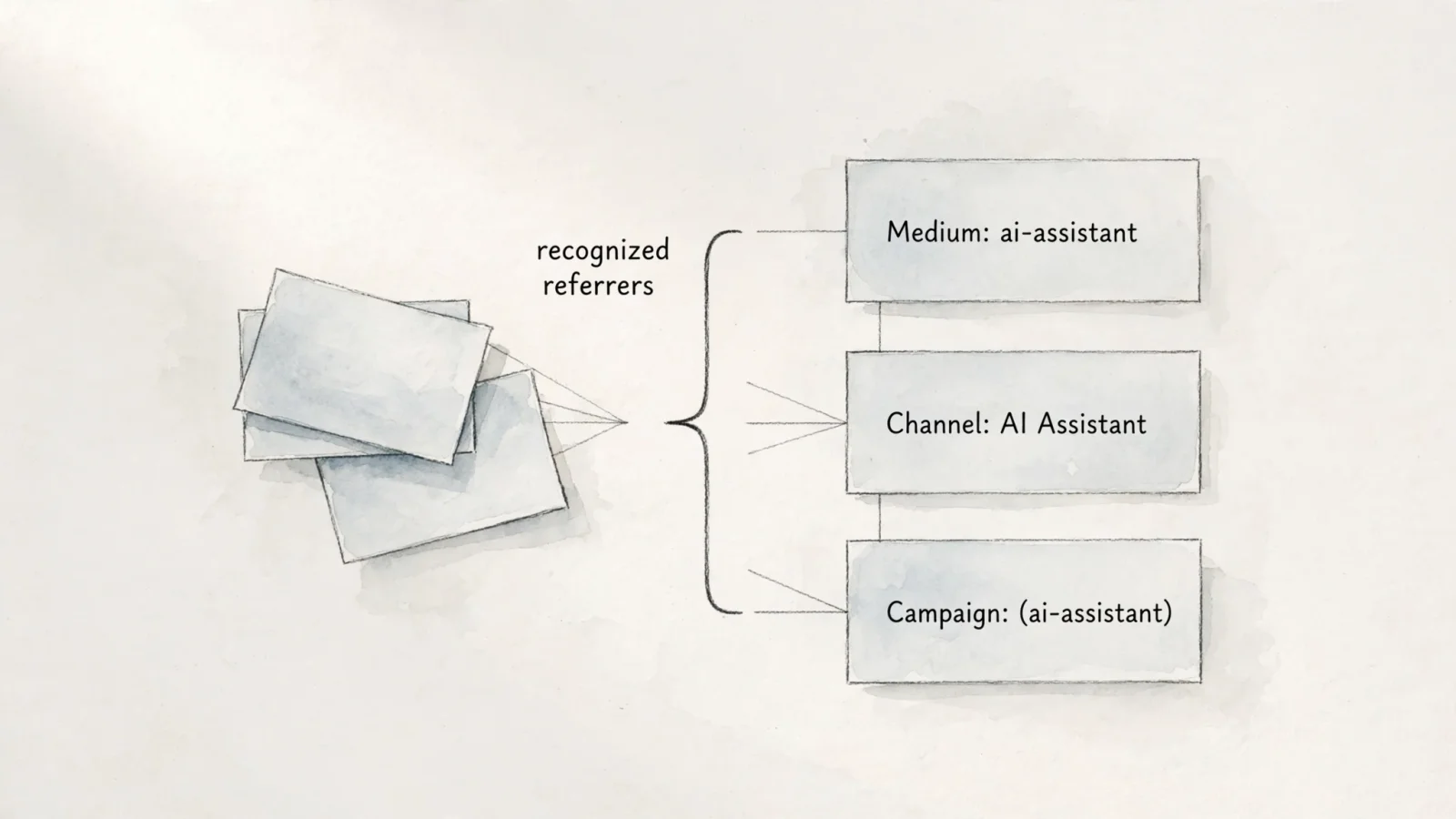
According to a May 2026 release note detailing changes to Google Analytics, Google Analytics assigns the medium ai-assistant automatically when a referrer matches a recognized AI Assistant, including Claude, and groups those visits under the new AI Assistant channel in Default Channel Group reports.
Because of this update, you will not always see claude.ai / referral in a modern GA4 property. To find out how your Claude traffic is categorized, check the primary acquisition reports. Open your GA4 property, navigate to Reports, then Acquisition, and select the Traffic acquisition report. This table displays session-scoped metrics, showing how users arrived at your site for their current visit regardless of how they found you originally.
- Click the primary dimension drop-down menu at the top left of the table, which defaults to Session default channel group.
- Change this primary dimension to Session source / medium.
- Type
claudeinto the search bar above the table and press Enter.
The table filters to show only rows containing that keyword. You might see claude.ai / ai-assistant, claude.ai / referral, or regional subdomains depending on how the visit was processed.
To see how GA4 rolls this specific source into its broader channel definitions, add a secondary dimension. Click the plus icon next to Session source / medium, navigate to Traffic source, and select Session default channel group. The resulting table shows whether Google grouped those Claude visits under the standard Referral channel or the dedicated AI Assistant channel.
Tracking Raw Claude Referrers in Swetrix
Relying on complex channel grouping logic is not required to track AI referrers. Swetrix operates as a privacy-first cookieless Google Analytics alternative that captures accurate source data without consent banners.
The platform uses the browser-reported referrer data available at the moment the page loads, mapping recognized hostnames to clean labels and displaying unrecognized hosts under their raw domain names. Swetrix avoids stripping valid referrers to fit arbitrary channel definitions, allowing you to inspect the exact sources driving your traffic directly in the dashboard.
To find these visits, open your Swetrix project and navigate to the referring domains widget, which lists the domains that successfully passed referrer information to your site. The label claude.ai appears clearly if the browser supplied that hostname during the visit. Clicking into the specific source filters the rest of your dashboard to show only the behavior of users who arrived from that AI assistant.
This filtering capability makes Swetrix practical for analyzing specific Claude traffic trends. Instead of stopping at pageview counts, carry that source attribution forward into your product analytics to view the most frequent landing pages for these users. Building custom conversion funnels reveals if those visitors complete the checkout process, while session replays show how they interact with the specific facts or products the AI cited.
Cookieless tracking works well for this task because it respects user privacy while logging the incoming HTTP request. However, no analytics tool captures every AI-influenced visit. Privacy setups, mobile apps, and browser restrictions block some referral data before it reaches your tracking script, meaning you measure the observable, attributed traffic rather than an absolute count of every person who saw your brand mentioned in a prompt.
Measuring the Business Impact of AI Traffic
Seeing a high volume of traffic from claude.ai is encouraging, but raw visit counts do not directly drive revenue. Users arriving from an AI chat often behave differently than visitors from organic search or social media because they already have a specific answer or context from the AI, making their intent highly focused. If the landing page fails to provide the information or product the AI promised, those visitors will bounce.
Measuring the business impact of Claude referrals requires evaluating the resulting on-site actions by transitioning analysis away from acquisition reports and toward conversion data.
Content creators and bloggers can evaluate the specific pages these visitors consume by reviewing average time on page and scroll depth. A user who clicks a citation to verify a fact might leave after ten seconds. Building an audience from AI traffic requires offering a clear next step, such as tracking newsletter signups, RSS feed subscriptions, or affiliate link clicks segment by segment. If Claude sends a thousand visitors but none take further action, that traffic segment offers low business value.
Agencies and small businesses shift their focus toward qualified leads. An AI assistant might recommend your software or service based on a user's prompt about specific business problems, bringing users who are ready to evaluate a solution. Setting up custom events in your analytics platform for demo requests, contact form submissions, or direct purchases helps quantify this. Comparing the conversion rate of AI traffic against standard organic search traffic reveals the true value of these leads.
B2B companies offering analytics to their own end users face a distinct challenge in ensuring internal reporting matches the data exposed to clients. Standardizing how you define an AI referral across all customer-facing views prevents confusion. If the internal marketing team treats ai-assistant as a distinct high-value channel while the client dashboard lumps it in with generic referrals, reporting friction occurs.
Judging the source by observable on-site behavior provides the clearest picture. Analytics cannot reveal the originating prompt or prove the AI gave your brand a glowing endorsement; the data only confirms that a visit was attributed to Claude and successfully tracked. Let the conversion metrics indicate whether that click mattered.

Limitations of AI Referral Tracking
Analytics platforms report the attribution data they receive, omitting information that was blocked, stripped, or never sent. Treating the Claude referral count as a perfect measure of AI influence leads to inaccurate marketing assessments, as many visits originating from an AI conversation never display the claude.ai source label.
Technical Causes of Direct Traffic
Some traffic categorized as Direct comes from links in offline documents, so the label does not mean every user typed the URL into their address bar. Google's explanation of direct traffic handling supports that distinction: it defines (direct) / (none) as traffic without a clear referral source and lists missing UTM parameters and ad blockers as reasons source information can be lost.
Referrer data drops out for several technical reasons. Mobile applications frequently fail to pass referrers when they open links in an external browser. If a user asks a question in a native Claude mobile app and clicks a citation, the operating system might hand the request to Safari or Chrome without attaching the claude.ai origin, registering the visit on your site as Direct.
Browser privacy features and website configurations also strip this data. The HTTP Referrer-Policy header dictates how much origin information a browser shares. The modern standard, strict-origin-when-cross-origin, limits the data sent between different sites. Because default referrer policies limit cross-origin tracking, transitioning from a secure AI chat interface to your website might only pass the root domain or drop the header entirely under strict configurations.
Custom tracking tags offer no solution here. UTM parameters apply to campaigns and links you control, such as marketing emails or paid advertisements, rather than citation links generated dynamically by an AI language model. Forcing Claude to append ?utm_source=claude to the links it provides to users is impossible. When the browser drops the referrer natively, the analytics script has nothing to read, making the session Direct.
Differentiating Crawlers from Human Visitors
Not every server interaction represents a human reading a web page. AI companies operate automated fetchers and crawlers that index the web, gather training data, or retrieve live information to answer user prompts. While these automated requests appear in your server logs, they differ from human referrals and remain absent from your web analytics dashboard.
Anthropic operates several distinct user-agents. According to their documentation on web crawling, the ClaudeBot user-agent collects public web content that could contribute to training Anthropic's generative AI models. Meanwhile, Claude-SearchBot analyzes online content to improve search-result quality, while Claude-User is used when Claude accesses websites in response to users' questions.
| User-Agent Name | Primary Function | Analytics Impact |
|---|---|---|
ClaudeBot | General web crawling for model training data. | None. This is server-level automated traffic. |
Claude-SearchBot | Search indexing to improve search-result quality. | None. This is server-level automated traffic. |
| Browser Default | A human clicks a citation in the Claude interface. | Registers in analytics as claude.ai / referral. |
When Claude-User accesses your server in response to a prompt, Claude can read your page to answer the user. Because the user has not visited your website in a browser, the analytics tracking script remains unexecuted, meaning no pageview occurs.
A server log showing hundreds of requests from Anthropic bots indicates that the AI is aware of your content rather than proving human referral traffic. Keeping technical SEO monitoring separate from web analytics ensures clarity. Reviewing traffic reports requires focusing exclusively on the human sessions that executed the tracking script, generated a referrer header, and created an opportunity for a conversion.
Avoid wrestling with complex GA4 channel groupings and missing data. Swetrix provides a clean, accurate view of AI traffic, referral sources, and conversion funnels without invasive cookie banners. Built for agencies, creators, and B2B platforms, it delivers the robust product analytics required to measure concrete outcomes. Try the privacy-first alternative at Swetrix.com.