- Date
13 Best Website Monitoring Tools for Performance and Uptime in 2026
 Andrii Romasiun
A slow or unavailable website translates directly to lost revenue, a damaged reputation, and a poor user experience. Proactive monitoring isn't just a best practice; it's essential for catching performance degradation, downtime, and critical errors before they impact your customers. The challenge is navigating the crowded market of monitoring services to find the one that fits your specific technical and business needs.
This comprehensive guide is designed to help you make an informed decision without wading through marketing jargon. We've curated a list of the 13 best website monitoring tools, evaluating each one based on real-world use cases, key features, and practical limitations. We provide a clear, scannable breakdown for every tool, including screenshots, direct links, and transparent pricing information.
Whether you're a startup founder needing simple uptime alerts, a DevOps engineer implementing complex synthetic checks, or a digital agency managing multiple client sites, this resource will help you find the right solution. We've organized the tools by their primary function, such as uptime, real-user monitoring (RUM), performance analysis, and error tracking. This structure allows you to quickly compare services and identify the platform that aligns perfectly with your goals, budget, and privacy requirements, including GDPR-compliant and self-hosted options like Swetrix. Let's find the tool that will keep your website fast, reliable, and available 24/7.
1. Swetrix
Swetrix stands out as a powerful, privacy-first analytics and monitoring platform, making it one of the best website monitoring tools for teams that prioritize GDPR compliance and data ownership. It moves beyond basic pageviews to offer a comprehensive suite of features, including real user monitoring (RUM), performance tracking, and error aggregation, all without using cookies or collecting personal data. This cookieless approach means no intrusive cookie banners are needed, streamlining the user experience while maintaining ethical data practices.
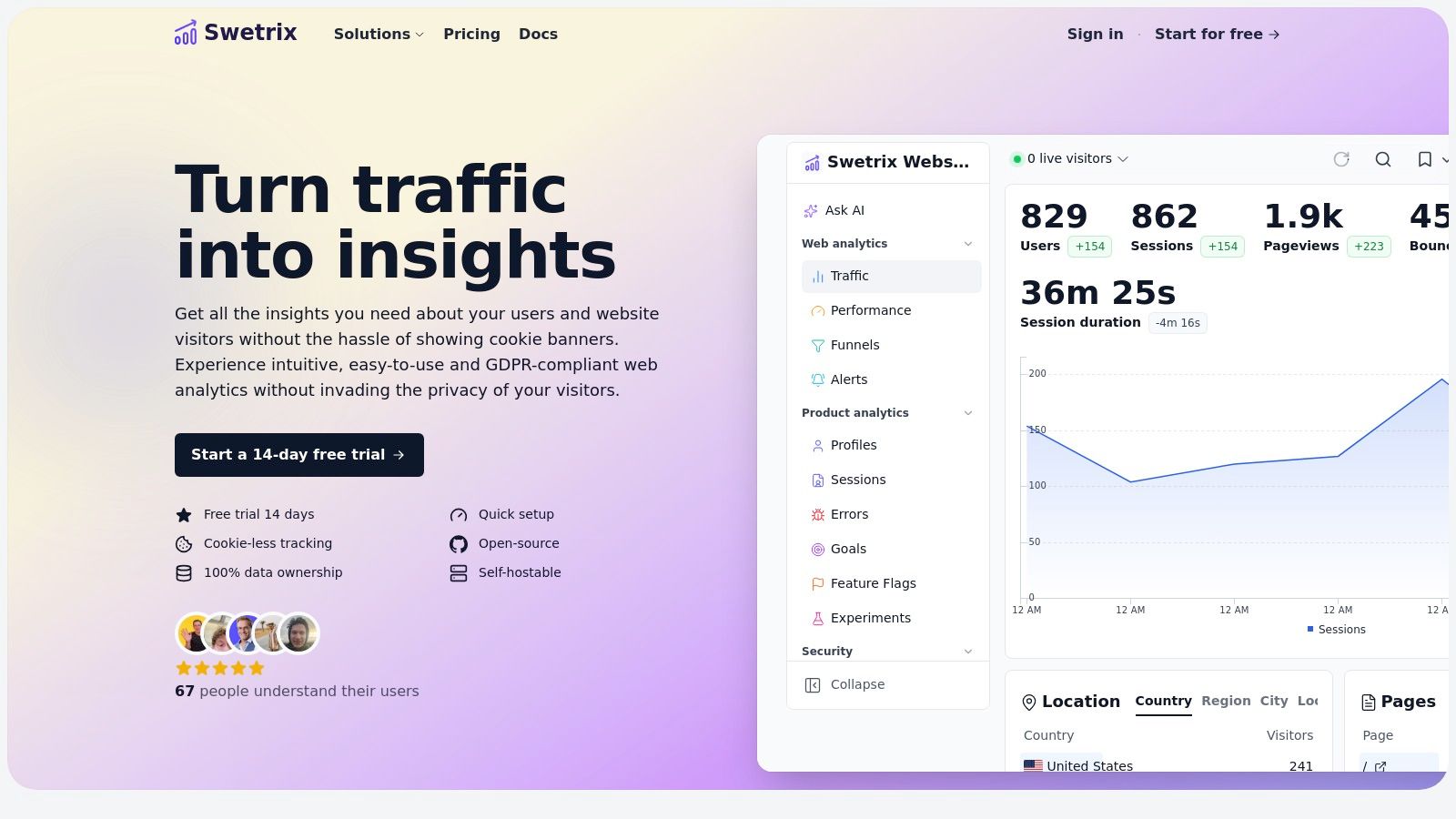
The platform is engineered for actionable insights. Product and growth teams can leverage built-in funnels, feature flags, and A/B testing to ship changes confidently and measure their impact. For developers and DevOps, Swetrix provides detailed error tracking and performance metrics, with alerts delivered via Slack, Discord, or Telegram to ensure prompt issue resolution. Its open-source, self-hostable Community Edition offers an unparalleled level of control and data sovereignty for those who need it.
Key Features & Use Cases
- Real User & Performance Monitoring: Track key performance metrics like First Contentful Paint (FCP) and Largest Contentful Paint (LCP) directly from real user sessions. This helps identify and resolve front-end bottlenecks that impact user experience.
- Error Tracking & Alerts: Automatically capture and group JavaScript errors, providing stack traces and context to accelerate debugging. Set up real-time alerts to be notified of critical issues as they happen.
- Privacy-First Analytics: Analyze traffic sources, user flows, and UTM campaigns without compromising user privacy. Ideal for marketers and founders operating in regions with strict data protection laws like the GDPR.
- Product Growth Tools: Utilize integrated A/B testing, feature flags, and conversion funnels to optimize user journeys and validate new features. Stripe and Paddle integrations allow for direct revenue attribution.
Pricing and Implementation
Swetrix offers a transparent, traffic-based pricing model for its cloud version, starting at €17 per month for 100,000 events, with a 14-day free trial (no credit card required). For teams desiring full control, the open-source Community Edition is available for self-hosting. Implementation is straightforward, requiring only a lightweight JavaScript snippet to be added to your website.
Best for: Startups, developers, and product teams needing a GDPR-compliant, all-in-one monitoring and analytics solution with the flexibility of a self-hosted option.
- Pros:
- Strictly privacy-focused and cookieless, ensuring GDPR compliance without cookie banners.
- Combines analytics, RUM, error tracking, and A/B testing in one platform.
- Open-source and self-hostable option for complete data ownership.
- Actionable alerts and integrations with popular team communication tools.
- Cons:
- The cookieless approach prevents user-level tracking across multiple devices.
- Cloud plans lack a permanent free tier, which may be a consideration for hobby projects.
Website: https://swetrix.com
2. Pulsetic
Pulsetic is a modern, beautifully designed website uptime monitoring tool that makes it incredibly simple to keep track of your website's availability. It focuses on providing a clean, intuitive user interface while delivering powerful features like global uptime checks, status pages, and instant alerting. If you want a tool that is easy to set up and looks great, Pulsetic is an excellent choice.
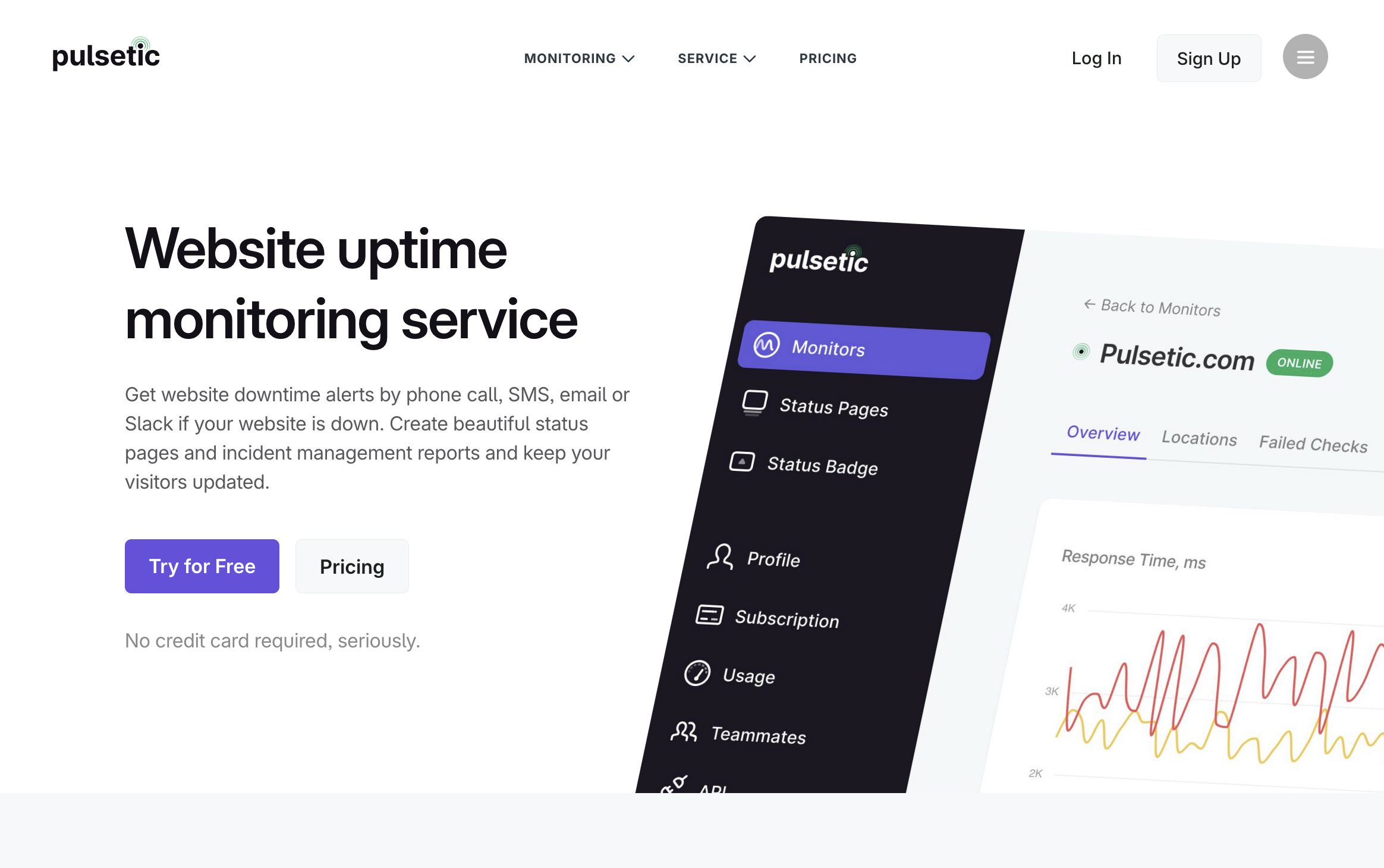
Pulsetic provides reliable downtime alerts via phone call, SMS, email, Slack, and other channels, ensuring your team is the first to know when an outage occurs. It also allows you to create highly customizable, branded status pages to keep your customers informed. By pinging your website from multiple data centers worldwide, Pulsetic minimizes false positives and ensures accurate regional uptime data.
Key Features & Pricing
- Monitoring Focus: Uptime (HTTP/TCP), Status Pages, SSL & Domain Expiry Monitoring.
- Pricing Model: Offers a free tier with 10 monitors and 5-minute checks. Paid plans start at $9/month for 50 monitors with 1-minute checks, regional monitoring, and custom status pages.
- Free Trial: A free plan is available to start immediately.
- Best For: Startups, agencies, and individual developers who want a straightforward uptime monitoring tool with excellent status pages.
| Pros | Cons |
|---|---|
| Beautifully designed UI and status pages. | Lacks deep performance or synthetic transaction testing. |
| Generous free tier to get started quickly. | Fewer enterprise-grade integrations compared to larger tools. |
| Multi-channel alerts including SMS and phone calls. |
3. SolarWinds Pingdom
SolarWinds Pingdom is one of the most established names in website monitoring, making it an excellent choice for teams that need reliable, easy-to-implement synthetic checks. It excels at simulating user interactions from global locations to proactively test uptime, page load speed, and critical user journeys like login or checkout processes. This focus on synthetic monitoring allows you to catch issues before your actual users encounter them.

Pingdom’s strength lies in its simplicity and clarity. Unlike some all-in-one observability platforms, it provides a focused toolset that is easy to configure without a steep learning curve. While its primary offering is synthetic monitoring, you can also add Real User Monitoring (RUM) to see how actual visitors experience your site's performance. The combination of synthetic and real-user data offers a balanced view, helping you correlate lab-tested performance with real-world impact. For teams looking to act on these insights, exploring these website performance optimization tips can provide a clear path to improvement.
Key Features & Pricing
- Monitoring Focus: Uptime, Page Speed, Transaction (Synthetic) & Real User Monitoring (RUM).
- Pricing Model: Pingdom uses a flexible "mix and match" pricing calculator. Synthetic Monitoring starts at around $10/month for 10 uptime checks and 1 advanced check. RUM is priced separately, starting at $10/month for 100,000 pageviews.
- Free Trial: A 14-day free trial is available, allowing you to test both synthetic and RUM features.
- Best For: Businesses of all sizes that need a straightforward, reliable synthetic monitoring solution with the option to add RUM for a more complete picture.
| Pros | Cons |
|---|---|
| Easy to set up with a clean user interface. | Final price can be complex to calculate. |
| Global test locations for accurate synthetic data. | SMS alert credits are limited and may require add-ons. |
| Scales from small projects to large enterprises. | RUM features are less comprehensive than specialized tools. |
4. UptimeRobot
UptimeRobot is one of the most popular and accessible website monitoring tools, known for its extremely generous free tier and straightforward setup. It excels at providing essential uptime monitoring through various checks like HTTP(s), keyword presence, ping, and port monitoring. This makes it an ideal starting point for startups, developers, and small businesses that need reliable downtime alerts without the complexity or cost of a full observability platform.
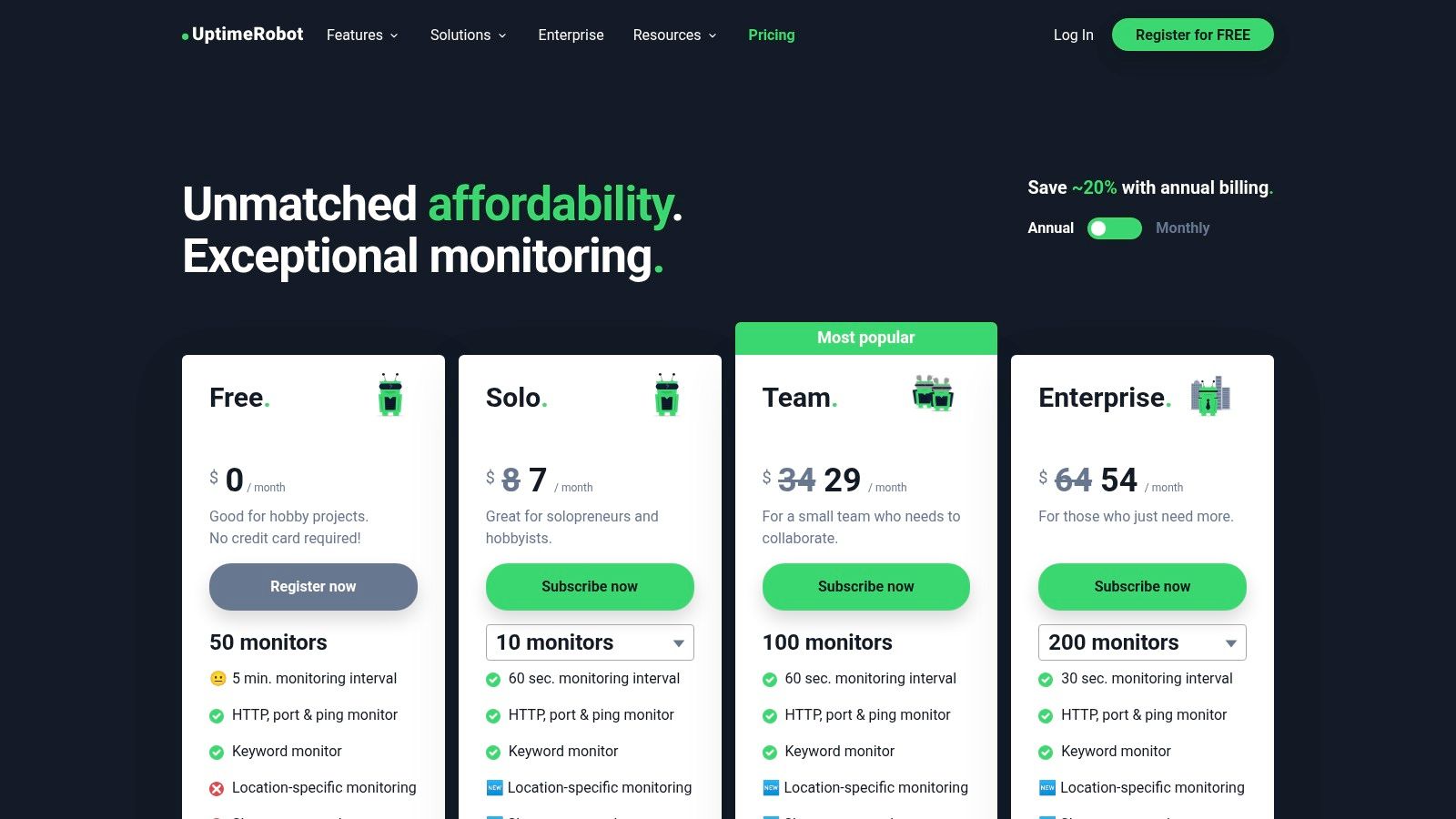
The platform’s strength is its simplicity and focus. You can configure dozens of monitors in minutes and integrate alerts with popular services like Slack, Telegram, and PagerDuty. While it doesn't offer deep performance analytics, it effectively answers the most critical question: "Is my website online?" This is particularly useful for catching server-side issues, and understanding how to resolve a 500 error code when UptimeRobot alerts you to one. For those who need it, UptimeRobot also offers public status pages, which is a valuable feature for maintaining user trust during an outage.
Key Features & Pricing
- Monitoring Focus: Uptime (HTTP, keyword, ping, port), SSL, Cron Job & DNS.
- Pricing Model: A robust free plan offers 50 monitors with 5-minute checks. Paid plans start at $8/month for 50 monitors with 1-minute checks, status pages, and more integrations. SMS/voice call alerts are available as add-ons.
- Free Trial: The "Free Forever" plan serves as a perpetual trial.
- Best For: Individuals, startups, and small businesses needing a cost-effective, easy-to-use uptime monitoring solution with reliable alerts.
| Pros | Cons |
|---|---|
| Generous free tier with 50 monitors. | Advanced features and faster checks require a paid plan. |
| Extremely simple to set up and configure. | Limited performance analytics compared to all-in-one tools. |
| Public status pages are included in paid plans. | Fewer integrations than enterprise-grade platforms. |
5. StatusCake
StatusCake is an excellent choice for teams that need comprehensive uptime, speed, and health monitoring without the complexity of a full-stack observability platform. It stands out by offering a powerful and generous free tier alongside affordable paid plans, making it one of the most accessible and best website monitoring tools for startups, small businesses, and individual developers. The platform focuses on providing core monitoring services with impressive global coverage and fast check intervals.
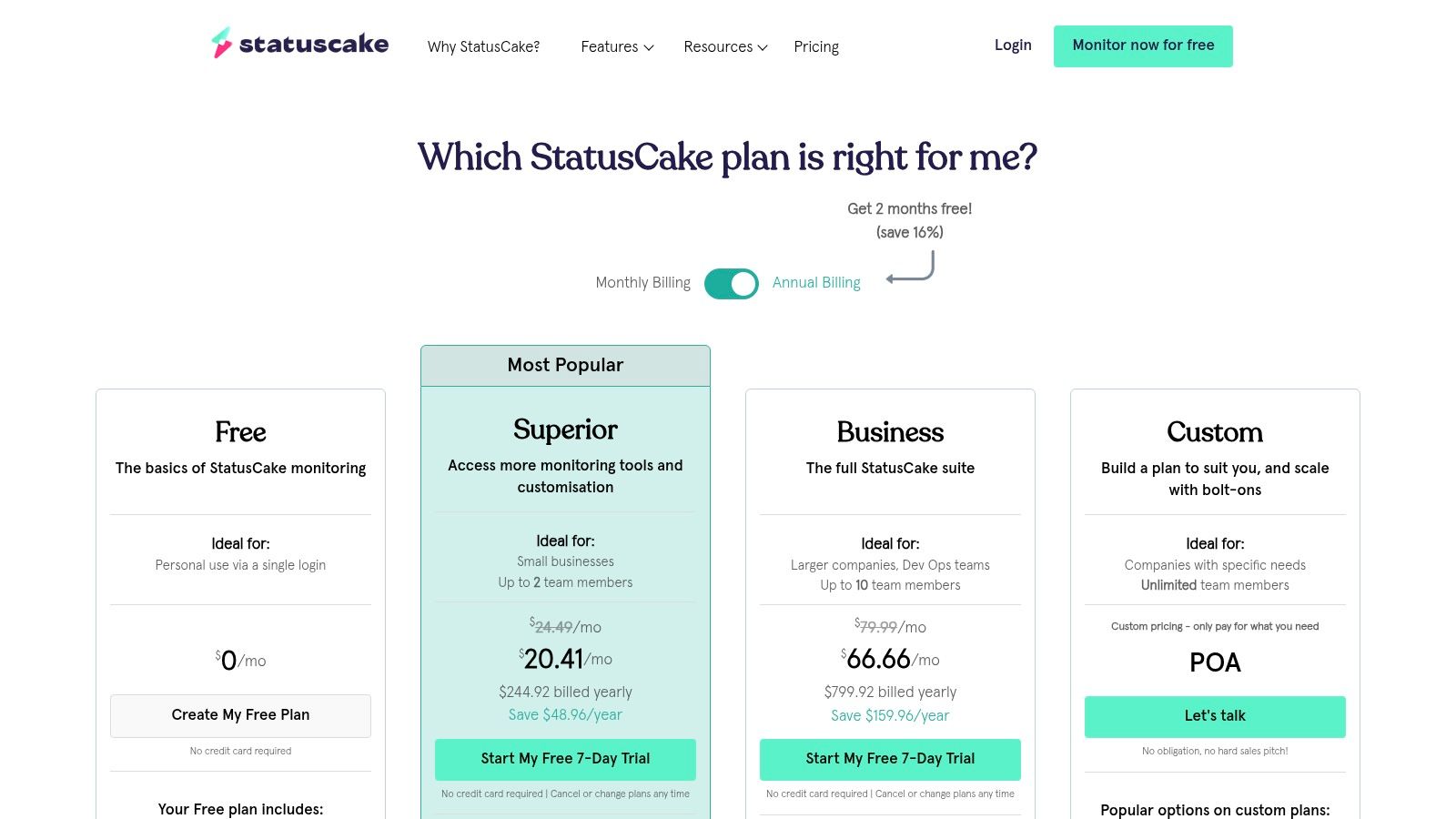
The platform’s key strength is its straightforward approach. You can quickly set up uptime checks from over 30 countries, monitor page load speeds, and receive alerts for SSL or domain expiry issues. StatusCake also includes server resource monitoring and the ability to create public status pages, which is a valuable feature for maintaining user trust during downtime. This combination of essential features, presented in a clean interface, makes it easy to get actionable insights without a steep learning curve.
Key Features & Pricing
- Monitoring Focus: Uptime, Page Speed, Domain/SSL, Server Monitoring.
- Pricing Model: Offers a generous Free plan with 10 uptime checks at 5-minute intervals. Paid plans start with the "Superior" tier at $20.41/month (billed annually) for 100 uptime checks and 1-minute intervals, scaling up to the "Business" tier at $66.66/month for faster checks and more features.
- Free Trial: A 7-day free trial of the Business plan is available without a credit card.
- Best For: Small to medium-sized businesses, startups, and agencies that need reliable, multi-location monitoring with a great free starting point and predictable pricing.
| Pros | Cons |
|---|---|
| Generous free plan covers key basics for small sites. | Faster intervals and some team features require higher tiers. |
| Clear plan limits and fast check interval options. | Advanced analytics are less detailed than enterprise platforms. |
| Good global coverage with over 30 test locations. | The user interface can feel slightly dated in some areas. |
6. Better Stack (Better Uptime)
Better Stack carves out a unique niche by deeply integrating uptime monitoring with a full-suite incident management platform. It's an ideal solution for teams that don't just want to know when their site is down, but need a robust, automated workflow for responding to incidents. The platform offers frequent checks (as fast as every 30 seconds), multi-location verification to prevent false positives, and detailed error logs complete with screenshots, which is invaluable for quick debugging.

What truly sets Better Stack apart is its on-call scheduling, escalation policies, and unlimited phone and SMS alerts on paid plans. This makes it one of the best website monitoring tools for teams where a fast, coordinated response is critical. Instead of just sending an email into the void, Better Stack ensures the right person is notified immediately through their preferred channel. It also includes beautifully designed, branded status pages, allowing you to communicate transparently with your users during an outage.
Key Features & Pricing
- Monitoring Focus: Uptime, Incident Management, On-Call Scheduling, and Status Pages.
- Pricing Model: Offers a free plan with 10 monitors and 5 status pages. Paid plans are priced per "responder," starting at $25/month per responder, which includes unlimited teammates for viewing purposes.
- Free Trial: A free forever plan is available, alongside a free trial of paid features.
- Best For: DevOps and engineering teams that need a unified platform for monitoring, alerting, and incident response management, especially where collaboration is key.
| Pros | Cons |
|---|---|
| Strong incident management and alerting depth. | Pricing keyed to "Responder" licenses may feel different. |
| Simple per-responder pricing with unlimited teammates. | Transaction monitoring relies on Playwright setup (added complexity). |
| Good developer tooling and automation support. | Primarily focused on uptime and incidents, less on deep performance. |
7. Site24x7 (Zoho)
Site24x7, part of the Zoho ecosystem, is a comprehensive monitoring platform that extends far beyond simple uptime checks. It's an all-in-one solution designed for teams that want to consolidate their website, infrastructure, application performance (APM), and log monitoring under a single vendor. This broad approach allows you to correlate front-end user experience issues with back-end server or application problems, providing a holistic view of your entire technology stack.

The platform's strength lies in its extensive feature set and competitive pricing for such a wide range of capabilities. Site24x7 offers synthetic transaction monitoring from over 130 global locations, Real User Monitoring (RUM), and even public status pages with its StatusIQ integration. While the sheer number of features can make the user interface feel overwhelming for beginners, it provides incredible value for those who need to monitor more than just a website. It stands out as one of the best website monitoring tools for businesses already invested in the Zoho suite or those seeking a unified observability platform.
Key Features & Pricing
- Monitoring Focus: Uptime, Synthetic Transactions, RUM, Server, Network, APM & Log Management.
- Pricing Model: Plans are bundled by capability. The "Website Monitoring" plan starts at $9/month (paid annually) for 10 websites, RUM for 500k pageviews, and 1-minute polling. More comprehensive All-in-One plans start at $35/month.
- Free Trial: A generous 30-day free trial is available, along with a permanent free-forever plan for basic monitoring.
- Best For: Organizations needing a unified platform to monitor web performance alongside back-end infrastructure, especially those already using other Zoho products.
| Pros | Cons |
|---|---|
| Combines web, infrastructure, logs & APM under one roof. | UI breadth can be overwhelming for newcomers. |
| Competitive pricing for its broad feature set. | Plan matrix and add-ons can feel complex to navigate. |
| 30-day free trial and transparent add-ons. | Can be overkill if you only need simple uptime monitoring. |
8. Datadog Synthetic Monitoring & Continuous Testing
For engineering teams already embedded in the Datadog ecosystem, its Synthetic Monitoring & Continuous Testing module is a powerful extension. It is designed for enterprise-grade API, browser, and mobile app testing with a focus on deep integration and CI/CD workflows. Datadog excels at connecting synthetic test failures directly to back-end traces, logs, and infrastructure metrics, providing full-stack visibility that standalone tools cannot match. This allows DevOps teams to move from a failed user journey simulation to the root cause in the code or infrastructure within a single platform.

Datadog’s strength is its unified observability approach. Powerful features like no-code test recorders and self-healing tests streamline the creation and maintenance of complex browser checks. When combined with its other services, such as APM and RUM, it offers a complete diagnostic toolkit. This contrasts with tools focused only on external checks, as Datadog provides the context needed to understand why a synthetic test failed. This comprehensive view is essential for understanding the difference between simulated performance and actual user experience, a core concept you can explore when learning more about real user monitoring.
Key Features & Pricing
- Monitoring Focus: Synthetic API, Browser & Mobile Tests, Continuous Testing (CI/CD).
- Pricing Model: Usage-based. API tests are priced from $7.20 per 10,000 runs, and browser tests from $18 per 1,000 runs. Continuous Testing is an add-on.
- Free Trial: A 14-day free trial is available, covering most platform features.
- Best For: Enterprise engineering and DevOps teams already using Datadog who need to integrate synthetic testing deeply into their CI/CD pipeline and full-stack observability strategy.
| Pros | Cons |
|---|---|
| Deep integrations with the entire Datadog platform. | Costs can scale quickly with high test volumes and parallel runs. |
| Powerful no-code recorders for browser and mobile tests. | Best value is realized when committed to the broader Datadog stack. |
| CI-focused features like parallelization and test management. | The interface can be overwhelming for users new to observability. |
9. New Relic Synthetics
New Relic Synthetics is a powerful option for teams that want synthetic monitoring deeply integrated into a broader observability platform. It allows you to proactively test uptime, APIs, and critical user flows from global locations, but its true strength is realized when combined with New Relic's Application Performance Monitoring (APM), logs, and real user monitoring. This integration provides a unified view, enabling you to connect a failed synthetic check directly to the underlying application error or infrastructure issue.

Unlike standalone tools, New Relic is designed to be a comprehensive solution. Its generous free tier, which includes a substantial number of free checks and data ingest, makes it one of the best website monitoring tools for teams wanting to try a full-stack platform without initial investment. The platform excels at correlating synthetic performance data with real-time application health, giving DevOps and engineering teams the context they need to diagnose and resolve issues quickly. While the platform can feel complex for simple uptime needs, it's invaluable for businesses already invested in or considering the New Relic ecosystem.
Key Features & Pricing
- Monitoring Focus: Uptime, API, Browser & Scripted Transaction (Synthetic) Monitoring.
- Pricing Model: A free tier includes 500 synthetic checks per month. Paid plans offer more checks (e.g., 10k for Standard), with a predictable overage rate of $0.005 per non-ping check. Pricing is part of the broader New Relic platform.
- Free Trial: A generous free edition is available, which includes access to multiple platform features, not just a time-limited trial.
- Best For: Engineering and DevOps teams who need synthetic monitoring integrated with APM, logs, and other observability data in a single platform.
| Pros | Cons |
|---|---|
| Generous free tier useful for small projects or trials. | UI and pricing model can be complex for single-purpose needs. |
| Strong integration with APM, RUM, logs, and error tracking. | Value is best realized when adopting more of the New Relic stack. |
| Predictable and clear overage pricing for checks. | Can be overwhelming for users only seeking basic uptime monitoring. |
10. Uptrends
Uptrends offers a powerful synthetic monitoring platform distinguished by its extensive global network of testing locations. It excels at simulating user interactions and API calls from over 233 checkpoints, making it one of the best website monitoring tools for businesses needing to validate performance from specific international regions. The platform is designed for deep transaction monitoring, allowing you to script and test complex user journeys like login sequences, search functions, and checkout processes.
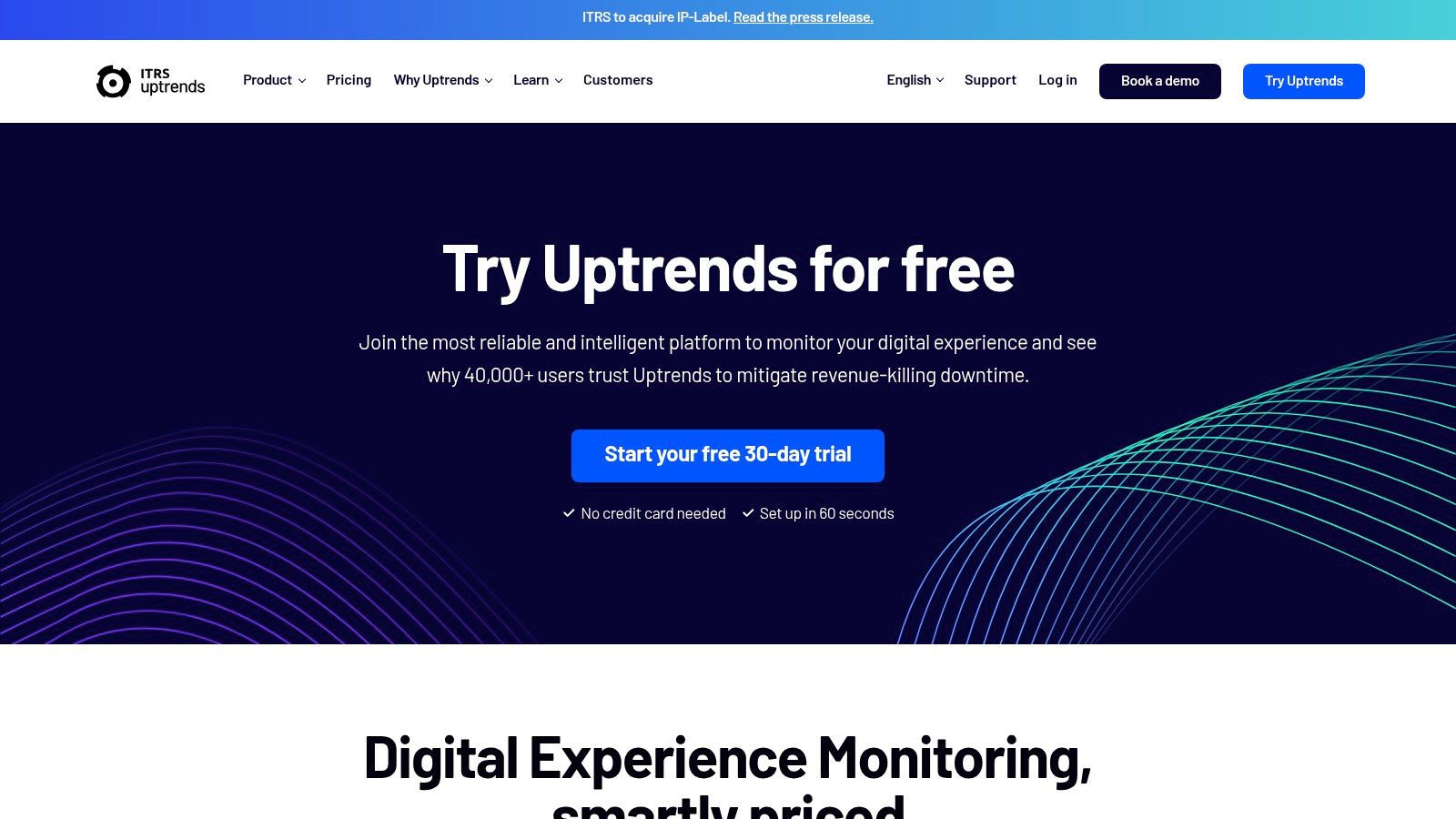
The platform’s key strength is its detailed diagnostic reporting. For every browser test, Uptrends provides a waterfall chart and filmstrip view, helping developers pinpoint exactly which resources are slowing down page loads. Its Transaction Recorder simplifies the creation of multi-step scripts, making advanced monitoring accessible even to non-technical users. Uptrends also supports private checkpoints, allowing you to monitor internal applications behind your firewall with the same level of detail as your public-facing sites.
Key Features & Pricing
- Monitoring Focus: Uptime, Multi-step Transaction, API & Web Performance Monitoring (Synthetic).
- Pricing Model: Plans are credit-based, starting with the "Starter" plan at $18.99/month, which includes 10 basic uptime monitors and a separate pool of credits for advanced checks like browser and API monitoring.
- Free Trial: A generous 30-day free trial is available without requiring a credit card.
- Best For: Global companies that require extensive geographic test coverage and detailed performance diagnostics for critical user transactions and APIs.
| Pros | Cons |
|---|---|
| Very broad global location coverage (233+ checkpoints). | Credits model may require careful planning to estimate monthly costs. |
| Easy onboarding with a no-credit-card 30-day trial. | Advanced features are priced via separate credit buckets. |
| Detailed filmstrip and waterfall views for diagnostics. | Can become expensive if you run many complex, frequent checks. |
11. Sematext Synthetics
Sematext Synthetics offers a predictable, pay-as-you-go approach to website and API monitoring, making it a strong contender for teams that want to avoid complex subscription tiers. It integrates tightly with Sematext’s other observability products like Logs, Infrastructure Monitoring, and RUM, providing a unified platform for DevOps and SRE teams. The primary advantage is its straightforward, per-monitor pricing, allowing businesses to right-size their spending and only pay for the exact checks they need.
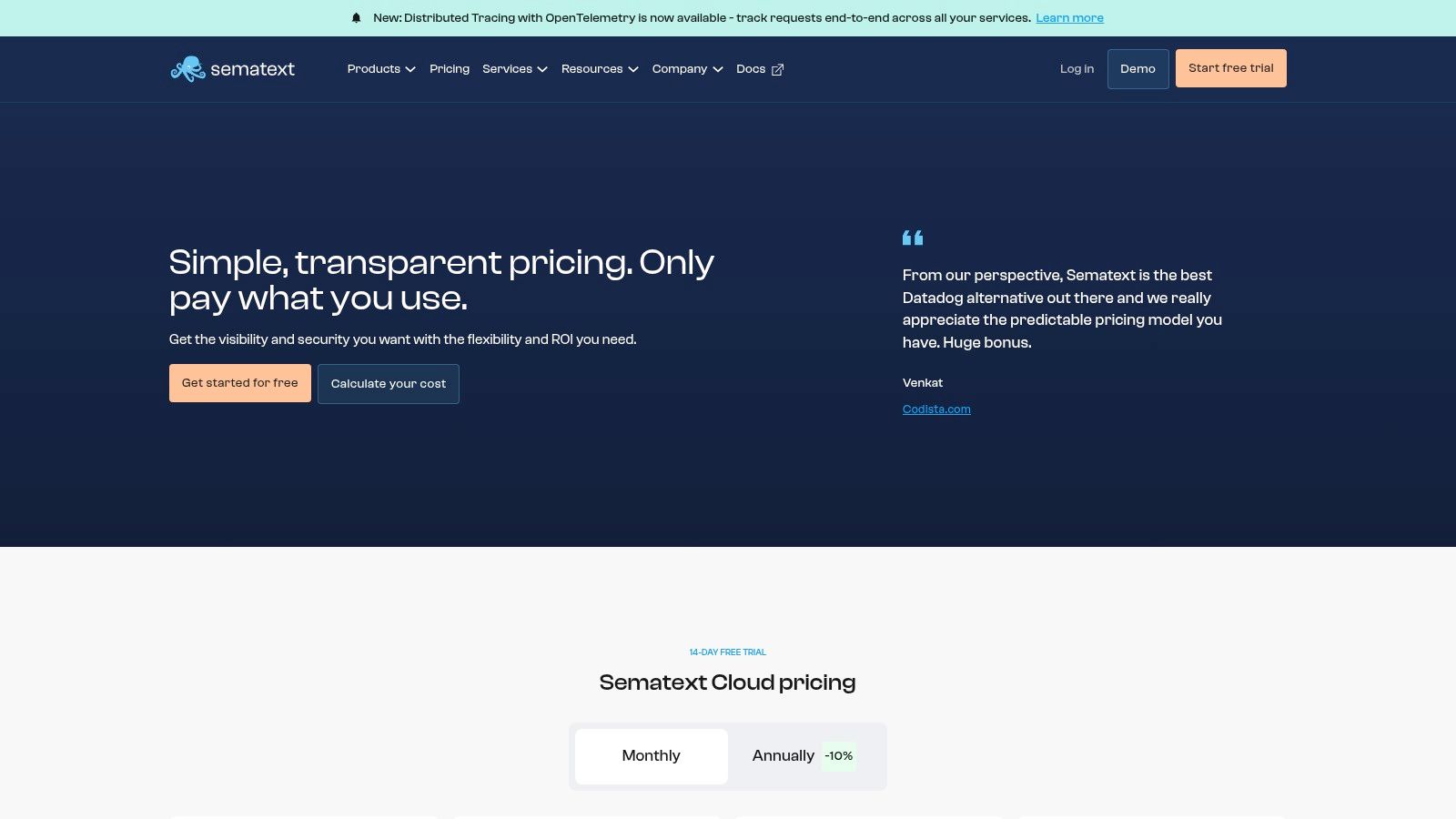
This model makes Sematext one of the best website monitoring tools for teams looking to scale their synthetic checks incrementally without committing to a large, upfront package. By pairing synthetic data with real-user insights from Sematext RUM, you can get a complete picture of your application's health, from proactive endpoint checks to actual user experience. The platform supports tests from multiple global locations and provides flexible data retention options to meet compliance or analysis requirements.
Key Features & Pricing
- Monitoring Focus: Uptime (HTTP) & API Monitors, Browser (Transaction) Monitoring.
- Pricing Model: Pay-as-you-go. HTTP monitors start at around $2/monitor/month. Browser monitors are priced higher, and a calculator is available on their site.
- Free Trial: A 14-day free trial is available without a credit card, including unlimited users.
- Best For: Teams already using the Sematext ecosystem or those who need a simple, transparent pricing model for synthetic monitoring that can scale on a per-endpoint basis.
| Pros | Cons |
|---|---|
| Transparent per-monitor pricing avoids bundle lock-in. | Advanced enterprise features are lighter than larger observability suites. |
| Easy to right-size spend as you add or remove endpoints. | The dynamic pricing page may require using the calculator for exact costs. |
| Integrates cleanly with other Sematext products. | Primarily focused on technical teams; less marketing-oriented. |
12. Uptime.com
Uptime.com offers a comprehensive website monitoring suite that combines uptime, performance, and transaction checks with robust incident management tools. It is particularly well-suited for teams that prioritize reliability, strong customer support, and security compliance, holding a SOC 2 Type II certification. The platform allows you to monitor your site from numerous global locations, ensuring you have a clear picture of availability and performance as experienced by users worldwide.
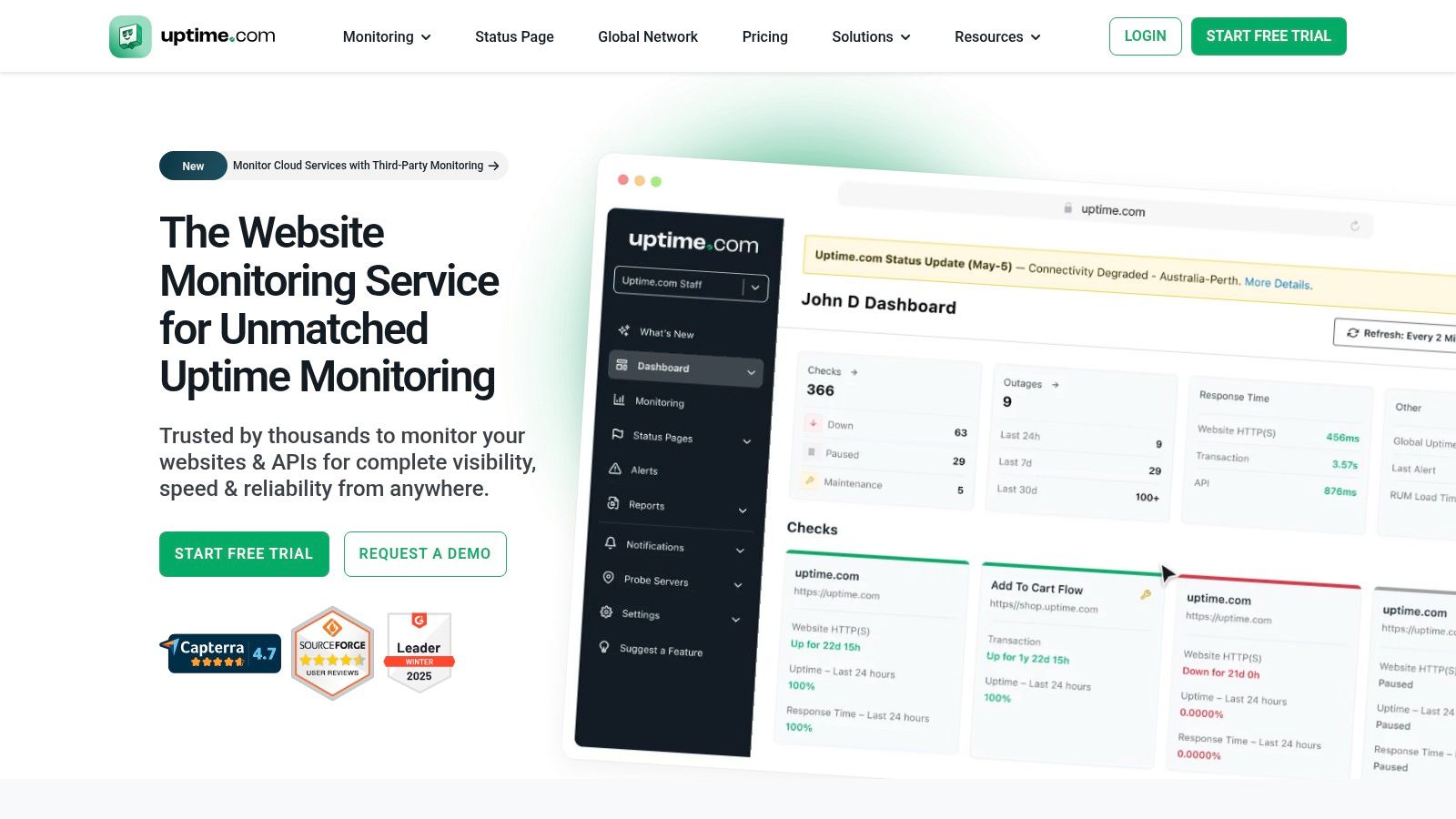
What sets Uptime.com apart is its focus on being an all-in-one solution that also emphasizes operational excellence through features like public status pages and 24/7/365 support. Beyond simple uptime pings, its toolkit includes transaction monitoring for critical user flows like sign-ups or purchases, API checks, and Real User Monitoring (RUM) to capture actual visitor experiences. This makes it one of the best website monitoring tools for businesses that need to not only detect problems but also manage the entire incident response lifecycle effectively.
Key Features & Pricing
- Monitoring Focus: Uptime, Transaction & API Monitoring, Real User Monitoring (RUM), and Status Pages.
- Pricing Model: While specific public pricing tiers can vary, starter plans have historically been available from around $20/month. Custom plans and flexible add-ons are available by contacting sales.
- Free Trial: A 14-day free trial is offered to test the full feature set.
- Best For: Businesses and DevOps teams that require a compliant, all-inclusive monitoring platform with excellent support and incident management capabilities.
| Pros | Cons |
|---|---|
| Strong customer support reputation and compliance (SOC 2). | Current public pricing tiers may require a sales conversation. |
| Comprehensive toolset including RUM and status pages. | Some advanced features require moving beyond entry-level plans. |
| Flexible add-ons and custom plan options are available. | Can be more complex than basic uptime-only monitoring tools. |
13. Oh Dear
Oh Dear is an all-in-one website health monitoring platform that bundles a wide array of checks into a single, straightforward subscription, making it a favorite among developers and agencies. It goes beyond simple uptime monitoring to include performance tracking, broken link crawling, scheduled task (cron job) monitoring, and mixed content detection. Its holistic approach means you can consolidate multiple tools into one, simplifying your monitoring stack and reducing costs.
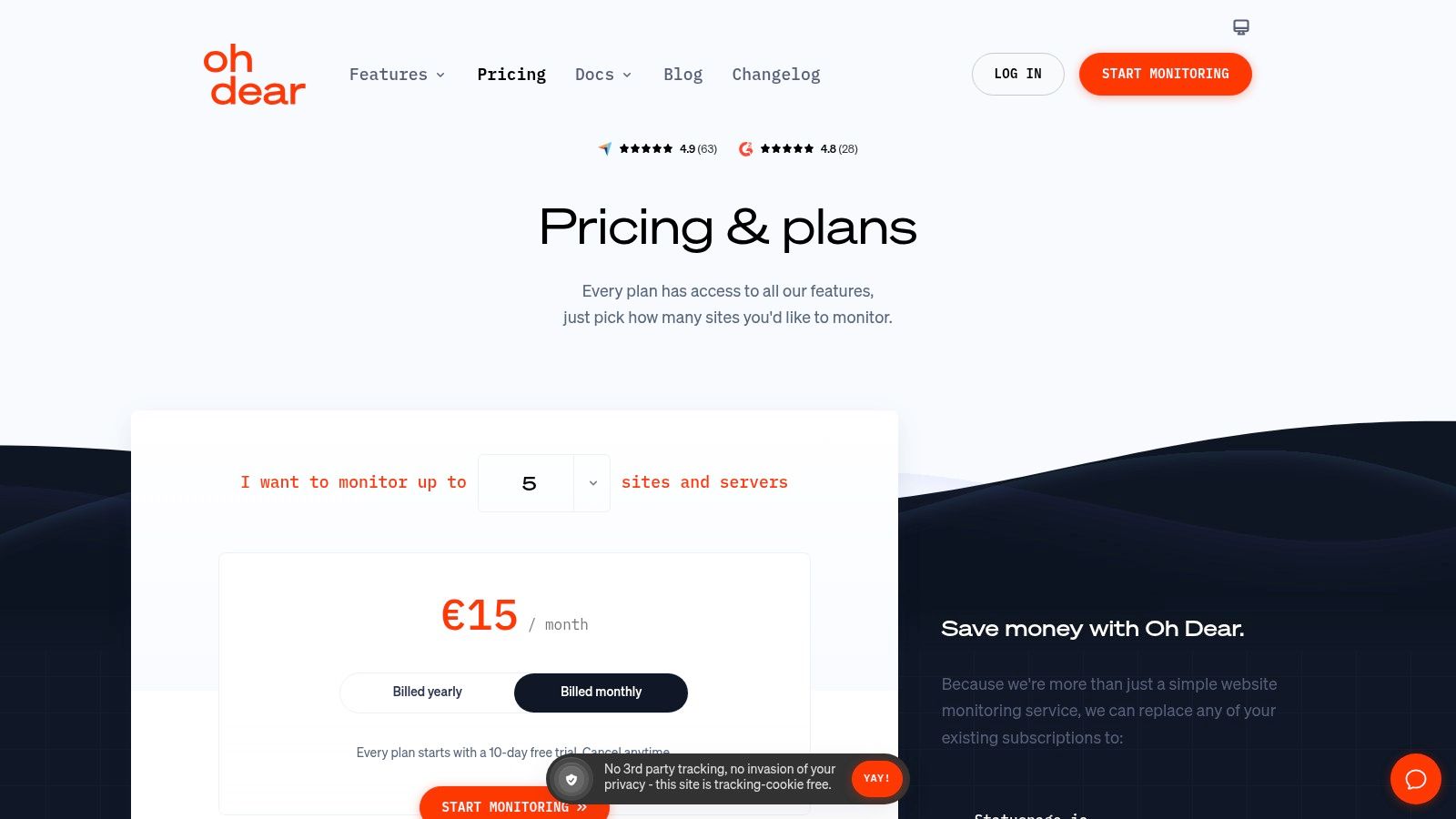
What sets Oh Dear apart is its developer-first mentality, evident in its powerful API and clear documentation. Instead of upselling on core features, it includes advanced checks like SSL certificate health, domain expiry, DNS records, and Lighthouse-based SEO audits in every plan. This makes it one of the most comprehensive website monitoring tools for teams that need to keep a close eye on technical health without managing complex configurations or add-on costs. The unlimited team member policy further enhances its value for growing teams and agencies.
Key Features & Pricing
- Monitoring Focus: Uptime, Performance, Broken Links, SSL, DNS, Cron Jobs & Application Health.
- Pricing Model: Simple subscription tiers. The Hobby plan starts at €12/month for 5 sites, and the Business plan starts at €39/month for 20 sites, both including the full feature set.
- Free Trial: A 10-day free trial is available with full access to all features.
- Best For: Developers, agencies, and businesses looking for a comprehensive, developer-friendly monitoring solution with predictable pricing and a rich feature set.
| Pros | Cons |
|---|---|
| Broad feature set included in a single subscription. | Pricing is displayed in EUR, so final USD billing may vary. |
| Developer-friendly with excellent documentation and API. | Fewer enterprise add-ons than large-scale observability suites. |
| Quick to set up with a generous unlimited user policy. | Lacks advanced Real User Monitoring (RUM) capabilities. |
Top 13 Website Monitoring Tools — Feature & Performance Comparison
| Product | Core features | Quality (★) | Key differentiator (✨/🏆) | Target audience (👥) | Pricing (💰) |
|---|---|---|---|---|---|
| Swetrix 🏆 | Cookieless analytics, real‑time dashboards, session & performance monitoring, funnels, A/B, feature flags | ★★★★★ | ✨ Privacy‑first + open‑source & self‑hostable; anonymous‑only tracking; Stripe/Paddle revenue attribution | 👥 Startups, PMs, marketers, devs, agencies | 💰 Traffic‑based — ex: 100k €17 / 500k €42 / 1M €69; 14‑day trial |
| Pulsetic | Uptime, status pages, SSL/domain, incidents | ★★★★ | ✨ Beautiful design & highly customizable status pages | 👥 Startups, agencies, devs needing uptime checks | 💰 Free tier; paid plans from $9/month |
| SolarWinds Pingdom | Synthetic uptime, page speed, transaction checks; optional RUM | ★★★★ | ✨ Established synthetics + flexible check bundles | 👥 Ops teams & SREs needing synthetics | 💰 Mix‑and‑match check pricing; 14‑day trial |
| UptimeRobot | HTTP/keyword/ping/port monitors, status pages, alerts | ★★★★ | ✨ Generous free tier (50 monitors) and simple setup | 👥 Small teams, hobbyists, startups | 💰 Free tier; paid plans for faster intervals & SMS |
| StatusCake | Uptime, page speed, SSL/domain, server resource monitoring | ★★★★ | ✨ Fast intervals + 30+ country checkpoints | 👥 Small/medium sites needing global checks | 💰 Free + affordable paid plans |
| Better Stack (Better Uptime) | 30s checks, screenshots, incident timelines, on‑call scheduling, escalation | ★★★★ | ✨ Deep incident management & unlimited phone/SMS on paid plans | 👥 Teams focused on incident response & on‑call | 💰 Per‑responder pricing; paid plans |
| Site24x7 (Zoho) | Uptime, synthetics, RUM, infra, logs, APM — many integrations | ★★★★ | ✨ Single vendor for web + infra + APM (broad coverage) | 👥 Teams wanting unified web + infra monitoring | 💰 Bundled plans; 30‑day trial |
| Datadog Synthetic Monitoring | API/browser/mobile tests, CI continuous testing, deep integrations | ★★★★★ | ✨ Enterprise‑grade synthetics + full observability integration | 👥 Enterprises using Datadog stack | 💰 Usage‑based; powerful but can be costly |
| New Relic Synthetics | Monthly included checks, API & browser synthetics, ties to APM/logs/RUM | ★★★★ | ✨ Predictable overage pricing + unified observability | 👥 Teams using New Relic for full‑stack monitoring | 💰 Free tier + predictable overage rates |
| Uptrends | 233 global checkpoints, transaction recorder, filmstrip & waterfall views | ★★★★ | ✨ Very broad global coverage & private locations | 👥 Teams needing extensive location coverage & scripted flows | 💰 Credits‑based pricing; 30‑day trial |
| Sematext Synthetics | HTTP/browser monitors, global locations, integrates with logs & RUM | ★★★★ | ✨ Transparent per‑monitor pricing; easy right‑sizing | 👥 Teams wanting simple per‑monitor billing | 💰 ~ $2/HTTP‑monitor/mo (browser higher); 14‑day trial |
| Uptime.com | Uptime, transactions, API, RUM, status pages, many integrations | ★★★★ | ✨ SOC2 Type II, strong support & customization | 👥 Teams needing compliance, support & custom plans | 💰 Starter ≈ $20/mo historically; 14‑day trial |
| Oh Dear | Uptime, performance, broken links, SSL/domain, DNS, Lighthouse SEO | ★★★★ | ✨ Developer‑friendly all‑in‑one site health monitoring | 👥 Developers, agencies, SMEs focused on site health | 💰 Monthly EUR pricing; 10‑day trial |
Choosing the Right Monitoring Tool for Your Needs
Navigating the landscape of website monitoring tools can feel overwhelming, but making an informed decision is the first critical step toward guaranteeing a reliable, high-performance digital presence. Throughout this guide, we've explored 13 of the best website monitoring tools available today, each with its unique strengths, from the simple yet effective uptime checks of UptimeRobot to the extensive, enterprise-grade observability platforms like Datadog and New Relic.
Your journey doesn't end with reading this list; it begins with action. The key takeaway is that there is no single "best" tool for everyone. The ideal solution is deeply contextual, hinging entirely on your specific operational needs, technical resources, budget constraints, and long-term goals. A small startup's monitoring stack will, and should, look vastly different from that of a large-scale enterprise with a dedicated DevOps team.
From Theory to Practice: Your Selection Framework
To move forward, distill your requirements into a clear, actionable checklist. Start by categorizing your primary monitoring need. Is it basic availability? Deep performance diagnostics? Or a holistic view of the real user experience?
- For Pure Uptime and Availability: If your core requirement is simply to know when your site is down, solutions like UptimeRobot, StatusCake, and Better Stack offer excellent, cost-effective starting points. They are quick to set up and provide the essential alerts you need to react swiftly to outages.
- For Comprehensive Performance and User Experience: When you need to understand how your site performs for actual visitors, you must look beyond simple pings. This is where Real User Monitoring (RUM) and synthetic checks become invaluable. Tools like Swetrix, Site24x7, and Pingdom blend uptime with performance metrics, giving you insights into page load times, core web vitals, and user-facing slowdowns.
- For Deep Observability and DevOps Integration: For teams that require a single pane of glass for infrastructure, application performance (APM), and website monitoring, integrated platforms are the answer. Datadog, New Relic, and Sematext are built for this, offering powerful APIs, extensive integrations, and deep diagnostic capabilities that tie front-end performance directly to back-end issues.
Key Factors to Guide Your Final Decision
As you narrow down your shortlist, use these final considerations to make your choice. We've highlighted them throughout our reviews, and they are critical for long-term success.
- Data Privacy and Compliance: In an era of GDPR and heightened user awareness, privacy is not an optional feature. If your audience values privacy, or if you operate in a regulated industry, prioritize tools with a clear privacy policy. Solutions like Swetrix are built on a privacy-first foundation, offering GDPR compliance out of the box and the ability to self-host for complete data control.
- Scalability and Pricing Models: Don't just look at the entry-level price. Scrutinize the pricing tiers and understand how costs will scale as your traffic grows or your monitoring needs expand. Per-check, per-user, and data-ingestion models can have vastly different financial implications. Start a trial to estimate your usage and project future costs.
- Ease of Implementation and Use: The most powerful tool is useless if your team can't implement or use it effectively. Evaluate the setup process, the clarity of the dashboard, and the quality of the documentation. A tool with an intuitive interface and actionable alerts will deliver value much faster than a complex system requiring specialized training.
Ultimately, selecting one of the best website monitoring tools is an investment in your brand's reputation and your users' satisfaction. By taking a strategic approach, starting with a free trial, and aligning the tool's capabilities with your core business objectives, you can build a more resilient, performant, and trustworthy online experience.
Ready to move beyond basic uptime checks and truly understand your user experience without compromising on privacy? Swetrix provides a powerful, all-in-one platform that combines real-user monitoring, performance analytics, and error tracking with a privacy-first, GDPR-compliant approach. Start your free trial today and see how easy it is to gain actionable insights while respecting your users' data. Visit Swetrix to learn more.