- Date
Cloudflare Web Analytics vs Google Analytics: Which Tool is Better in 2026?
If you're exploring website analytics platforms, you've likely encountered Cloudflare Web Analytics and Google Analytics. Both are widely used and technically "free," but they operate on fundamentally different philosophies.
Cloudflare Web Analytics focuses on being lightweight and keeping data out of the hands of ad networks. Google Analytics (GA4), on the other hand, is an enterprise-grade powerhouse that offers immense detail but comes with massive complexity and significant privacy concerns.
In this guide, we will break down the strengths and weaknesses of both platforms. Then, we will introduce Swetrix - a modern, privacy-first growth platform that provides the deep insights of Google Analytics with the lightweight, cookie-less approach of Cloudflare.
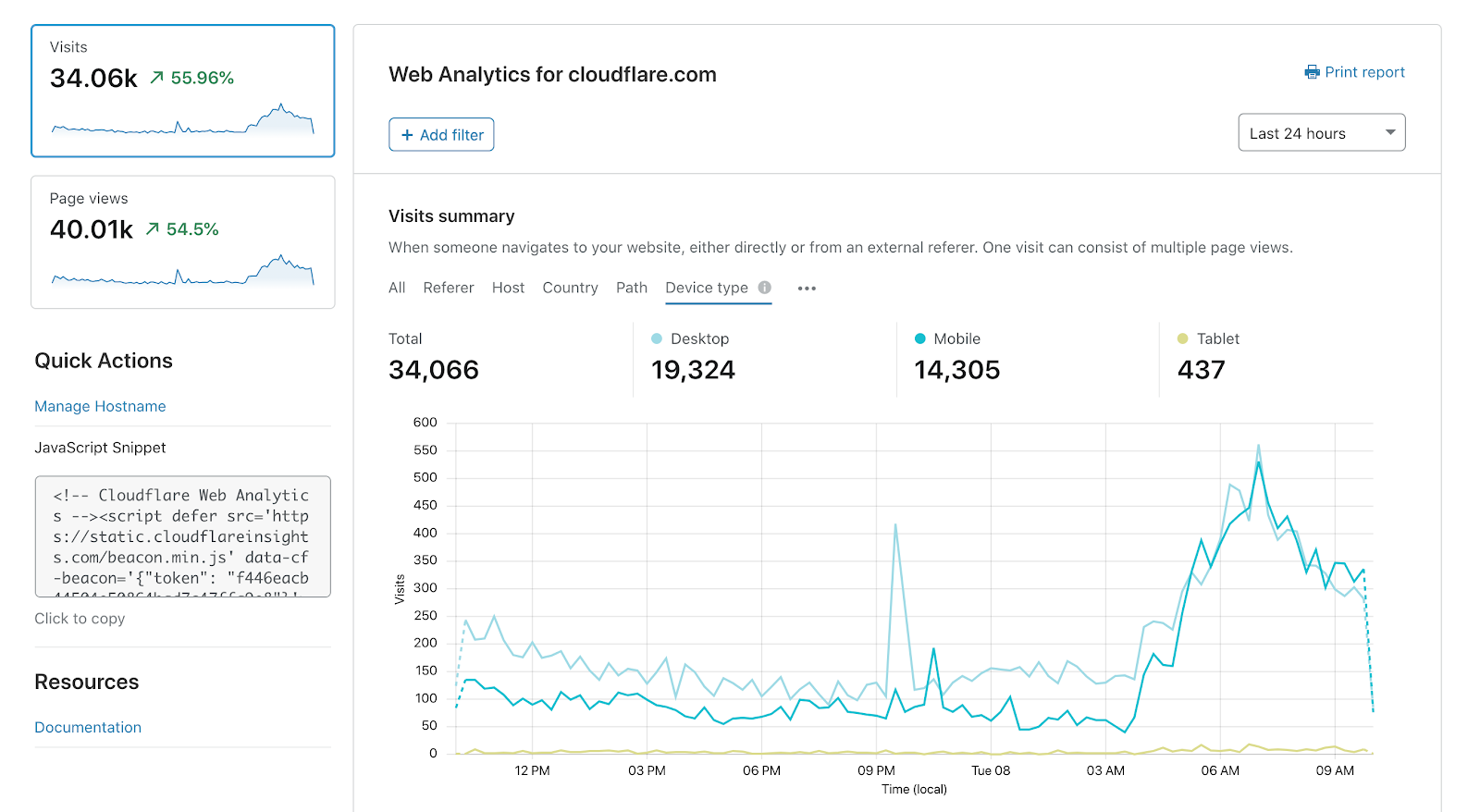
Cloudflare Web Analytics Overview
Cloudflare Web Analytics is essentially a free perk for users within the Cloudflare ecosystem. It operates at the edge, offering a fast, cookie-less way to monitor basic website traffic without relying on client-side scripts that bloat your site. However, its simplicity is a double-edged sword.
Strengths:
- Performance Focused: It tracks Core Web Vitals alongside basic traffic, helping you understand how fast your site loads.
- Privacy-First: Fully cookie-less, meaning you avoid intrusive cookie banners and GDPR headaches.
- Edge Integration: If you already use Cloudflare for DNS or CDN, setup is incredibly straightforward and doesn't require injecting JavaScript into your frontend.
Cons:
- Aggressive Data Sampling: Cloudflare samples data heavily. For periods longer than 24 hours, they might only track 1% to 10% of your traffic and estimate the rest.
- Severe Limitations: It lacks basic features like Custom Events, Live visitor counts, UTM tracking, and Funnels.
- Vendor Lock-in: It works best if you route your traffic through Cloudflare. If you change your CDN or DNS provider, your analytics setup breaks.
- Short Retention: Your data is deleted after just 6 months.
Google Analytics (GA4) Overview
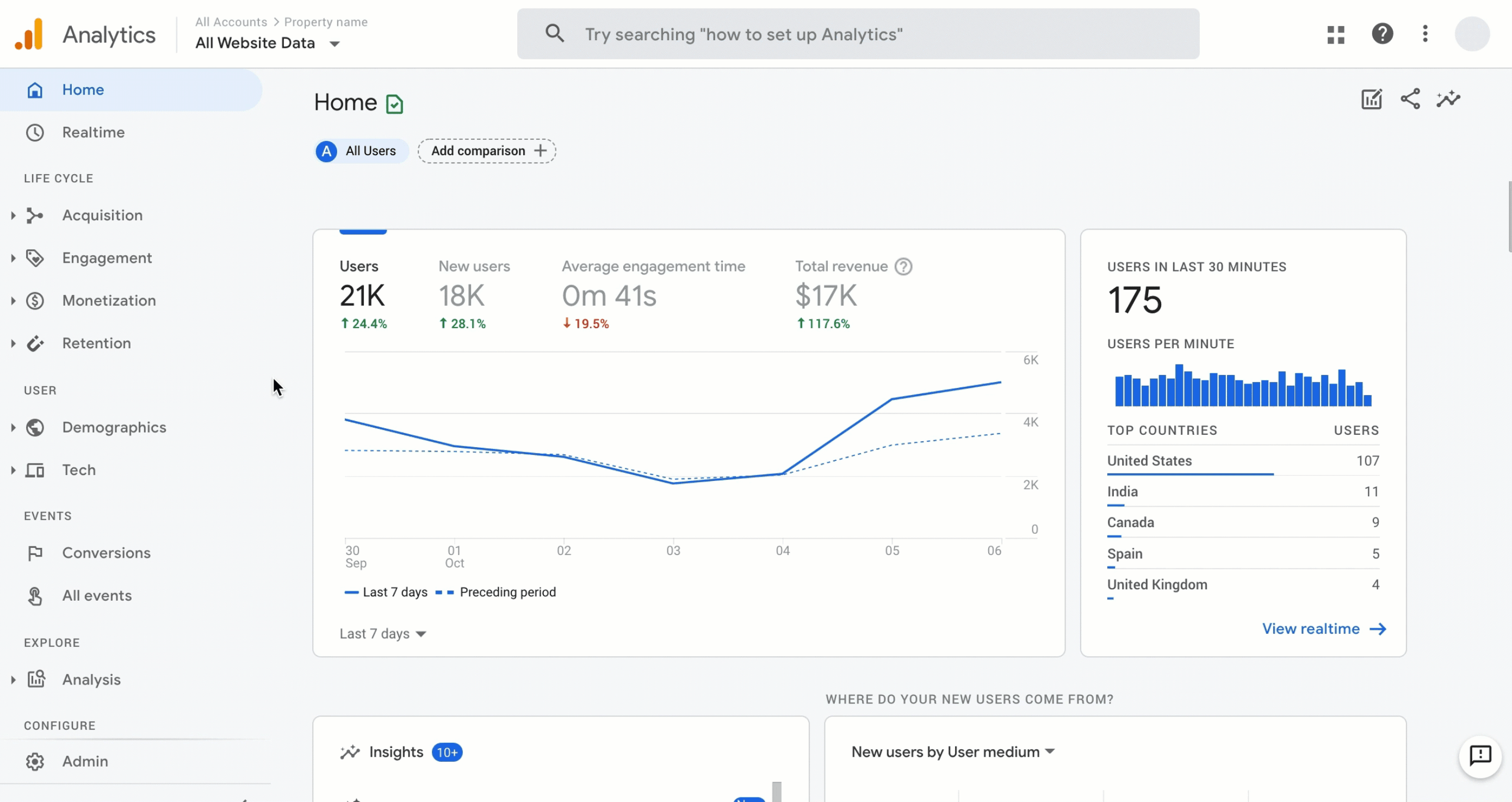
Google Analytics is the industry standard for tracking user behavior, marketing campaigns, and e-commerce revenue. It provides an overwhelming amount of data, but that data comes at a steep cost to your users' privacy and your own time.
Strengths:
- Deep Integrations: Seamlessly connects with Google Ads, Search Console, and Looker Studio.
- Advanced Behavioral Tracking: Offers powerful segmentation, custom funnels, and demographic data.
- Customization: Highly customizable dashboards and reporting interfaces.
Cons:
- Privacy Nightmare: GA4 relies on tracking users across the web. It has faced legal challenges across the EU for GDPR non-compliance.
- Incredibly Complex: The learning curve is brutal. Finding simple metrics like yesterday's unique visitors requires navigating a labyrinth of menus.
- Data Sampling and Delays: Real-time data is heavily delayed (up to 24-48 hours for full processing), and reports are often approximated through sampling.
- Bloated Script: The 74 KB tracking script can negatively impact your website's performance.
Feature Comparison: Cloudflare Web Analytics vs Google Analytics
To see exactly how these tools stack up against each other and against Swetrix, here is a detailed, side-by-side feature comparison.
| Feature | Cloudflare Analytics | Google Analytics |  Swetrix Swetrix |
|---|---|---|---|
| Core Features | |||
| Real-time Analytics | |||
| Page views | |||
| Custom Events | |||
| Live visitors count | |||
| UTM Tracking | |||
| Device stats (browser, OS, type) | |||
| Entry/Exit pages | |||
| Session duration metrics | |||
| Email Reports | |||
| Public dashboards | |||
| Advanced Features | |||
| Performance Monitoring (Web Vitals) | |||
| Segments | Basic | ||
| User Flow Analysis | |||
| Error Tracking | |||
| Alerts / Notifications | |||
| Geolocation map visualisation | Limited | ||
| Funnels | |||
| Multiple Domains per Site | |||
| Custom dashboards | |||
| Growth & Product | |||
| AI Chat | |||
| Goals | |||
| Experiments (A/B tests) | (Requires 3rd party) | ||
| Feature flags | |||
| User Profiles | |||
| Revenue analytics | |||
| SEO insights (Google Search Console) | |||
| CAPTCHA | (Turnstile) | ||
| Security & Access | |||
| Bot filtering | |||
| Two-Factor Authentication (2FA) | |||
| Role-based Access Control | |||
| Shared Dashboards | |||
| Organisations (Teams) | |||
| Privacy & Compliance | |||
| Cookie-less Tracking | |||
| Privacy compliance | (Illegal in some EU countries) | ||
| EU data residency | |||
| Open Source | |||
| Self-hostable | |||
| Data Quality & Ownership | |||
| Data Ownership | Cloudflare | Google (for Ads/AI) | You (100%) |
| Data Sampling | 10% (only 1 of 10 visitors) | Heavy (Data is approximated) | 0% (None) |
| Data Retention | 6 months | Limited | Unlimited |
| Data Export | |||
| CDN Independent | |||
| Real-time Accuracy | (Delays of up to 24-48h) | ||
| Technical specifications | |||
| Script size | ~1 KB | 74 KB | 6 KB |
| API access | |||
| Bypass adblockers | |||
| User Experience | |||
| Setup Time | Minutes (if on CF) | Hours / Days / Weeks | < 5 mins |
| Ease of Use | Simple | Complex (Requires training) | Intuitive / Simple |
| Pricing & Support | |||
| Entry price | Free* | Free* | $19.00 |
| Human customer support | |||

Where Both Tools Fall Short
While Cloudflare Web Analytics and Google Analytics dominate their respective niches, they both have critical flaws that can hurt growing businesses.
1. The Data Sampling Dilemma
If you rely on your analytics to make important business decisions, you need accurate numbers. Unfortunately, neither of these tools provides them. Cloudflare aggressively samples data, meaning your reports are just estimates. Google Analytics also resorts to data sampling when dealing with large datasets, making your conversion and traffic reports unreliable.
2. Lack of Engineering Insights
Google Analytics is a marketing tool. It won't tell you if a JavaScript error is preventing users from completing a purchase. Cloudflare Analytics offers basic Web Vitals but lacks deep technical context. Neither tool provides dedicated Error Tracking or proactive Alerts & Notifications to warn you when your site breaks.
3. Compromises Between Power and Privacy
With Google Analytics, you get immense power, but you sacrifice user privacy, risk GDPR fines, and subject your visitors to annoying cookie banners. With Cloudflare, you get privacy, but you lose almost all actionable insights (like custom events, funnels, and UTM tracking).
A Clear Alternative: Why Swetrix is Better
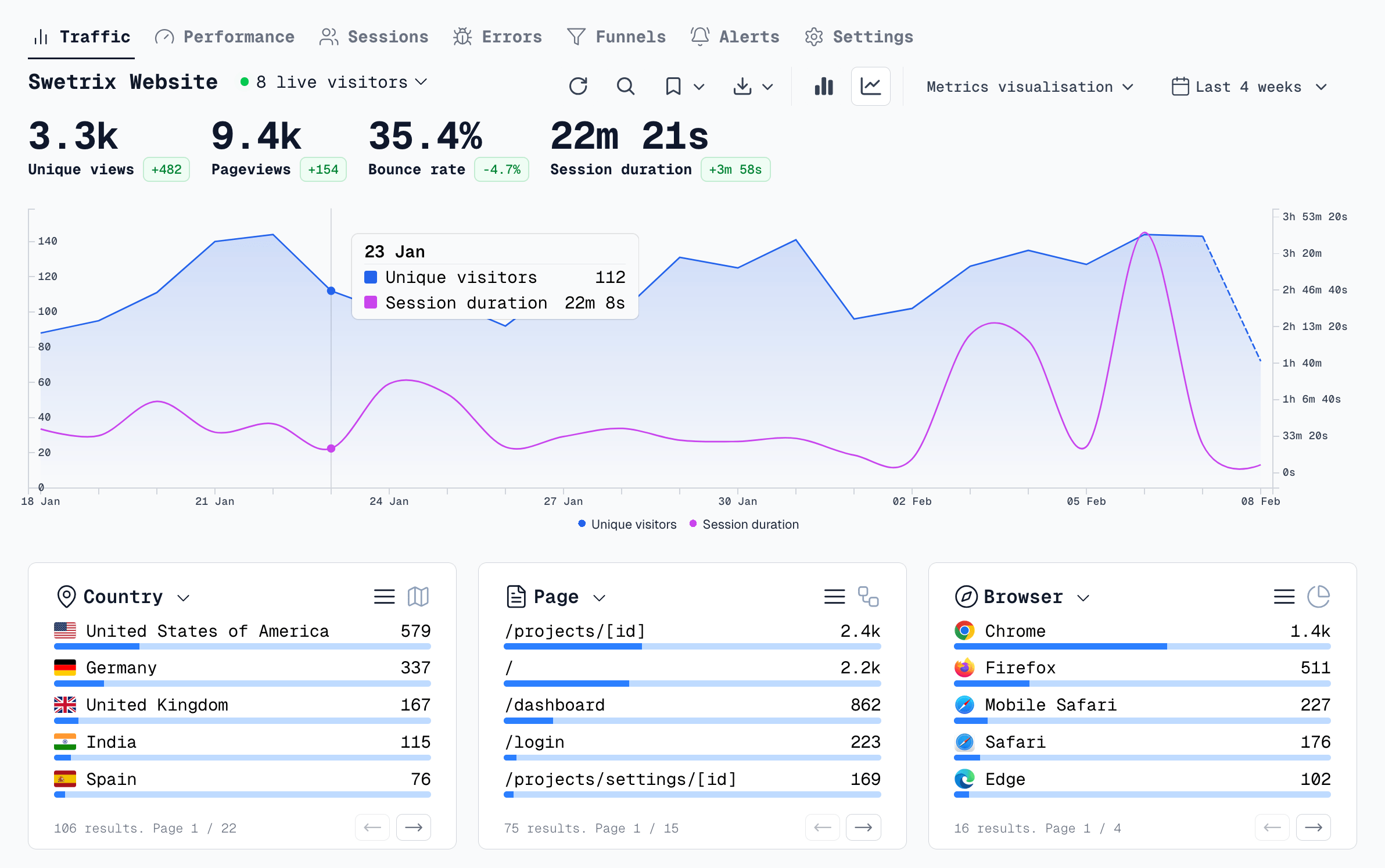
You do not have to choose between a basic, sampled counter and a bloated, privacy-invading surveillance tool. Swetrix gives you the best of both worlds: the ethical, lightweight nature of Cloudflare with the deep analytical power of Google Analytics.
Here is why Swetrix is the definitive upgrade for your business:
- 100% Accurate, Unsampled Data: Whether you have one hundred or ten million visitors, Swetrix tracks every single request. We never sample your data.
- Deep Technical Observability: Swetrix bridges the gap between marketing and development. It features robust Performance Monitoring and automated Error Tracking, so you can fix bugs before users complain.
- Visual User Insights: Understand exactly how users interact with your site using our detailed User Flow Analysis and Funnels.
- Modern Growth Platform: Stop paying for expensive third-party tools. Swetrix includes Experiments (A/B testing), Feature Flags, and Revenue Analytics out of the box.
- Total Independence: Unlike Cloudflare, Swetrix is entirely CDN Independent. You can host your site anywhere and own your data forever with unlimited retention.
Analytics should empower your growth, not slow down your website or compromise your ethics. With its open-source transparency, cookie-less architecture, and powerful feature set, Swetrix is the superior choice for modern web teams.

The web analytics your site deserves.
Tired of bloated dashboards, privacy concerns, and data you can't trust? Switch to Swetrix and get simple, powerful analytics that respects your users.