- Date
Where Is This IP? Find Its Approximate Location
 Andrii Romasiun
To estimate where a public IP address is used, enter it into a geolocation lookup. Results typically include an estimated country, region, or city, along with network details like the internet service provider or organization associated with the address. If you are examining a server log and asking, “Where is this IP?” a lookup provides a fast geographic approximation of the connection. A private local-network IP, however, is not publicly geolocatable.

Find the Location of a Public IP Address
Checking the geographic origin of a network connection requires a public address. You can use the Swetrix IP Lookup to query both IPv4 and IPv6 addresses. The tool detects your current public IP address automatically when you load the page and shows the location data associated with your connection. You can also paste an external address into the search field to retrieve its geographic details.
The format of the address determines how a database processes it. Traditional IPv4 addresses appear as four decimal numbers separated by periods, while IPv6 addresses use groups of hexadecimal characters separated by colons. Both formats route traffic across the internet, and both can be queried for geographic data. A lookup matches the submitted address to an IP range in its database and returns an estimated location.
Checking your own connection helps verify whether a proxy service works as expected or if your internet service provider routes your traffic through another region. Looking up an external address helps you analyze incoming server traffic, investigate suspicious login attempts, or understand where a specific digital request likely originated. The output describes the network connection, not necessarily the physical hardware making the request.
Geographic Limits of an IP Lookup
IP geolocation estimates the area associated with a network connection. It does not provide a live reading of a device's GPS coordinates or track the physical hardware making the request. Providers use IP and network information to associate address ranges with approximate regions, so a lookup result is an estimate rather than a device location.
MaxMind's geolocation accuracy guidance says its GeoIP data is never precise enough to identify or locate a specific household, individual, or street address, and notes that some IP addresses cannot be located as precisely as others. So an IP lookup cannot reliably identify a person or pinpoint their home.
Precision depends on the provider's data and the type of network. A city label is an estimate for the IP range, not necessarily the location of a network node, central routing facility, or user. Some databases also provide an accuracy radius to show how broad the estimate may be.
Understanding these limitations prevents incorrect assumptions during data analysis. If a web application logs a suspicious login attempt and an IP lookup points to a small town 50 miles away, the user might still be sitting in your city. The result alone does not confirm that the user is in that town or that traffic passed through a facility there. It reflects an estimate associated with the IP range, not the device's physical location.
Distinguishing Public from Private IPs
A public IP address is globally routable and can serve as a destination for internet traffic. A private IP address operates only within a local network and usually cannot be reached directly from outside it. If you try to run a geolocation lookup on a private address, the query may fail or return no geographic data because the address is not routed on the public internet.
To let local networks in different places reuse private IPv4 addresses, IANA's private-use address reference lists these ranges:
- 10.0.0.0 through 10.255.255.255
- 172.16.0.0 through 172.31.255.255
- 192.168.0.0 through 192.168.255.255
These addresses are reused across millions of private networks. For example, a laptop in London and a phone in Tokyo might both hold the local address 192.168.1.5 on their respective Wi-Fi networks. Neither device can reach the other using that local designation.
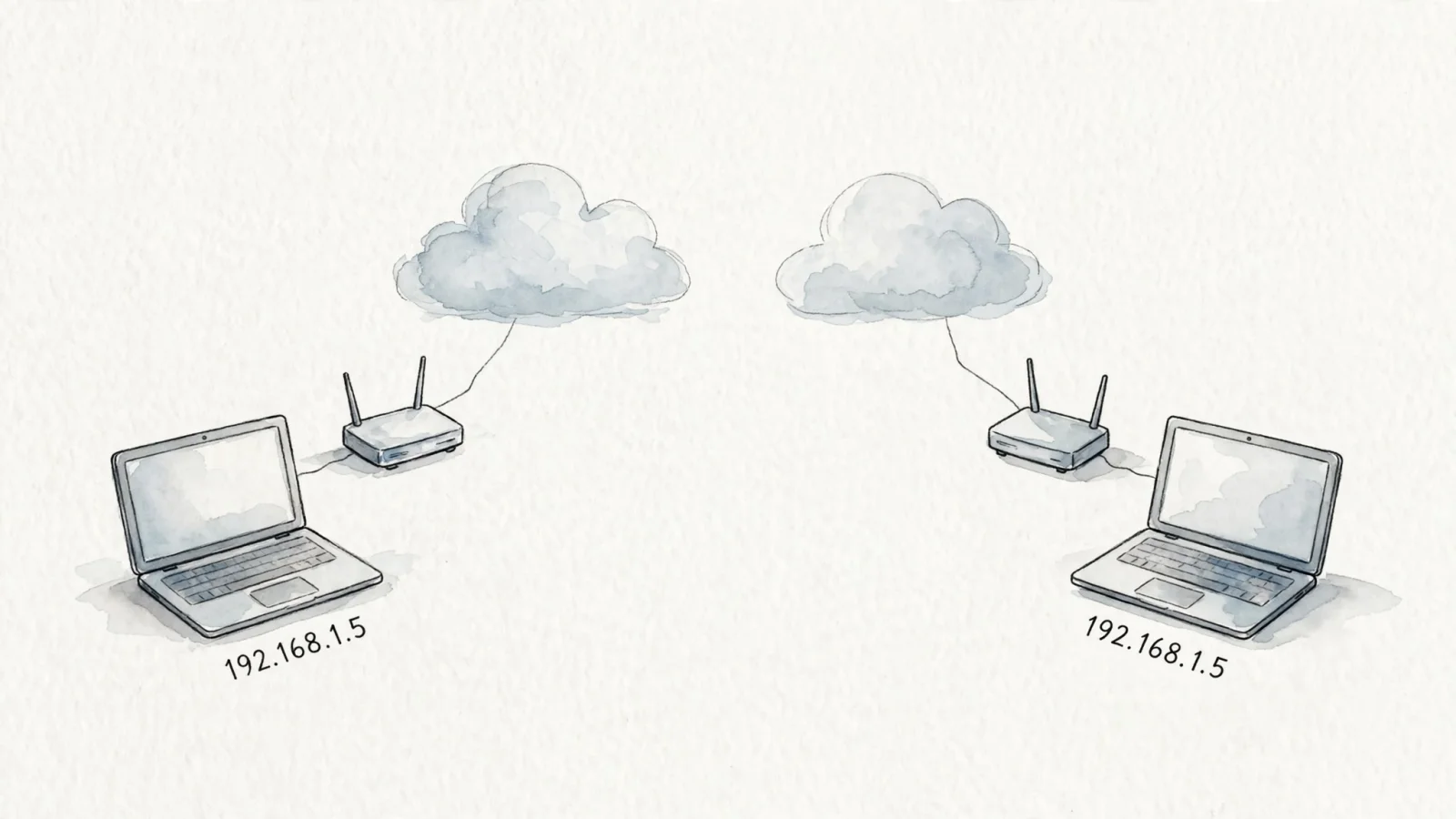
To access the public internet, local devices often rely on Network Address Translation. In a common IPv4 setup, the local router uses a public IP address assigned by the internet service provider. When the laptop requests a webpage, the router translates the private 192.168.1.5 address to the router's public address before sending the data out. The returning data reaches the public IP, and the router forwards it back to the private device. If you want to check a network's location, you use that public-facing gateway address. You can read the results from an IP check to confirm whether you have identified the external gateway or a local machine.
Why IP Locations Do Not Always Match
Geolocation databases estimate a network's position rather than measuring a device's coordinates. Because network assignments and routes can change, the location shown in a lookup may differ from the actual physical location of the person using the internet. The mismatch is not necessarily an error, as the database may reflect an older or less specific assignment. Providers update records when they receive new information, but those records may lag behind changes in IP use.
Accuracy varies by provider, network type, and geographic level. MaxMind's GeoIP accuracy estimates put country-level accuracy at 99.8%; for IP addresses in the U.S., MaxMind estimates around 80% accuracy at the state or region level and 66% at the city level, using a 50-kilometer accuracy radius. These are MaxMind's product-specific estimates, not universal benchmarks, and the company notes that mobile, business VPN, and consumer privacy network IPs may be less precise. That is why location data works best as a broad approximation rather than an exact measurement.
VPNs, Proxies, and Corporate Networks
Virtual private networks and proxy servers intentionally obscure a device's original public IP. When you connect to a VPN, your device creates an encrypted tunnel to a remote server. Traffic routed through the tunnel exits onto the public web through the VPN server. To the rest of the internet, those requests appear to originate from the VPN server's public IP address. If you live in Berlin but connect to a VPN server in Montreal, an IP lookup will typically reflect the exit server's reported location rather than your home location.
Corporate networks can produce similar geographic mismatches through centralized routing. Some large organizations route branch-office internet traffic through a single headquarters gateway for security filtering and monitoring. An employee in a branch office in Texas might connect to the internal network, which routes traffic through a corporate data center in New York before it reaches the open internet. A geolocation lookup may show an area associated with the New York gateway's IP address rather than the employee's physical location.
Mobile Networks and Geolocation Databases
MaxMind's geolocation accuracy guidance says mobile-network IP addresses can be used by phones across a large distance, which can make city-level geolocation imprecise. It also says that when it cannot geolocate an IP with high specificity, it omits more granular data, such as city or postal code.
Use IP Geography in Website Analytics
IP-derived location provides valuable aggregate data for website owners, serving as a broad audience segment rather than a tool for tracking individuals. You can pair regional location patterns with referral sources to understand where your most engaged readers live, or compare geographic traffic with campaign performance to evaluate regional marketing spend. You can also embed this aggregate location data into customer-facing dashboards, offering clients broad demographic insights without exposing precise end-user coordinates.
To gather this data ethically, you can choose platforms built as a privacy-focused Google Analytics alternative. Swetrix uses incoming IP addresses to estimate approximate country, region, and city data for the traffic dashboard. The Swetrix Data Policy says standard analytics does not store raw IP addresses in its database or logs and does not use cookies or client-side identifiers for tracking.

This approach allows you to answer questions about global reach and regional conversion rates without capturing precise end-user coordinates. You remain responsible for the specific data you send to any analytics endpoint, especially when enabling optional features like session replays. By keeping location data at the aggregate level, you maintain the utility of geographic reporting while respecting user privacy.
Preserve the Visitor IP in Server-Side Events
Standard client-side analytics scripts run in the visitor's browser, meaning the tracking request originates directly from the visitor's device. The analytics server sees the public IP address from which the request arrives and uses it to estimate location. Server-side tracking changes this architecture. When you track events on your backend, your server generates the API request and sends it to the analytics platform, which may see your hosting provider's IP address instead of the visitor's unless configured otherwise.
If you host your application on an AWS server in Virginia and do not forward the visitor's IP, events may appear to originate near the server's location, which can skew geographic reporting and visitor counts. To preserve visitor-level reporting, pass the original visitor IP address in the API request.
The Swetrix Events API documentation specifies using the X-Forwarded-For header to pass the visitor's IP with a server-side request. Your server should set it to the visitor's real client IP, using a trusted proxy configuration when a load balancer or CDN sits in front. This helps preserve geographic reporting, provided the forwarded address is correct.
Geolocation and RDAP/WHOIS Answer Different Questions
When analyzing an unfamiliar IP address, choose between a geolocation lookup and a registration lookup. Geolocation databases estimate the region associated with a network connection, while RDAP and WHOIS databases provide administrative information about the registered address block. Use geolocation to estimate where the network range may be in use, and use WHOIS or RDAP to see which organization is listed with the block.
ARIN's WHOIS/RDAP guidance explains that an address in a record typically gives location information for a resource, an organization, or a point of contact, but no policy requires it to reflect the actual physical location of that resource, organization, or contact.
Neither database by itself identifies an individual home subscriber. WHOIS or RDAP may list the ISP, an assigned organization, or contact details, while geolocation estimates a region for the IP range rather than confirming who used it at a specific time. Separating administrative registration from geographic estimation helps you interpret each result without treating an organization's contact address as a user's physical location.
Move away from invasive tracking without losing visibility into your regional traffic. Swetrix provides cookieless, privacy-first web analytics with powerful custom events and geographic segmentation. Try Swetrix to build faster, cleaner dashboards today.