- Date
What Are UTM Codes? A Guide to Flawless Campaign Tracking
 Andrii Romasiun
UTM codes are one of those beautifully simple concepts in marketing that, once you grasp them, you can't imagine living without. At their core, they're just short snippets of text you add to the end of a URL.
Think of them like digital breadcrumbs. They don't change where the link goes, but they leave a trail that tells your analytics platform exactly where that click came from. This little bit of information is a game-changer for understanding your marketing performance.
Why Your Marketing Needs UTM Codes
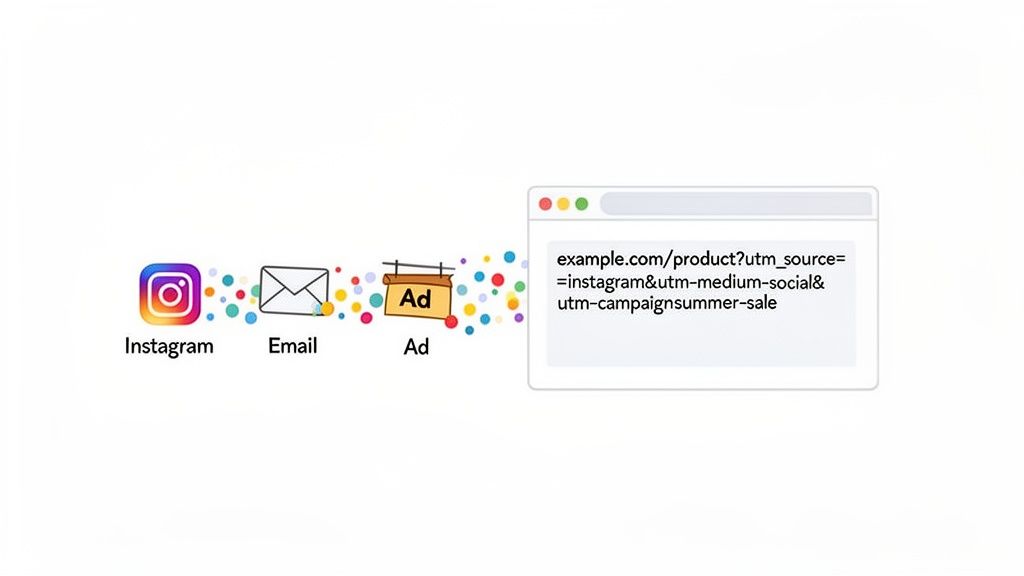
Let’s say you’ve just kicked off a big social media push for a new product. You check your analytics a week later and see a fantastic spike in traffic. But now what? Where did those visitors actually come from? Was it that witty Instagram post? The LinkedIn ad? Or maybe that influencer you paid to share your link?
Without a way to trace each click back to its origin, you’re essentially flying blind. This is precisely the problem UTM codes were designed to solve.
A visitor clicking a link with a UTM tag lands on the exact same page as they would with a clean URL. The only difference is the incredibly valuable data they bring with them. This simple addition to your links allows you to:
- Attribute Success Accurately: Finally know for sure which specific social post, email newsletter, or ad creative drove a visit or a sale.
- Optimize Your Budget: Stop guessing and start making data-backed decisions. You can quickly spot underperforming channels and shift your spending to the campaigns that are actually working.
- Prove Marketing ROI: Connect the dots between your marketing activities and real business outcomes. When you can show exactly how many sign-ups came from that email campaign, it's a lot easier to justify your work.
The Origin of Modern Campaign Tracking
This idea isn't some new-fangled trend; it’s been a cornerstone of web analytics for decades. The story begins with Urchin Software Corporation, a web analytics company from the mid-1990s. In 2002, they introduced the Urchin Traffic Monitor (UTM).
Does that name sound familiar? It should. Google acquired Urchin in 2005 for around $30 million and built its technology into what we all now know as Google Analytics. The name stuck. To this day, the acronym stands for Urchin Tracking Module—a small tribute to the system that started it all. If you’re curious, you can explore more about the history of UTM and its impact to see how foundational it truly is.
Breaking Down a UTM Code: The 5 Key Parameters
To really get what UTM codes are all about, you have to look at what they're made of. A UTM-tagged link isn't just one big blob of code; it's a string of up to five individual parameters. Each one answers a different, crucial question about where your website traffic is coming from.
Think of it like a detailed shipping label for your marketing. Each line on the label gives you a specific piece of information about the journey.
These parameters all work together to paint a clear picture in your analytics dashboard. They're essentially little data tags that get captured the moment someone clicks your link. The big five are: source, medium, campaign, term, and content. For a closer look at how these codes work in practice, AudienceX offers a solid overview of capturing user interactions.
Out of these five, three are absolutely essential for your tracking to make any sense. The other two are optional, but they’re incredibly powerful when you need to get more granular.
The Three Must-Have Parameters
For any analytics tool to properly categorize your traffic, you absolutely have to include source, medium, and campaign. They’re the foundation of all your tracking.
utm_source (Required): This parameter answers the question, "Where is the traffic coming from?" It pinpoints the specific platform, like Google, Instagram, or your company newsletter. For our summer sale example, if we post a link on Instagram, the source would be
utm_source=instagram. Simple as that.utm_medium (Required): This answers, "What kind of channel is this?" It’s a broader category for the source. An Instagram ad, for instance, might be
utm_medium=social-paidto separate it from your regular, unpaid posts. An email blast would simply beutm_medium=email.utm_campaign (Required): This answers, "Which marketing effort is this link for?" This is the name that ties everything together. It lets you see the total impact of one big push. Every single link for our sale—whether on email, social, or search—would use the same campaign tag:
utm_campaign=summer-sale-2024.
Key Takeaway: The combination of Source, Medium, and Campaign provides the core context for every click. Without these three, your analytics reports would be filled with fragmented, hard-to-interpret data.
The Two Optional (But Very Useful) Parameters
Sometimes you need to dig deeper. That's where the optional utm_term and utm_content parameters come in handy, giving you that extra layer of detail.
utm_term (Optional): This one was originally designed for paid search to track the exact keywords you're bidding on. If you were running Google Ads for our summer sale, you might use
utm_term=womens-sandalsto see how that specific search term is performing.utm_content (Optional): This parameter is a lifesaver for A/B testing. It helps you tell apart links that point to the exact same URL from within the same campaign. Let's say you're testing a video ad against a static image ad on Instagram. You could use
utm_content=video-adon one andutm_content=image-adon the other to see which creative actually drives more clicks.
Once you get the hang of these five components, you're no longer just guessing. You’ll know precisely which efforts are paying off, which lets you make much smarter, data-backed decisions.
How to Build and Implement UTM Codes Perfectly
Knowing what UTM codes are is one thing, but actually building them is where the magic happens. The good news is that you don't have to string these together by hand. Creating a perfectly tagged URL is a straightforward process, and dedicated tools make it fast and foolproof.
The easiest way to generate these links is with a URL builder. These are simple forms where you plug in your destination URL and then fill out the fields for each parameter—source, medium, campaign, and the optional ones.
This whole process is about layering information. Think of it like a funnel, starting broad and getting more specific with each parameter.
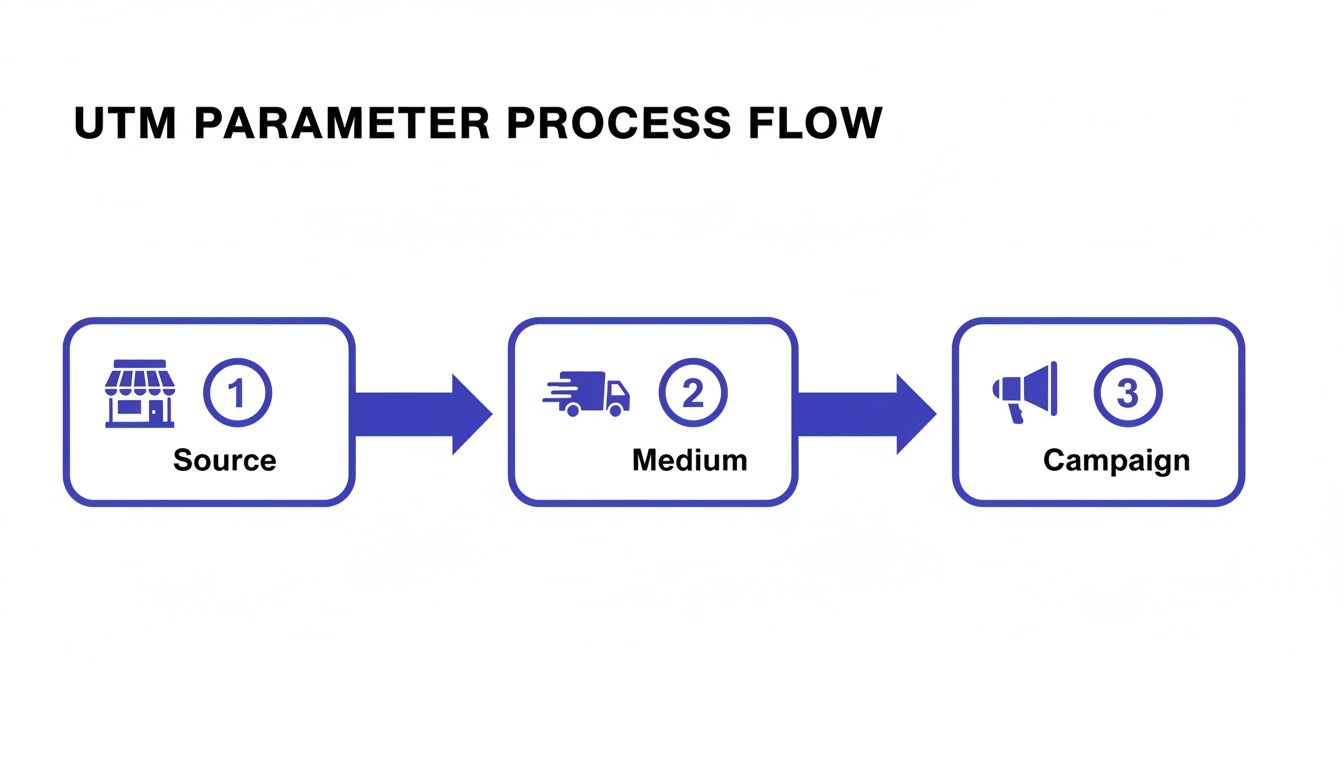
As you can see, each piece—Source, Medium, and Campaign—adds another layer of context, turning a simple click into a detailed story about your visitor's journey.
Using a URL Builder Step by Step
Let’s stick with our summer sale example. Say you want to track every click coming from the link in your Instagram bio. To do this, you’d use a tool to build the URL systematically. If you want to jump right in, you can use Swetrix's free UTM generator tool to follow along.
Here’s how you’d fill out the fields:
- Website URL:
https://yourstore.com/products/summer-collection - Campaign Source (utm_source):
instagram - Campaign Medium (utm_medium):
social-organic - Campaign Name (utm_campaign):
summer-sale-2024 - Campaign Content (utm_content):
bio-link(This is clutch for telling it apart from clicks on a story or a specific post).
Once you plug these values in, the builder spits out a complete, trackable URL, ready to be deployed.
Pro Tip: The final URL will be long and, frankly, a bit ugly. It’s always a good idea to run it through a URL shortener like Bitly. This gives you a clean, shareable link that still has all the tracking data baked in. It’s a much better experience for your audience and doesn't compromise your analytics one bit.
Where to Deploy Your Trackable Links
Now that you have your shiny new link, where does it go? The answer is simple: anywhere you’re sending traffic to your site from an external source.
- Social Media: Pop them into your bio, use them in posts and stories, and embed them in all your paid ad campaigns.
- Email Marketing: Every call-to-action button in your newsletters and promotional emails should have one.
- Digital Ads: Absolutely essential for Google Ads, LinkedIn Ads, or any other paid advertising platform.
- Offline Materials: You can even turn the URL into a QR code for flyers, posters, or business cards to track offline engagement.
By consistently using tagged links across every channel, you’re building a powerful, unified view of what’s working. This is how you get the clear, actionable insights that truly move the needle.
5 Best Practices for Clean and Actionable UTM Data
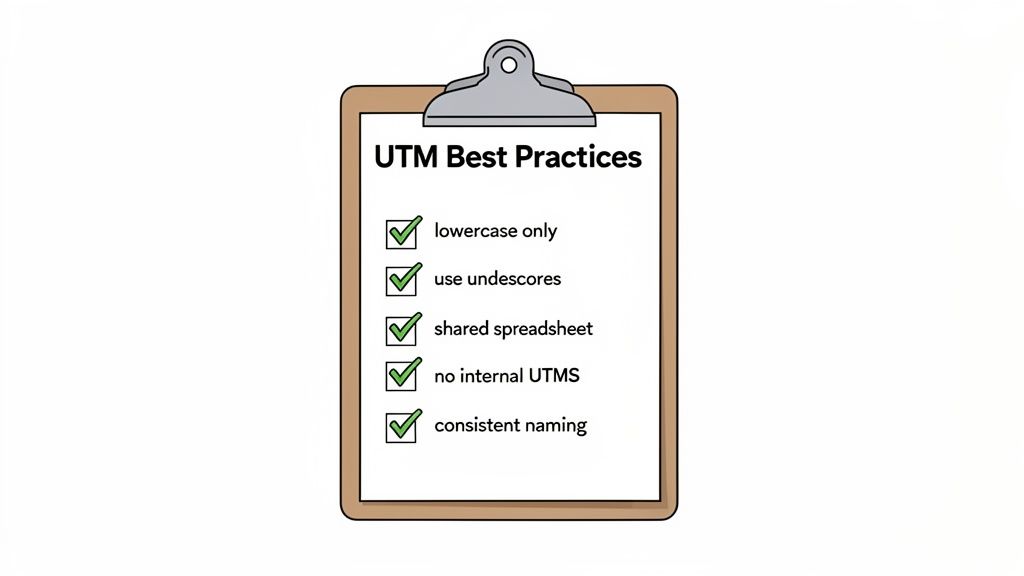
Just knowing how to build a UTM link is step one. The real work—and where things often go sideways—is keeping your tracking system clean and consistent over the long haul. Without a clear set of rules, your analytics can quickly turn into a jumbled mess that nobody trusts.
Think of it like organizing a library. If every librarian has their own unique system for labeling books, the whole place descends into chaos. You need a shared strategy that everyone on the team understands and follows.
This all starts with a solid naming convention. This is basically your team's rulebook for creating UTMs. One tiny mistake or inconsistency can fragment your data, making it incredibly difficult to see what’s actually working.
Establish Your UTM Rules of Engagement
Your naming convention document doesn't have to be a 50-page manifesto. It just needs to be crystal clear and accessible to everyone who creates links.
Here are the absolute must-have rules to include:
Always Use Lowercase: UTM parameters are case-sensitive, which is a classic rookie mistake. In your analytics,
Facebookandfacebookwill register as two completely different traffic sources. Sticking to lowercase for everything is the easiest way to keep your reports from getting messy.Use Hyphens, Not Spaces: URLs can't handle spaces. While some tools might try to fix this by inserting a
%20character, it makes your links look ugly and can sometimes cause tracking issues. Use hyphens (or underscores, just pick one and stick with it) to separate words, likesummer-sale.Keep It Simple and Descriptive: Your parameter names should be instantly understandable, even to someone looking at the data six months from now. Avoid cryptic codes like
utm_campaign=ss-promo-q2. Something likesummer-sale-2024tells the story perfectly.
Pro Tip: Create a shared spreadsheet or a simple document that lists all your approved campaign names, sources, and mediums. This becomes your team's single source of truth and is the best defense against messy, inconsistent data.
Sidestep These Common Data-Killing Pitfalls
Knowing what not to do is just as critical as knowing what to do. Many well-meaning marketers fall into a few common traps that can completely wreck their analytics. After all, the quality of your insights depends entirely on the quality of your data.
To help you out, here’s a quick rundown of some common mistakes and how to steer clear of them.
UTM Do's and Don'ts for Clean Data
| Common Mistake (The Don't) | Best Practice (The Do) | Why It Matters |
|---|---|---|
| Using UTMs on internal links. | Only use UTMs for external marketing. Never on links from one page of your site to another. | This is the cardinal sin. It overwrites the visitor's original source, making it look like your own site generated the traffic. |
Mixing up source and medium. | Remember: source = where (e.g., facebook, google), and medium = how (e.g., cpc, email). | Confusing these makes it impossible to accurately compare channel performance. utm_source=social-media is too vague. |
| Being inconsistent with naming. | Follow your naming convention document religiously. | A single typo like linkedin vs. linked-in creates two separate entries, splitting your data and hiding the true impact. |
| Using personal or sensitive info. | Never put PII (personally identifiable information) like names or emails in a UTM parameter. | This is a huge privacy violation and can get you in serious trouble with regulations like GDPR. The data is often public in the URL. |
By committing to these best practices and dodging the common pitfalls, you turn your UTM codes from simple tracking snippets into a powerful, reliable system. It's how you get the trustworthy data you need to make genuinely smart marketing decisions.
Putting Your UTM Data to Work (the Privacy-First Way)
So, you've launched your links out into the world with their shiny new UTM tags. Now what? Every time someone clicks one, those little parameters get to work, but where does all that information actually end up?
It all comes together in your web analytics platform. The moment a visitor lands on your site from a tagged link, your analytics tool instantly reads the UTM parameters from the URL. It then neatly sorts that visit based on the source, medium, and campaign you specified. This is how the messy, often confusing flow of website traffic gets organized into a clear, understandable report.
This is where you graduate from counting simple clicks to answering real business questions. You can finally see, with hard data, which marketing efforts are actually paying off. For example, you can directly compare how your summer-sale-2024 campaign performed on Google versus Facebook, and not just in terms of traffic, but which channel brought in more sales.
A New Era of Privacy-Conscious Analytics
In the past, getting this kind of detail often meant using cookies and other trackers that hoovered up a ton of personal user data. But with privacy laws like GDPR now in full force and users becoming much more aware of their data, that old way of doing things is over. The challenge for marketers today is getting those critical campaign insights without crossing any privacy lines.
This is exactly why privacy-first analytics tools like Swetrix are becoming so important. They're built from the ground up to analyze UTM data without using cookies or collecting any personally identifiable information (PII).
The Privacy-First Mindset: The beauty of UTM codes is that they track the campaign, not the person. By focusing on this anonymous campaign data, you can measure what's working and what isn't, all while respecting user privacy and staying compliant with data protection laws.
With a tool like this, the process is just as powerful, but it’s also ethical. Your analytics platform still reads the utm_source, utm_medium, and utm_campaign from the URL, but it ties that information to an anonymous session, not a detailed user profile.
This means you get all the crucial big-picture insights you need—like seeing which channels are your top performers or which ad creative gets the most engagement—while your visitors' personal privacy stays completely intact. You get the answers you need, minus the privacy headaches.
How Swetrix Turns UTM Data into Privacy-First Insights
All this theory is great, but the real magic happens when you see your UTM data in action. If you're using Swetrix, you can turn those tagged links into clear, actionable reports without ever touching a cookie or collecting personal data.
This is a huge deal. You get clean attribution for every marketing dollar spent while staying fully compliant with privacy laws like GDPR. We've designed our campaign reports to be intuitive and clean, so you can skip the data-diving and get straight to the insights.
Finding Your Campaign Reports in Swetrix
Ready to see how your campaigns are performing? Just head over to the UTM Campaigns report in your Swetrix dashboard. Think of it as your command center for all marketing traffic.
The report instantly breaks down your traffic by campaign, source, and medium. Swetrix automatically pulls the data from your UTM tags and organizes it into a simple, easy-to-read format.
Here’s a sneak peek at what you'll see:
This view gives you a quick, at-a-glance understanding of which campaigns are bringing in the most visits and unique visitors, empowering you to make smarter decisions, faster.
Let’s put this into a real-world context. Say you're a startup founder and you've just sponsored two different podcasts. You tag one link with utm_campaign=podcast-a and the other with utm_campaign=podcast-b. In your Swetrix report, you can filter by these campaign names and see exactly which sponsorship sent more traffic your way. No more guesswork.
Or, if you’re a marketing manager, you can use tags like utm_source=newsletter and utm_content=cta-button-blue to prove that a specific email CTA drove a spike in signups. For anyone searching for a powerful and ethical analytics tool, our guide on finding the right Google Analytics alternative is a great place to start.
With Swetrix, UTM tracking isn't just about counting clicks. It's about confidently connecting your marketing efforts to real results, all within a privacy-first framework.
A Few Lingering Questions About UTM Codes
Once you start using UTM codes, a few common questions always seem to surface. Let's clear these up right now, so you can avoid some common pitfalls and keep your tracking data clean.
Will UTM Codes Hurt My SEO?
Short answer: No, UTM codes have no direct impact on your SEO or how your site ranks.
Search engines like Google are smart enough to know that utm_ parameters are just for tracking. They recognize that a URL with a bunch of UTM tags is the exact same page as the URL without them.
If you want to be extra safe, make sure your website uses canonical tags. It’s a little snippet of code that tells search engines, "Hey, this is the main version of the page to pay attention to," which completely eliminates any worry about duplicate content.
Should I Use UTMs on My Internal Links?
This is a big one. Absolutely not. Never use UTM codes on links that point from one page of your own site to another.
Doing this will completely mess up your analytics data. Imagine a visitor finds your site through an organic search. If they then click an internal link that has a UTM tag, your analytics tool will immediately forget they came from Google. It will start a new session, crediting the visit to your "internal campaign" instead.
This makes it impossible to see the real journey your visitors took to get to your site and eventually convert.
Key Takeaway: UTMs are for measuring traffic coming into your website from the outside world. They aren't for tracking how people navigate once they're already there.
What's the Real Difference Between `utm_term` and `utm_content`?
These two parameters can feel similar, but they solve different problems. They both help you get more specific with your tracking.
Think of it this way:
- utm_term: This is almost exclusively for paid search ads. It's where you put the exact keyword a user searched for that triggered your ad. It answers the question, "Which search term brought them here?"
- utm_content: This is your best friend for A/B testing. It helps you tell the difference between two links that are in the same campaign and point to the same page. For instance, if you have a blue "Sign Up" button and a green one in an email, you could tag them
utm_content=blue-buttonandutm_content=green-buttonto see which one gets more clicks.
Ready to turn your campaign data into privacy-first insights without the complexity? Swetrix provides powerful, cookieless web analytics that respects your users and gives you the clear, actionable data you need. Start your 14-day free trial today and see what you've been missing.