- Date
A Guide to Website Performance Metrics
 Andrii Romasiun
Think of website performance metrics as your site's vital signs. They're the specific, measurable numbers that tell you exactly how quickly and smoothly your website is running for real people. We're moving beyond basic stats like page views to focus on the nitty-gritty of speed, responsiveness, and stability—the things that define the actual user experience and directly affect your bottom line.
Why Performance Is Your Most Important Business Metric
Let's try a simple analogy. Imagine your website is a brick-and-mortar store. If the front door is jammed, the aisles are a mess, or the checkout line moves at a snail's pace, what happens? People leave. They probably won't come back, either.
A slow, frustrating website is the digital equivalent of that broken-down store. It makes a terrible first impression and quietly pushes potential customers away before you even know they were there. This guide is all about cutting through the technical noise to show you why website performance is a core business metric that shapes revenue, builds trust, and determines whether you even show up in search results.
For developers, marketers, and business owners, getting a handle on these metrics isn't just a nice-to-have; it’s essential. A fast, reliable site isn't just a pat on the back for the engineering team—it's a powerful engine for growth.
The Real-World Costs of a Slow Website
The damage from poor performance isn't theoretical; it's real and it's expensive. When people hit a snag or a delay on your site, they don't sit around waiting. They bounce. This creates a domino effect of negative outcomes for your business:
- Lost Sales and Conversions: It’s been shown that just a one-second delay in page load time can slash conversions by 7%. For any online store, that's cash walking right out the door.
- Damaged User Trust: A site that’s slow or full of glitches just feels unprofessional. It chips away at your brand's credibility and makes people think twice before handing over their email or credit card information.
- Fading Search Visibility: Search engines are obsessed with user experience. If your site is slow, it’s a massive red flag telling them you’re not delivering the goods, which can sink your rankings.
Mobile Performance Is the New Standard
The game has changed. Search engines now operate on a mobile-first indexing model, meaning your site's performance on a smartphone is the primary yardstick for search rankings and user satisfaction.
Here’s a snapshot from Google showing the moment this became the new reality for the entire web.
What this really means is that your desktop site has taken a backseat. The experience you provide on a mobile device is what truly counts. This shift is a huge reason why the global web hosting market is on track to hit $355.8 billion by 2025. Companies are pouring money into infrastructure because they know performance is everything. If you're curious, you can dig into more website load time statistics to see the full picture.
Performance isn't an IT problem; it's a business problem. Every millisecond of delay costs you engagement, conversions, and brand loyalty. The fastest way to improve your bottom line is often to improve your load time.
Think of this guide as your roadmap. We're going to turn your website from a potential liability into a genuine strategic advantage that actively drives your business forward.
The Core Performance Metrics You Need to Understand
Diving into website performance can feel like learning a whole new alphabet soup of acronyms. LCP, CLS, TTFB—what do these actually mean for the real people trying to use your site? Let's cut through the jargon and translate these technical terms into what they really are: direct measures of a user's experience.
Think of your website like a physical store. A customer walks in. How long do they have to wait before they see the main product display? When they ask a question, how quickly does a staff member respond? Do things suddenly move around, making it hard to grab what they want? These are the kinds of real-world experiences that performance metrics capture online.
The connection between a technically fast website and a successful business isn't just a theory; it's a direct line. A snappy, reliable site builds trust and drives revenue, creating a positive feedback loop that strengthens your brand.
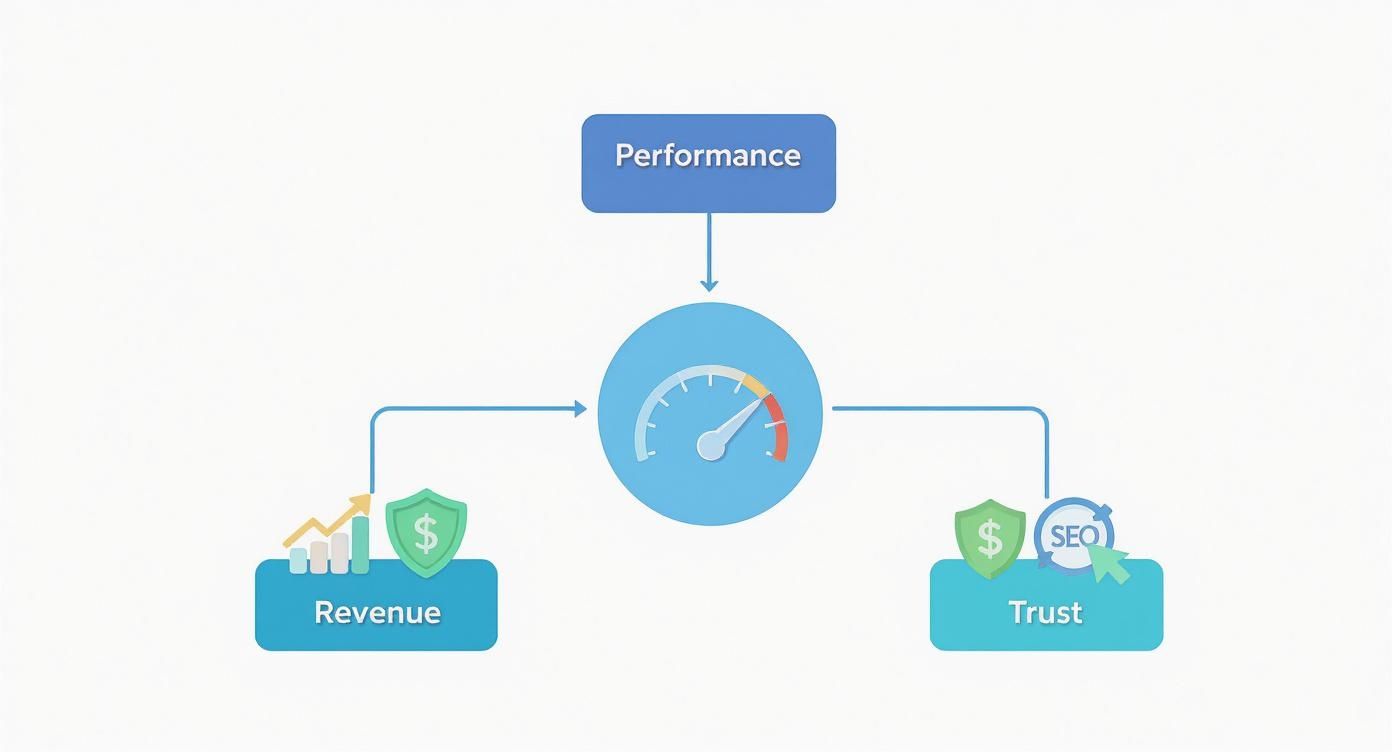
As you can see, solid performance isn't just about pleasing search engines. It’s about creating an experience so seamless that users don't even think about it—they just enjoy it.
To help you get a quick overview, here's a breakdown of the key metrics we'll be discussing.
Key Website Performance Metrics at a Glance
This table summarizes the most important metrics, what they measure, and why they are so critical for both your users and your bottom line.
| Metric | What It Measures | Why It Matters |
|---|---|---|
| LCP | Time it takes for the largest visual element on the screen to load. | Signals when the most important content has arrived, directly impacting perceived load speed. |
| INP | The latency of all user interactions (clicks, taps, key presses) on a page. | Measures if the site feels responsive and snappy, or laggy and frustrating. |
| CLS | The amount of unexpected layout shifting of visual page content. | Quantifies visual stability; a low score means users can interact without elements moving. |
| TTFB | The time between the browser requesting a page and when it receives the first byte of information. | A foundational speed metric that indicates server responsiveness and backend health. |
| TTI | The time it takes for a page to become fully interactive and reliably responsive to user input. | Confirms the page isn't just visible but is actually usable, preventing "rage clicks." |
| Bounce Rate | The percentage of visitors who leave after viewing only one page. | Often a direct symptom of slow load times or a poor first impression. |
| Session Duration | The average time users spend on your site during a single visit. | Longer sessions often correlate with a fast, engaging experience that keeps users around. |
Understanding these metrics is the first step toward diagnosing issues and making targeted improvements that your users will actually feel.
Core Web Vitals: The Big Three
Google has spotlighted three specific metrics as Core Web Vitals because they do an excellent job of capturing the user's first impression of a page. Getting these right is non-negotiable for a good experience.
1. Largest Contentful Paint (LCP)
LCP is all about perceived load speed. It answers the user’s subconscious question: "Is this thing actually loading?" Specifically, it measures the time it takes for the largest, most meaningful piece of content—like a hero image, a product video, or a big block of text—to appear.
A slow LCP feels like walking into a room and staring at blank walls for a few seconds. It’s awkward and makes you want to leave. For a good experience, you want your LCP to be under 2.5 seconds.
2. Interaction to Next Paint (INP)
Have you ever clicked a button on a website and... nothing happened? That delay is exactly what INP measures. It captures the responsiveness of all interactions throughout a user's visit, from the first click to the last. It replaced its predecessor, First Input Delay (FID), because it gives a more complete picture of a page's overall interactivity.
This is the "Add to Cart" test. If a user clicks that button and the page freezes, even for a moment, their confidence drops. A good INP score is under 200 milliseconds, which feels virtually instant to the user.
3. Cumulative Layout Shift (CLS)
CLS measures visual stability. We’ve all been there: you go to tap a link, but just as your finger lands, a banner ad loads and pushes everything down, causing you to tap the wrong thing. That jarring experience is a layout shift.
This is infuriating for users and erodes trust. A stable, predictable layout is essential. To keep users happy, your CLS score should be below 0.1.
The Supporting Cast of Speed Metrics
While Core Web Vitals get the most attention, a few other metrics provide the backstory. They tell you why your vitals might be slow.
Time to First Byte (TTFB)
TTFB is the very first checkpoint in the loading process. It’s the time between the user requesting your page and their browser receiving the first byte of data from your server. Think of it as how long it takes for a restaurant kitchen to acknowledge your order.
A slow TTFB is a red flag that points to server-side problems. You should aim for a TTFB under 0.8 seconds.
Time to Interactive (TTI)
TTI measures the point when a page is not only visible but also fully usable. A page might look ready, but if JavaScript is still running hard in the background, clicks and taps won't register. TTI tells you when the page is truly ready for business.
A page that looks loaded but doesn't respond is a broken promise to the user. TTI ensures that when your site looks ready, it is ready.
Metrics That Measure Business Impact
Finally, we connect technical performance to business results. These user behavior metrics often reflect the direct impact of your site's speed.
Bounce Rate: This is the percentage of visitors who land on one page and leave without doing anything else. A high bounce rate is the digital equivalent of someone walking into your store, taking a quick look, and immediately walking out. It's often a direct result of slow load times.
Session Duration: This tracks the average time a user spends on your site in a single visit. Naturally, a fast and fluid site encourages people to stick around, explore more pages, and engage more deeply with your content. To dive deeper, check out our guide to understanding session duration.
By looking at this entire spectrum of metrics—from the first server response to final user behavior—you get a holistic view of your website's health and can pinpoint exactly where to focus your efforts.
How to Accurately Measure Your Website's Performance
Knowing which performance metrics to track is one thing, but getting your hands on accurate, meaningful data is a whole different ballgame. To truly understand how your site is doing, you need to look at it from two different angles.
Think of it like running a physical store. You’d want to observe how real customers move through the aisles during peak hours, but you'd also want to run controlled inspections after closing to check the lighting, stock levels, and cleanliness. Both views are critical, just in different ways.
For websites, these two perspectives are covered by two essential measurement methods: Real User Monitoring (RUM) and Synthetic Monitoring. Using them together gives you the complete picture of your site's health.

This image nails the core difference: RUM is all about the messy, unpredictable reality of how people actually use your site. Synthetic testing, on the other hand, gives you clean, repeatable data from a perfectly controlled environment.
Real User Monitoring: Hearing Directly from Your Visitors
Real User Monitoring (RUM), sometimes called "field data," is exactly what it sounds like. It collects performance data straight from the browsers of the real people visiting your site. It’s your window into the authentic user experience, capturing all the wild variables you could never guess on your own.
With RUM, you get a genuine look at performance across countless combinations of:
- Devices: Everything from the latest iPhone to a five-year-old budget Android.
- Network Conditions: Spanning blazing-fast fiber, shaky coffee shop Wi-Fi, and spotty 4G mobile data.
- Geographic Locations: Uncovering how a user in rural Australia experiences your site compared to someone in New York City.
- Browser Types: Seeing how performance holds up on Chrome versus Safari or Firefox.
RUM is your source of truth. It doesn't tell you how your website should work in a lab; it tells you how it actually works for real people in the wild.
This makes RUM invaluable for spotting trends and identifying widespread problems affecting a big chunk of your audience. It's no surprise that Google's Core Web Vitals are built primarily on RUM data—it's that important for SEO.
Synthetic Monitoring: The Controlled Lab Test
If RUM is watching real shoppers, then Synthetic Monitoring is like sending in a secret shopper with a stopwatch and a checklist. Also known as "lab data," this method uses automated scripts to simulate a user visiting your site under perfectly consistent, controlled conditions.
These "robots" are programmed to run tests from a specific location, on a specific device, over a specific network speed—every single time. Because the environment never changes, synthetic tests are perfect for benchmarking, testing in staging before you go live, and catching issues right after a new code deployment. It lets you ask precise questions, like, "Did our last update make the homepage slower for users on a 4G connection in London?"
A couple of go-to tools for synthetic testing include:
- Google PageSpeed Insights: Gives you a performance score and concrete recommendations based on a simulated test run.
- WebPageTest: Offers an incredibly deep dive into performance, with detailed waterfall charts that show you exactly how every single resource loaded.
Why You Need Both: The Complete Picture
Here’s the thing: you can't just pick one. Synthetic monitoring is fantastic for debugging and consistent testing, but it will never capture the full, chaotic spectrum of real user experiences. On the flip side, RUM shows you what's really happening but can make it harder to pin down the exact cause of a problem in a controlled way.
When you use them together, you get the best of both worlds. You can use RUM to spot a real-world problem (e.g., "Our LCP is terrible for users in Brazil") and then use synthetic tools to replicate and diagnose that specific scenario.
For collecting that all-important RUM data, privacy-first tools have become the standard. Platforms like Swetrix let you gather the performance metrics you need directly from user sessions without using cookies or invasive trackers. It’s a great way to get crucial data while respecting user privacy. You can check out more great options in our deep dive into website performance monitoring tools.
Setting Performance Benchmarks That Actually Matter
https://www.youtube.com/embed/PL0c-SvjSVg
Collecting website performance data without any context is like glancing at your car's speedometer without knowing the speed limit. Is 70 fast? It depends entirely on whether you're on a quiet neighborhood street or a wide-open highway. The same logic applies to your website—raw numbers only become a powerful tool when you frame them with realistic, relevant benchmarks.
A common pitfall is chasing a generic "good" score from an automated testing tool. Seeing a perfect 100 on PageSpeed Insights feels great, but it doesn't automatically mean you're outperforming your direct competitors or delighting your users. The real goal isn't just to get a green checkmark; it's to build a faster, more dependable experience for your audience.
This requires a mental shift from chasing abstract scores to understanding contextual performance. Your benchmarks should be set relative to three things: your industry, your competition, and—most importantly—your own users' real-world environments.
Look Beyond Global Averages
Relying on global averages for website performance can be seriously misleading. These broad statistics often gloss over massive differences in internet infrastructure, device power, and user expectations from one region to another. A site that feels snappy in one country could feel sluggish and frustrating in another.
For example, the average global page load time in 2025 is around 1.9 seconds. But that number hides a more complex story. South Korea enjoys a blistering 1.5-second average on mobile, while the United States sits at 1.9 seconds. Contrast that with parts of Africa, where average load times can climb over 3.8 seconds—more than double the speed of leading countries. You can find more details in these global load time statistics.
Simply put, a one-size-fits-all performance target doesn't work. Your benchmarks must be tailored to the geographic reality of your target audience.
If most of your customers are in a region with slower average network speeds, pouring resources into optimizing for a fiber-optic connection might not be the smartest move. The better benchmark is to deliver the absolute best experience possible under those specific conditions.
Segment Your Data to Find Hidden Truths
To set benchmarks that actually drive improvements, you have to slice and dice your data into meaningful segments. This is where Real User Monitoring (RUM) really shines. By looking at how different groups of people experience your site, you can uncover hidden bottlenecks that a single, aggregated number would completely miss.
Start by breaking down your performance data by these critical dimensions:
- Geography: Are users in a specific country or region seeing higher latency? This could be a clear signal that you need a Content Delivery Network (CDN) with nodes closer to them.
- Device Type: Is your LCP significantly worse on mobile than on desktop? That's a huge clue that you have unoptimized images or heavy page elements penalizing less powerful devices.
- Browser: Does your site’s interactivity (INP) tank on a certain browser? This might point to a JavaScript compatibility bug that needs squashing.
- Connection Type: How does your site hold up for someone on a 4G connection versus someone on fiber? This insight helps you prioritize fixes that help users on slower, less reliable networks.
Analyzing these segments helps you move from a vague goal like "make the site faster" to a specific, actionable objective like, "cut LCP by 20% for our mobile users in Southeast Asia." This targeted approach focuses your efforts where they'll make the biggest difference, turning raw data into a clear roadmap for improvement.
Actionable Strategies to Improve Key Performance Metrics
Okay, so you've got your website performance metrics. That’s the diagnosis. Now it's time for the treatment. Knowing your LCP is slow is one thing, but knowing exactly how to fix it is where the real magic happens. This section is a hands-on playbook, full of targeted solutions for the core metrics we’ve covered, broken down by who needs to do what.

Forget vague advice. We're talking direct, actionable steps you can start on today. Whether you’re a developer deep in the code, a marketer running campaigns, or a product manager steering the ship, you have a clear role to play in building a faster, more reliable user experience.
Fixing Core Web Vitals and Key Speed Metrics
Each metric shines a light on a different part of the user experience, so the fixes are never one-size-fits-all. Let's dig into them one by one, with specific advice for each role.
Improving Largest Contentful Paint (LCP)
A slow LCP is almost always caused by big media files or clunky resources blocking the page from showing its most important content. The goal here is simple: make that main thing pop up on screen as fast as possible.
For Developers: Your world revolves around resource optimization. First up, compress every image using modern formats like WebP or AVIF—they offer way better quality for a smaller file size. Next, implement lazy loading for images that are below the fold. This stops them from fighting for bandwidth with the critical content users see first. Finally, look into deferring any non-critical CSS and JavaScript so they don't block that initial render.
For Marketers: You're the gatekeeper for many of the assets that bloat LCP. Always compress images and videos before you upload them to your CMS. If you're embedding third-party widgets or videos, think about their weight. A heavy video embed can easily become the LCP element and bring the whole page to a crawl.
Improving Interaction to Next Paint (INP)
A bad INP score makes your page feel sluggish and unresponsive. The culprit? Almost always, it's heavy JavaScript tying up the browser's main thread.
For Developers: The key is to break up long-running tasks. Use techniques that yield to the main thread, giving the browser a chance to breathe and respond to clicks and taps. Audit your JavaScript bundles and split those massive files into smaller chunks that can be loaded only when needed. For really complex stuff, think about moving it off the main thread entirely with Web Workers.
For Marketers: Time to audit those third-party scripts you’ve dropped in via tag managers. Every tracking pixel, chatbot, and analytics script adds JavaScript execution time. Make it a regular habit to review these scripts and get rid of anything that’s no longer essential. They can be a direct cause of a laggy experience.
Improving Cumulative Layout Shift (CLS)
An unstable page with a high CLS is just plain annoying and erodes trust. It’s usually caused by elements loading in without any space being saved for them.
For Developers: Thankfully, this one is often a straightforward fix. Always specify
widthandheightattributes on your image and video elements. For ads, embeds, or iframes, reserve space for them in your CSS using properties likeaspect-ratio. This prevents all that frustrating content jumping around as they load.For Marketers: When you’re creating pop-ups or banners, make sure they don’t shove the main content around and cause layout shifts. Design them to appear as overlays or in their own dedicated space, not as intruders that push everything else down the page.
Addressing Foundational and Business Metrics
Beyond Core Web Vitals, other metrics tell a bigger story about your site's health and require a more strategic mindset.
A slow Time to First Byte (TTFB) is often a server-side bottleneck. Before you optimize a single line of frontend code, your first step should always be to investigate your hosting environment and backend processing times.
This is a critical reminder that performance isn’t just about what the user sees. Here’s how to tackle those deeper issues.
Improving Time to First Byte (TTFB)
A slow TTFB points a finger directly at your server’s initial response time.
For Developers: Your first move should be to enable server-side caching. This lets you serve static HTML pages instead of building them from scratch on every single request. Next, hunt down and optimize slow database queries. For a massive long-term win, implement a Content Delivery Network (CDN). A CDN caches your files in locations physically closer to your users, which dramatically cuts down latency.
For Product Managers: If TTFB is consistently poor, it’s time for a serious conversation about your hosting provider. Build the business case for upgrading your plan or moving to a better host. The investment almost always pays for itself through better conversion rates and happier, more loyal users.
Improving Business Metrics (Bounce Rate and Session Duration)
Technical fixes are vital, but they’re only half the puzzle. A high bounce rate and short session duration can also be signs that your content or usability is off the mark.
For Marketers: Make sure your landing page content perfectly matches the promise of your ad or search result. A mismatch between what users expect and what they get is the #1 reason for bounces. Use clear headings, compelling visuals, and a logical flow to draw people in and encourage them to stick around.
For Product Managers: Dive into user behavior flows and find out where people are dropping off. Is the navigation a mess? Is the main call-to-action hidden or confusing? Use this data to guide your design and content strategy, turning performance data into a genuinely better product. To get started, check out these excellent website performance optimization tips that cover both technical and strategic angles.
Frequently Asked Questions About Website Performance
It's one thing to know the textbook definitions of metrics like LCP, but it's another thing entirely to put that knowledge into practice. As you start digging into your site's performance, questions always come up.
This is your quick-start guide to answer those common "what-if" and "what-now" scenarios. Think of it as a way to sidestep common pitfalls and get your optimization strategy on the right track from day one.
What Is a Good Score for Core Web Vitals?
Google gives us a clear baseline: an LCP under 2.5 seconds, INP under 200 milliseconds, and a CLS score below 0.1. But hitting those numbers isn't the finish line—it's just the starting block.
Your real target should be set by your competition and your users' expectations. The goal is to be noticeably faster and smoother than other sites they visit. If you can beat Google's baseline, you’re not just compliant; you're creating a genuine competitive edge.
How Often Should I Check My Website Performance?
You can't just check your scores once and forget about it. A smart performance strategy combines constant vigilance with regular deep dives.
- Continuous Monitoring: This is where Real User Monitoring (RUM) comes in. It should be running 24/7, acting like an always-on smoke detector for performance issues. It’ll alert you the moment a real user experiences a slowdown or an error.
- Periodic Audits: You should also run comprehensive audits using synthetic tools like Lighthouse or WebPageTest. Schedule these quarterly, or run one immediately after any major code deployment. This helps you proactively hunt for new optimization opportunities before they become user-facing problems.
Can I Just Focus on One Metric Like LCP?
It’s tempting to zero in on a single headline metric like LCP, but that’s a classic mistake. Users don’t experience metrics in isolation; they experience the entire page load as one continuous event.
A blazing-fast LCP is fantastic, but if the page content jumps all over the place right after (high CLS), the user will still be frustrated. Likewise, a page that appears instantly but doesn’t respond when you click a button (poor INP) feels broken. You need a balanced approach that addresses all Core Web Vitals to deliver an experience that feels fast from start to finish.
A low PageSpeed Insights score doesn't always mean your site is slow for your actual users. Lab data is a simulation; Real User Monitoring (RUM) is your source of truth.
My Lab Score Is Low but My Site Feels Fast. What Do I Do?
This happens all the time. Tools like PageSpeed Insights run a test under very specific, often throttled, lab conditions. It's a useful simulation, but it might not match the reality of your audience, who could be on high-end devices with fast internet connections.
This is exactly why RUM is so critical. RUM data tells you what's actually happening out in the wild. If your real-user data looks great but your lab scores are lagging, treat the lab report as a list of potential improvements, not a five-alarm fire. Always trust what your real users are telling you first.
Ready to stop guessing and start measuring your real user performance? Swetrix provides privacy-first analytics with built-in RUM and error monitoring, giving you the actionable insights you need without compromising user trust. Start your free 14-day trial and see what your users truly experience.