- Date
The Best Web Analytics for Digital Agencies & Freelancers in 2026
If you run a digital agency or work as a freelance web developer, you know the struggle: you build a beautiful, fast website for a client, and then you have to slap a heavy analytics tracking script and an ugly cookie banner on it.
Worse yet, when the end of the month rolls around, you have to export data from an overly complex tool like Google Analytics 4 (GA4), try to make sense of it, and translate it into a report your client can actually understand.
Most clients don't care about nested menus, exploration paths, or data sampling. They want to know three simple things:
- How many people visited my site?
- Where did they come from?
- Did they convert?
In this guide, we'll explore what makes a great web analytics tool for digital agencies and freelancers, why the industry standard is no longer cutting it, and how you can upgrade your tech stack to offer a better experience for your clients.
Why GA4 is a Headache for Agencies
For years, Google Analytics was the default choice for agencies. It was free, everyone knew it, and Universal Analytics (UA) was relatively straightforward.
But with the forced migration to GA4, the landscape changed. Here is why modern agencies are looking for alternatives:
- It's too complex for clients: Handing a client a GA4 login is a recipe for disaster. The interface is built for data scientists, not small business owners. Finding basic metrics requires multiple clicks, and clients inevitably end up confused or emailing you for help.
- Privacy and GDPR liability: GA4 collects personal data and transfers it to Google's servers, which has led to it being declared illegal in several European countries. For your clients, this means they legally must display an intrusive cookie consent banner, which ruins the user experience and lowers conversion rates.
- It slows down the websites you build: You spend hours optimizing a client's site for Core Web Vitals, only to add Google's 74 KB tracking script that bogs down page load times.
- Ad blockers skew the data: Up to 40% of internet users now use ad blockers. Because Google is an advertising company, their tracking scripts are the first to get blocked, leaving you with inaccurate data to report to your clients.
What Agencies Actually Need in a Web Analytics Tool
To scale your agency and keep clients happy, your analytics stack needs to work for you, not against you. The ideal analytics tool for freelancers and agencies should check these boxes:
1. Multi-Tenant Management
If you have 10, 20, or 50 clients, logging in and out of different accounts is a massive time sink. You need a tool that allows you to manage all client projects from a single dashboard, with the ability to group them logically.
2. Simple, Client-Friendly Reporting
Your clients shouldn't need a training course to understand their website traffic. The dashboard should be clean, intuitive, and display the most important metrics (visitors, sources, pages, and goals) at a glance. Even better? The ability to just send them a link where they can check their own stats.
3. Privacy by Design (No Cookie Banners)
Imagine telling your clients, "We use a privacy-first analytics tool. You don't need a cookie banner just for analytics, making it significantly easier to meet your privacy obligations." That is a massive selling point. It shows you care about their legal compliance and the UX of their visitors.
4. Lightweight Scripts
Your analytics tool should respect the performance of the sites you build. A lightweight script ensures that tracking doesn't negatively impact SEO or user experience.
Enter Swetrix: The Ultimate Agency Analytics Alternative
Swetrix was built with agencies and developers in mind. We stripped away the bloat of traditional analytics to create a tool that is ethical, fast, and incredibly easy to use.
Here is why Swetrix is the perfect fit for your agency toolkit:
Clean, Intuitive Traffic Dashboard
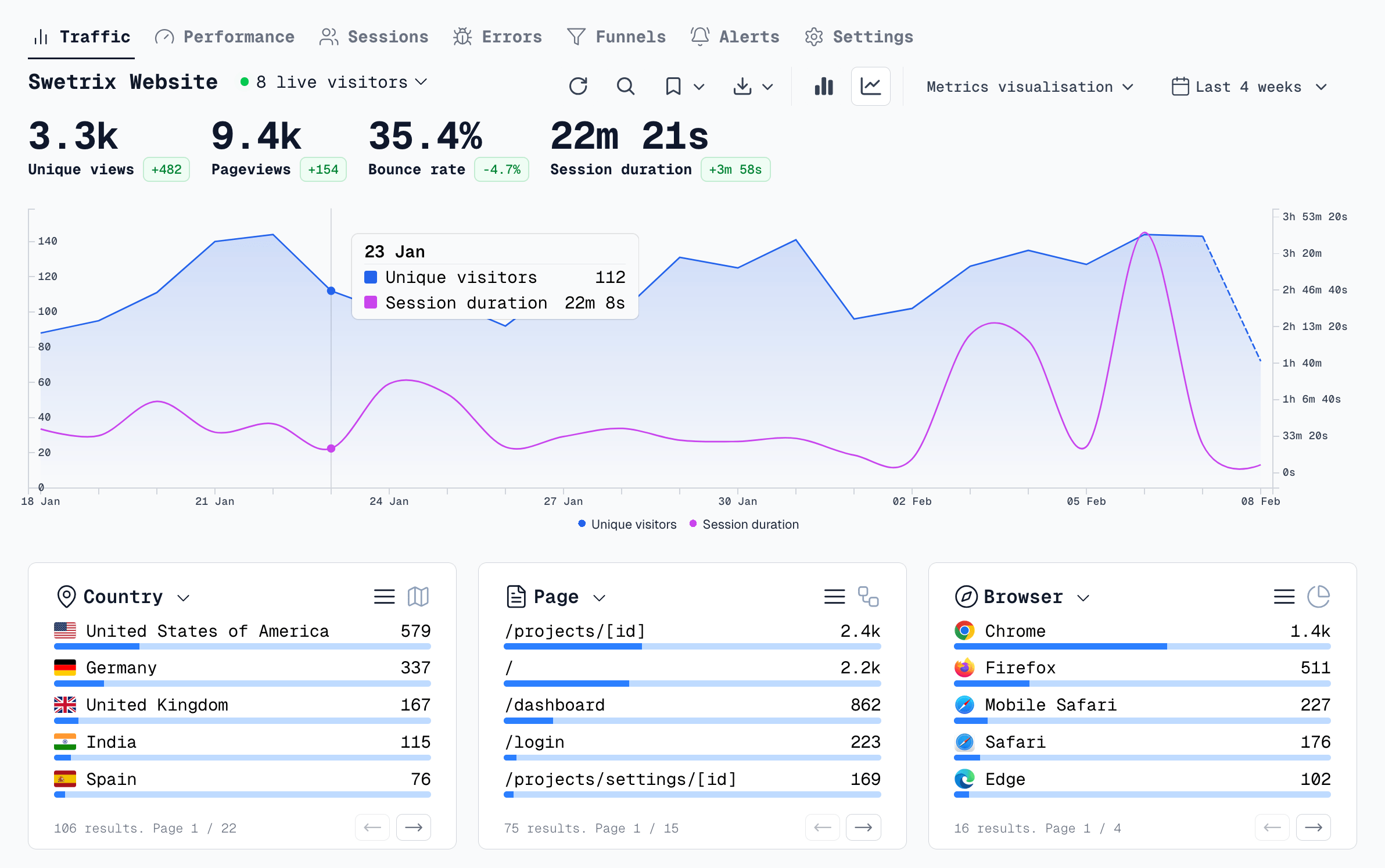
Before we even get to the advanced features, Swetrix nails the fundamentals. When you or your clients log in, you are greeted with a beautiful, uncluttered dashboard that shows exactly what matters: live visitors, pageviews, bounce rate, top referrers, and user geography.
There are no confusing menus or steep learning curves. It's an interface that your clients will instantly understand and actually enjoy looking at.
Client Management Made Easy with Organisations
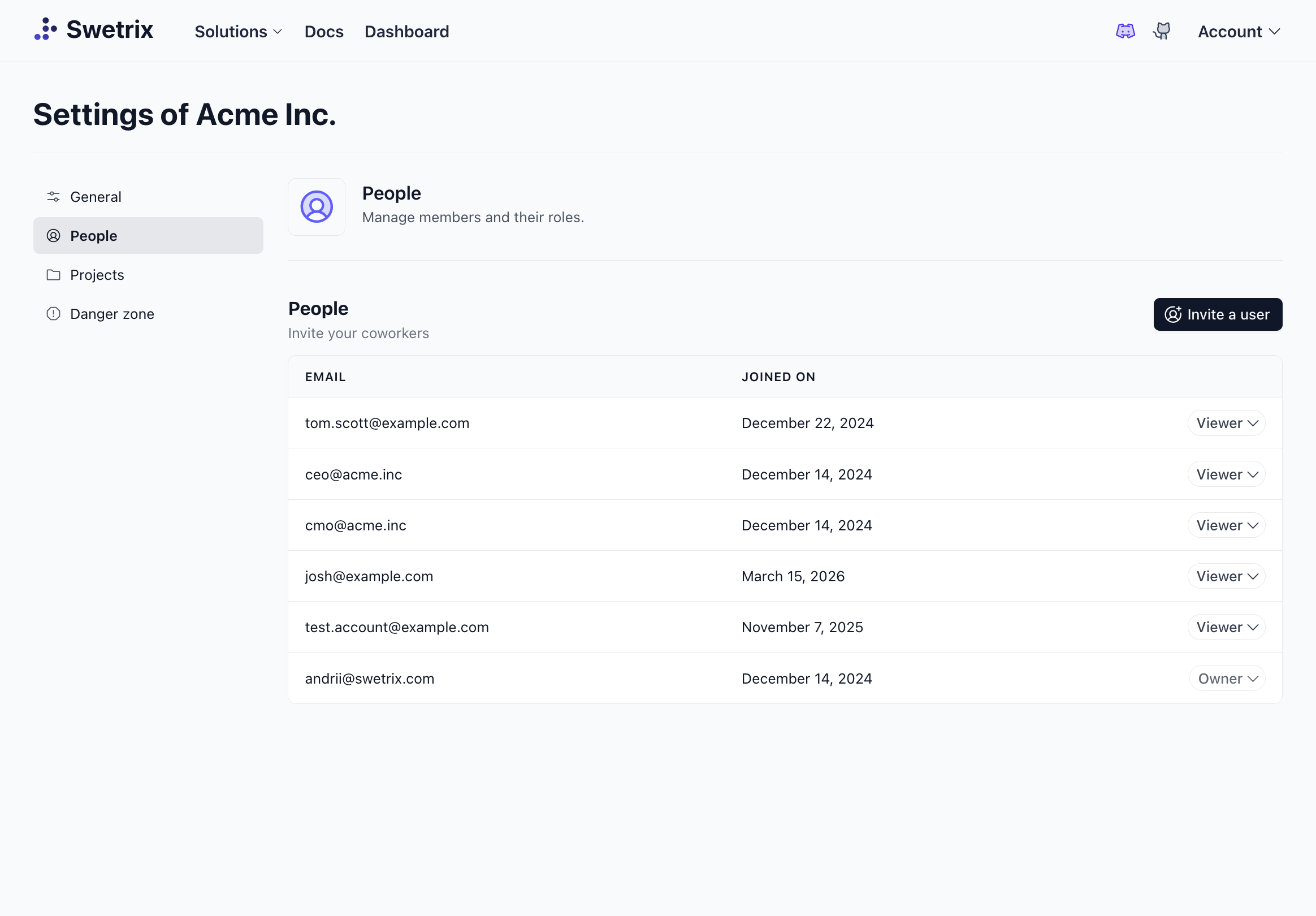
With Swetrix, you don't have to juggle messy account credentials. You can create an Organisation for your agency and group individual projects (websites) underneath it.
Need to give your client access? You can easily invite them to their specific project with Role-Based Access Control. Give them "Viewer" access so they can see their stats without accidentally breaking your custom event configurations.
Shared Public Dashboards
Don't want to invite clients to the app at all? No problem. Swetrix allows you to generate a Shared Dashboard link.
You can make a dashboard completely public, or protect it with a password. Send the link to your client once, and they can check their real-time traffic whenever they want, beautifully presented and easy to digest. No more end-of-month PDF report exporting.
100% Cookieless and Privacy-First
Swetrix doesn't use cookies, nor do we track users across different websites. We anonymize data to protect visitor privacy.
This means you can help your clients ditch the cookie banner. Their website will look cleaner, feel faster, and tracking will remain respectful of privacy laws like GDPR, CCPA, and PECR. Plus, Swetrix bypasses most ad blockers, meaning the data you report back to your clients is actually accurate.
The All-In-One Toolkit: Traffic, Errors, and Performance
As an agency or freelancer, you're not just responsible for marketing; you're often responsible for site health. Swetrix is the only tool that gives you:
- Traffic Analytics: See who is visiting and what they are doing.
- Performance Monitoring: Track Core Web Vitals and page load times in real-time to ensure the site stays fast.
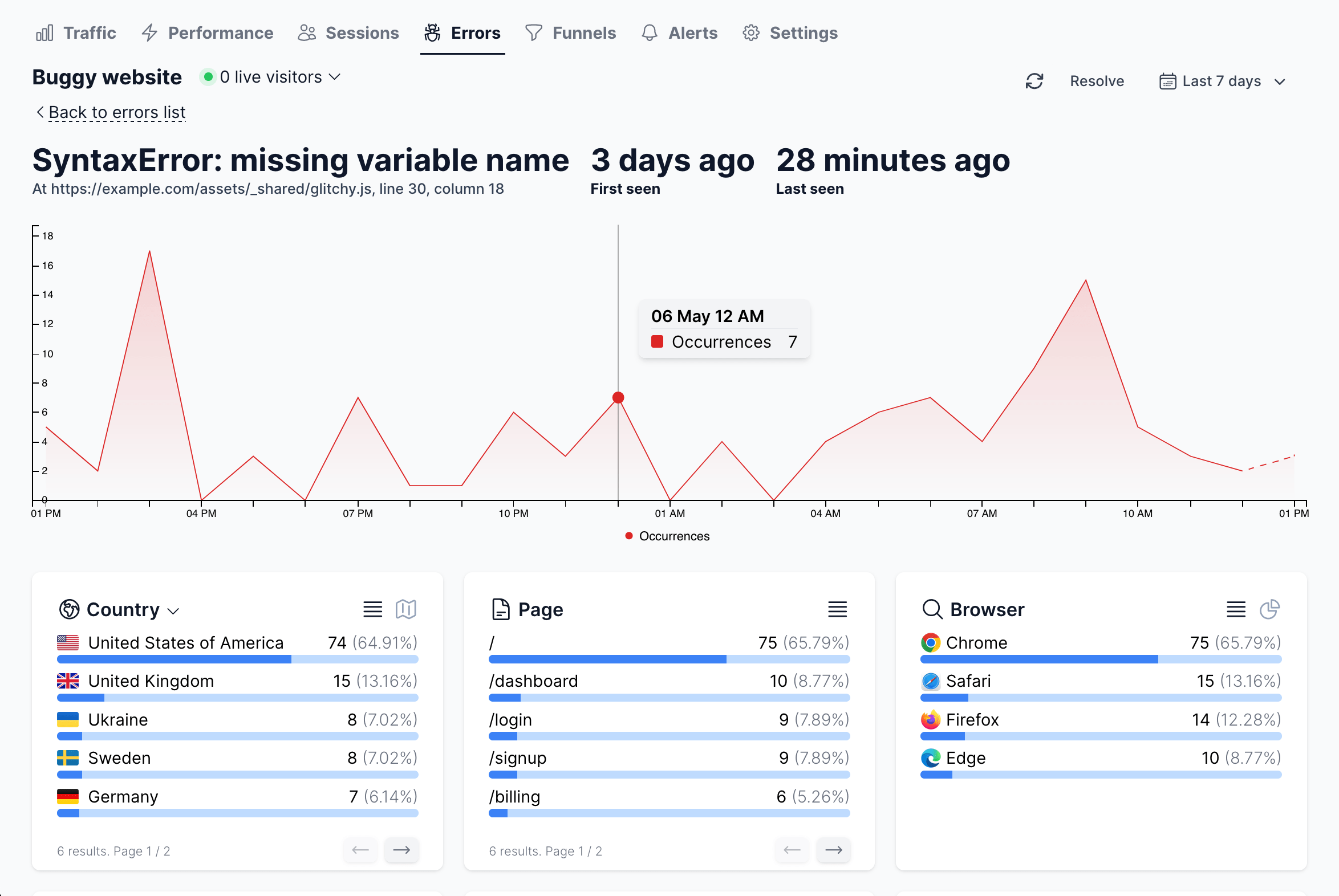
- Error Tracking: Automatically catch JavaScript errors. If a client's checkout button breaks after a plugin update, you'll see the exact error in your dashboard before the client even notices.
Lightweight & Fast
The Swetrix tracking script is under 6 KB (compared to GA4's ~74 KB). It loads asynchronously, ensuring the beautiful websites you build stay lightning fast, scoring high on Google Lighthouse and keeping bounce rates low.
How to Pitch Swetrix to Your Clients
Switching your clients to a new tool is easier when you frame it around the benefits to their business. Here is a simple script you can use:
"We are upgrading our analytics stack to a premium, privacy-first solution. Unlike Google Analytics, this new tool avoids invasive data collection and doesn't use cookies, meaning we can remove the annoying cookie banner from your site. It also uses a much lighter script, which will make your website load faster and help with SEO. I'll send you a private link where you can see your traffic in a clean, easy-to-understand dashboard without needing a login."
Ready to Streamline Your Agency Analytics?
Stop fighting with complex dashboards, broken reports, and privacy liabilities. By switching to a dedicated, ethical analytics platform, you save time, look more professional to your clients, and deliver a better end product.
Want to see how it fits into your agency workflow? Start your 14-day free trial of Swetrix today and experience analytics that actually makes sense.

The web analytics your site deserves.
Tired of bloated dashboards, privacy concerns, and data you can't trust? Switch to Swetrix and get simple, powerful analytics that respects your users.