- Date
Your Guide to Flawless Tracking with a UTM Campaign Builder
 Andrii Romasiun
A UTM campaign builder is a lifesaver for any marketer. It’s a simple tool that takes the guesswork and human error out of creating tracking URLs by automatically adding the right parameters. By using one, you ensure every link is tagged consistently, which is the key to getting clean, reliable data you can actually use.
Why Your Marketing Data Is a Mess and How to Fix It
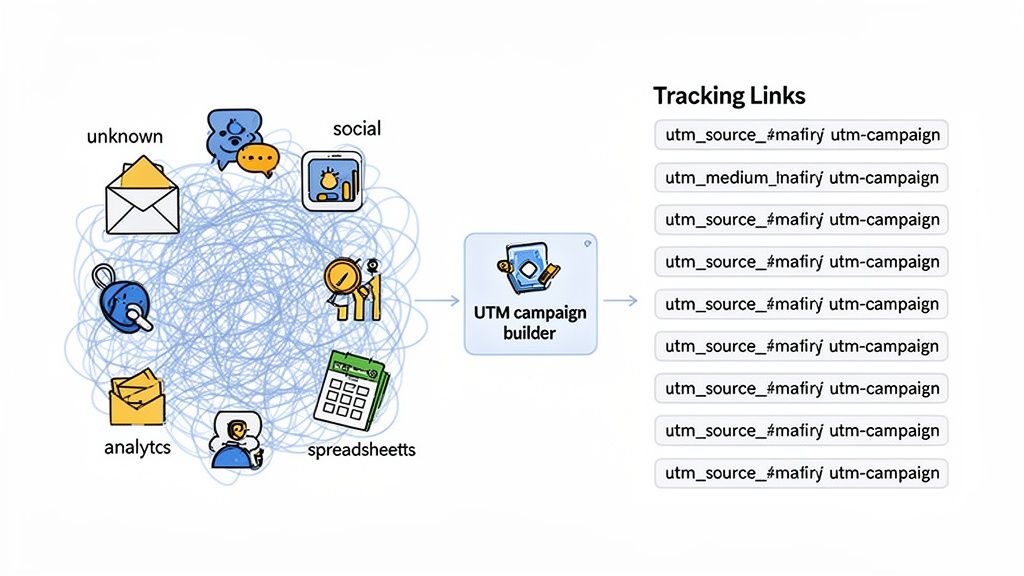
Have you ever stared at your analytics dashboard, seen a huge traffic spike, and had absolutely no idea where it came from? You’re not alone. That’s the classic sign of messy, inconsistent data. A big number looks impressive, but if you can't trace it back to a specific social post, email blast, or ad campaign, you’re flying blind. This is exactly where most marketing reporting breaks down.
The root of this chaos is almost always how the tracking links were built. When people create them manually, disaster is just a typo away. You get inconsistent capitalization, random abbreviations, and clashing naming conventions between team members. For instance, one person might tag a source as "Facebook," while another uses "facebook," and a third just puts "FB." Your analytics tool sees these as three completely different sources, splintering your data and making any real analysis impossible.
Bringing Order to Analytics Chaos
This is where a UTM campaign builder steps in and cleans up the mess. It forces everyone to follow the same rules. Instead of typing parameters from scratch, your team uses a standardized template to generate every single URL. This guarantees that every click from every campaign gets logged and categorized exactly the right way.
When you have clean UTM data, you unlock powerful insights. Suddenly, you can:
- Prove ROI: Confidently connect marketing activities directly to conversions and revenue. No more guessing.
- Optimize Spend: See exactly which channels are performing and which are duds, so you can put your budget where it counts.
- Make Data-Driven Decisions: Learn what copy, creative, and offers resonate with your audience on different platforms.
By standardizing how you track every link, you move from guesswork to certainty. This shift is critical for understanding campaign effectiveness and making smarter marketing investments.
This is especially important if you're using a privacy-first analytics platform like Swetrix. With accurate UTM inputs, you can build incredibly detailed performance reports without ever compromising your users' privacy. If you need a refresher on the basics, our guide on what UTM tracking is is a great place to start.
Common UTM Mistakes vs. The Fix
To see this in action, here’s a look at the common errors we see all the time and how a structured approach solves them.
| Mistake Category | Common Error Example | Best Practice Solution |
|---|---|---|
| Inconsistent Casing | utm_source=Facebook vs. utm_source=facebook | Always use lowercase for all parameters (e.g., facebook). |
| Vague Naming | utm_campaign=promo | Use specific, descriptive names (e.g., summer-sale-2024). |
| Using Spaces | utm_content=blue button | Replace spaces with hyphens or underscores (e.g., blue-button). |
| Mixing Terms | utm_source=linkedin vs. utm_source=LinkedIn-ads | Define one official name for each source in your taxonomy. |
A UTM builder essentially bakes these best practices right into your workflow, making it easy for your whole team to create clean, effective tracking links every single time.
First, Create Your UTM Taxonomy Blueprint
Before you even think about generating a UTM link, you need a plan. Seriously. Jumping into a UTM builder without a strategy is a recipe for disaster—it's like trying to build a house without a blueprint. You'll end up with a chaotic mess of data that's impossible to analyze. This foundational plan is your UTM taxonomy: a straightforward set of rules that dictates how everyone on your team names and structures your tracking parameters.
Think of it as creating a shared language for your marketing data. A solid taxonomy prevents those tiny, data-corrupting inconsistencies, like one person using utm_source=linkedin while someone else uses LinkedIn-Ads. By getting everyone on the same page with naming conventions from the start, you ensure your analytics reports are clean, accurate, and actually make sense. This isn't just about being neat; it's about building data you can trust.
Defining Your Core Parameters
Your taxonomy should be built around the three core UTM parameters: source, medium, and campaign. These are the absolute essentials. The easiest way to manage this is with a simple, shared document—a Google Sheet is perfect for this—that spells out the exact values your team needs to use.
utm_source(The Where): This tells you exactly which platform is sending you traffic. Get specific here. Instead of a vague "social," list out each platform individually:facebook,instagram,linkedin,twitter. If you're working with partners or influencers, use their unique handle or site name (e.g.,partner-blog-name).utm_medium(The How): This is the general marketing channel or method. The key here is to keep this list short and standardized. Common values that work for almost everyone arecpcfor paid ads,socialfor your organic social media posts,emailfor newsletters, andaffiliatefor any partner links.utm_campaign(The Why): This is where you name the specific marketing effort. Make your campaign names descriptive enough that you'll know exactly what they mean six months from now. A consistent format likeproduct-launch-q3-2024orblack-friday-sale-2024works wonders.
A well-defined taxonomy is non-negotiable if you want to scale your marketing. It’s the single source of truth that prevents your data from fracturing and makes sure every dollar you spend can be tied directly back to its origin.
Real-World Taxonomy Examples
Let's put this into a real-world context. Imagine you’re rolling out a new product feature and promoting it everywhere. Your taxonomy is what guides the creation of every single link, making sure all the data rolls up neatly.
| Marketing Activity | utm_source | utm_medium | utm_campaign |
|---|---|---|---|
| Ad on LinkedIn | linkedin | cpc | new-feature-launch-aug24 |
| Newsletter Announcement | newsletter | email | new-feature-launch-aug24 |
| Partner Blog Post | partner-xyz | affiliate | new-feature-launch-aug24 |
See how the utm_campaign value stays exactly the same across every channel? That consistency is everything. It lets you go into your analytics, filter for new-feature-launch-aug24, and instantly see the campaign's total performance. You can directly compare how your LinkedIn ads performed against your email newsletter, all in one clean view.
Getting these rules down before anyone creates a single link is the single most important thing you can do for clean data. To give you a head start, we put together a simple UTM Taxonomy Template. Just make a copy and start customizing it for your team. This little document will quickly become the cornerstone of your entire marketing analytics strategy.
Generating Consistent Tracking Links That Work
Alright, you've done the hard work of creating a solid UTM taxonomy blueprint. Now it's time to put that plan into action. This is the moment we shift from strategy to execution, and your best friend in this process is a dedicated UTM campaign builder. Its whole purpose is to make the right way of building links the easy way, taking human error out of the equation for good.
Trying to manually type out parameters at the end of a URL is just asking for trouble. You’ll get typos, inconsistent capitalization (linkedin vs. LinkedIn), and forgotten values—tiny mistakes that wreak havoc on your data. A good builder tool is your safety net. It provides a structured form where you just plug in the values from your taxonomy, ensuring every single link is perfect before it goes live.
Building Links for a Product Launch
Let's walk through a common scenario. Imagine you're gearing up for a new product launch. The promotion will run across three different channels: a targeted ad on LinkedIn, an announcement in your weekly email newsletter, and an organic post on Twitter. Based on your taxonomy, the official campaign name is product-launch-q3-2024.
Your goal is to create three unique links that all correctly attribute traffic back to this single campaign. With a UTM builder, this is straightforward and repeatable.
First, you'll plug in the destination URL for your launch, something like yourwebsite.com/new-product.
Next, you'll fill out the parameters for each channel, keeping your taxonomy rules in mind:
- For the LinkedIn Ad:
utm_source=linkedin,utm_medium=cpc,utm_campaign=product-launch-q3-2024 - For the Email Newsletter:
utm_source=newsletter,utm_medium=email,utm_campaign=product-launch-q3-2024 - For the Twitter Post:
utm_source=twitter,utm_medium=social,utm_campaign=product-launch-q3-2024
The builder instantly spits out the final, properly formatted URLs. See how the utm_campaign value is identical across all three? That's the key. It's what allows you to open your analytics, filter for product-launch-q3-2024, and see a clean, side-by-side performance report of how your LinkedIn ad, newsletter, and Tweet performed.
This entire workflow hinges on establishing clear rules and templates before rolling them out to the wider team.
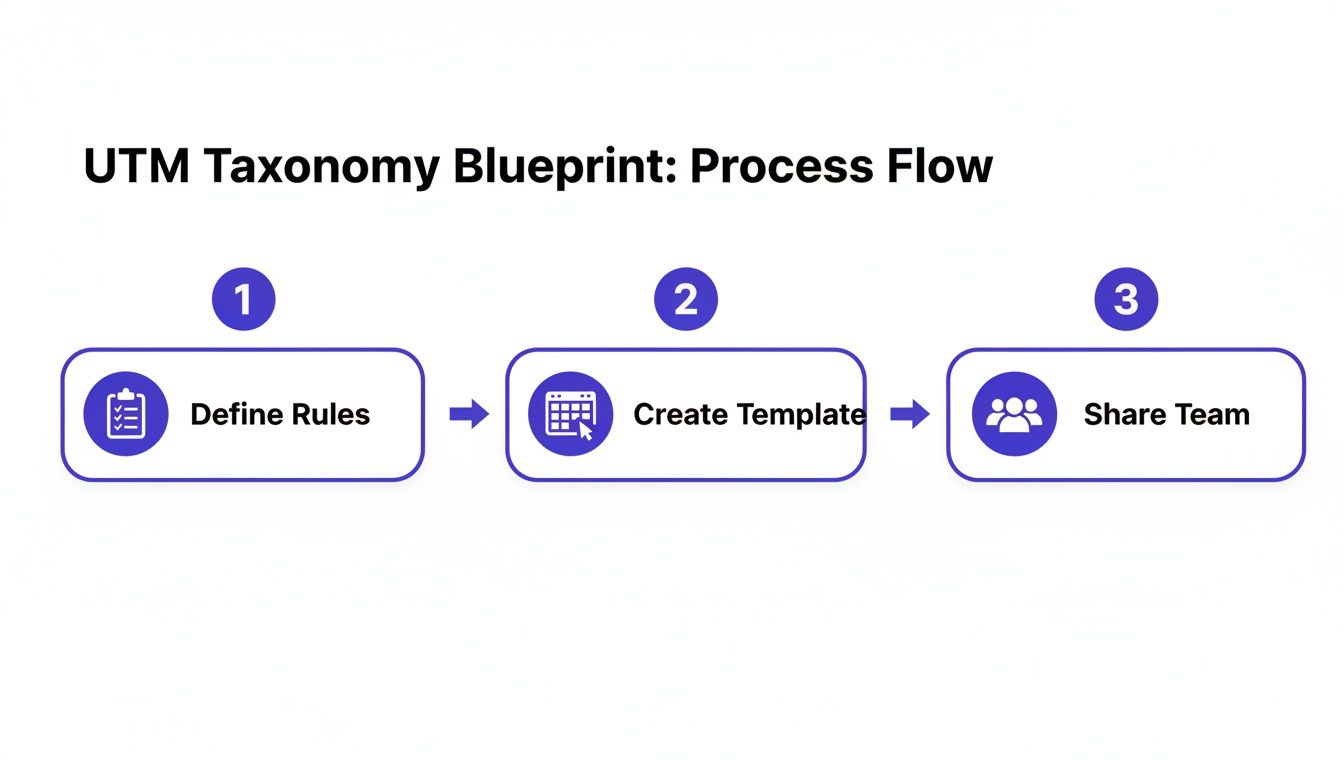
As you can see, defining the rules and creating reusable templates are the foundational steps that make team-wide adoption possible.
The Power of Templates and Consistency
The best UTM builders take this a step further by letting you save your parameter sets as templates. This is a game-changer for teams fighting inconsistent data, especially when juggling multiple campaigns. A good template enforces uniformity—so you never have to deal with messy data from someone using 'fb' while another uses 'facebook'. It also makes collaboration a breeze and ensures your reports are always accurate.
This systematic approach helps you precisely track everything from email campaigns and affiliate links to internal promotions, saving countless hours and preventing costly errors.
By making the process repeatable with templates, you're not just creating links—you're building a scalable system for data integrity. Every click becomes a clean, reliable data point you can trust.
This level of consistency is what separates amateur analytics from professional marketing intelligence. It gives you the confidence to make smarter budget decisions, prove your ROI, and finally get a true understanding of what’s driving results.
If you're ready to get started, our free UTM generator tool gives you a simple interface to build your first links flawlessly.
Putting Your Tracking Links to the Test
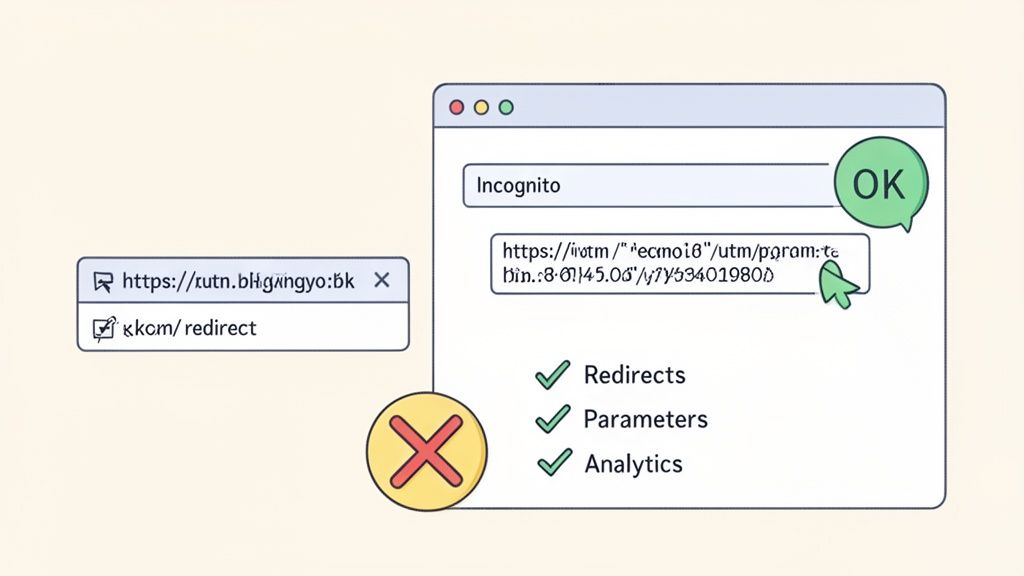
Alright, you've done the hard work. You’ve planned your taxonomy, used a campaign builder to create the perfect tracking URL, and all your parameters are clean and consistent. But a perfectly built link is completely worthless if it doesn't actually work. This is the final, and most critical, checkpoint before you send your campaign out into the world.
Before you even think about testing, take a look at the link itself. That long, clunky URL crammed with utm_ tags can look messy and even a bit spammy to a potential visitor. Especially on social media, where space is tight and trust is low, a clean link matters. This is where a good URL shortener comes in handy. It tidies up your tracking link into something short and professional, making it much more clickable and shareable.
Your Pre-Flight Checklist
I can't stress this enough: never just assume a link works. I’ve seen it happen dozens of times—a tiny copy-paste error or an unnoticed redirect strips the UTM parameters clean off, and suddenly all that tracking data vanishes into thin air. You absolutely must test every single link before it goes live.
Here’s the quick and dirty checklist I run through every single time:
- Go Incognito: Always start with a fresh private or incognito browser window. This is non-negotiable. It ensures there are no existing cookies or cached data messing with your test, so you see exactly what a new user would.
- Use the Final Link: Test the actual link you plan to share—the shortened one. Don't test the original long URL. You need to validate the entire user journey, and that includes the redirect from the shortener.
- Check the Address Bar: After the page loads, your eyes should go straight to the address bar. Are all your UTM parameters (
utm_source,utm_medium, etc.) still there and correctly appended to the destination URL? If not, you have a problem.
Most of the time, when parameters disappear, a misconfigured redirect is the culprit. Things like a redirect from
http://tohttps://or from a non-www to awwwversion of your domain can wipe out tracking codes if they aren’t set up to pass them along.
See It in Your Analytics
The final piece of the puzzle is confirming that your analytics platform actually sees the data. After you've clicked your test link, hop into your analytics dashboard.
Look at the real-time or live traffic report. You should see a brand-new session pop up with the exact source, medium, and campaign name you just tested. This is your moment of truth. It proves that your tracking script is installed correctly and is capturing the UTM data as intended.
If that visit shows up as "Direct" or "(not set)," you've found a problem before your campaign launched. Now you can fix it. This one simple check gives you total confidence that every click you get will be counted and attributed correctly.
Turning Clean Data into Smarter Decisions
All that work—the planning, the taxonomy, the link building—it all comes down to this. This is where the effort pays off. You've collected clean, structured data, and now it's time to turn those numbers into confident decisions that actually move the needle.
Think of it as closing the loop. You're finally able to connect the dots between your marketing campaigns and real, tangible results.
With your data neatly organized by source, medium, and campaign, your analytics dashboard stops being a source of confusion and becomes your command center. Instead of seeing a mysterious traffic spike from "Direct," you can now see exactly which channels and specific posts are bringing people in. The guessing game is over.
Answering the Questions That Matter
In a privacy-first analytics platform like Swetrix, digging into your UTM data is incredibly straightforward. You can slice and dice your traffic based on the campaign parameters you so carefully planned, letting you get past surface-level metrics and into what really happened.
Suddenly, you can get definitive answers to crucial questions:
- Did our LinkedIn ad (
utm_source=linkedin) bring in more signups than our organic Twitter post (utm_source=twitter) for the same launch? - Which call-to-action in our email newsletter—the main button or the text link—drove more clicks? (
utm_content=button-ctavs.utm_content=text-link) - How did our big summer sale (
utm_campaign=summer-sale-2024) actually perform when you add up every channel?
This is the kind of insight that’s flat-out impossible without a disciplined UTM process. You can see not just what happened, but get a much clearer picture of why.
From Raw Data to Real ROI
So many businesses are flying blind, guessing which of their efforts actually led to a sale. The real magic of using a UTM builder is connecting your marketing spend and effort directly to revenue. You can filter traffic, leads, and conversions by your campaign tags to see which channels are your heavy hitters and which ones are just wasting your budget.
For instance, one marketing analysis revealed that a $37,654 ad spend generated $228,635 in revenue. That's a staggering 607% ROI. You can only get that kind of clarity when every click is tracked properly. It gives you the confidence to double down on what's working and cut the dead weight. For a deeper dive, check out how UTM parameters clarify ad campaign results on Northbeam.io.
If you're using Swetrix, this all happens seamlessly. You can track funnels, custom goals, and revenue in a cookieless, privacy-first way, meaning you get the insights you need without compromising your users' trust.
Clean UTM data turns your analytics into a strategic tool. It allows you to prove your marketing ROI, optimize your budget with precision, and build a repeatable playbook for success.
Putting Your Insights to Work
The final piece of the puzzle is turning what you've learned into action.
Did you find out your organic LinkedIn posts are converting better than your paid ads on the platform? Maybe it's time to pour more resources into your content strategy there. Did one email subject line blow the others out of the water? Use that knowledge to craft your next newsletter.
This is the feedback loop that defines smart marketing: build, measure, learn, and then do it again, but better. And it all starts with a simple, consistent tracking link. By taking the time to get your tracking right from the beginning, you give yourself the clarity to grow smarter, not just harder.
Common Questions (and Expert Answers) About UTM Tracking
Even with the best plan and the slickest UTM builder, you're bound to have questions. It happens to everyone. Let's walk through some of the most frequent sticking points so you can track your campaigns with absolute clarity.
What’s the Real Difference Between utm_source and utm_medium?
I like to think of it this way: utm_source is the specific "where" and utm_medium is the general "how."
The source tells you the exact platform that sent the click—think 'google', 'newsletter', or 'linkedin'. The medium, on the other hand, is the broader marketing channel, like 'cpc' (for paid ads), 'email', or 'social'. Getting this distinction right from the start is the key to clean, understandable reports.
Do I Really Have to Use All Five UTM Parameters?
Nope, not at all. While there are five parameters available, you only really need three for solid tracking: utm_source, utm_medium, and utm_campaign. These are the essentials that most analytics platforms, including Swetrix, rely on to make sense of your traffic.
The other two are for when you need to dig a little deeper:
utm_termis your go-to for tracking specific keywords in your paid search campaigns.utm_contentis a lifesaver for A/B testing. It lets you differentiate between two ads or links pointing to the same URL, likeblue-buttonversusred-button.
My advice? Only add them when you have a specific question you need them to answer. Keep it simple otherwise.
Can UTMs Mess Up My SEO?
This is a fear I hear all the time, but I can tell you with confidence: no, UTM parameters will not hurt your SEO. Search engine crawlers are sophisticated enough to recognize these as tracking codes and they just ignore them when it comes to indexing your site.
A quick pro tip: If you want to be extra cautious, make sure your pages have a canonical tag pointing to the clean, non-parameter URL. This is a clear signal to search engines about which version of the page is the "master copy," eliminating any remote possibility of duplicate content issues.
Should I Use UTMs on My Internal Links?
This is a big one. The answer is almost always a hard no. Using UTM parameters for links within your own website is a classic mistake that can completely scramble your analytics data.
Here's what happens: someone lands on your site from an organic Google search. Then, they click an internal banner you've tagged with utm_campaign=promo. Suddenly, your analytics platform thinks their entire session started from that internal promo, overwriting the true original source (Google).
We saw this firsthand in a case study with a global company. Before they standardized their process, over 50% of their campaigns had flawed tracking. After implementing a proper UTM builder and rules, they shot up to 95% accuracy. You can read more about how they improved their campaign data on uplifter.ai. For tracking clicks on internal banners or promos, use event tracking instead—it’s the right tool for the job.
Ready for analytics that are both powerful and privacy-friendly? Swetrix gives you the clarity you need to grow your business without compromising user trust. Start your 14-day free trial today and see what clean data can do for you.