- Date
A Practical Guide to Testing in Production
 Andrii Romasiun
Let's get one thing straight: testing in production isn't about throwing buggy code at your users and seeing what sticks. Far from it. This is about a careful, controlled practice of testing new code and features on a small, specific segment of your live user traffic after you've already deployed.
It’s a deliberate strategy for observing how your changes actually behave in the wild, chaotic reality of your production environment—something no staging server can ever perfectly imitate.
What Testing in Production Actually Means

Think of it this way: a chef creating a new dish doesn't just swap out the entire menu overnight. That would be insane. Instead, they might offer a few samples to trusted regulars, see how they react, and maybe tweak the recipe based on that immediate, real-world feedback. Only then would they consider adding it to the menu for everyone.
Testing in production is the software equivalent of that process. It’s the final step in your quality assurance, moving from sterile simulations to authentic validation. It's built on a fundamental truth: only production is production.
The Shift From Pre-Production to Live Validation
For years, development teams put all their faith in pre-production environments like staging or QA to squash bugs. These environments are, of course, still essential. But they’re clean rooms—pristine, predictable approximations of the real thing.
They can never truly replicate the messy, unpredictable mix of real user traffic, diverse data sets, and flaky third-party APIs that define a live system. Testing in production is what closes that gap. It lets you see how your code holds up under the genuine stress of real-world conditions, helping you find those tricky bugs that pre-production tests always seem to miss. The key is to do this with carefully controlled techniques that limit any potential negative impact, often called the "blast radius."
Testing in production isn't about replacing pre-production checks; it's about supplementing them. It’s the final, most realistic quality gate before a feature is fully released to every user.
Core Concepts of Testing in Production at a Glance
To make this work, engineering teams rely on a specific toolkit of methods and safety nets. This table breaks down the most common concepts.
| Concept | Primary Goal | Best For |
|---|---|---|
| Feature Flag | To turn features on or off for specific user segments without a new deployment. | Safely testing with internal teams, running beta programs, or decoupling feature release from code deployment. |
| Canary Release | To gradually roll out a change to a small percentage of servers or users. | Validating performance and stability of new infrastructure or backend services under real traffic loads. |
| Observability | To gain deep, real-time insight into system health and user behavior. | Detecting, diagnosing, and resolving issues immediately as they occur during a controlled rollout. |
These practices aren't just for a select few. In the world of continuous delivery, testing in production is what separates good teams from great ones. According to research, elite performers deploy to production 208 times more frequently than low performers and experience 46% fewer failures, largely thanks to robust production monitoring. You can dig deeper into these modern deployment strategies with Global App Testing.
Why Staging Environments Are Not Enough
For years, we've treated the staging environment as the gold standard for quality control. It's supposed to be the final dress rehearsal, a near-perfect copy of production where we can smooth out the last wrinkles before going live. But let's be honest with ourselves: a staging environment is, at best, a highly educated guess.
Think of it like a flight simulator. A pilot can practice takeoffs and landings in all sorts of simulated weather, but it will never truly prepare them for the sudden, real-world turbulence of a microburst that nobody saw coming. The simulator is essential for training, but it’s not the same as flying the actual plane. Staging just can't replicate the beautiful chaos of a live production environment.
It's in this gap between the clean simulation and the messy reality where the most critical bugs love to hide, waiting to pop out the moment real users are interacting with your system.
The Problem with Perfect Replicas
Even with the best intentions and the most diligent teams, a staging server will always fall short. It's missing the one secret ingredient that defines production: genuine, unpredictable, real-world use. This gap isn't just a minor inconvenience; it's a fundamental flaw that makes testing in production a modern necessity.
So, where do things go wrong? It usually boils down to a few key areas:
- Configuration Drift: It happens to everyone. Over time, tiny differences in software versions, environment variables, or network settings creep in between staging and production. A feature that works flawlessly in your controlled environment can fall flat on its face in production because of one minor, overlooked configuration mismatch.
- Data Divergence: Staging environments almost always run on sanitized, anonymized, or synthetically generated data. This "clean" data is great for predictable tests, but it completely misses the weird, wonderful, and often broken data that real users generate every single day. Those are the edge cases that break things.
- Traffic Disparities: You can run all the load tests you want, but you’ll never perfectly mimic the erratic, unpredictable stampede of live user traffic. The concurrency, the sheer volume of requests, and the bizarre journeys users take through your app create conditions that are simply impossible to simulate accurately.
Because of these differences, staging environments can create a dangerous false sense of security. They’re fantastic for catching the problems you already know to look for—the obvious functional bugs, broken UI components, and straightforward integration failures. But they are notoriously bad at finding the "unknown unknowns."
Uncovering the Unknowns in the Wild
This is where testing in production really shines. It's about moving beyond simulation and into true validation. It is the only way to see how your system actually behaves under the intense pressure of real-world conditions.
Staging helps you answer, "Does the code work as we designed it?" Testing in production answers a much more critical question: "Does the code work as users actually use it?"
This is how you discover what happens when a new database query gets slammed by thousands of simultaneous users, not just a handful of testers. You see how your app handles a third-party API that's suddenly slow or returning garbage data—a common production headache that staging rarely prepares you for.
For any team trying to move faster, this shift in thinking is critical. It lets you ship features with more confidence because you’re gathering real performance data from the moment you deploy. Instead of working off assumptions, you can prove out your ideas with real results from real users. At the end of the day, you build a much better, more resilient product because it has been hardened against the only environment that truly matters.
4. Putting Safe Production Testing into Practice
Alright, let's move from theory to reality. Actually testing in production requires a solid playbook of safe, effective strategies. These aren't wild, last-minute experiments; they are controlled, methodical techniques designed to gather real-world data while keeping the user experience rock-solid. Each pattern serves a unique purpose, whether you're validating backend stability or fine-tuning a new user-facing feature.
Think of these strategies as different tools in an engineer's toolkit. You wouldn't use a hammer to turn a screw, and you wouldn't use A/B testing to check a database migration. Choosing the right technique comes down to what you want to learn and the level of risk you're comfortable with. The goal is always the same: minimize the "blast radius"—the potential fallout from a failure—while maximizing what you learn from the process.
This diagram shows the classic journey of code from a developer's machine all the way to production, highlighting where these live testing strategies fit in.
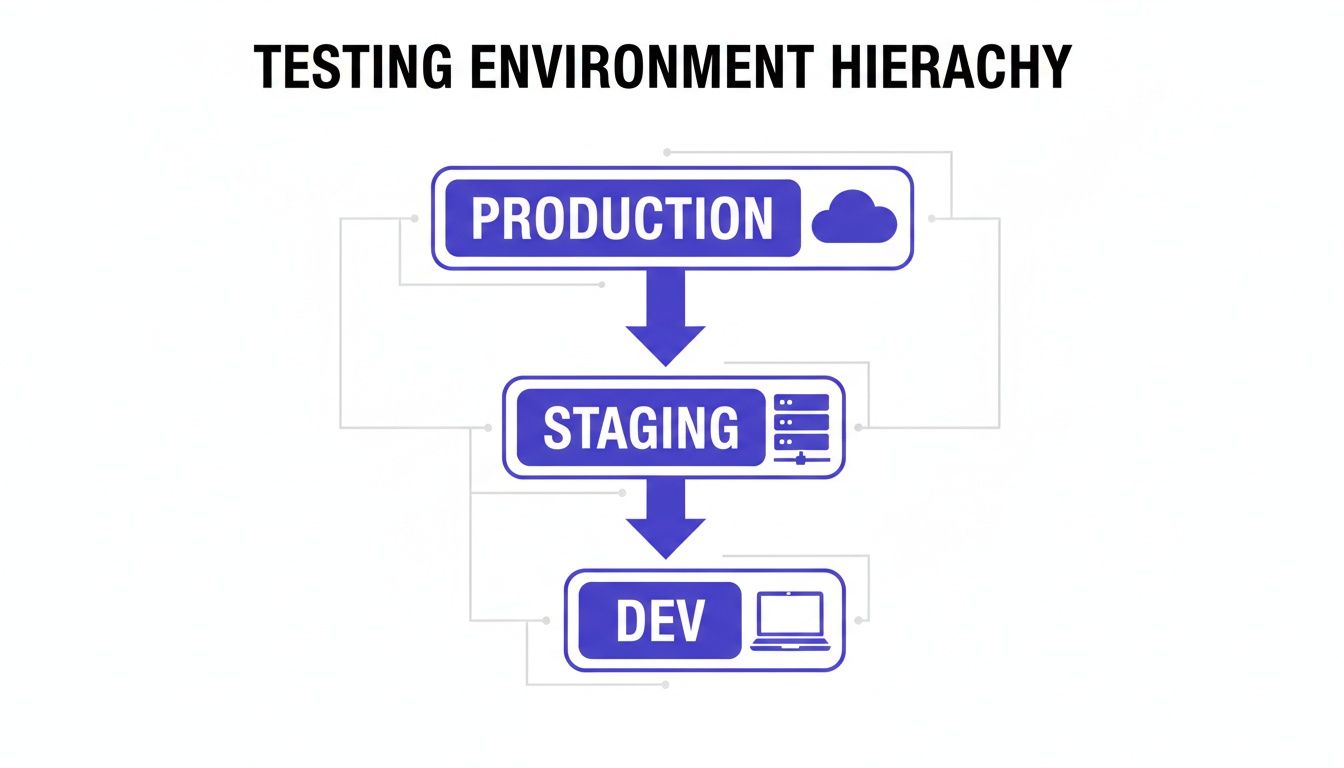
As you can see, production is the final and most critical stage, which is precisely why having controlled, safe testing methods is non-negotiable.
Canary Releases: The Early Warning System
The name "canary release" comes from the old mining practice of sending a canary into a coal mine. If dangerous gases were present, the bird would show signs of distress first, giving miners a heads-up to get out. It's a perfect analogy for software.
A canary release involves rolling out a new version of your software to a tiny subset of your production servers or users. This small group is your "canary." By keeping a close eye on this group for increased error rates, latency spikes, or any other negative signals, you can catch problems before they impact everyone.
For example, you might route just 1% of your live traffic to the new version. If all your system health dashboards look good, you can gradually dial it up—to 5%, then 20%, and so on—until 100% of your traffic is on the new release. If that canary starts to wobble at any point, you can instantly roll back the change with minimal disruption.
Feature Flags: The On-Off Switch for Your Code
Imagine deploying new code to production but keeping it completely hidden from users until you decide to reveal it. That's the magic of feature flags (also called feature toggles). They're basically on-off switches embedded in your code that let you enable or disable features for specific users or segments without having to do another deployment.
This is a game-changer for testing in production because it separates deploying code from releasing it. You can push unfinished or experimental code to production safely tucked away behind a flag, then flip the switch for internal teams, beta testers, or a small slice of users to gather feedback.
- Internal Testing: Roll out a new feature just for your own company's employees to get some initial eyeballs on it.
- Beta Programs: Enable a new feature for a select group of customers who've opted into your beta program.
- Kill Switch: If a flagged feature starts causing chaos, you can instantly turn it off for everyone without a stressful, late-night rollback.
A/B Testing: The Scientific Method for UX
While canaries and feature flags often focus on technical stability, A/B testing is all about improving the user experience. It's a straightforward, scientific way to compare two or more versions of a page or feature to see which one performs better against a specific goal, like boosting sign-ups or increasing time on page.
In a typical A/B test, you split your user traffic into different groups. Group A (the control) sees the existing version, while Group B (the variant) gets the new one. From there, you just measure which group helps you achieve your goal more effectively. We actually have a whole guide on how Real User Monitoring can provide deeper insights for tests like these.
Shadowing: The Ultimate Dress Rehearsal
Perhaps the safest method of them all is shadowing, sometimes called traffic mirroring. With shadowing, you duplicate live production traffic and send a copy to your new service in parallel with the old one. The key here is that the new service processes the traffic and logs its results, but its responses are never sent back to the user. They're just thrown away.
This is the ultimate dress rehearsal. Your new code gets hammered with the full, messy, unpredictable reality of production traffic, letting you compare its performance, output, and error rates against the old system with zero risk to the user. It's the perfect way to validate high-stakes changes, like a new payment processing backend or a critical data migration.
Comparing Safe TiP Strategies
To help you decide which tool to pull out of the toolbox, here’s a quick comparison of the most common TiP patterns. Each has its own strengths and is best suited for different situations.
| Strategy | Risk Level | Primary Use Case | Swetrix Feature |
|---|---|---|---|
| Canary Release | Low | Validating backend stability and performance with a gradual rollout. | Error Tracking & Performance Monitoring |
| Feature Flags | Very Low | Testing new features with specific user segments; enabling a "kill switch." | Custom Tags & User Identification |
| A/B Testing | Low | Optimizing user experience and conversion rates by comparing variants. | A/B Testing & Goal Tracking |
| Shadowing | Near Zero | Verifying the performance and correctness of critical backend changes. | Error Tracking & Performance Monitoring |
Choosing the right strategy depends entirely on your goal. Are you worried about infrastructure stability? A canary release is your best bet. Want to see if a new button color increases clicks? That’s a job for A/B testing. By matching the technique to the task, you can learn from production safely and effectively.
How to Manage Risk and Maintain Control
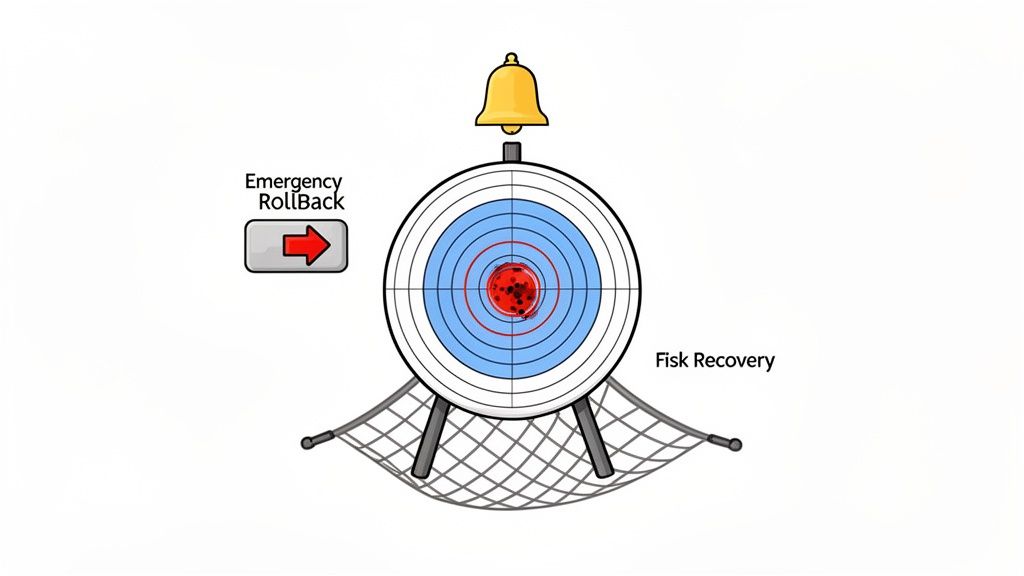
Jumping into testing in production isn't just about flipping a switch; it's about adopting a culture of proactive risk management. Let's be real: you'll never prevent every single failure. The real goal is to build a powerful safety net around your live environment so that when something does break, the impact is tiny and your team can react instantly.
This whole process starts with a simple question: what’s the blast radius? Before you push a single line of new code to users, you have to ask, "If this completely blows up, who gets hit?" The answer to that question dictates everything about how you run the test. You always want to keep that blast radius as small as humanly possible, shielding the overwhelming majority of your users from any hiccups.
This usually means you start incredibly small. Maybe you only expose internal teams to the change, or perhaps just 1% of your live traffic. You only widen the audience once you’ve gathered enough data to be confident the new code is stable and doing what you expect.
Establishing Clear Guardrails for Every Test
A well-managed test is one where you define what success and failure look like long before you start. Simply hoping to "see if it's better" is a surefire way to invite trouble. You need to set up clear, measurable guardrails—these are the hard lines that tell you whether to keep going or pull the plug.
Before any test goes live, the team needs to agree on the numbers:
- Success Metrics: What positive change are you hoping to see? It could be a 5% increase in sign-ups, a 10% reduction in page load time, or a noticeable drop in support tickets about a specific feature.
- Failure Metrics: What are the absolute deal-breakers? This might be an error rate that climbs above 0.5%, a latency spike of more than 200ms, or a sudden, unexplained drop in user activity.
These metrics aren't just for a report you read later. They need to be plugged directly into your monitoring and alerting systems so you know the second a threshold is crossed.
Your safety net is only as strong as your ability to detect a problem. Without immediate, automated alerting, you're not testing in production—you're just hoping for the best.
Building a Rapid Response System
When a test starts to go sideways, speed is everything. The difference between a responsible practice and a reckless one is the ability to kill a bad change in seconds, not hours. This is where automated rollbacks and solid monitoring become non-negotiable.
Think of an automated rollback as your ultimate emergency brake. It’s a system, usually tied to your feature flags or deployment pipeline, that automatically reverts a change the moment your key health metrics start to dip. If a canary release starts spitting out errors, the system should instantly redirect all traffic back to the stable version without a single person needing to intervene.
Of course, that automation is completely reliant on good data. While the benefits of testing in production are massive, the risks are just as real. In fact, some research suggests that a staggering 99% of outages can be traced back to changes made in production. This stat, highlighted in a discussion on production changes by Global App Testing, hammers home why you can't afford to fly blind.
This is precisely why real-time alerting and error tracking tools are so critical. They are the nervous system of your production environment, telling you instantly about crashes, exceptions, and performance issues. Having a clear, real-time view of your application's health, which you can get with a reliable error tracking tool, empowers your team to respond immediately and turn what could have been a disaster into a valuable lesson.
Essential Metrics for Production Testing
You can't test what you can't measure. It’s as simple as that. A successful testing in production strategy is built on a foundation of solid observability—the ability to see exactly what’s happening inside your system as it happens. Flying blind is just asking for trouble.
But effective monitoring isn't about hoarding every piece of data you can get your hands on. It’s about focusing on the specific signals that tell you whether a change is helping or hurting your system, your business, and most importantly, your users. These signals fall into three distinct, yet deeply connected, categories.
System Health Metrics
First up, you have to keep a finger on the technical pulse of your application. These are the classic, non-negotiable metrics that tell you if your infrastructure is stable and healthy. Think of them as your early warning system, flagging technical fires before they grow into full-blown, user-facing outages.
Key system health metrics to watch are:
- Error Rates: A sudden jump in application errors, like 5xx server errors or JavaScript exceptions, is often the canary in the coal mine.
- Latency: How long does it take for your system to respond? Even minor slowdowns can crush the user experience and point to hidden performance bottlenecks.
- CPU and Memory Usage: Keep an eye on resource consumption to spot memory leaks or clunky code that could grind a server to a halt.
- Throughput: This tracks how many requests your system is juggling per second, ensuring you can handle real-world traffic without buckling.
The trick here is setting meaningful alert thresholds. You need to be able to tell the difference between normal operational noise and a genuine problem that needs your immediate attention.
Business and Product Metrics
While system health is critical, it doesn't paint the whole picture. A new feature can be technically flawless but an absolute dud from a business standpoint. This is where business and product metrics come in, connecting your code changes directly to your company’s bottom line.
Effective production testing validates not just the code's stability but also its impact. The ultimate goal is to ship features that move the needle on key business objectives, not just features that don't crash.
Tracking these metrics helps you answer the most important question: is this new feature actually delivering value?
- Conversion Rates: Are more people signing up, buying something, or completing a key action? For many features, this is the ultimate measure of success.
- User Engagement: Are people spending more time in the app? Are they using the new feature the way you hoped they would?
- Revenue: For any e-commerce or subscription service, tracking metrics like revenue per user or total transaction volume is a must.
- Retention Rate: Is your change encouraging users to stick around, or is it accidentally pushing them away?
User Experience Metrics
Finally, you need to step into your users' shoes. System latency might look great on your dashboard, but if the page feels slow to a user, then it is slow. User experience metrics give you that crucial on-the-ground perspective.
For privacy-first analytics, real-user monitoring (RUM) is invaluable, capturing metrics like bounce rates and user flows with anonymized data. This lets you spot performance hiccups instantly—which is critical when you remember that 53% of mobile users will ditch a site if it takes more than three seconds to load, according to research from Global App Testing.
Important UX metrics to track include:
- Core Web Vitals (CWV): Google’s official metrics for measuring perceived user experience, including Largest Contentful Paint (LCP), First Input Delay (FID), and Cumulative Layout Shift (CLS).
- Page Load Time: The total time it takes for a page to become fully interactive for a user.
- Bounce Rate: The percentage of users who land on a page and leave without interacting further.
By weaving these three types of metrics together, you get a complete, 360-degree view of your application's health. This allows you to test in production not with hope, but with confidence. To see how these all come together, check out our guide to performance monitoring.
Answering Your Questions About Testing in Production
Even when you understand the strategies and benefits, adopting testing in production can feel like a huge cultural leap. It’s completely normal to have questions about how it all works in practice and what the real risks are.
Let’s tackle some of the most common concerns head-on. Think of this as the final Q&A to help you move forward with a safer, more modern approach to software quality.
Is Testing in Production Just a Fancy Term for Not Testing at All?
Absolutely not. This is probably the biggest misconception out there, and it confuses a controlled, strategic process with just throwing code over the wall and hoping for the best.
Testing in production is a deliberate practice that complements your existing pre-production checks, like unit and integration tests. It doesn’t replace them. It's all about validating how your system behaves under the messy, unpredictable conditions of the real world—something no staging environment can perfectly replicate.
Crucially, it’s done with safety nets like feature flags and canary releases. These tools ensure the "blast radius" of any potential issue is kept tiny. It’s about testing with a small segment of real users, not experimenting on your entire user base.
What’s the Single Most Important Thing I Need Before Starting?
If you take away only one thing, let it be this: robust observability. You simply cannot safely test what you can't see. Trying to test in production without real-time visibility into your system's performance, user behavior, and errors is like flying a plane blind.
This means you absolutely must have real-time monitoring, detailed error tracking, and automated alerting set up before you even think about starting. You need to know the instant something goes wrong and have the data to diagnose it immediately. This visibility is the non-negotiable foundation that makes testing in production a responsible engineering practice.
How Can a Small Team Realistically Get Started?
For small teams, the best way to dip your toes in the water is to start using feature flags for every new feature you build. It's a low-risk first step that gives you an immediate kill switch if anything goes sideways.
Begin by flagging minor, low-impact changes. Roll them out just to your internal team first to see how they perform. As your confidence grows, you can gradually expand the audience.
This is a powerful way to de-risk your work. It's worth remembering that many big digital transformation projects struggle precisely because of poor production testing. A 2021 report even found that 75% of these initiatives fail. Using tools with real-time dashboards can dramatically lower this risk and empower teams of any size to test safely. You can discover more insights on the testing software market.
With Swetrix, you get an all-in-one platform for privacy-first analytics, error tracking, and A/B testing, empowering you to test in production safely and make data-driven decisions with confidence. Start your free 14-day trial today.