- Date
A Complete Guide to Understanding and Fixing Your Site Bounce Rate
 Andrii Romasiun
Ever heard of site bounce rate? It’s a term that gets thrown around a lot, but what it really boils down to is the percentage of people who land on one of your website pages and then leave without doing anything else.
Think of it as a "one-and-done" visit. The user arrives, looks at the single page they landed on, and then decides to hit the road without clicking on another page, filling out a form, or interacting in any meaningful way.
What Site Bounce Rate Actually Means
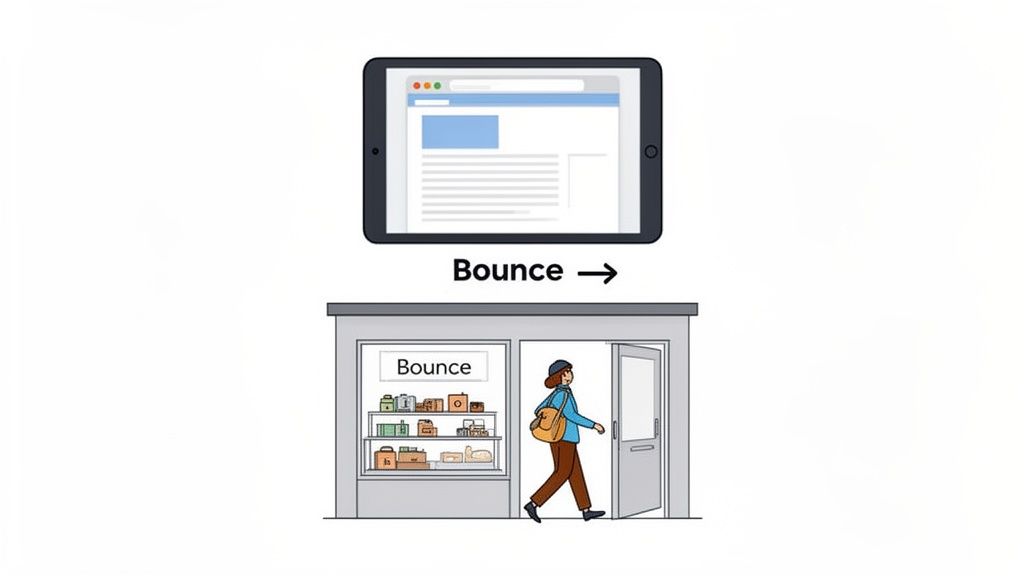
Let's use a real-world analogy. Imagine your website is a physical shop. A customer walks in, takes one look at the front display, and immediately turns around and walks out. They don't browse the aisles, they don't ask for help—they're just gone.
That's a bounce. In the digital world, it translates to a single-page session. This metric isn't just a random number; it's a vital sign for your website's health, telling you a story about user engagement (or the lack of it). A high bounce rate often screams that there's a mismatch between what visitors expected and what they actually found.
To get a quick handle on these concepts, here’s a simple breakdown.
Quick Overview of Bounce Rate Concepts
| Concept | Simple Explanation | Why It Matters |
|---|---|---|
| Bounce | A visitor sees only one page and leaves without taking another action. | Indicates the visitor didn't find what they were looking for or the page was weak. |
| Bounce Rate | The percentage of all sessions that were single-page visits. | A key performance indicator for user engagement and content relevance. |
| Single-Page Session | The technical term for a visit where only one page was loaded. | This is the core event that analytics tools use to calculate the bounce rate. |
| User Expectation | What a visitor thought they would get from your page, based on an ad, link, or search. | A mismatch here is a primary cause of high bounce rates. |
This table gives you the essentials, but let's dig a little deeper into what actually counts as a bounce.
The Anatomy of a Bounce
So, what specific actions trigger a "bounce"? It’s simpler than you might think. A session officially becomes a bounce if a visitor:
- Hits the "back" button to go back to the search results.
- Closes the browser tab or the entire window.
- Types a brand new URL into the address bar and navigates away.
- Stays on the page but does absolutely nothing, causing the session to time out.
If any of these things happen without the user first clicking to another page on your site, it adds to your overall bounce rate.
A bounce happens when a user's first impression doesn't lead to a second action. It’s the digital equivalent of a visitor deciding, "This isn't what I was looking for," and leaving instantly.
Why This Metric Matters
Your site bounce rate is like a direct feedback channel from your audience. It gives you honest, unfiltered insight into several parts of your website. Did you know that the average bounce rate across all industries worldwide is about 47%? That means nearly half of all visitors are leaving websites after seeing just one page. It's a universal challenge, but one you can definitely tackle.
By keeping an eye on this metric, you can spot problems before they seriously impact your conversions or your site's reputation. A persistently high bounce rate might be a red flag for issues with page speed, poor mobile design, irrelevant content, or a clunky user experience.
The first step to turning things around is tracking these numbers in a clear **web analytics dashboard**. Once you understand the "why" behind your bounce rate, you can make smart, targeted improvements that convince visitors to stick around and see what else you have to offer.
When a High Bounce Rate Isn't a Red Flag
Most marketers see a high bounce rate and immediately think something's broken. While that can be true, it’s far from a universal rule. In some situations, a high bounce rate is perfectly fine—it might even signal that your page is working exactly as it should.
Context is the missing piece of the puzzle. Without it, you could end up trying to "fix" a page that’s already a star performer. The real question isn't, "Is this number high?" but rather, "What's the story behind this number?"
The Myth of the "Bad" Bounce
Think about this for a second. Someone Googles your company's phone number, lands on your contact page, grabs the number right at the top, and closes the tab. In the world of analytics, that’s a bounce—a session with only one page view. But was that a failure? Not at all. The user got what they needed in seconds.
This is what we call a "good bounce." It’s what happens when a page answers a user's question so effectively that they have no reason to click anywhere else. They came, they saw, they got their answer. Job done.
A bounce isn't always a rejection of your website; sometimes it's a confirmation that your page delivered exactly what the user needed, quickly and effectively.
In scenarios like this, a high bounce rate paired with a low time on page can actually be a hallmark of a great user experience. The visitor wasn't confused or frustrated; they were efficient.
Scenarios Where a High Bounce Rate Is Perfectly Normal
Some pages are just built for quick visits. Their entire purpose is to deliver specific information fast, making a high bounce rate a natural outcome. Trying to force more clicks on these pages often just gets in the user's way.
Here are a few classic examples:
- Blog Posts That Answer a Specific Question: Your article is titled, "What Is the Capital of Nepal?" The very first sentence says, "Kathmandu." For many readers, that's all they needed. Mission accomplished.
- Contact and "About Us" Pages: People usually visit these pages with a single goal in mind, like finding an address, checking your business hours, or grabbing an email.
- Confirmation or "Thank You" Pages: Once someone buys a product or signs up for a newsletter, they land on a confirmation page. There’s often no logical next step, so leaving is the natural end to a successful interaction.
- Dictionary or Reference Pages: Sites that offer quick definitions, translations, or simple facts are designed for this kind of in-and-out traffic.
Learning to spot these situations is key to analyzing your bounce rate like a pro. Instead of panicking over a 70% bounce rate on a specific blog post, you can dig deeper to see if that page is doing its job. The real trouble starts when pages designed for exploration—like your homepage or a product category page—have sky-high bounce rates. That's when it's time to worry.
Diagnosing the Common Causes of High Bounce Rates
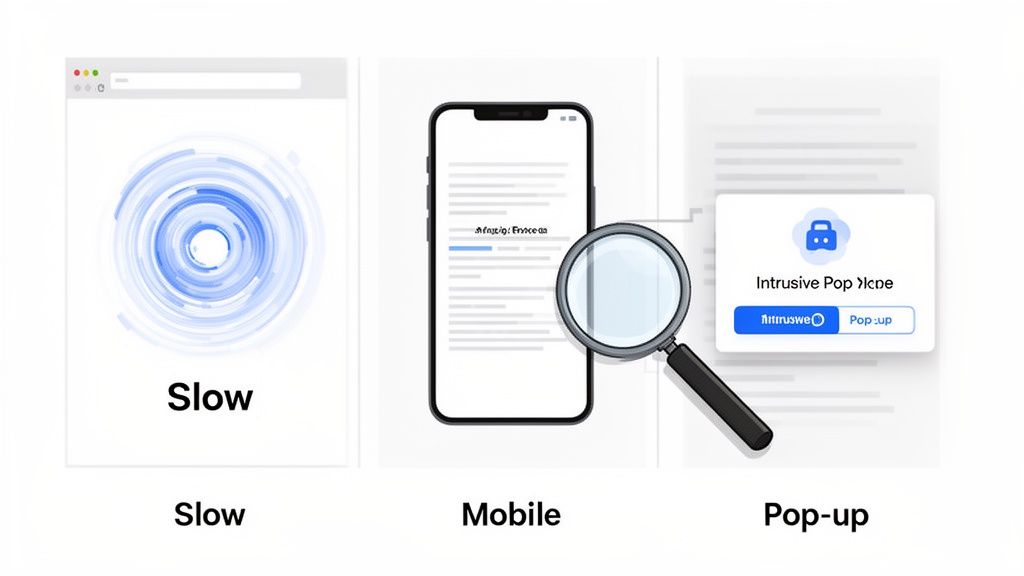
When your bounce rate is alarmingly high on pages where people should be sticking around, it’s time to play detective. A high bounce rate is almost never caused by one single thing. It’s a symptom, pointing to deeper problems with your site's performance, user experience, or the content itself.
Think of it like a leaky bucket. You see the water level dropping (that’s your high bounce rate), but to fix it, you have to find all the little holes. Each culprit, from a technical glitch to a bad design choice, convinces a visitor to leave. By methodically tracking down these common issues, you can start patching the leaks and keep people engaged.
Your Website Is Too Slow
In the online world, patience is a resource most people just don't have. Slow-loading pages are easily one of the biggest reasons visitors hit the back button. The data doesn't lie: research shows the probability of a visitor leaving your site jumps by 32% as page load time creeps from just one second to three.
If someone clicks your link and gets nothing but a blank screen for a few extra moments, their frustration spikes. They'll quickly give up and find a competitor whose site delivers what they want, instantly. This is an even bigger deal on mobile, where connections can be spotty.
Slow speed kills the user experience before it even has a chance to start. For a deeper look at the performance metrics that really matter, check out our guide on **what Core Web Vitals are** and see how they tie directly to user satisfaction.
The Mobile Experience Is Frustrating
Well over half of all web traffic now comes from mobile devices. Despite this, a surprising number of websites still feel clunky and awkward on a phone. If your visitors have to constantly pinch, zoom, and scroll sideways just to read a sentence, they aren't going to stick around.
A poor mobile design sends a crystal-clear message: we didn't build this for you. That creates an immediate disconnect and is a surefire way to inflate your site bounce rate among mobile users.
Common mobile experience fails include:
- Tiny text that forces users to squint.
- Buttons and links packed too tightly, making them impossible to tap accurately.
- Content that doesn't resize for the screen, leading to awkward side-scrolling.
- Desktop-style menus that are a nightmare to navigate with a thumb.
Having a responsive, mobile-first design isn’t a nice-to-have anymore. It’s a fundamental requirement.
Misleading Titles and Descriptions
A bounce often starts before a user even gets to your page. It begins with the promise you make in your page title and meta description—the little snippet they see in the search results. If someone clicks expecting a deep, comprehensive guide and instead finds a short, surface-level blog post, they feel tricked.
This clash between expectation and reality is a guaranteed recipe for a bounce. The visitor immediately sees the content isn't what they were looking for and leaves to find a resource that delivers on its promise.
Your title tag and meta description are a contract with the user. If your content breaks that contract, the user will leave.
Trust is lost in an instant, and your bounce rate is what pays the price. Always make sure your headlines and descriptions are an honest preview of the content on the page. Ditch the clickbait; it almost always backfires by driving up your bounce rate and signaling low quality to search engines.
Aggressive Pop-Ups and Intrusive Ads
Nothing makes a visitor flee faster than being hit with an aggressive pop-up the second they land on a page. Full-screen ads, newsletter sign-ups that block the content, and auto-playing videos are huge contributors to a bad first impression.
These tools can be effective when used with a bit of finesse, but deploying them too early or too intrusively just gets in the way. Before a visitor has even had a chance to decide if they like your page, you're asking them for something. It’s a jarring interruption that often results in an immediate bounce. Giving people a moment to breathe and engage with your content is crucial for convincing them to stay.
Proven Strategies to Reduce Your Bounce Rate
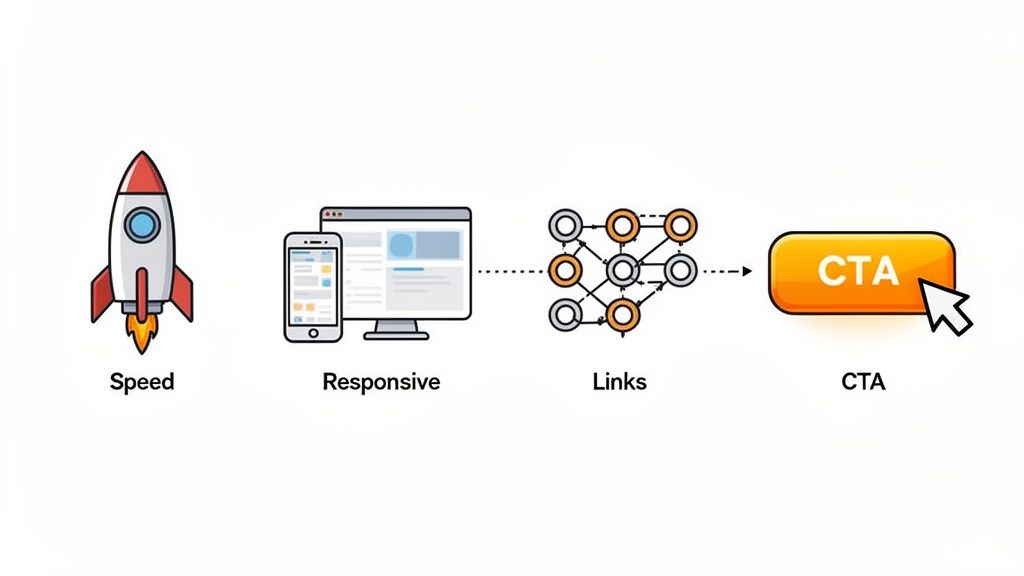
Alright, you've figured out why people might be leaving your site. Now comes the fun part: giving them compelling reasons to stay.
Lowering your bounce rate isn't about finding one secret trick. It’s about methodically improving the user experience, making your site so valuable and easy to use that visitors can't help but explore. Each of these strategies is a building block for turning a fleeting visit into a meaningful interaction.
Accelerate Your Page Load Speed
Let’s get straight to the point: the fastest way to drop your bounce rate is to speed up your website. We live in an "I want it now" world, and every millisecond counts. If a visitor has to wait for your content to appear, they’re gone.
It's a tiny window to make a good first impression. The probability of a user bouncing shoots up by 32% as page load time goes from just one to three seconds. A slow site feels clunky and unprofessional, signaling to your visitors that you don't value their time.
Here are a few quick wins to boost performance:
- Compress Images: Chunky image files are notorious for slowing things down. Use tools to shrink their file size without turning them into a pixelated mess.
- Enable Caching: This tells a visitor's browser to save parts of your site. The next time they visit, it will load almost instantly.
- Minimize Code: Clean up and streamline your site's HTML, CSS, and JavaScript. Lighter code means a faster site.
The connection between speed and engagement is undeniable. News sites, for example, have a high average bounce rate of 56.52% because people often just pop in for a quick read. But The Economic Times cut its bounce rate by a whopping 43% simply by focusing on its Core Web Vitals. For more industry benchmarks, Statista offers some great insights.
Improve Content Readability and Formatting
Have you ever landed on a page that was just a giant, unbroken wall of text? You probably hit the back button immediately. Your content could be groundbreaking, but if it looks hard to read, it won't get read.
Smart formatting is your secret weapon. It breaks your content into bite-sized, scannable chunks, making your page feel welcoming instead of overwhelming.
Good formatting isn't just about making things look pretty. It's about respect for the reader's time. It guides their eye, highlights what’s important, and makes your message crystal clear.
Get started with these formatting essentials:
- Short Paragraphs: Stick to 1-3 sentences per paragraph. The white space makes the content much less intimidating.
- Clear Headings: Use H2 and H3 subheadings as signposts. They break up the text and help readers find exactly what they're looking for.
- Bulleted and Numbered Lists: If you're explaining steps or listing features, use a list. It's infinitely easier to scan than a dense sentence.
- Bold Text: Use bolding to make key terms and takeaways pop. It helps draw the reader's eye to the most critical info.
Strengthen Your Internal Linking Strategy
Remember, a "bounce" happens when someone views only one page. The moment they click a link to another page on your site, they are no longer a bounce. A solid internal linking strategy is your best tool for guiding visitors deeper into your website.
Think of each internal link as a friendly suggestion: "Hey, since you liked this, you'll probably find this other thing useful, too." This not only keeps people on your site longer but also helps search engines understand how your content is connected.
Be strategic with your links. Weave them naturally into your content where they add real value. For instance, if you're writing about user behavior, it's a perfect opportunity to link to a more detailed guide on **conversion rate optimization best practices**. And please, avoid generic phrases like "click here." Use descriptive anchor text that tells people exactly where they're going.
Craft Compelling Calls to Action
Sometimes, people leave a page simply because they aren't sure what to do next. A clear, compelling call-to-action (CTA) provides that crucial direction.
Whether you want them to download a guide, subscribe to a newsletter, or check out a product, your CTA needs to be obvious and persuasive. Use action-oriented words ("Get Your Free Template" vs. "Submit") and make it stand out visually. Without a clear next step, you’re leaving the user's journey up to chance—and most will choose to leave.
How to Analyze Bounce Rate with Swetrix
Knowing the theory is one thing, but putting it into practice is where you'll see real results. While it's great to understand what a high site bounce rate means, you need the right tool to actually see what's happening on your own website. This is where a privacy-first analytics platform like Swetrix comes in, giving you crucial data without compromising your users' privacy.
Let's walk through how you can use the Swetrix dashboard to find your bounce rate, figure out what the numbers mean, and make smart decisions based on what you see. This isn’t just about staring at a percentage; it’s about digging deeper to understand the story behind how people interact with your site.
Locating Your Key Metrics on the Dashboard
The first place you'll land is the main Swetrix dashboard. Think of it as your site's command center, giving you a quick, high-level look at its overall health. Right away, you'll see the overall bounce rate for the time period you've selected, displayed as a simple, clear percentage.
This main view is designed to give you a snapshot, showing essential metrics like views, visitors, and average session duration at a glance.
From here, you can get an immediate feel for whether your site-wide bounce rate is in a healthy range or if it's a red flag that warrants a closer look.
This top-level number is just your starting point. It tells you what is happening. The next step is using Swetrix’s more detailed reports to figure out why it's happening. That’s how you can focus your efforts where they’ll actually make a difference.
Segmenting Data for Deeper Insights
A site-wide bounce rate is a good starting point, but the real power comes from breaking it down. Swetrix lets you easily segment your data to find specific trouble spots. You can see which pages are pushing people away, which traffic sources are sending visitors who don't stick around, and how different devices impact behavior.
Getting this granular is essential if you want to create an effective plan. After all, a 70% bounce rate on an old, forgotten blog post is a world away from a 70% bounce rate on your main product page.
Analyzing Bounce Rate by Page
To find out which specific pages are the main culprits, head over to the "Pages" report. You'll see a table listing all your site's pages with their key metrics, including bounce rate.
You can sort this table by the bounce rate column to instantly bring your best—and worst—performing pages to the top.
Analyzing bounce rates on a page-by-page basis is one of the most powerful diagnostic techniques. It shifts your focus from a vague, site-wide problem to a specific, actionable issue on a single URL.
Keep an eye out for pages that have both high traffic and a high bounce rate. These are your biggest opportunities. Improving them will have the most significant impact on your site's overall engagement.
Investigating Traffic Sources and Devices
Next, jump into the "Sources" report. This is where you can see which channels are sending people to your site—like search engines, social media, or direct links—and, more importantly, the bounce rate associated with each one.
This information is perfect for judging the quality of your traffic. For instance:
- A high bounce rate from organic search? This could mean your page content doesn't quite match what people were searching for.
- A high bounce rate from a social media ad? Maybe the ad copy created an expectation that the landing page didn't meet.
You can also filter all of this data by device type: desktop, tablet, or mobile. If you see that your mobile bounce rate is way higher than your desktop rate, that’s a huge clue. It almost certainly means your site has usability problems on mobile that you need to fix right away. Using these filters in Swetrix helps you uncover these hidden patterns so you can make truly data-driven improvements.
So, What's a Good Bounce Rate, Really?
How do you know if your site's bounce rate is a flashing red light or just business as usual? A number like 55% is just noise without any context. The reality is, a "good" bounce rate isn't a universal standard; it changes dramatically based on your industry and what your website is actually for.
Setting the right goals means you first have to understand these nuances. A blog is built for a quick in-and-out visit to get information. An e-commerce store, on the other hand, wants you to stick around, browse, and fill up a cart. Their definitions of "success" are worlds apart.
When you compare your performance against the right benchmarks, you can finally tell if you have a real problem to fix or if you're just seeing a normal pattern for your type of site.
Breaking Down the Numbers
Honestly, a "good" bounce rate is whatever makes sense for a specific page's goal. If someone lands on your contact page, finds your phone number, and leaves, that’s a successful visit—even though it counts as a bounce. But for most other pages, a high bounce rate is a clear sign something’s not clicking with your audience.
While it's all relative, here’s a rough guide to help you get a feel for where you stand:
- 26-40%: Fantastic. Your content is hitting the mark and keeping people engaged.
- 41-55%: Right in the middle. This is a perfectly normal range for a lot of websites.
- 56-70%: A bit on the high side, but often expected for content-heavy sites like blogs.
- Over 70%: This is where you should probably start investigating, especially for e-commerce or lead-gen sites where you need users to take more than one action.
Think of this as a starting point. The real insights come from digging into the numbers for your specific niche.
Average Bounce Rate by Website Type
A website’s purpose is the biggest driver behind its bounce rate. Take e-commerce, for example. Shopping websites have one of the lowest average bounce rates in the world at around 45.68%. That’s because they’re designed to pull you from one product to the next with slick visuals and "you might also like" suggestions.
On the flip side, sites built around content often have much higher bounce rates. You can see more of these kinds of comparisons with insights from CXL on Semrush.com.
To put this all into perspective, here’s a look at what’s typical for different kinds of websites.
This table compares typical bounce rate percentages across different types of websites to help you benchmark your performance.
| Website Type | Typical Bounce Rate Range |
|---|---|
| E-commerce & Retail | 20% – 45% |
| SaaS & B2B | 25% – 55% |
| Blogs & News Sites | 65% – 90% |
| Landing Pages | 60% – 90% |
The story these numbers tell is all about user intent. E-commerce and B2B sites need users to explore, so a low bounce rate is key. But for blogs and single-purpose landing pages, a high bounce rate can mean the visitor got exactly what they needed and left happy.
Think about it: a 75% bounce rate on a blog post could mean you wrote a fantastic article that answered a question perfectly. But that same 75% on an e-commerce homepage? That's a five-alarm fire, telling you that shoppers are walking in the front door and immediately turning around.
Once you know where your site fits, you can set much smarter goals and focus your energy on what actually matters. The trick is to compare apples to apples and always interpret your bounce rate based on your website's main job.
Frequently Asked Questions About Bounce Rate
Bounce rate is one of those metrics that can feel a bit slippery. It's often misunderstood, leading to a lot of confusion and misinterpretation. Let's clear the air and tackle some of the most common questions people have.
Does Bounce Rate Affect My SEO Rankings?
This is a big one. While Google has stated that bounce rate isn't a direct ranking signal, it can absolutely influence your rankings indirectly.
Think of it this way: if someone searches for something, clicks on your page, and immediately hits the back button, that’s not a good sign. This behavior, sometimes called "pogo-sticking," tells search engines that your content probably didn't answer their question. If this happens enough, it can signal that your page isn't a great result for that query, which could hurt your position over time.
The real goal isn't to obsess over the bounce rate number itself, but to focus on creating an amazing user experience that genuinely helps the searcher.
What Is the Difference Between Bounce Rate and Exit Rate?
It's easy to mix these two up, but they measure very different things.
- Bounce rate is all about single-page sessions. It’s the percentage of people who land on a page and leave without doing anything else—no clicks, no form fills, nothing.
- Exit rate, on the other hand, is the percentage of people who left your site from a specific page, regardless of how many other pages they visited before that one.
Every bounce is an exit, but not every exit is a bounce.
A high exit rate on a "Thank You" page after a purchase? Totally normal. A high exit rate on the first step of your checkout process? That's a red flag you need to investigate immediately.
How Are Modern Metrics Like Engagement Rate Different?
You've probably noticed that newer tools, like Google Analytics 4, are moving away from bounce rate and toward engagement rate. There's a good reason for that.
An "engaged session" is defined as a visit that lasts longer than a certain time (say, 10 seconds), results in a conversion, or involves at least two pageviews. Bounce rate is now just the inverse of the engagement rate.
This new approach gives you a much better picture of user interest. It recognizes that someone might land on your blog post, spend five minutes reading it thoroughly, and then leave completely satisfied. Under the old model, that's a bounce. With engagement rate, it's rightfully counted as a win.
The chart below shows just how much "normal" bounce rates can differ depending on the type of website.
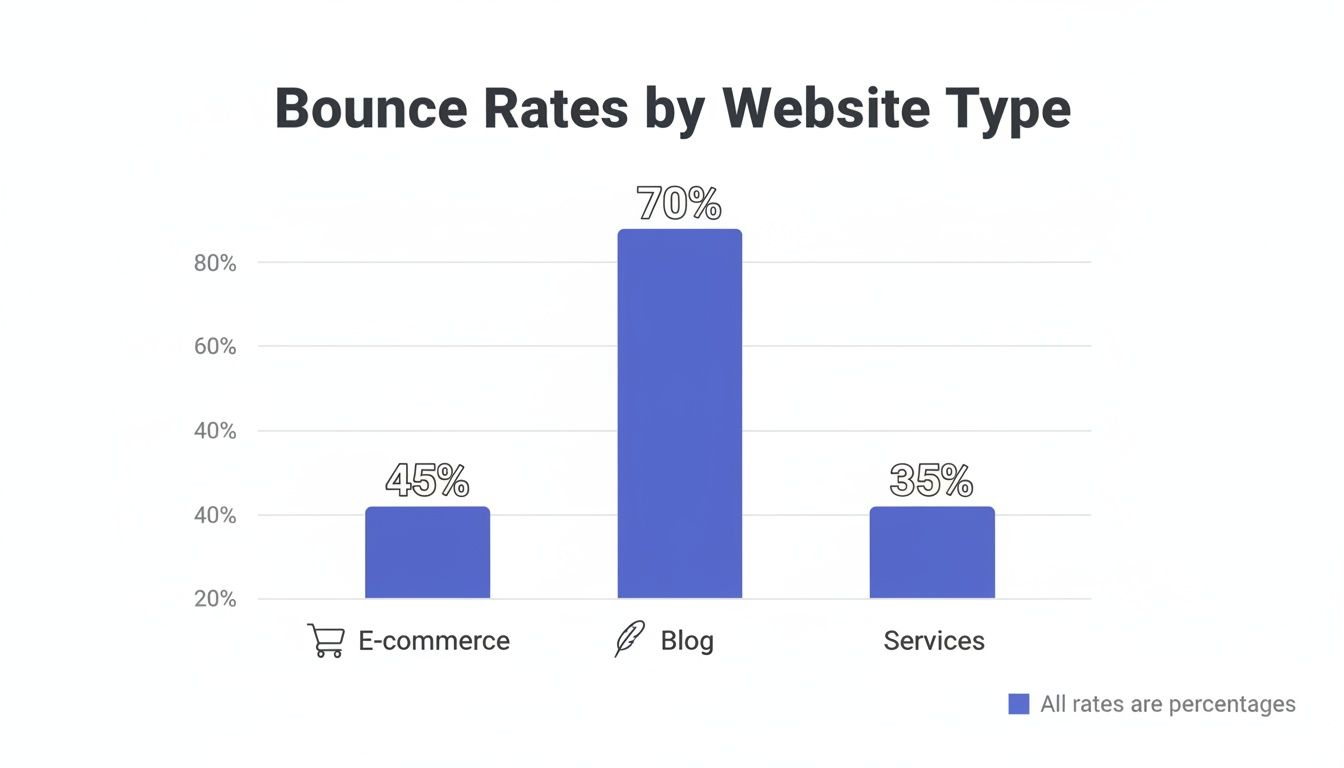
As you can see, context is everything. A 70% bounce rate for a blog is pretty standard, but a 45% bounce rate on an e-commerce site might be cause for concern.
Turn your website traffic into clear, actionable insights without cookies or intrusive tracking. Swetrix provides the core metrics that matter, helping you understand user behavior and improve your site—all while respecting privacy. Start your 14-day free trial today.