- Date
How to Segment AI Visitors by Landing Page, Event, and Conversion
 Andrii Romasiun
AI visitors move through messy paths. A founder clicks a ChatGPT citation. A developer lands on your docs from Perplexity. A buyer sees your brand in Google AI Mode, searches your name, and opens your pricing page. A teammate pastes an AI answer into Slack and the next visit shows up as Direct.
Treat that traffic as a set of segments across source, page, event, and revenue. Use source to identify the entry path. Use landing page cohorts to infer query intent. Track events to measure intent. Compare funnels to find the broken step.
Swetrix fits this workflow because it combines cookieless analytics, referrers, UTM tracking, custom events, goals, funnels, user and session analysis, user flows, performance monitoring, error tracking, shared dashboards, organisations, revenue analytics, AI Chat, open source code, self-hosting, and EU-hosted Cloud without personal data collection.
Start With Source Segments
Open your analytics dashboard and create a saved segment for each AI source. Keep confirmed sources separate from inferred sources so the team does not over-credit AI search.
OpenAI says ChatGPT adds `utm_source=chatgpt.com` to referral URLs, so your ChatGPT segment should check both referrer and UTM fields.
Use this starter map:
| Segment name | Include these signals | Confidence | First metric to check |
|---|---|---|---|
ai_chatgpt | chatgpt.com, chat.openai.com, utm_source=chatgpt.com | High | Trial starts by entry page |
ai_perplexity | perplexity.ai | High | Pricing views and signups |
ai_claude | claude.ai | High | Docs to activation |
ai_gemini | gemini.google.com, Google traffic on AI-visible pages | Medium | Goal rate on cited pages |
ai_copilot | copilot.microsoft.com, selected Bing traffic on AI-visible pages | Medium | Demo requests and revenue |
ai_suspected_direct | Direct sessions on AI-visible pages, plus form answers that name AI | Low | Content demand and assists |
Create one broad segment named ai_all_confirmed after the source segments work. Add ChatGPT, Perplexity, Claude, Gemini, and Copilot rules. Leave ai_suspected_direct out of the rollup unless you label it in reports.
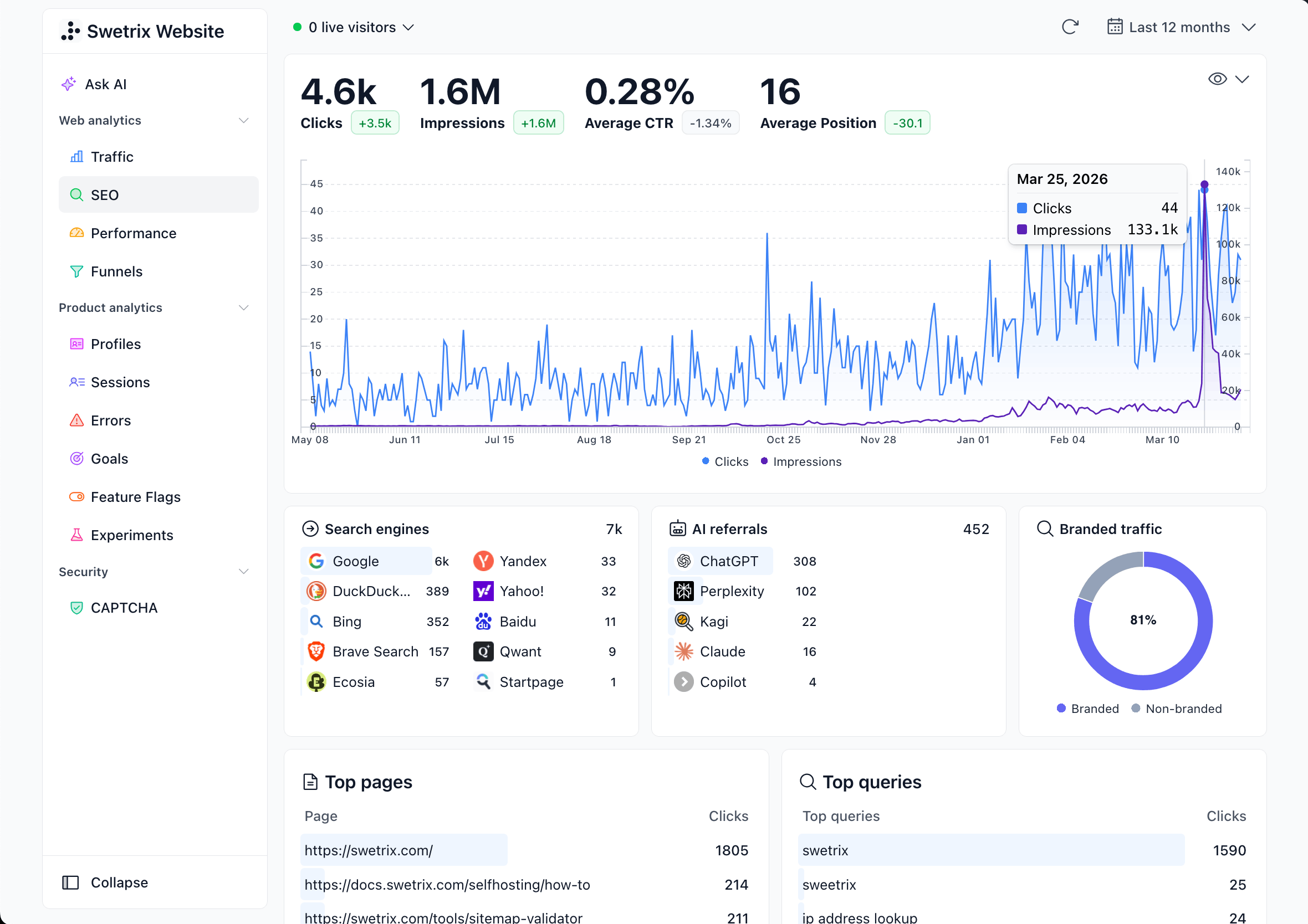
For Google, pair web analytics with Search Console. Google launched Search Generative AI performance reports on June 3, 2026, covering generative AI visibility by query, page, country, device, date, clicks, impressions, click-through rate, and position. Use that view for Google AI visibility. Use Swetrix for post-click behavior, events, funnels, errors, performance, and revenue.
Separate Crawlers From Visitors
Keep bot fetches out of visitor analysis. OpenAI separates OAI-SearchBot, GPTBot, and ChatGPT-User in its OpenAI crawler docs. OAI-SearchBot supports ChatGPT search visibility. GPTBot relates to model training. ChatGPT-User can fetch a page after a user action.
Use this split:
| Signal | Where to check | Action |
|---|---|---|
Referrer contains chatgpt | Swetrix Referrers | Analyze as visitor traffic. |
UTM contains chatgpt.com | Source or Campaign | Analyze as visitor traffic. |
OAI-SearchBot | Server logs or WAF | Allow if you want ChatGPT search visibility. |
GPTBot | Server logs or WAF | Set your training preference in robots.txt. |
ChatGPT-User | Server logs or WAF | Treat as a fetch tied to a user action, not a session. |
If your logs show AI user agents but your analytics has no AI referrers, you may have visibility without clicks. Review the pages those agents fetched. Add a stronger title, a short answer near the top, and a next step that matches the query intent.
Create Landing Page Cohorts
AI tools often send visitors to pages that answer a narrow task. Group entry pages into cohorts before you inspect conversion. This keeps the team from letting one high-volume blog post bury a small docs page that sends signups.
Start with five cohorts:
| Cohort | Page patterns | Intent signal | Fix to test first |
|---|---|---|---|
| Answer content | /blog/how-to-*, /blog/what-is-* | Scroll depth, CTA click, next page | Add a contextual CTA near the answer. |
| Comparison content | /comparison/*, /alternative-* | Pricing view, demo request | Add a product fit table above the fold. |
| Docs content | /docs/*, /integration/* | Copy install command, signup start | Link docs to setup and trial start. |
| Commercial pages | /pricing, /features, /demo | Plan toggle, form submit, checkout | Match the CTA to buyer intent. |
| Tools and templates | /tools/*, /templates/* | Tool run, export, signup start | Show the next step after the result. |
In Swetrix, open the AI source segment and switch to Entry Pages. Tag each top page with a cohort in your review sheet. If you use page metadata, pass a content_cluster or page_type value with the pageview.
const pageTypes = [
  [/^\/blog\/(how-to|what-is)/, "answer_content"],
  [/^\/comparison\//, "comparison_content"],
  [/^\/docs\//, "docs_content"],
  [/^\/(pricing|features|demo)/, "commercial_page"],
  [/^\/tools\//, "tool_page"],
];

function getPageType(path) {
  return pageTypes.find(([pattern]) => pattern.test(path))?.[1] || "other";
}

swetrix.trackViews({
  callback(payload) {
    return {
      ...payload,
      meta: {
        ...payload.meta,
        page_type: getPageType(location.pathname),
      },
    };
  },
});
After one week, compare cohorts by sessions, bounce rate, session duration, CTA clicks, signup starts, and revenue. A docs cohort with 90 visits and 8 trials beats a blog cohort with 4,000 visits and 3 trials for growth work.
Track Intent Events
Use pageviews to measure interest. Use events to measure intent. Track actions that prove the AI visitor moved from reading to evaluating.
Use event names that match the customer journey:
| Stage | Event name | Example trigger |
|---|---|---|
| Read | ai_answer_cta_clicked | Click on a CTA inside an answer page |
| Compare | comparison_table_used | Toggle a feature or price comparison |
| Evaluate | pricing_viewed | Open pricing from an AI landing page |
| Convert | trial_started | Submit signup or click start trial |
| Activate | project_created | Create first project after signup |
| Pay | checkout_completed | Complete Stripe, Paddle, or API sale |
Fire events with source and page metadata. Keep the metadata short and free of personal data.
<button data-ai-cta data-page-type="answer_content" data-cluster="ai_analytics">Start trial</button>

<script>
  document.querySelector("[data-ai-cta]")?.addEventListener("click", (event) => {
    const target = event.currentTarget;

    swetrix.track({
      ev: "ai_answer_cta_clicked",
      unique: true,
      meta: {
        page_type: target.dataset.pageType,
        cluster: target.dataset.cluster,
        cta: "start_trial",
      },
    });
  });
</script>
Avoid names, emails, account IDs, pasted prompts, raw chat text, or support messages in event metadata. Use source_group, page_type, cluster, plan, cta, and funnel_step. Your team can answer the growth question without storing personal data.
Compare Funnels By Source And Cohort
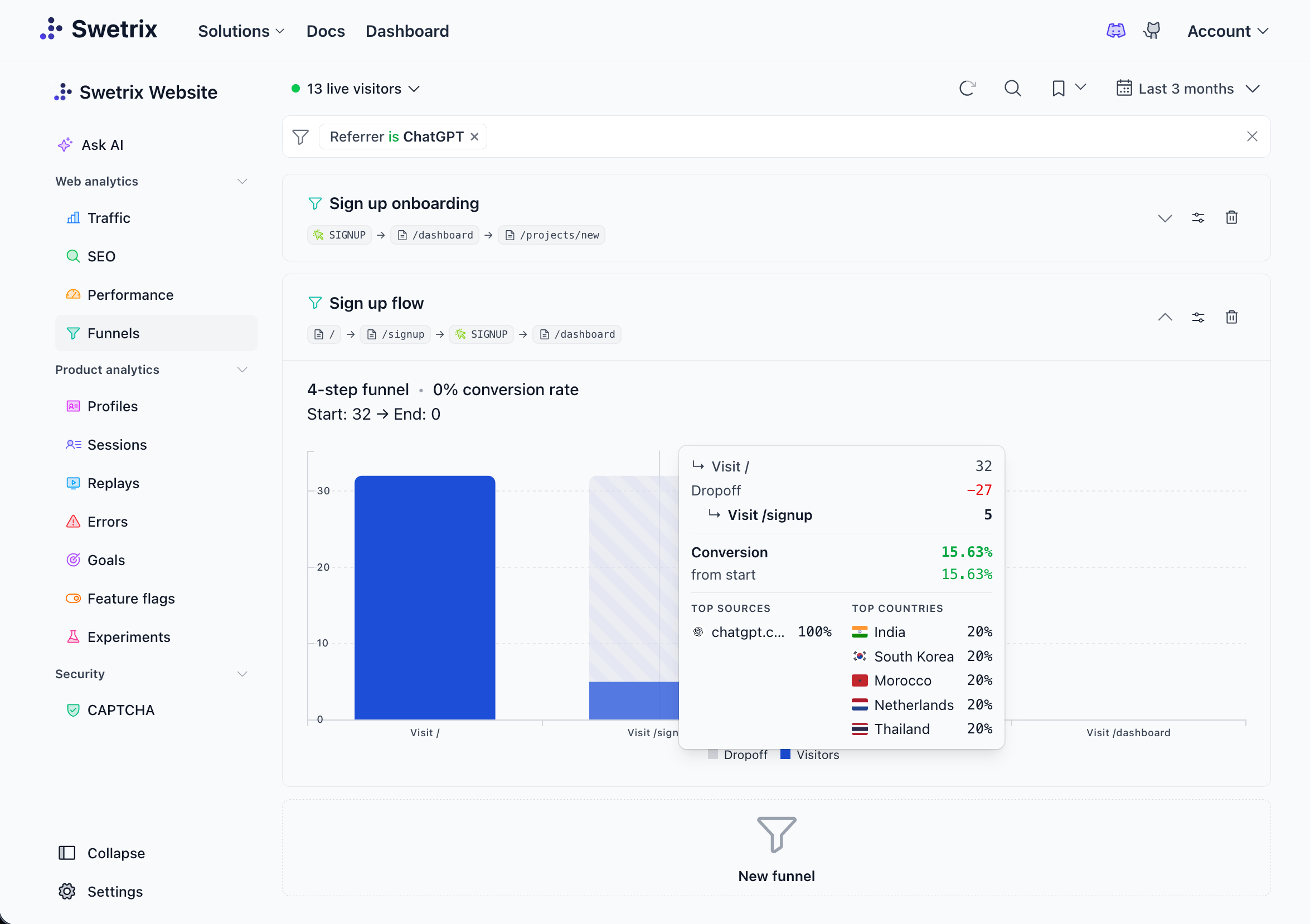
Build one base funnel for AI visitors, then duplicate it for each source and landing page cohort.
Use this SaaS funnel:
| Step | Type | Example |
|---|---|---|
| 1 | Page | AI entry page |
| 2 | Event | ai_answer_cta_clicked |
| 3 | Page | /pricing |
| 4 | Event | trial_started |
| 5 | Event | project_created |
| 6 | Event | checkout_completed |
Compare these views:
| View | Question it answers |
|---|---|
ai_chatgpt vs ai_perplexity | Which assistant sends visitors who start trials? |
| Answer content vs docs | Which page cohort turns answers into action? |
| Mobile vs desktop | Which device loses buyers before signup? |
| New pages vs refreshed pages | Did the update lift conversion after launch? |
| Revenue with refunds | Did AI visitors become durable customers? |
If the drop happens before the CTA, rewrite the answer and move the next step closer to the query. If the drop happens between CTA and pricing, the landing page sent the wrong promise. If the drop happens after pricing, inspect plan fit, payment friction, errors, and page speed.
Swetrix helps here because you can view AI source, entry page, event, funnel, session, user flow, error, performance, and revenue context in one dashboard. That means a marketer can find the drop and an engineer can check whether a slow page or JavaScript error caused it.
Build Content Clusters
AI visitors often arrive with a topic and a task. Cluster pages by the problem they solve so the team can see which topics deserve more work.
Use clusters such as:
| Cluster | Example pages | Business action |
|---|---|---|
ai_analytics | AI traffic tracking, ChatGPT referrals, GEO | Add comparison and setup pages. |
privacy | GDPR, cookies, IP address, consent banners | Add trust proof and migration CTAs. |
performance | Core Web Vitals, RUM, JavaScript errors | Link to performance and error tracking. |
saas_growth | funnels, CAC, attribution, revenue analytics | Link to revenue and experiment flows. |
developer_setup | Next.js, Docusaurus, Shopify, server tracking | Link to install and project creation. |
Review each cluster every seven days:
- Filter by
ai_all_confirmed. - Group Entry Pages by cluster.
- Compare sessions, CTA clicks, trial starts, funnel rate, and revenue.
- Open the top converting page in each cluster.
- Copy the winning structure into weak pages in that cluster.
Update the cluster that sends intent before low-signal pages. Then expand the same pattern to related pages.
Identify High-Intent AI Visitors
High-intent AI visitors behave like buyers or implementers. They do not always create high traffic volume, so track actions that show intent.
Score a segment with this pattern:
| Signal | Points | Reason |
|---|---|---|
| Lands on comparison page | 2 | The visitor evaluates options. |
| Visits pricing | 3 | The visitor checks commercial fit. |
| Reads docs after pricing | 3 | The visitor tests setup risk. |
| Starts signup | 5 | The visitor enters the product path. |
| Creates a project | 8 | The visitor reaches activation. |
| Hits a JavaScript error | -4 | The path may break before conversion. |
Create a Swetrix Segment named ai_high_intent with source rules plus at least one commercial or product event. For example, include ai_chatgpt, ai_perplexity, and ai_claude traffic where the session includes pricing_viewed, trial_started, demo_requested, project_created, or checkout_completed.
Ask Swetrix AI Chat for a first pass:
Compare ai_high_intent visitors by source, entry page, trial_started events, project_created events, revenue, errors, and page load time for the last 30 days.
Open the dashboard view behind the answer before you change a page. AI Chat speeds up exploration. Use the source tables and funnel reports before you ship the change.
Pick Pages To Update
Use one scoring table so content, product, and engineering teams rank pages the same way.
| Factor | Score guide |
|---|---|
| AI sessions | 1 point per 100 confirmed sessions |
| Intent rate | 1 point per 2% CTA or pricing rate |
| Funnel drop | 1 point per 10% loss after CTA |
| Revenue or pipeline | 1 point per $500 tied to the page |
| Error or speed issue | Add 3 points if present |
| Strategic cluster fit | Add 3 points for a target cluster |
Run the score on your top 20 AI entry pages. Pick the top five for the next sprint. Write the change next to the metric you want to move.
Use this update playbook:
- If the page gets AI sessions but no CTA clicks, move the next step near the answer.
- If visitors click the CTA but skip pricing, align the CTA with the page intent.
- If pricing gets views but trials stay flat, add plan guidance and proof.
- If trials start but projects lag, fix onboarding and inspect sessions.
- If paid conversion drops after signup, check errors, page speed, checkout events, and revenue attribution.
Add an annotation in Swetrix on the update date. Review the same source, cohort, event, funnel, and revenue segment after seven and fourteen days. Keep the update if conversion or revenue rises. Roll it back if the page loses intent from the same source segment.
Final Recommendation
Segment AI visitors in layers. Start with confirmed source segments, then inspect landing page cohorts, track intent events, compare funnels, group content clusters, and rank pages by conversion value. Keep inferred Direct traffic separate until behavior supports the story.
Swetrix gives growth teams the right shape for this work: cookieless source tracking, landing page reports, custom events, goals, funnels, user flows, performance monitoring, error tracking, revenue analytics, shared dashboards, and AI Chat in one product. Use it to decide which pages deserve updates and which AI sources deserve more content.
Want to measure AI visitors without cookie banners or spreadsheets? Start a 14-day free trial of Swetrix, create the segments above, and compare source, page, event, funnel, and revenue views in one dashboard.

The web analytics your site deserves.
Tired of bloated dashboards, privacy concerns, and data you can't trust? Switch to Swetrix and get simple, powerful analytics that respects your users.