- Date
Referrer-Policy: Privacy, Attribution, and Setup
 Andrii Romasiun
The Referer header is an HTTP request header that tells a destination server where a visitor came from, retaining a permanent misspelling in the web specification. Referrer-Policy is the HTTP response header that tells the browser how much of that source URL to include in the Referer header when a user navigates away or fetches a resource. You apply a referrer policy to your pages to govern what information they send onward, since you cannot configure a policy to force an upstream site to send you more data. When a browser sends a referrer, analytics platforms like Swetrix can use the available origin or URL information to attribute traffic. What they receive depends on the upstream page and the browser, while campaign tags and click IDs provide separate signals.
What the `Referer` Header and `Referrer-Policy` Do
Where policy permits, a browser can send a Referer header when it requests a page, image, script, or stylesheet. The header can identify the page or resource that initiated the request, allowing destination servers to log a referral source. When the header contains a full URL, that URL may include the scheme (https://), host (publisher.example), port, path (/post), and query string (?campaign=demo).
The W3C Referrer Policy specification defines eight named policy values that control how much referrer information is sent. The source page's policy determines how much of the URL is included.
This control is directional, so the policy you set on your website limits what outbound links and resource requests disclose through the Referer header, reducing the chance that private paths or query parameters reach third-party APIs, external partners, or tracking scripts. In contrast, the referring page, any specific link-level attributes, and the user's browser behavior determine what information your own site receives.
What Each Referrer-Policy Value Sends
To understand how a policy alters the outgoing data, compare how each directive treats a visitor clicking a link from https://publisher.example/post?campaign=demo to a different domain. The behavior changes based on whether the destination has the same origin (the scheme, host, and port) and whether the request maintains the same level of security. Here, a full URL means the sanitized URL containing its path and query string, while a security downgrade occurs when an HTTPS page initiates a request to an HTTP destination.
| Policy | Referrer sent on a cross-origin request | Practical interpretation |
|---|---|---|
no-referrer | Nothing | External destinations receive no Referer header, so referrer-based reports may classify a visit as direct unless another signal identifies it. |
same-origin | Nothing | Same-origin requests receive the full URL; cross-origin requests carry no referrer. |
strict-origin | Origin only, unless the request is a security downgrade; then nothing | Shares only the origin on non-downgrade requests, with paths and queries omitted. |
strict-origin-when-cross-origin | Origin only when the destination is equally or more secure; nothing on HTTPS → HTTP | Full URL for same-origin requests; cross-origin requests to equally or more secure destinations receive only the origin. |
origin | Origin only, including on a downgrade | Hides paths and queries, but sends the origin even to HTTP destinations. |
origin-when-cross-origin | Origin only, including on a downgrade | Full URL internally; origin only for cross-origin requests, even across downgrades. |
no-referrer-when-downgrade | Full URL except on a security downgrade | Sends the full sanitized URL on non-downgrade cross-origin requests. |
unsafe-url | Full URL, including on a downgrade | Sends the full sanitized URL to HTTP and HTTPS destinations, including cross-origin ones. |

The eight values offer different balances between data sharing and privacy. Under no-referrer, the browser omits the header from requests governed by that policy, keeping the source URL out of Referer. External partners then lose referral information that depends on that header, though campaign tags or click IDs can still provide other signals.
Policies with strict in the name treat a security downgrade as a boundary. When an HTTPS page sends a request to an HTTP destination, these policies omit the Referer header. When it does send a header, strict-origin limits it to the origin, hiding page paths while still identifying your origin to secure partners.
Policies without the strict modifier do not all handle downgrades alike. origin and origin-when-cross-origin still send the origin across HTTPS-to-HTTP requests, while no-referrer-when-downgrade suppresses the header on a downgrade but sends the full sanitized URL otherwise, including to secure external sites. That can expose paths and query strings.
unsafe-url sends the full sanitized URL on every request, including across origin boundaries and security downgrades. Since page paths and queries can contain sensitive information, avoid this policy when they include account details or search terms.
Which Referrer-Policy Should a Website Use?
For many general publishing, marketing, and e-commerce sites, strict-origin-when-cross-origin is a sensible starting point.
This setting balances internal measurement with external privacy. Under this policy, when a user navigates between pages on your own origin, the browser sends the full sanitized URL in the Referer header, which can help same-origin analytics tools understand page-to-page navigation. When the user clicks an external link to a secure partner, the browser sends only your origin. The partner can attribute the referral to https://publisher.example/ without learning the source page's path from the header. If the external link points to an insecure HTTP address, the browser omits the header.
MDN's Referrer-Policy reference lists strict-origin-when-cross-origin as the default when no policy or an invalid value is provided and notes that no-referrer-when-downgrade was the previous default. Setting the header explicitly documents your choice and avoids relying on an implicit default, but it cannot make a browser honor a directive it does not support.
Alternative settings fit narrower requirements. If your application places sensitive tokens in URLs, same-origin prevents the page's referrer information from being sent to other origins, though same-origin requests can still include the full sanitized URL. no-referrer suppresses the header for internal and external requests governed by the policy, which can affect log-based analytics. Multi-tenant platforms can use strict-origin when partner sites need to identify the sending origin without receiving individual content paths.
Using unsafe-url to repair attribution sends full sanitized URLs to external sites and can expose private paths or query parameters. Adding campaign parameters to the destination URL can offer targeted attribution without changing your site-wide referrer policy.
How Referrer-Policy Affects Traffic-Source Analytics
Analyzing web traffic requires separating the data your site sends from the data it receives. Web servers process requests individually, so a visitor's journey has an inbound arrival from another source and a potential outbound departure. Your configured policy controls the outgoing Referer header from your current page, but not the header attached to an inbound visit. The referring page, its link-level settings, and the user's browser behavior determine what your server receives.
When an external site uses strict-origin-when-cross-origin, a cross-origin request from HTTPS to HTTPS sends only the referring origin. An analytics platform can identify the source site from that origin, but the specific article path remains hidden. If the upstream page applies no-referrer, or the link uses rel="noreferrer", the browser omits the header. Outbound referrals reverse this dynamic because your policy shapes the information partners receive. If your affiliate links inherit a same-origin policy, networks receive no Referer header from those clicks and cannot identify your domain through standard HTTP logs. A less restrictive policy or a tagged tracking link can help partners attribute the click, though neither guarantees every visit will be recognized.
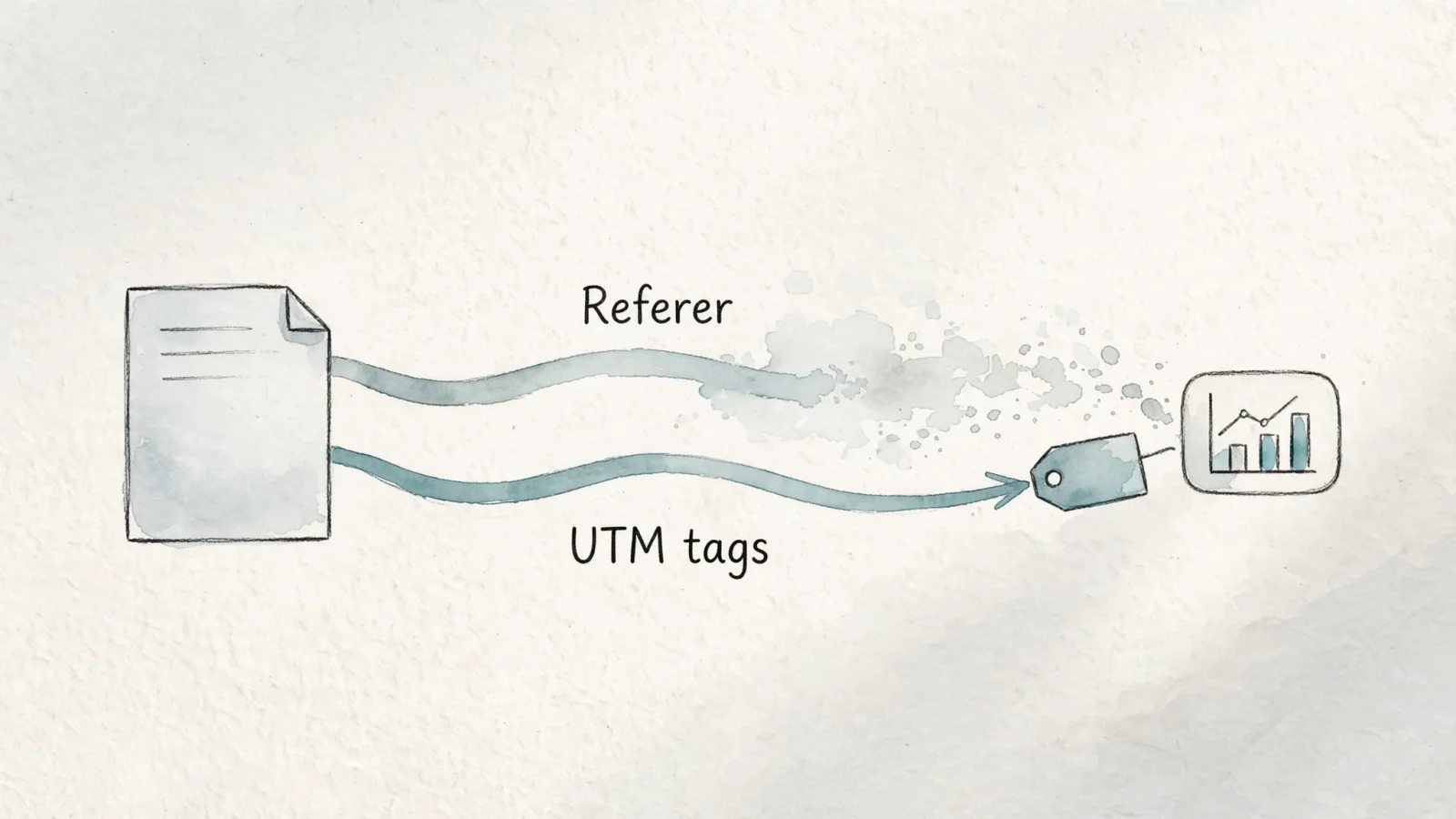
Because restrictive policies can omit or shorten the Referer header, relying on referrers alone can leave gaps in marketing attribution. Campaign tags provide another signal. UTM parameters travel in the destination URL rather than the Referer header. When a user clicks a link such as https://yourdomain.example/landing?utm_source=newsletter&utm_medium=email, the destination request includes those parameters if the URL reaches it unchanged. So even if an email client or referring site suppresses the Referer header, the destination can still use the UTM values.
Applying consistent utm_source, utm_medium, and utm_campaign tags helps preserve campaign visibility when referrers drop, provided the destination URL remains intact. You can also use utm_content to distinguish placements, such as a sidebar ad from an in-text link on the same partner domain. This separation of data streams also shapes attribution. Swetrix's traffic-source documentation describes its attribution order. A browser-reported referrer serves as a primary signal. If the header is missing, Swetrix checks recognized click IDs to infer the source, while explicit UTM tags take precedence over click-ID inference. When a visit has no recognizable referrer, no UTM parameters, and no valid click ID, Swetrix classifies it as Direct / None.
In Swetrix, an origin-only referrer can keep a visit out of Direct / None, but it cannot reveal the specific page that sent the visitor. No analytics tool can recover the Referer header itself after a browser withholds it, though campaign parameters and click IDs may still provide other attribution signals. A redirect that removes query parameters or an app that strips source data can still leave some visits unattributed.
How to Set and Test a Referrer Policy
Implementing a policy requires adding the instruction to an HTTP response, the HTML document, or a specific element. The HTTP response header provides the broadest site-wide coverage.
Configure your web server, application framework, or CDN to output the following header on every document response:
Referrer-Policy: strict-origin-when-cross-origin
In Apache, this involves editing the .htaccess or virtual host file. In Nginx, you add the add_header directive to the server block. If you use a framework like Next.js, define the header within the next.config.js file. Edge networks like Cloudflare allow you to enforce response headers via rules, ensuring consistent behavior before the request reaches your origin server.
If server-level configuration is inaccessible, you can instruct the browser via an HTML meta element placed in the <head> of your document:
<meta name="referrer" content="strict-origin-when-cross-origin">
You can also override the document's policy for an individual request using the referrerpolicy attribute on <a>, <img>, <iframe>, or <script> elements. Adding referrerpolicy="no-referrer" to a specific outbound link forces the browser to drop the header for that click alone, leaving the rest of the page's policy intact. Alternatively, adding rel="noreferrer" to an anchor tag suppresses the referrer while simultaneously implying noopener, which severs the destination window's access to the originating window object.
Verifying your implementation requires testing both the response from your server and the outgoing requests generated by your browser. Open your browser's developer tools and navigate to the Network panel. Refresh your page, click the primary HTML document in the request list, and inspect the Response Headers to confirm that Referrer-Policy appears with your chosen directive.
Next, test the outgoing behavior by clicking a cross-origin HTTPS link on your page. Locate the new request in the Network panel and examine the Request Headers for the Referer field. Under strict-origin-when-cross-origin, you see only your origin, trailing slash included, without the specific page path. Repeat this process by clicking a link to an HTTP destination to verify that the header drops entirely upon a security downgrade.
For agency and white-label deployments, testing a single domain is insufficient. Audit the response headers for each tenant's document, as a centralized analytics configuration does not always dictate the server policy for every customer site. Finally, verify that any redirects on your domain preserve query strings, ensuring that UTM parameters survive the hop and reach the final analytics payload.
Does Referrer-Policy Affect SEO?
Referrer-Policy governs how much source URL information browsers send in outgoing Referer headers. It is a privacy and attribution setting, not a crawler directive, so choose it for those needs rather than as a search-ranking control.
Search performance and post-click analytics cover different stages of the visitor journey, and Google Search Central's guidance on comparing Search Console and Analytics explains the distinction: Search Console reports Google Search impressions, clicks, and queries before visitors arrive, while Analytics tracks interactions after they land on the site.
Use Google Search Console to monitor organic search visibility and rely on consistent UTM parameters for campaign tracking. Select your referrer policy based on your privacy requirements, your security posture, and the amount of origin-level referral data you wish to share with external partners.
To put these privacy and attribution practices into action, Swetrix offers traffic attribution, session replays, and custom funnels in one analytics platform. Start your free trial today.