- Date
Internal Server Error 500: Causes and Fixes
 Andrii Romasiun
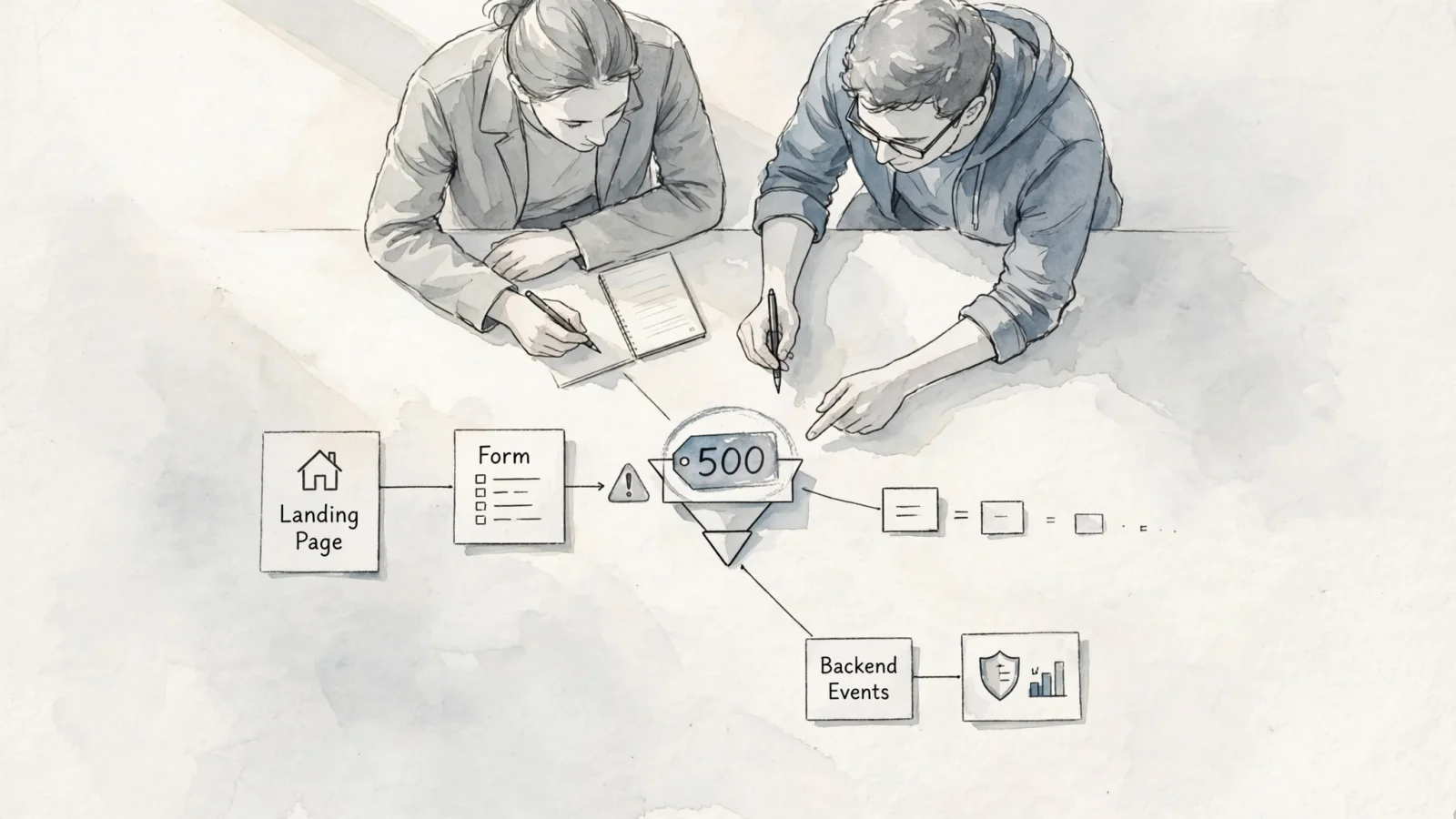
A 500 Internal Server Error tells you the server failed while handling a request. The browser asked for a page, but the server encountered an unexpected condition and could not fulfill that request. Because this status code identifies a failure category rather than a specific root cause, server logs and application monitoring help identify why the failure occurred. Meanwhile, tracking the business fallout requires understanding which visitors hit the wall, so privacy-first analytics from Swetrix can show which campaigns, funnels, and user journeys were interrupted while your engineering team hunts down the stack trace.
What Does Internal Server Error 500 Mean?
A server-side failure, not a diagnosis
RFC 9110 defines aspects of HTTP shared across versions, including status codes that describe responses. Clients use those codes and the response content to determine what to do next, while HTTP's uniform interface does not reveal how a service is implemented.
Because the status code lacks specificity, MDN's 500 reference describes 500 as a generic catch-all response. MDN lists unhandled exceptions, out-of-memory issues, improper server configuration, improper file permissions, and other complex factors among possible causes, so the code alone doesn't provide a clear diagnosis.
Why one broken request does not mean the whole site is down
A 500 response applies to a specific request rather than proving that the entire hosting environment is down, so a website can serve a healthy homepage while one blog post crashes. Modern web applications route requests through complex, distinct pathways to make this possible.
If a visitor requests a static page, the server might read a cached file and return it instantly. Conversely, submitting a contact form requires the server to parse the payload, validate the input, open a database connection, write a new row, and trigger an email sequence. Any step in that second process can fail independently, or the application might serve desktop users normally while throwing an exception for a specific mobile device path. Rather than the entire site going down, a specific combination of a URL, a request method, and a dependency has failed.

What Causes a 500 Error?
Common server and application causes
Failures such as improper server configuration, out-of-memory issues, unhandled exceptions, or improper file permissions can produce a 500 response. The MDN reference lists these among possible causes, and server administrators can log 500 responses with details about the initiating request to improve service stability.
Review this matrix of common failures to guide your investigation:
| Possible cause | What to inspect |
|---|---|
| Unhandled application exception | Application logs, stack traces, recent code changes. |
| Configuration error | Web-server configuration, missing environment variables, deployment settings. |
| Memory or resource exhaustion | Runtime limits, container metrics, hosting control panels, process restarts. |
| File or directory permissions | File ownership, read/write permissions, deployment script output. |
| Database or dependency failure | Database connection pools, external API logs, query timeouts. |
| Route-specific failure | The failing controller, template file, SQL query, or request payload. |
Route-specific and dependency failures
An external dependency can also contribute to a 500 response. If your application relies on an external billing API to process a checkout, a timeout from that third-party service can make the request fail, sometimes as a 500 when the application does not handle the dependency failure gracefully.
Database failures can also produce temporary 500 responses, but the status depends on the service handling the request. Swetrix's Events API documentation uses database unavailability as an implementation-specific example of a temporary 500 response for its own incoming events. If the database connection pool fills up during a traffic spike, subsequent requests may fail immediately or surface as another upstream-related status, depending on the application's error handling.
How Visitors Can Respond to a 500 Error
Quick checks you can do
Since a 500 is a server-side response, visitors cannot repair the underlying exception from their browser. You can, however, perform a few quick tests to determine if the failure is temporary.
First, reload the page once, because a temporary resource bottleneck may clear in seconds. If the error persists, opening a private browsing window or switching to a cellular network can help rule out stale cookies, cached session data, or a local network issue. Finally, navigating to the homepage or a different section of the same website helps confirm whether the failure is isolated to that specific URL or action.
What to send the site owner
MDN's guidance notes that a 500 error requires investigation by the server owner or administrator. If you need to access a broken page, report the failure to the site owner or administrator so they can investigate.
Start by providing the exact URL that failed alongside the time of the failure and your time zone. Describing the action you took right before the crash is helpful if you were submitting a form, checking out, or uploading a file. Finally, look at the error page itself to see if the load balancer or web application firewall printed a request ID or a reference string at the bottom of the screen. Copying this ID can give engineers a request identifier that helps them locate the failed request in a sea of server logs.
How Site Owners Troubleshoot a 500 Error
1. Confirm the response and define its scope
Browsers sometimes cache old error pages, and custom error templates can hide the actual HTTP status from the rendered page, so relying entirely on the browser's rendered error page is a mistake. Instead, confirm the exact response from the server using a terminal command:
curl -sS -D - -o /dev/null https://example.com/path
After running the command, inspect the headers and the status code. Reproducing the exact request method is necessary if the failure happens during a form submission, since a POST request might fail while a simple GET request to the same URL succeeds.
Once you confirm the failure, define the blast radius by determining whether the problem affects one URL, a specific API route, or the entire domain. Checking whether the origin server fails directly or if the error only appears when routing traffic through your Content Delivery Network prevents you from making random configuration changes to healthy parts of the stack.
2. Trace the request through logs and recent changes
Finding the root cause requires tracing the failed request sequentially through your infrastructure, checking your logs in request order. Start with the CDN or web application firewall, move to the load balancer or reverse proxy, and then check the web server logs before inspecting the application runtime logs and the database query logs. Looking for a timestamp matching the failure helps you note the route and find the stack trace.
Comparing the failure timestamp with recent infrastructure events reveals whether the error began immediately after a release, allowing you to compare the failing route with the last known working deployment. Verify that all required environment variables and secrets migrated successfully, and check your build artifacts for missing templates, omitted CSS assets, or incorrect file permissions. If a recent deployment caused the issue, rolling back the latest change is often the fastest way to restore service while you debug the bad code locally.
3. Fix, verify, and monitor the recovery
The log evidence will dictate the required fix, whether that involves correcting invalid syntax in your server configuration, catching an unhandled application exception to render a proper failure message, increasing the memory limit for the specific container handling heavy uploads, or restoring missing read permissions on the deployment folder.
After applying the fix, verify the recovery by requesting the original URL again using the exact method that failed. Testing both anonymous and authenticated visitor flows, along with submitting a test payload through your main conversion path like a checkout process or signup form, helps confirm that the system works end-to-end. Treating one successful page load as absolute proof of recovery leaves you vulnerable to intermittent issues, so keep monitoring the server logs for a few hours to ensure the exception does not return during peak traffic.

500 vs 502 vs 503 vs 504: What's the Difference?
The four status codes at a glance
RFC 9110 defines aspects of HTTP shared across versions, including status codes that describe responses. Use the table below to compare those status codes:
| Status | Meaning | What to investigate |
|---|---|---|
| 500 Internal Server Error | The server encountered an unexpected condition. | Code exceptions, permissions, missing variables, resource limits. |
| 502 Bad Gateway | A gateway or proxy received an invalid upstream response. | Reverse proxies, load balancers, upstream backend services. |
| 503 Service Unavailable | The server is temporarily unable to handle the request. | Scheduled maintenance, traffic overload, capacity limits. |
| 504 Gateway Timeout | A proxy did not receive a timely upstream response. | Network latency, overloaded upstream services, external API dependencies. |
Use the status that matches the condition
Changing every 500 response to 503 obscures the root issue, as a 503 status explicitly describes a temporary inability to handle the request due to overload or planned maintenance. When 503 accurately reflects the server state, including a Retry-After header can tell clients how long to wait before trying the request again. If your application code crashes because of a null pointer exception, that represents a 500 error because the server is broken rather than overloaded.
Can a 500 Error Hurt SEO?
How Google handles 5xx responses
Google treats server errors as a signal to reduce crawling. According to Google's HTTP status guidance, 5xx and 429 responses cause crawlers to temporarily slow their request rate, Google ignores content received alongside a 5xx response for that request, and crawl activity gradually increases once the server returns 2xx responses.
The impact depends on duration and frequency, so a brief, isolated 500 error does not automatically remove a ranking page from search results. Once the URL returns a successful status, Google can gradually resume crawling it, while repeated or persistent 5xx responses can eventually lead Google to remove the URL from the index.
Recovery checklist and the 200-status trap
Attempting to mask a broken page by returning a 200 OK status code alongside an error message can cause Google to classify the URL as a soft 404. Returning the status code that accurately describes the backend reality preserves your site's technical integrity.
If a high-value organic page suffers an extended outage, follow this recovery checklist:
- Confirm the URL now returns a clean
200 OKresponse using a terminal or a bulk status checker. - Inspect the rendered page content to ensure dynamic fields, internal links, and structured data load correctly.
- Review the Page indexing report in Google Search Console to see which URLs failed during the incident.
- Verify whether the downtime affected a single route or multiple templates across the site.
- Re-test all priority campaign landing pages and XML sitemap endpoints.
- Monitor the crawl stats report in Search Console over the next week to ensure Google resumes normal fetching.
Monitor the business impact with privacy-first analytics
Technical logs tell your engineers which exception or request path triggered the 500 error, but they rarely tell your marketing team how much money the outage cost.
A campaign can appear to suffer from terrible conversion rates when the actual problem is a form endpoint intermittently throwing a 500 status, so server-side instrumentation can help bridge that gap. Sending backend error events to Swetrix connects technical failures with traffic patterns, referral sources, and interrupted user journeys.
Because backend failures often happen before browser-side analytics scripts can execute, relying purely on client-side tracking creates blind spots. Configure your framework to send server-originated error events through Swetrix's `POST /log/error` endpoint, including fields such as the error name, message, and request path in the payload.
Swetrix aggregates these events in the Errors dashboard, giving your team a way to review error patterns alongside traffic and conversion data. This approach supports privacy-first analytics without relying on intrusive cookies while providing the granular product insight required to track application errors and measure lost conversions.
500 Internal Server Error FAQ
Is a 500 error my fault as a visitor?
No, the error indicates a server-side problem where the website's server encountered a condition it could not resolve. While visitors can retry the request or try a different network to rule out a local caching issue, the site owner or administrator generally needs to fix the underlying backend problem.
Can refreshing fix a 500 error?
Refreshing can occasionally bypass a temporary failure, such as a momentary database timeout clearing up after a few seconds, but it does not repair the actual cause of the bug. If the error remains after one reload, wait for the site owner to investigate the server logs.
Why does one page show a 500 error while the rest of the site works?
Web requests map to specific routes, templates, and database queries, meaning a single product page might require a complex database join that times out and causes that specific URL to fail. Meanwhile, the homepage might load entirely from a static cache, so treating the failure as a route-specific problem rather than a total server outage provides a more accurate picture.
Does a 500 error hurt SEO?
Repeated or persistent failures can affect crawling and indexing, as Google's guidance says 5xx responses slow crawling, content returned with those responses is ignored, and URLs that persistently return server errors can eventually be removed from the index. Brief, isolated incidents usually recover once the server returns successful responses again.
Should I return 200 instead of 500 for a broken page?
Never return a 200 OK status for an error page, as search engines can read the page text, notice the error messaging, and classify the URL as a soft 404. Misrepresenting the health of your site complicates your internal monitoring efforts, making it better to return the correct HTTP status code for the condition.
Should temporary maintenance use 500 or 503?
Planned maintenance and temporary traffic overloads are conditions that a 503 Service Unavailable response is designed to describe, whereas a 500 error means the application broke unexpectedly. A 503 status communicates that the server is temporarily unable to handle the request, and you can include a Retry-After header to set expectations.
Can Swetrix monitor server-side 500 errors?
Yes. Swetrix's Events API supports server-originated error events through the /log/error endpoint when your backend catches the exception and sends the event payload. The endpoint records the event, and the dashboard aggregates it under Errors, helping you review error counts and affected paths alongside your analytics.
Stop flying blind when server errors disrupt your traffic. Build your growth on privacy-first analytics that capture the full picture, from referral sources and conversion funnels to server-side error monitoring, all without relying on intrusive cookies. Check out Swetrix to see how simple cookieless analytics can be.