- Date
10 Essential Feature Flags Best Practices for Modern Development in 2026
 Andrii Romasiun
In modern software development, releasing new features is a high-stakes game.In modern software development, releasing new features is a high-stakes game. A single bug can impact thousands of users, damage your brand reputation, and derail your product roadmap. Feature flags, or feature toggles, have emerged as a critical tool for mitigating this risk, allowing teams to decouple code deployment from feature release and ship with greater confidence. But simply using flags isn't enough; mastering them is the key to unlocking true development velocity and continuous innovation.
This guide dives deep into the 10 essential feature flags best practices that separate high-performing engineering teams from the rest. We will move beyond the basic "if/else" toggle, providing actionable strategies, real-world examples, and proven techniques for building a robust and scalable flagging system. You will learn how to implement everything from sophisticated percentage-based rollouts and A/B testing integrations to comprehensive lifecycle management and strict security controls.
We will cover critical topics often overlooked, such as establishing a clear flag inventory, setting up environment-specific configurations, and implementing circuit breakers to protect your application from service outages. Whether you're a startup founder looking to implement your first flagging strategy or a seasoned developer aiming to refine your existing processes, these practices will provide a clear blueprint. By mastering these techniques, you can build a more resilient, data-driven, and efficient development culture, transforming how you deliver value to your users. This article provides the comprehensive framework needed to turn feature flags from a simple tool into a strategic advantage.
1. Implement Gradual Rollout Strategy with Percentage-Based Targeting
One of the most powerful and risk-averse feature flags best practices is the gradual rollout, also known as a percentage-based or staged rollout. Instead of a high-stakes, all-or-nothing deployment, this strategy involves releasing a new feature to a small, randomly selected subset of your user base, such as 1% or 5%. This initial cohort acts as a real-world test group, allowing you to monitor the feature's performance, stability, and user reception in a controlled production environment.
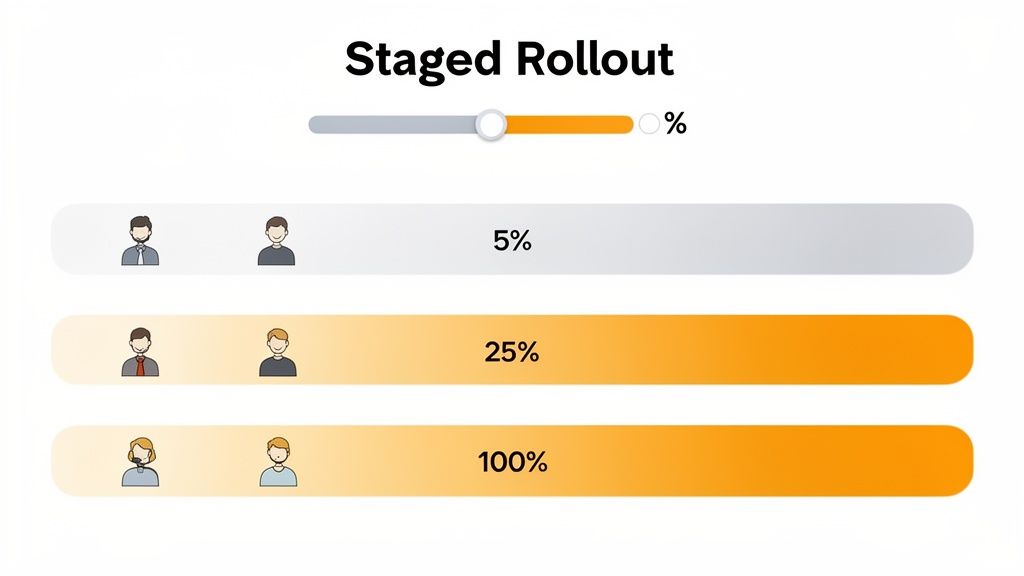
This method effectively de-risks your release process. If a critical bug or performance bottleneck emerges, it only impacts a tiny fraction of your users, minimizing potential damage to your brand and user experience. As you gain confidence that the feature is stable and meeting its goals, you can incrementally increase the user percentage-from 5% to 25%, then 50%, and finally to 100%. This approach transforms deployments from stressful events into routine, low-risk procedures.
Key Benefits and Use Cases
The primary benefit is risk mitigation. By catching issues early with a limited audience, you avoid catastrophic failures that affect your entire user base. This is particularly crucial for changes to critical user paths, payment flows, or core infrastructure.
- Performance Validation: Is the new database query efficient at scale? Does the new API endpoint handle production load? A 10% rollout can answer these questions without bringing down the entire system.
- User Feedback: Observe real user behavior and collect feedback before the feature is finalized. Companies like Facebook and Netflix famously use this to test UI changes and new recommendation algorithms on small user segments, measuring engagement metrics before a full release.
Actionable Implementation Tips
To execute a successful gradual rollout, you need clear metrics and a robust monitoring plan.
- Define Success Metrics First: Before deploying, establish what success looks like. Key metrics could include conversion rates, error rates, page load times, or specific feature adoption goals.
- Establish Rollback Triggers: Set clear, automated triggers for rolling back the feature. For example, if the error rate for users with the new feature exceeds a predefined threshold (e.g., 2%), the flag should be automatically disabled.
- Leverage Privacy-First Analytics: Use tools like Swetrix to monitor the rollout without compromising user privacy. You can track feature adoption with custom events and analyze session data to ensure the new functionality doesn't negatively impact user flows.
- Set Up Real-Time Alerts: Configure alerts via Slack or Discord to notify your team immediately of any anomalies, such as a sudden drop in conversion or a spike in errors, allowing for a swift response.
- Document Everything: Maintain a clear audit trail of percentage increases, key dates, and performance observations. This documentation is invaluable for future releases and team alignment.
2. Maintain Comprehensive Feature Flag Inventory with Clear Naming Conventions
As your team embraces feature flags, you risk creating "flag sprawl," a form of technical debt where obsolete, forgotten, or poorly documented flags clutter your codebase. One of the most critical feature flags best practices is to establish and maintain a centralized inventory or registry. This living document acts as a single source of truth, detailing every flag's purpose, owner, status, and lifecycle, preventing confusion and simplifying maintenance.
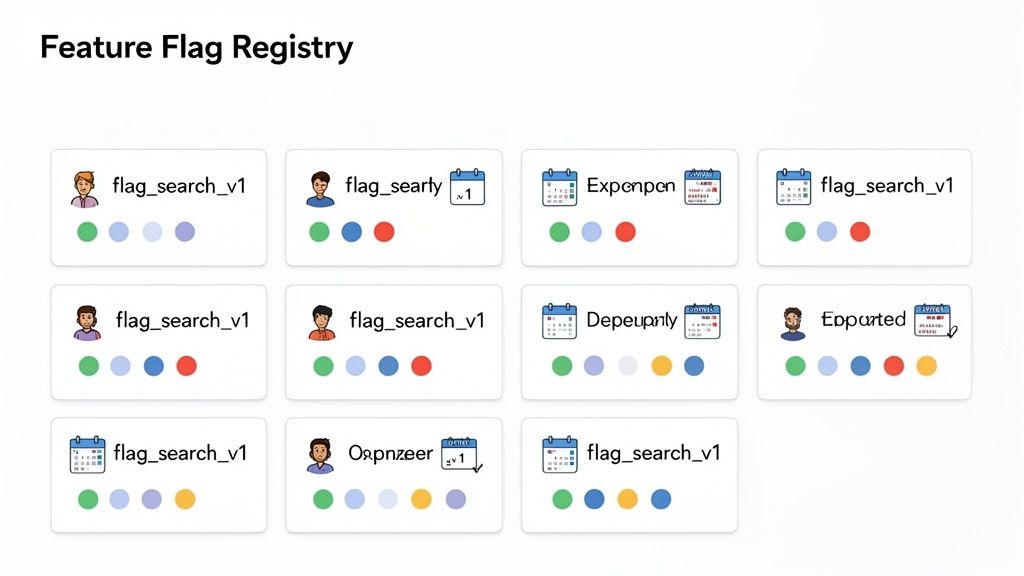
A well-organized inventory, coupled with a standardized naming convention, ensures any developer can quickly understand a flag's function without digging through code. This clarity is essential for large or distributed teams where cross-functional collaboration is common. By treating flags as first-class citizens with clear documentation and lifecycle management, you transform them from potential liabilities into a sustainable and scalable engineering tool.
Key Benefits and Use Cases
The primary benefit is reducing technical debt and increasing team velocity. A clean, well-documented flag system prevents developers from wasting time deciphering old flags or debugging unexpected interactions between them. This practice is crucial for maintaining a clean and understandable codebase over time.
- Improved Collaboration: When a bug is traced to a feature flag, a clear registry immediately identifies the owning team or developer, streamlining the resolution process. Atlassian, for instance, uses detailed registries to manage features across hundreds of microservices and dozens of engineering teams.
- Enhanced Safety and Governance: An inventory allows for regular audits, making it easy to identify flags that are 100% rolled out and ready for removal or flags that are temporary and should have an expiration date. This proactive cleanup prevents performance degradation from an excessive number of flag evaluations.
Actionable Implementation Tips
A systematic approach is key to creating a feature flag inventory that your team will actually use and maintain.
- Establish a Naming Convention: Implement a clear, enforceable naming pattern. A good format is
[team]-[feature-name]-[environment], such ascheckout-new-payment-gateway-prod. This makes flags instantly searchable and understandable. - Tag Flags with Metadata: Beyond the name, tag each flag with crucial information like the owner or responsible team, a link to the corresponding Jira or project ticket, the creation date, and an intended retirement date.
- Automate Inventory Management: Create a Slack or Discord bot command that allows anyone on the team to query the status of a flag (e.g.,
/flag-status checkout-new-payment-gateway-prod). - Conduct Regular Flag Audits: Schedule a recurring monthly or quarterly meeting to review the flag registry. Identify and create tickets for removing flags that are 100% rolled out or are no longer needed.
- Link Flags to Business Goals: Connect your feature flag's lifecycle to its performance metrics. Document how you will track its adoption or success using custom events in your analytics tool.
3. Segregate Environments with Environment-Specific Flag Configurations
A critical aspect of a mature feature flag practice is maintaining strict separation between your deployment environments. This means your feature flag configurations for development, staging, and production must be entirely independent. Without this segregation, a flag enabled for testing in a staging environment could accidentally leak into production, exposing unfinished or buggy features to real users and creating a significant risk.
This approach ensures that developers can experiment freely in lower environments without any fear of impacting the live user experience. Each environment has its own set of flag states, allowing a feature to be ON for QA testing in staging while remaining safely OFF in production. This isolation is fundamental to building a reliable and predictable release pipeline, making environment segregation one of the most important feature flags best practices.
Key Benefits and Use Cases
The core benefit is safety and stability. By isolating configurations, you eliminate the risk of accidental production changes originating from development or testing activities. This creates a secure sandbox for experimentation and validation.
- Safe End-to-End Testing: Teams can enable a new feature and all its dependencies in a staging environment that mirrors production. This allows for thorough end-to-end testing of complex workflows, like a new checkout process at Shopify, without touching the live system.
- Developer Autonomy: Developers can toggle flags on and off in their local or dev environments to test different code paths without coordinating with a central operations team or affecting colleagues' work.
- Controlled Pre-Production Validation: Companies like GitHub use environment-specific flags to test new code management features on internal staging servers with real-world repository data, ensuring stability before a gradual production rollout.
Actionable Implementation Tips
Implementing environment segregation requires a combination of tooling and process discipline. Your feature flag management system must natively support the concept of different environments.
- Use Environment-Specific SDK Keys: Initialize your feature flag SDK with a unique key for each environment (e.g.,
prod-key,staging-key). This is the simplest and most effective way to ensure the correct configuration is fetched. - Automate Configuration Validation: Create automated tests in your CI/CD pipeline that verify a flag's default state in each environment before deployment. For example, a test could assert that a new, high-risk flag is always
OFFby default in production. - Implement Role-Based Access Control (RBAC): Restrict permissions to modify production flags. Developers might have full control in development environments, while only senior engineers or release managers can alter flags in production.
- Monitor Environments Separately: When analyzing feature adoption, use your analytics to filter data by environment. This helps you distinguish test user behavior in staging from real user behavior in production, preventing skewed metrics.
- Document Environment Overrides: Clearly document any long-term flags that have different states across environments and the reasons why. This prevents confusion and helps new team members understand the configuration landscape.
4. Integrate Feature Flags with A/B Testing for Data-Driven Decision Making
Beyond simple rollouts, one of the most impactful feature flags best practices is to integrate them directly into your A/B testing framework. This transforms feature flags from a simple on/off switch into a powerful tool for experimentation. By serving different feature variations to distinct user segments (a control group 'A' and a variant group 'B'), you can gather quantitative data on how a change truly affects user behavior and key business metrics.
This approach removes guesswork and internal biases from product development. Instead of debating whether a new checkout flow is "better," you can measure its direct impact on conversion rates. This data-driven methodology allows product teams to make confident decisions to ship, iterate on, or discard a feature based on statistically significant evidence rather than intuition alone.
Key Benefits and Use Cases
The primary benefit is validated learning. You can prove with data that a new feature not only works but also achieves its intended business goal, whether that's increasing engagement, boosting revenue, or improving user retention.
- Conversion Rate Optimization: Companies like Amazon rigorously A/B test every element of their checkout process using feature flags. A small change to a button color or text, validated through testing, can lead to millions in additional revenue.
- Algorithm and UI Validation: Netflix famously tests different recommendation algorithms and UI layouts on segments of its user base. By measuring metrics like viewing time and content discovery, they continuously refine the user experience to maximize engagement.
- User Engagement Experiments: Slack might use this method to experiment with notification timing and frequency, measuring whether changes lead to higher response rates or user churn.
Actionable Implementation Tips
A successful A/B test requires a clear hypothesis and rigorous execution.
- Define a Clear Hypothesis: Before launching, state your hypothesis clearly. For example, "Changing the sign-up button from blue to green will increase new user registrations by 5%."
- Establish Primary and Secondary Metrics: Identify the key metric that defines success (e.g., conversion rate) and any secondary metrics to monitor for unintended consequences (e.g., page load time, bounce rate).
- Ensure Statistical Significance: Determine the required sample size and experiment duration ahead of time to ensure your results are statistically significant and not just random noise.
- Leverage Integrated Tools: Use platforms like Swetrix, which offers built-in A/B testing capabilities, to run experiments without complex manual setup. This allows you to track goals and analyze results within your analytics dashboard.
- Analyze User Behavior: Go beyond simple conversion numbers. Use session analysis to understand why users in the variant group behaved differently. Did they hesitate, get confused, or navigate more efficiently? For more insights, review these conversion rate optimization best practices.
- Document and Share Learnings: Create a post-mortem for every experiment, even failed ones. Document the hypothesis, results, and what the team learned. This builds a valuable knowledge base for future product decisions.
5. Establish Clear Flag Lifecycle and Retirement Process
One of the most critical yet often overlooked feature flags best practices is establishing a clear lifecycle and retirement process. Feature flags are not meant to live in your codebase forever; they are temporary tools. Without a deliberate plan for their removal, they accumulate as technical debt, making the code harder to understand, maintain, and test. A defined lifecycle ensures that every flag has a purpose, a timeline, and a clear path to retirement.
This process involves treating flags like any other software artifact with distinct stages: creation, active use, and removal. By formalizing this lifecycle, you prevent the common pitfall of "zombie flags" that linger long after the feature has been fully rolled out or abandoned. This discipline keeps your feature flag system clean and your application's logic straightforward, reducing complexity and potential for unexpected behavior from old, forgotten flags.
Key Benefits and Use Cases
The primary benefit is technical debt prevention. A clean codebase is easier to navigate and less prone to bugs. Systematically retiring flags ensures your application's conditional logic remains as simple as possible.
- Improved Code Maintainability: When engineers encounter a feature flag, its purpose and expiration date should be immediately clear. This clarity, often enforced by documentation or naming conventions, speeds up development and reduces cognitive load.
- Enhanced System Stability: Old, unmaintained flags can introduce bugs or interact unpredictably with new features. For example, a long-forgotten A/B testing flag for a signup flow could conflict with a newly introduced authentication mechanism, causing critical failures. Companies like Google and Etsy have robust internal processes to regularly audit and remove stale flags from their massive monorepos, preventing such incidents.
Actionable Implementation Tips
To implement a successful flag lifecycle, integrate retirement planning from the moment a flag is created.
- Set Default Expiration Dates: When creating a flag, assign a default "kill-by" date, such as 90 days for experiments or 30 days for an operational toggle. This creates a clear timeline for a decision.
- Automate Expiration Alerts: Configure your feature flag management system or CI/CD pipeline to send automated alerts to the relevant team (e.g., via Slack) 30 days before a flag is set to expire. This prompts action before the deadline.
- Establish Clear Removal Criteria: For each flag, define what triggers its removal. The decision is typically one of three outcomes: ship the feature and remove the flag, iterate on the feature (and potentially reset the flag's timer), or kill the feature and delete the associated code.
- Create a Flag Removal Checklist: Use a standardized PR template for removing flags. This checklist should include steps like deleting the flag from your management platform, removing conditional logic from the code, and cleaning up related tests.
- Schedule Regular Retirement Reviews: Dedicate a small amount of time during sprint planning or a monthly review meeting to audit active flags. Use analytics to identify flags that are no longer being toggled or are serving 100% of users, marking them for immediate cleanup.
6. Implement Role-Based Access Control and Permissions for Flag Management
As feature flags become integral to your development and release cycles, managing who can change them becomes a critical security and governance concern. Implementing Role-Based Access Control (RBAC) is a feature flags best practice that prevents unauthorized or accidental changes in sensitive environments. This strategy involves defining specific roles with granular permissions, ensuring that only designated team members can create, toggle, or delete flags, particularly in production.
This model establishes a clear chain of command and accountability. For instance, a junior developer might have permission to view flags in production but not edit them, while a product manager can edit a flag's targeting rules but requires approval from a senior engineer to activate it. This prevents a single mistake from causing a widespread outage and aligns flag management with your organization's existing security policies.
Key Benefits and Use Cases
The primary benefit is enhanced security and operational stability. RBAC minimizes the risk of human error by enforcing a principle of least privilege, where individuals only have access to the controls they absolutely need to perform their jobs.
- Preventing Accidental Deployments: Restricting edit access in production environments prevents well-intentioned but unauthorized feature activations that could destabilize the application.
- Compliance and Auditing: For industries with strict regulatory requirements, a clear audit trail of who changed what and when is essential. Companies like GitLab use a detailed permission model to control access to feature flags, ensuring changes are logged and attributable.
- Improving Team Collaboration: Clearly defined roles (e.g.,
flag_viewer,flag_editor,flag_approver) remove ambiguity. A developer knows they need to request a change, and a product owner knows they are the gatekeeper for a feature's release, streamlining the workflow.
Actionable Implementation Tips
A successful RBAC implementation requires thoughtful role definition and automated oversight.
- Define Granular Roles: Create distinct roles based on responsibilities. Common roles include
viewer(read-only),editor(can modify targeting but not toggle),approver(can enable/disable in production), andadmin(full control). - Enforce an Approval Workflow: Mandate that any change to a production flag, especially activation, requires approval from a designated stakeholder like a product owner or engineering lead.
- Integrate with Single Sign-On (SSO): Connect your feature flag management platform to your company's SSO provider (like Okta or Google Workspace). This centralizes user management and automatically enforces access policies.
- Set Up Audit Log Alerts: Create an integration that posts every flag modification to a dedicated Slack or Discord channel. This provides real-time visibility and creates a searchable audit log for the entire team.
- Document Your Permission Matrix: Maintain a clear, accessible document that outlines each role, its permissions, and the team members assigned to it. This documentation is crucial for onboarding and maintaining consistency.
7. Use Contextual and User-Based Targeting for Sophisticated Feature Rollouts
While percentage-based rollouts are excellent for managing risk, one of the most strategic feature flags best practices is to employ sophisticated, attribute-driven targeting. This approach moves beyond random selection and allows you to release features to specific user segments based on contextual factors (like device type or browser) and user attributes (such as location, account tier, or organization ID). This precision enables highly controlled and purposeful deployments like regional launches, A/B tests, or exclusive beta programs.
This method gives product and engineering teams granular control over exactly who experiences a new feature. For instance, a new enterprise-grade feature can be enabled only for users on an "Enterprise" plan, preventing confusion for free-tier users. Similarly, a mobile-specific UI update can be targeted exclusively to users on iOS or Android devices, ensuring the right experience is delivered on the right platform.
Key Benefits and Use Cases
The core benefit is precision and control. This allows for strategic releases that align with business goals, such as upselling, internal testing, or gathering feedback from specific customer cohorts.
- Internal "Dogfooding": Release new features exclusively to your own team by targeting their user accounts or a specific email domain (e.g.,
@yourcompany.com). This is a powerful way to find bugs and gather internal feedback before any external customers see the feature. - Beta Programs and VIP Access: Companies like Slack and Notion use attribute-based flags to grant early access to beta testers or high-value customers. You can create a "beta_user" attribute and enable features for anyone who opts into the program or create a whitelist of specific user IDs for key accounts.
- Subscription Tier Gating: This is a classic use case for SaaS businesses. You can safely build and deploy features for premium tiers into the main codebase but keep them hidden behind a feature flag that only activates for users with a "Pro" or "Enterprise" subscription plan.
Actionable Implementation Tips
To implement targeted rollouts effectively, you need a clear strategy for managing user attributes and segments.
- Define User Segments Upfront: Create well-defined segments for common targeting scenarios like "Internal Employees," "Beta Testers," and "Power Users." This makes configuring flags faster and more consistent.
- Sync User Attributes: Ensure your feature flagging system can access up-to-date user attributes. This often involves syncing data from your CRM, authentication provider, or internal database.
- Target by Organization or Account: For B2B products, target entire organizations or accounts to test features with specific clients who have agreed to pilot new functionality.
- Analyze Segment-Specific Impact: Use a privacy-first analytics tool to monitor how different user segments react to a new feature. By tracking custom events, you can compare adoption rates and user flows between your "Beta Testers" and your general user base. This level of detail is critical for understanding behavior, much like you would with one of the best user journey mapping tools.
- Ensure Data Privacy: When using personal data like location or user ID for targeting, ensure you are compliant with regulations like GDPR. Be transparent with users about how their data is used and always prioritize privacy.
8. Establish Monitoring and Alerting for Feature Flag Performance and Health
Feature flags introduce dynamic logic into your application, but this flexibility comes with the need for robust oversight. Simply deploying a flag isn't enough; you must actively monitor its impact on both system health and user behavior. Establishing a proactive monitoring and alerting strategy is a critical feature flags best practice that transforms your system from reactive to predictive, helping you catch issues before they escalate into widespread outages or poor user experiences.
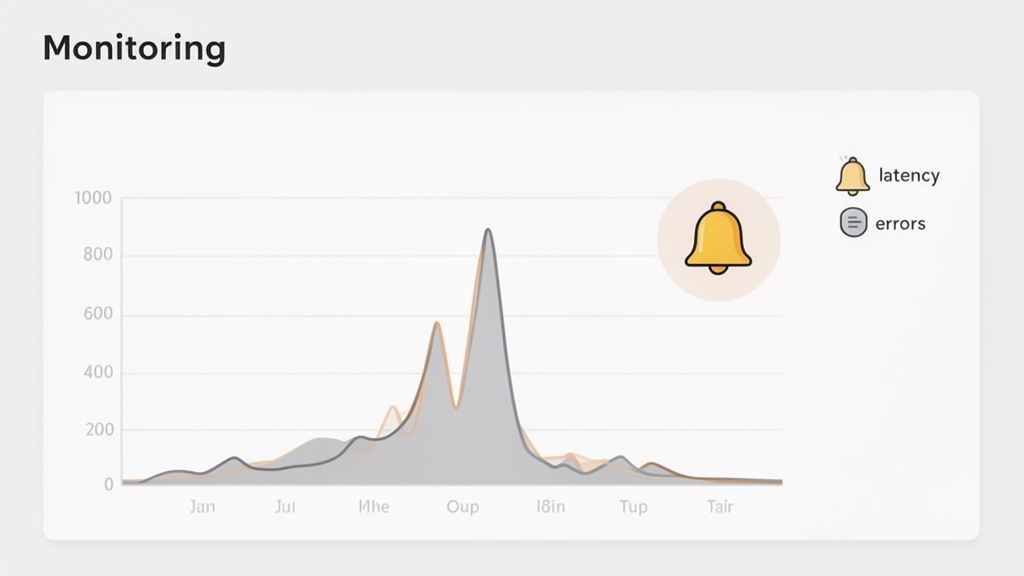
This practice involves tracking two main areas: the operational health of the feature flag system itself and the business or product metrics associated with the feature it controls. The goal is to create a tight feedback loop where any change in a flag's state triggers an immediate evaluation of its impact. This allows you to correlate performance degradation or unexpected user behavior directly with a specific feature flag change, enabling rapid root cause analysis and rollback if necessary.
Key Benefits and Use Cases
The primary benefit is proactive issue detection. Instead of waiting for users to report bugs or for systems to crash, monitoring provides early warnings that something is amiss. This approach is essential for maintaining high availability and a seamless user experience in complex, continuously deployed systems.
- Performance Regression Detection: Companies like Uber and Twitter use real-time monitoring to track application performance metrics after a flag is toggled. If a new feature causes a spike in API latency or CPU usage, automated alerts trigger an immediate investigation or even an automatic rollback, preventing system-wide degradation.
- Business Metric Validation: Airbnb creates dedicated dashboards to track key business metrics, like booking conversions or search engagement, for user segments exposed to a new feature. If metrics for the test group decline compared to the control group, the team is alerted to a potential problem with the feature's design or implementation.
Actionable Implementation Tips
An effective monitoring strategy requires defining clear baselines and setting up intelligent, low-noise alerts.
- Monitor Flag Evaluation Latency: Track the time it takes for your feature flag service to evaluate a flag. Set up an alert to trigger if latency exceeds a predefined threshold, such as 100ms, as slow evaluations can become a system-wide bottleneck.
- Track Key Business Metrics: Before deploying, establish baseline metrics for user engagement, conversion rates, and bounce rates. Use a tool like Swetrix to create a dashboard that compares these metrics between users with and without the new feature enabled.
- Set Up Automated Alerts: Configure alerts to be sent to a dedicated Slack or Discord channel for events like a failed flag deployment, a sudden spike in the flag service error rate, or a significant drop in a key conversion metric post-rollout.
- Document Incident Response: Create a clear, documented runbook for how to respond to different alerts. This ensures that any team member on call can quickly diagnose the issue, identify the problematic flag, and execute a safe rollback.
- Integrate with Monitoring Tools: Connect your feature flagging system to your existing observability stack. You can learn more about comprehensive website performance monitoring tools to build a holistic view of your application's health.
9. Document Feature Flag Context and Decision Rationale for Future Reference
A feature flag without documentation is a ticking time bomb of technical debt. One of the most critical, yet often overlooked, feature flags best practices is to maintain a comprehensive "living document" for every flag. This documentation captures the flag's entire lifecycle, from the initial hypothesis to the final outcome, creating invaluable institutional knowledge that outlasts the feature itself.
This practice transforms feature flags from temporary code switches into a rich archive of product decisions. By documenting the "why" behind a feature, the intended audience, the success metrics, and the ultimate results, you provide context for future teams. New engineers can understand the purpose of a flag they encounter in the codebase, and product managers can review past experiments to inform future strategy without repeating mistakes.
Key Benefits and Use Cases
The core benefit is knowledge preservation and improved decision-making. Without documentation, the rationale behind a year-old flag is lost as soon as the original team members move on. This practice prevents future confusion and enables data-driven product development.
- Onboarding and Maintenance: New team members can quickly get up to speed on the history of a feature by reviewing its flag documentation, reducing ramp-up time and preventing accidental misuse of old flags.
- Informing Future Strategy: Did a feature targeting a specific user segment fail two years ago? The documentation explains why, preventing the team from investing resources in a similar, flawed idea. Companies like Stripe use detailed post-mortems and documentation to analyze every incident and feature launch, building a robust internal knowledge base.
- Audit and Compliance: For regulated industries, having a clear record of when a feature was enabled for specific user groups can be essential for compliance and auditing purposes.
Actionable Implementation Tips
To build a culture of documentation, make the process lightweight and integrated into your existing workflows.
- Create a Standardized Template: Develop a simple template in your wiki (like Notion or Confluence) with standard sections: Hypothesis, Target Audience, Success Metrics, Implementation Details, Rollout Plan, and Final Outcome.
- Link Documentation to Code: Reference the documentation URL directly in the code comments where the feature flag is defined. This creates a direct, two-way link between the implementation and its context.
- Document Learnings, Not Just Wins: Capture what was learned even if the feature is never fully shipped. A failed experiment provides valuable data that should be recorded.
- Write a Post-Deployment Summary: Within one week of a full rollout or a decision to retire a feature, the responsible team should complete a brief summary covering the actual results versus the initial hypothesis.
- Integrate Analytics Data: Directly link to or embed analytics dashboards and reports within the documentation. This provides concrete evidence of the feature's impact on user behavior and key metrics.
- Review Before Retiring: Before removing a feature flag from the code, review its documentation one last time to ensure the final outcomes and learnings are accurately captured for posterity.
10. Implement Circuit Breaker Pattern to Prevent Cascading Failures from Flag Service Outages
A critical, yet often overlooked, best practice for feature flags is planning for the failure of the flag service itself. If your application depends on a network request to evaluate every flag, an outage or latency spike in that service can bring your entire application to a grinding halt. The circuit breaker pattern prevents this by treating the flag service as a dependency that can fail, ensuring your application remains resilient.
The pattern works like an electrical circuit breaker. If requests to the flag service start failing or timing out, the "circuit" trips and opens, causing subsequent calls to fail immediately without waiting for a timeout. This immediate failure prevents system resources from being consumed by failing requests and allows the application to fall back to a default state, such as serving a cached flag value or a hardcoded default behavior. After a cooldown period, the circuit moves to a "half-open" state to test if the service has recovered before fully closing the circuit again.
Key Benefits and Use Cases
The primary benefit is application resilience. Your application's core functionality should never be compromised by a dependency on your feature flag provider. This pattern ensures that even during a complete flag service outage, your users experience consistent, predictable behavior rather than catastrophic failure.
- Preventing Cascading Failures: An unavailable flag service can cause a chain reaction of failures across microservices. A circuit breaker isolates the fault, containing the impact and keeping the rest of the system operational.
- Graceful Degradation: Instead of crashing, your application can degrade gracefully. For example, if a flag for a new promotional banner can't be evaluated, the application can simply fall back to not showing the banner, which is a far better user experience than a frozen page. Companies like Stripe and Twilio build their architectures on these principles to maintain high availability during service degradation.
Actionable Implementation Tips
To effectively implement a circuit breaker for your feature flag evaluations, you need a clear strategy for both fault detection and fallback logic.
- Cache Flag Values Locally: Maintain a local cache of flag configurations with a reasonable Time-to-Live (TTL). If the flag service is unreachable, the application can use the last known good value from the cache.
- Define Sensible Fallback Behavior: For every single feature flag, explicitly define and document its fallback behavior. Should the feature be enabled (fail-open) or disabled (fail-closed) during an outage? This decision depends entirely on the feature's risk profile.
- Set Aggressive Timeouts: Do not let your application wait indefinitely for a flag evaluation. Implement short, aggressive timeouts on requests to the flag service to quickly detect unresponsiveness.
- Monitor Circuit Breaker State: Your observability platform should track the state of your circuit breakers. Create alerts that trigger when a circuit trips, notifying your team immediately that there is an issue with the flag service dependency.
- Test Failure Scenarios: Regularly run drills where you simulate a flag service outage. This is the only way to validate that your circuit breakers and fallback logic work as expected under real-world failure conditions.
Feature Flags Best Practices — 10-Point Comparison
| Feature | Implementation Complexity 🔄 | Resource Requirements ⚡ | Expected Outcomes 📊 | Ideal Use Cases 💡 | Key Advantages ⭐ |
|---|---|---|---|---|---|
| Implement Gradual Rollout Strategy with Percentage-Based Targeting | 🔄 Medium — requires rollout controls and stability guarantees | ⚡ Moderate — traffic routing, monitoring, rollback tooling | 📊 Phased validation, lower blast radius, measurable adoption | 💡 New features, high-risk changes, large user bases | ⭐ Minimizes risk; enables quick rollback and real-user validation |
| Maintain Comprehensive Feature Flag Inventory with Clear Naming Conventions | 🔄 Low–Medium — governance and consistent processes | ⚡ Low — registry tooling, documentation upkeep | 📊 Reduced flag sprawl and clearer ownership metrics | 💡 Large teams, long-lived projects, heavy flag usage | ⭐ Prevents orphaned flags; eases onboarding and cleanup |
| Segregate Environments with Environment-Specific Flag Configurations | 🔄 Medium — separate configs and promotion workflows | ⚡ Moderate — CI/CD changes and environment parity efforts | 📊 Fewer accidental prod exposures; safer testing | 💡 Systems with staging/testing pipelines, regulated apps | ⭐ Isolates test changes; reduces production risk |
| Integrate Feature Flags with A/B Testing for Data-Driven Decisions | 🔄 High — experiment design, stats, and tracking discipline | ⚡ High — analytics, sample size requirements, experiment tooling | 📊 Quantified impact; statistically-backed shipping decisions | 💡 Conversion optimization, UX changes, hypothesis testing | ⭐ Removes guesswork; validates features with significance |
| Establish Clear Flag Lifecycle and Retirement Process | 🔄 Low–Medium — defined phases and automation | ⚡ Low — alerts, audits, cleanup workflows | 📊 Predictable churn; reduced long-term technical debt | 💡 Mature codebases, many short-lived experiments | ⭐ Prevents indefinite flags; improves code quality |
| Implement Role-Based Access Control and Permissions for Flag Management | 🔄 Medium — RBAC models and approval workflows | ⚡ Moderate — IAM, audit logs, SSO integration | 📊 Fewer unauthorized changes; compliance traceability | 💡 Large orgs, regulated environments, production-critical flags | ⭐ Security and accountability; controlled production changes |
| Use Contextual and User-Based Targeting for Sophisticated Rollouts | 🔄 High — attribute sync, complex rule evaluation | ⚡ High — user data, segmentation, privacy controls | 📊 Precise cohort impact measurement; tailored rollouts | 💡 Tiered features, regional releases, VIP or account-specific tests | ⭐ Granular control; enables customer- or region-specific deployments |
| Establish Monitoring and Alerting for Feature Flag Performance and Health | 🔄 Medium — metric baselines and alert tuning | ⚡ Moderate — monitoring infra, dashboards, incident workflows | 📊 Faster detection and response; lower MTTR | 💡 Production deployments, high-traffic or critical features | ⭐ Early detection of regressions; operational visibility |
| Document Feature Flag Context and Decision Rationale for Future Reference | 🔄 Low — templates and documentation discipline | ⚡ Low — wiki/tooling and linking to analytics | 📊 Preserved institutional knowledge; better future decisions | 💡 Teams prioritizing knowledge transfer and audits | ⭐ Captures rationale; improves repeatability and audits |
| Implement Circuit Breaker Pattern to Prevent Cascading Failures from Flag Service Outages | 🔄 High — resilience patterns and fallback logic | ⚡ Moderate — local caching, health checks, retries | 📊 Improved resilience; consistent UX during outages | 💡 Systems dependent on remote flag services, high-availability apps | ⭐ Prevents cascading failures; enables graceful degradation |
From Practice to Mastery: Building a Culture of Confident Shipping
Adopting feature flags is a powerful first step, but integrating these feature flags best practices is what truly revolutionizes your development and release cycles. We've journeyed through ten critical practices, moving beyond simple on/off toggles to a sophisticated framework for controlled, data-informed, and resilient software delivery. This journey isn't just about implementing a new tool; it's about fostering a culture of confident shipping.
The core theme connecting these practices is the shift from a reactive to a proactive development model. Instead of releasing code and hoping for the best, you are empowered to release with precision and control. This transformation is built upon a foundation of deliberate planning, rigorous governance, and continuous learning.
Synthesizing the Core Principles
Let's distill the most crucial takeaways from our discussion. True mastery of feature flags hinges on three interconnected pillars: Governance, Resilience, and Intelligence.
Governance: This is the bedrock of a scalable feature flag system. Without it, you risk creating a chaotic, unmanageable mess of technical debt.
- Actionable Takeaway: Immediately establish and enforce a strict naming convention and a comprehensive feature flag inventory. Documenting the why, who, and what for every flag (as discussed in practices #2 and #9) is non-negotiable. Couple this with a clear lifecycle and retirement process (#5) and role-based access controls (#6) to ensure order and security.
Resilience: Your feature flag system should be a source of stability, not a point of failure. Building resilience means anticipating and mitigating potential problems before they impact users.
- Actionable Takeaway: Implement a circuit breaker pattern (#10) to protect your application from flag service outages. Furthermore, establish robust monitoring and alerting (#8) for every flagged feature. This gives you the visibility to detect performance degradation or errors in real-time and use your flags as a kill switch when necessary.
Intelligence: Feature flags are not just deployment tools; they are powerful instruments for learning and optimization. They bridge the gap between engineering output and business impact.
- Actionable Takeaway: Don't just release; learn from every rollout. Integrate your flags with A/B testing frameworks (#4) to make data-driven decisions. Use gradual, percentage-based rollouts (#1) and sophisticated user-based targeting (#7) to test hypotheses and measure the real-world impact of your changes on specific user segments.
Your Path Forward: From Theory to Habit
Mastering these feature flags best practices is an ongoing process, not a one-time setup. The goal is to embed these principles into your team's daily workflow until they become second nature. Start by focusing on the area that presents the most significant risk or opportunity for your team right now.
Is technical debt from old flags your biggest problem? Focus on creating an automated retirement process. Are you unsure if new features are actually moving the needle? Prioritize integrating your flags with your analytics and experimentation platform. By tackling these challenges incrementally, you build momentum and demonstrate the value of a mature feature flagging strategy.
Ultimately, this disciplined approach transforms your team's capabilities. It replaces the anxiety of "big bang" releases with the confidence of controlled, incremental delivery. It empowers developers to deploy their code to production safely, allows product managers to validate ideas with real users faster, and provides the entire organization with a safety net to innovate without fear. You are no longer just shipping features; you are building a resilient, adaptable, and data-driven product development engine.
Ready to pair your robust feature flagging strategy with powerful, privacy-first analytics? Swetrix provides the A/B testing, real-time monitoring, and user behavior insights you need to make data-driven decisions at every stage of your feature lifecycle. See how you can measure the true impact of your releases by exploring our platform at Swetrix.