- Date
9 Essential Feature Flag Best Practices for Modern Development in 2026
 Andrii Romasiun
In modern development, deploying code is a high-stakes activity. A single bug can impact thousands of users, damage brand reputation, and derail product roadmaps. This is where feature flags, also known as feature toggles, have evolved from a niche engineering trick into a fundamental practice for software teams. They provide a powerful mechanism to decouple deployment from release, enabling you to ship code to production safely, test new ideas with real users, and roll back features instantly without a stressful redeployment.
However, without a disciplined approach, flags can quickly become a source of technical debt, creating a tangled mess of conditional logic that is difficult to manage and debug. A poorly managed flag system introduces more risk than it mitigates. To truly benefit from this powerful technique, teams need a clear strategy.
This guide cuts through the noise to deliver a comprehensive roundup of actionable feature flag best practices. We'll cover the entire lifecycle, from creation and rollout to monitoring and retirement. You will learn how to:
- Establish clear naming conventions and lifecycle management.
- Execute safe, controlled rollouts like canary deployments.
- Secure access and monitor performance impact.
- Integrate flags with privacy-first analytics tools, such as Swetrix, for data-driven insights without compromising user trust.
By implementing these strategies, your team can innovate faster, significantly reduce release-day anxiety, and make smarter product decisions backed by real-world data. Let's dive into the essential practices that will transform your feature flag implementation from a potential liability into a strategic asset.
1. Implement Feature Flags with Clear Naming Conventions
The foundation of any scalable feature flag system is a disciplined and descriptive naming convention. Without it, your codebase and management dashboard can quickly become a tangled mess of ambiguous toggles like new-checkout-flow or test-feature-2. A robust naming scheme is one of the most crucial feature flag best practices because it provides immediate context, simplifies management, and accelerates debugging and cleanup.
A well-named flag instantly communicates its purpose, scope, and status. By embedding key metadata directly into the name, engineers, product managers, and QA teams can understand a flag's function without digging through documentation. This clarity is essential for safe operation, especially in complex systems with hundreds of active flags.
Successful Naming Convention Examples
Many successful teams adopt a structured, prefix-based system. Consider these patterns:
- Slack: Famously uses prefixes like
exp_for temporary experiments andfeat_for long-term feature releases, clearly distinguishing their lifecycle. - GitHub: Employs semantic names that are human-readable and often reflect the feature directly, such as
actions_code_scanning_default_setup. - Hierarchical Naming: Teams often adopt a
[team-name]-[feature-name]-[environment]structure (e.g.,growth-new-onboarding-modal-prod), which groups flags by ownership and makes them easy to find in a platform like LaunchDarkly.
Actionable Tips for Implementation
To establish a durable naming convention, follow these steps:
- Create a Style Guide: Document your chosen pattern, including prefixes, separators (hyphens or underscores), and case (e.g., kebab-case, snake_case). Share this document with all new team members.
- Incorporate Lifecycle Prefixes: Use prefixes to denote the flag's purpose, such as
exp-(experiment),ops-(operational toggle),release-(gradual rollout), orpermission-(access control). - Enforce with Linting: Implement automated checks in your CI/CD pipeline to enforce the naming standard during code reviews, preventing non-compliant flag names from entering the codebase.
- Integrate with Analytics: When tracking flag exposure with a privacy-first tool like Swetrix, consistent naming helps you correlate user behavior with specific features. For instance, you can easily filter events to analyze users who have
release-new-dashboard-viewenabled.
2. Plan Feature Flag Lifecycle and Retirement Strategy
One of the most common pitfalls of using feature flags is "flag debt," the accumulation of old, forgotten toggles that clutter your codebase and create maintenance nightmares. A proactive lifecycle and retirement plan is one of the most vital feature flag best practices because it prevents this technical debt, reduces system complexity, and keeps your application clean and performant. Without a clear plan, flags intended to be temporary become permanent fixtures, increasing cognitive load and the risk of unexpected behavior.
A well-defined lifecycle ensures every flag has a purpose, an owner, and an expiration date. This structured approach forces teams to make conscious decisions about a feature’s future, whether it should be fully integrated into the codebase or removed entirely. This discipline is especially critical for startups and indie makers who need to iterate quickly without being slowed down by legacy code.
Successful Lifecycle Management Examples
Leading tech companies enforce strict policies to combat flag debt and maintain codebase health:
- Google: Known for its aggressive cleanup policies, experiment flags are often automatically scheduled for removal after a set period, such as 30 days, unless an engineer explicitly renews them with a justification.
- Netflix: Maintains a "flag health" dashboard that provides visibility into flag age, usage, and ownership, helping teams identify and prioritize stale flags for removal.
- Amazon: Mandates quarterly reviews of all active feature flags, requiring teams to document the ongoing business need for any long-lived toggles.
Actionable Tips for Implementation
To establish a robust feature flag lifecycle, integrate these steps into your workflow:
- Document Retirement Criteria: For each flag, define what success looks like. Specify the metrics (e.g., adoption rate, conversion lift, error reduction) that will determine if the feature becomes permanent or is removed.
- Set Expiration Dates: Assign a review or "kill-by" date to every temporary flag upon creation. Use calendar reminders or project management tools to ensure these dates are not missed.
- Automate Cleanup Notifications: Configure your feature flag management system or CI/CD pipeline to send automated alerts to owners via Slack or Discord when a flag is nearing its expiration date. This prompts timely action.
- Track Adoption with Analytics: Use a privacy-first tool like Swetrix to create funnels that track feature adoption. Once a feature hits its success threshold (e.g., 90% of users have it enabled and it's stable), you have a clear, data-driven signal to safely remove the flag and the old code path.
3. Use Feature Flags for Safe Canary Deployments
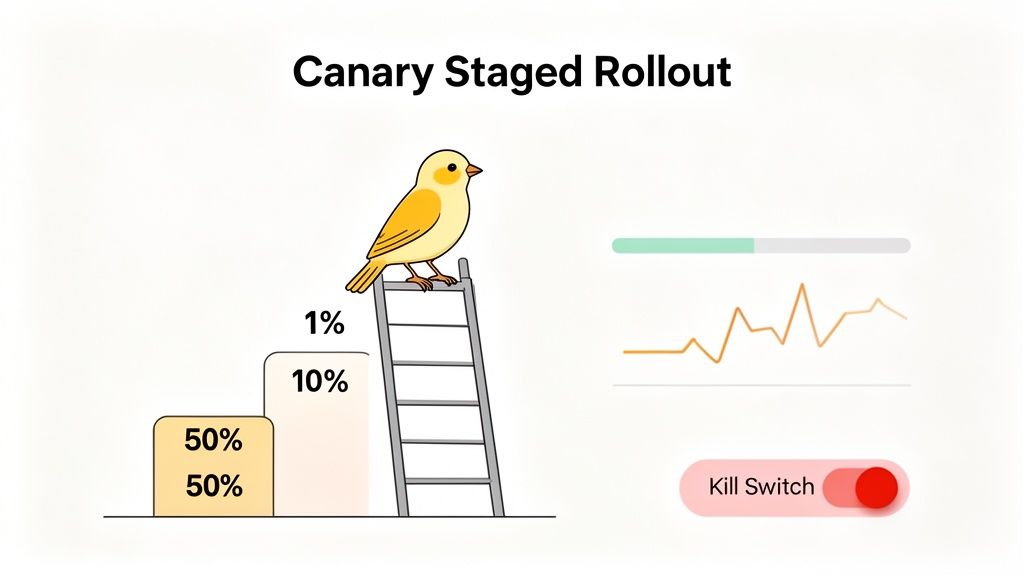
One of the most powerful feature flag best practices is to orchestrate canary deployments. This strategy de-risks releases by exposing new code to a small, controlled subset of real users before a full-scale rollout. By wrapping the new functionality in a feature flag, you can gradually increase its visibility from 1% to 5%, then 20%, and so on, while closely monitoring system health and user feedback.
Unlike traditional blue-green deployments which switch all traffic at once, canary deployments provide a safety net. If an issue arises, you can immediately toggle the flag off, containing the impact to a small user segment. This method enables teams to validate changes with real production data, catch bugs early, and build confidence before every user is affected, which is crucial for maintaining uptime and user trust.
Successful Canary Deployment Examples
Leading tech companies rely on this technique to innovate safely:
- Amazon: Deploys virtually all services using a canary process, often starting with just a single region or a tiny fraction of traffic before proceeding.
- Spotify: Gradually introduced major UI redesigns by enabling a feature flag for just 5% of its user base, allowing them to gather feedback and performance data before a global release.
- Stripe: Leverages feature flags for canary deployments of critical payment processing logic, ensuring that any changes are rigorously tested under real transaction loads with minimal risk.
Actionable Tips for Implementation
To execute a successful canary deployment with feature flags, follow these steps:
- Define Success Metrics: Before rollout, establish clear Key Performance Indicators (KPIs) to monitor. These should include system metrics (error rates, latency) and business metrics (conversion rates, engagement).
- Start Small and Iterate: Begin by targeting a small percentage of your traffic, such as 1% or 5%. If all metrics remain healthy for a predefined period (e.g., 12-24 hours), incrementally increase the exposure.
- Leverage Real-Time Analytics: Use a privacy-first tool like Swetrix to set up real-time dashboards that monitor user flows and session analytics for the canary group. This helps you immediately spot negative impacts on user experience.
- Automate Alerts: Configure automated alerts in Swetrix to notify your team via Slack or Discord if key metrics breach established thresholds. This enables a rapid response if something goes wrong.
4. Implement Granular Permission Controls for Flag Access
As a feature flag system matures, controlling who can create, modify, and deploy flags becomes paramount. Without granular permissions, your system is vulnerable to accidental misconfigurations or unauthorized changes that could disrupt user experience or introduce security risks. Implementing role-based access control (RBAC) is a critical feature flag best practice that establishes clear ownership and enforces governance, ensuring that only the right people can make changes to the right flags at the right time.
This practice is essential for maintaining stability, especially in larger teams or regulated industries. By defining specific roles and responsibilities, you prevent situations where a junior developer accidentally enables a production feature for all users or a product manager modifies a critical operational toggle. Granular permissions transform feature flags from a potential free-for-all into a structured, auditable, and secure release mechanism.
Successful Permission Control Examples
Leading platforms and companies bake permission models directly into their feature management workflows:
- LaunchDarkly: Provides sophisticated team-based RBAC with custom roles. Teams can create roles like "Developer," "QA," or "Product Manager" and assign specific permissions, such as allowing developers to toggle flags only in non-production environments.
- Atlassian: Implements mandatory approval workflows for flags that affect critical services. A change to a high-impact flag requires sign-off from multiple stakeholders before it can be deployed, adding a crucial layer of review.
- GitHub Enterprise: Leverages fine-grained access controls within its own feature flag system, ensuring that changes to core platform functionality are tightly controlled and only accessible to authorized engineering leads.
Actionable Tips for Implementation
To establish effective permission controls for your feature flags, follow these steps:
- Define Clear Roles: Establish distinct roles with specific responsibilities. Common roles include Flag Creator (can draft new flags), Flag Reviewer (can approve changes), Flag Deployer (can modify flags in production), and Read-Only Viewer.
- Implement Approval Workflows: For flags managing critical code paths or sensitive features, require mandatory reviews or multi-person approvals before changes are saved.
- Align with Analytics Access: When using a tool like Swetrix, ensure your feature flag permissions mirror your analytics access. The Swetrix team management features allow you to grant access to specific project dashboards, so the team owning a flag can also view its performance data without seeing irrelevant metrics.
- Conduct Regular Audits: Schedule monthly or quarterly reviews of flag permissions and access logs. This helps ensure compliance with security policies and identifies any stale or overly permissive access rights.
5. Correlate Feature Flags with Analytics Events for User Insights
Deploying a feature is only half the battle; understanding its impact is what drives product growth. Systematically tagging analytics events with feature flag states creates a direct, measurable link between a product change and user behavior. This practice is one of the most critical feature flag best practices because it transforms flags from simple toggles into powerful A/B testing and experimentation tools, enabling data-driven decisions.
By enriching every user interaction event with the status of relevant flags, you can precisely segment user cohorts. This allows you to answer crucial questions like: "Do users with the new dashboard complete their tasks faster?" or "Does the redesigned checkout flow improve conversion rates?" This approach provides actionable insights without compromising user privacy, as it focuses on behavior correlation rather than cross-device tracking.
Successful Correlation Examples
Leading product teams have mastered this technique to quantify feature impact:
- Intercom: Tracks feature flag states within customer events, allowing them to directly correlate the adoption of a new feature with changes in support ticket volume or user engagement metrics.
- Mixpanel & Amplitude: Users of these platforms often integrate flag data as "super properties" or user properties. This allows them to segment any funnel, cohort, or retention report by the specific feature variant a user was exposed to, revealing nuanced behavioral differences.
Actionable Tips for Implementation
To connect your flags with analytics effectively, follow these steps:
- Create a Standard Event Property Schema: Define a consistent structure for flag data in your analytics events, such as
{ "flag_name": "release-new-dashboard", "flag_variant": "treatment" }. This ensures your data is clean and easy to query. - Implement Tracking at Initialization: Capture the user's flag state when your application loads. This context can then be attached to all subsequent downstream events during the session.
- Use Analytics to Define Success: Set up specific goals in your analytics platform tied to your feature's success criteria. For instance, with Swetrix, you can create a goal for users who trigger a
purchase-completeevent while having theexp-simplified-checkoutflag enabled. - Leverage Custom Events: Use your analytics tool’s custom event functionality to log flag exposures and interactions. To get started with this method, you can learn more about how to track custom events in a privacy-first way.
- Visualize User Journeys: Use funnel analysis tools to compare the user journeys of different flag variant cohorts side-by-side. This visualization quickly highlights drop-off points or areas of friction introduced by a new feature.
6. Run Statistically-Sound A/B Experiments with Feature Flags
Feature flags are the perfect mechanism for running rigorous A/B tests, but simply splitting traffic is not enough. To derive meaningful insights, experiments must be built on a foundation of statistical principles. This practice involves using flags to expose different user segments to variations of a feature while meticulously controlling for statistical noise, ensuring that observed outcomes are due to genuine user preference, not random chance.
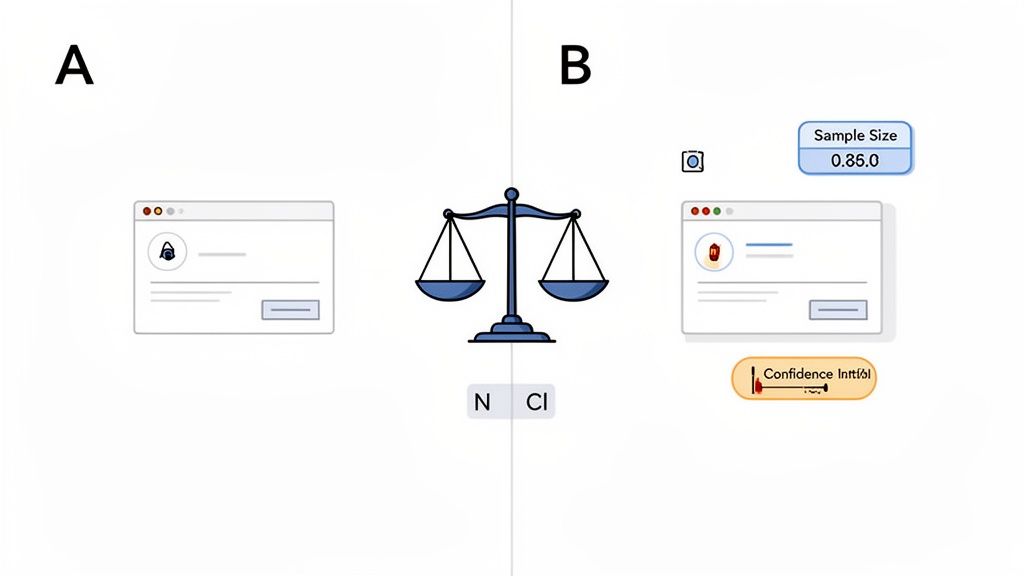
Adopting statistical rigor is one of the most vital feature flag best practices for growth teams because it prevents acting on false positives or negatives. By pre-calculating sample sizes and defining success metrics, you can confidently determine whether a change truly impacts user behavior, thereby maximizing your return on development effort.
Successful A/B Experiment Examples
Leading tech companies use statistically-backed feature flags to drive product decisions:
- Airbnb: Runs thousands of experiments simultaneously, using a sophisticated internal platform built on feature flags to measure the impact of every change on key business metrics with high statistical confidence.
- Booking.com: Has a deeply ingrained culture of experimentation where almost every new feature is A/B tested. They employ rigorous statistical frameworks to ensure that only changes with a proven positive impact are rolled out to all users.
- Netflix: Utilizes advanced sequential testing methods with its feature flag system. This allows them to conclude experiments faster by analyzing results as they come in, without compromising statistical validity.
Actionable Tips for Implementation
To run effective A/B tests with your feature flags, follow these steps:
- Define Your Hypothesis and Metrics: Before launching, clearly state your hypothesis, primary success metric (e.g., conversion rate), and Minimum Detectable Effect (MDE). The MDE is the smallest improvement you care about detecting.
- Calculate Required Sample Size: Use an online calculator to determine how many users you need per variation to achieve statistical significance. This calculation depends on your baseline conversion rate, desired MDE, and statistical power (typically 80%).
- Run for Full Business Cycles: Let your experiment run for at least one full week, and ideally two, to smooth out variations from day-of-the-week effects. Don't end an experiment just because one variant is temporarily ahead.
- Avoid "Peeking": Resist the temptation to check results daily and stop the test as soon as it looks significant. This common mistake, known as p-hacking, dramatically increases the risk of a false positive. Wait until the predetermined sample size is reached.
- Track with Confidence Intervals: When analyzing results with a tool like Swetrix, focus on the confidence interval for your metrics. A clear separation between the intervals for your control and variant groups provides strong evidence of a real difference.
7. Monitor Feature Flag Performance and Error Tracking
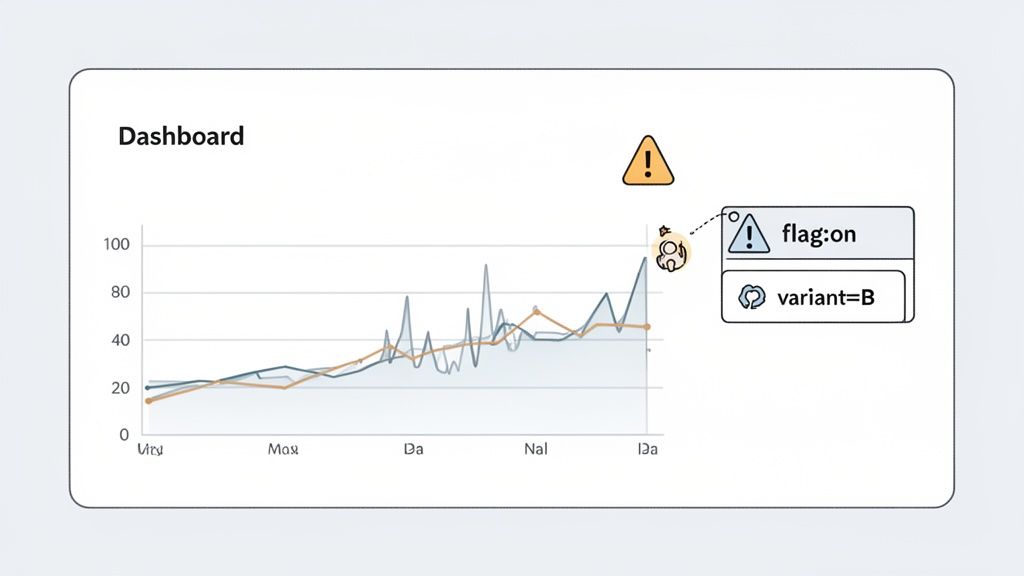
A feature flag is not just a toggle; it’s a change to your system’s behavior that can have unforeseen consequences. One of the most critical feature flag best practices is to actively monitor the impact of each flag on application performance and stability. Without diligent monitoring, a new feature could silently introduce latency, spike error rates, or degrade the user experience, defeating the purpose of a safe, controlled rollout.
Effective monitoring turns a feature flag from a potential liability into a powerful diagnostic tool. By correlating application health metrics directly with flag states (on/off, variant A/B), you can instantly identify which feature is causing a problem. This capability allows you to kill a problematic flag immediately, protecting your users and your system's reliability without needing to redeploy code.
Successful Monitoring Implementation Examples
Leading engineering teams integrate flag management with their observability stack to create a real-time feedback loop. This integration is key to maintaining a high-performance system.
- Datadog: Offers integrations that automatically tag APM traces and logs with feature flag evaluation data, allowing you to filter dashboards and alerts by which users saw which flag variant.
- New Relic: Provides similar flag-aware monitoring, making it simple to compare the performance of code paths with a feature enabled versus disabled.
- PagerDuty & Slack: These tools can receive automated alerts triggered by flag-specific error thresholds, ensuring the on-call engineer is immediately notified when a feature rollout causes a spike in exceptions.
Actionable Tips for Implementation
To build a robust monitoring strategy for your feature flags, follow these steps:
- Establish Baselines: Before you begin a rollout, capture baseline performance metrics and error rates. This data provides a crucial point of comparison to measure the new feature's impact.
- Implement Flag-Aware Error Tracking: Use a tool like Swetrix to monitor exceptions and group them by feature flag state. This helps you pinpoint whether a new error is happening for all users or only those with a specific flag enabled. For more details on this, you can learn more about privacy-first error tracking capabilities.
- Create Automated Alerts: Set up automated alerts for significant deviations from the baseline. Configure alerts for spikes in error rates or increased API latency that are correlated with a specific flag's rollout percentage.
- Integrate Notifications: Pipe these alerts into your team's communication channels, such as Slack or Discord. Immediate notifications enable your team to react swiftly and trigger a rollback if necessary, minimizing user impact.
8. Document Feature Flag Purpose, Owner, and Success Criteria
A feature flag without documentation is a ticking time bomb of technical debt. Its purpose becomes lost, its owner forgotten, and its removal criteria ambiguous. One of the most critical feature flag best practices for sustainable growth is to create and maintain comprehensive documentation for every flag, establishing a clear record of its lifecycle and intent.
This documentation serves as the "source of truth," providing essential context for everyone from engineers to product managers. It explains the "why" behind the flag, who is responsible for its outcome, and what success looks like. For growing teams and agencies managing multiple projects, this practice prevents knowledge silos and ensures decisions are driven by explicit criteria, not assumptions.
Successful Documentation Examples
Effective documentation is integrated directly into team workflows and tooling. Common approaches include:
- Dedicated Platform Fields: Tools like LaunchDarkly offer built-in fields for descriptions, owners, and tags, keeping documentation adjacent to the flag's configuration.
- Centralized Knowledge Bases: Many teams create a standardized template in Notion or Confluence. Each new flag gets its own page, covering purpose, ownership, rollout plan, and success metrics.
- Code-Adjacent Documentation: Some teams document flags directly in a project's GitHub Wiki, linking to the specific pull requests and Jira tickets that introduced them.
Actionable Tips for Implementation
To build a robust documentation culture, follow these steps:
- Create a Standardized Template: Establish a non-negotiable template that includes the flag's purpose, technical owner, product owner, target launch date, rollout plan, success metrics, and kill switch criteria.
- Link to Management Dashboards: Wherever possible, link your external documentation (e.g., a Notion page) directly from your feature flag platform to make it easily accessible.
- Integrate Analytics Goals: When tracking feature adoption with a tool like Swetrix, include the specific event names or goal identifiers in your documentation. This connects the flag directly to its performance metrics.
- Review During Audits: Make documentation review a mandatory step during periodic flag health checks and cleanup meetings. If a flag's documentation is outdated, it's a signal for immediate action.
- Archive Upon Removal: When a flag is retired, archive its documentation. This historical record is invaluable for future retrospectives and understanding past product decisions.
9. Implement Feature Flags for Privacy-Compliant Testing and Rollout
In an era of stringent data privacy regulations like GDPR and CCPA, conducting experiments and rolling out features requires a privacy-first mindset. Using feature flags for testing and rollouts without relying on invasive user tracking is not just a compliance checkbox; it is one of the most critical feature flag best practices for building user trust. This approach enables data-driven decisions while respecting user anonymity.
A privacy-compliant feature flag system decouples experimentation from persistent user identifiers or third-party cookies. Instead of tying a flag's state to a logged-in user's PII, it can be assigned based on anonymous session data, device characteristics, or other non-identifiable attributes. This ensures you can still gather valuable insights on feature adoption and user behavior without compromising privacy.
Successful Naming Convention Examples
Several privacy-conscious companies have mastered this approach, proving its viability:
- DuckDuckGo: The privacy-focused search engine famously experiments with new features by assigning flags based on anonymous, session-based attributes, avoiding any form of long-term user profiling.
- Basecamp: Known for its strong stance on user privacy, Basecamp utilizes feature flagging for internal testing and phased rollouts without linking flag states to persistent, cross-device user tracking profiles.
- Ethical Analytics Platforms: Tools in the privacy-first analytics space often use similar techniques, bucketing users into experiment groups anonymously for the duration of a session to measure impact without storing personal data.
Actionable Tips for Implementation
To build a privacy-first feature flagging workflow, follow these steps:
- Prioritize Anonymous Session IDs: Whenever possible, base flag assignments on temporary, anonymous session identifiers instead of permanent user IDs. This allows for A/B testing within a single session without creating a historical user profile.
- Leverage Privacy-First Analytics: Correlate flag states with user behavior using a tool like Swetrix. You can send custom events to track feature usage (e.g.,
feature-X-enabled) without collecting any personal data, allowing you to measure adoption and impact safely. - Document Your Approach: Be transparent with users. Update your privacy policy to explain how you conduct experiments and feature rollouts using anonymized or session-based data. For a deeper dive, review these guidelines on how to make your website GDPR compliant.
- Prevent Data Leakage: Ensure that feature flag state information is never transmitted to third-party advertising or marketing platforms. Keep experimentation data sandboxed within your secure, first-party environment.
9-Point Feature Flag Best Practices Comparison
| Practice | 🔄 Complexity | ⚡ Resource needs | 📊 Expected outcomes | 💡 Ideal use cases | ⭐ Key advantages |
|---|---|---|---|---|---|
| Implement Feature Flags with Clear Naming Conventions | Low 🔄 — team alignment required | Low ⚡ — documentation + lint rules | 📊 Easier discovery, traceability, cleaner analytics | 💡 Teams with many flags or cross-team ownership | ⭐ Clear audits & faster troubleshooting — ⭐⭐⭐⭐ |
| Plan Feature Flag Lifecycle and Retirement Strategy | Medium 🔄 — policy + reviews | Low–Medium ⚡ — calendar, CI/CD hooks | 📊 Reduced flag sprawl and technical debt | 💡 Startups scaling quickly; long-lived codebases | ⭐ Keeps codebase maintainable — ⭐⭐⭐⭐ |
| Use Feature Flags for Safe Canary Deployments | High 🔄 — rollout plans + monitoring | Medium–High ⚡ — targeting + observability | 📊 Early issue detection; lower blast radius | 💡 Risky releases; critical services; uptime-focused teams | ⭐ Minimizes production impact; real-world validation — ⭐⭐⭐⭐⭐ |
| Implement Granular Permission Controls for Flag Access | Medium 🔄 — RBAC & approvals | Medium ⚡ — IAM, audit logs, workflows | 📊 Fewer misconfigs; clearer accountability | 💡 Teams with external agencies or many contributors | ⭐ Improves security & auditability — ⭐⭐⭐⭐ |
| Correlate Feature Flags with Analytics Events for User Insights | Medium–High 🔄 — instrumentation + schema | Medium ⚡ — analytics integration, event design | 📊 Direct attribution of feature impact | 💡 Product/analytics teams running experiments | ⭐ Data-driven rollout decisions; privacy-friendly segmentation — ⭐⭐⭐⭐ |
| Run Statistically-Sound A/B Experiments with Feature Flags | High 🔄 — stats, sample planning | Medium–High ⚡ — tooling, analysis expertise | 📊 Reliable conversion insights; fewer false positives | 💡 Growth teams optimizing ROI at scale | ⭐ Confident decisions from powered experiments — ⭐⭐⭐⭐⭐ |
| Monitor Feature Flag Performance and Error Tracking | Medium–High 🔄 — alerting & baselines | Medium–High ⚡ — RUM, error tracking, alerts | 📊 Faster detection of regressions by flag state | 💡 Performance-sensitive apps and rapid deployments | ⭐ Faster incident response; preserves UX — ⭐⭐⭐⭐ |
| Document Feature Flag Purpose, Owner, and Success Criteria | Low–Medium 🔄 — templates + upkeep | Low ⚡ — docs + linking to PRs/metrics | 📊 Better context, onboarding, audit trails | 💡 Growing teams, agencies, or regulated projects | ⭐ Reduces knowledge silos; clearer decisions — ⭐⭐⭐ |
| Implement Feature Flags for Privacy-Compliant Testing and Rollout | Medium 🔄 — session-based designs | Medium ⚡ — cookieless analytics setup | 📊 Privacy-preserving insights; compliant experiments | 💡 Regulated markets; privacy-first products | ⭐ Enables testing without invasive tracking — ⭐⭐⭐⭐ |
Turn Your Feature Flags into a Strategic Advantage
Adopting feature flags is often the first step toward modernizing a development lifecycle. However, moving from simply using them to mastering them is what separates high-performing teams from the rest. The journey we've explored through these feature flag best practices isn't just a collection of technical tips; it's a strategic blueprint for building a more resilient, data-driven, and innovative engineering culture. By treating flags as first-class citizens in your development process, you transform them from simple on/off switches into a powerful framework for controlled, incremental value delivery.
The practices covered, from establishing clear naming conventions and lifecycle management to implementing granular access controls, are the foundational pillars. They create order out of potential chaos, ensuring your system remains scalable, secure, and manageable as your codebase and team grow. Without this governance, feature flags can quickly devolve into technical debt, creating a confusing and fragile environment that hinders rather than helps.
From Tactical Toggles to Strategic Levers
The true power of feature flags is unlocked when you combine this strong governance with sophisticated rollout and measurement strategies. Implementing safe deployment patterns like canary releases or percentage-based rollouts moves your team beyond the anxiety of "big bang" deployments. It replaces high-risk, all-or-nothing releases with low-risk, controlled experiments, giving you the ability to validate changes with real users in production before committing to a full launch.
This is where a crucial connection is made: linking flag states to tangible outcomes. The most effective feature flag best practices involve integrating them directly with your analytics and monitoring stack. Documenting a flag’s purpose, owner, and success criteria is meaningless if you cannot measure its actual impact. This means correlating flag exposure with performance metrics, error rates, and, most importantly, user behavior.
The Final Piece: Privacy-First Measurement
The ultimate goal is to answer critical questions:
- Did this new feature actually improve user engagement?
- Is the "on" cohort experiencing higher error rates than the "off" cohort?
- Are users in the A/B test variant converting at a higher rate?
Answering these questions requires data, but in today's privacy-conscious world, how you collect that data matters immensely. Integrating your feature flag system with a privacy-first analytics platform like Swetrix completes the picture. It allows you to run statistically sound experiments, track feature adoption, and monitor key metrics without harvesting sensitive personal data. This approach ensures your data-driven decisions are built on a foundation of user trust, not at the expense of it.
By internalizing and implementing these feature flag best practices, you equip your team with the tools to innovate fearlessly. You create a system where every new feature is a hypothesis to be tested, every release is an opportunity to learn, and every decision is backed by real-world data. This holistic approach empowers you to ship faster, reduce risk, and build products that truly resonate with your users, turning a simple development tool into a core strategic advantage for your entire organization.
Ready to connect your feature flags to meaningful, privacy-compliant insights? Swetrix provides the powerful, self-hostable analytics you need to measure the impact of every feature rollout and A/B test without compromising user privacy. Start making data-driven decisions with confidence by exploring Swetrix today.