- Date
GDPR Compliance for Websites A Practical Guide
 Andrii Romasiun
If you have a website, you’ve probably heard of GDPR. But what does it actually mean to be "GDPR compliant"? In simple terms, it's about handling personal data from your European visitors legally and respectfully. This means getting their explicit consent before you place any non-essential cookies on their devices and being completely transparent about what you do with their information in a clear, easy-to-read privacy policy.
What GDPR Compliance Means for Your Website
Think of it like this: your website is your digital storefront. Just as a shopkeeper wouldn't secretly follow a customer home and sell their address to marketers, GDPR says your website can't just collect and use a visitor's personal data without their explicit permission. It's about treating online visitors with the same respect you'd show someone in person.
This isn't just about good manners, though; it's a serious legal framework with massive financial teeth. Since it was enacted on May 25, 2018, European authorities haven't been shy about enforcement. As of March 2025, they've handed out over 2,245 fines that add up to more than €5.65 billion. For serious slip-ups, the penalties can climb as high as €20 million or 4% of your company's total annual revenue—whichever number is bigger. You can discover more about the financial impact of these enforcement actions to see just how critical compliance is.
Who Needs to Comply
A common myth is that GDPR is only a problem for businesses physically located in the European Union. That's completely wrong. The regulation has what's known as "extraterritorial scope," meaning the rules travel with the user, not the website.
If your website gets traffic from anyone inside an EU country—even just one person—you are legally on the hook to comply with GDPR. It doesn't matter where your business is based.
So, whether you're running a small e-commerce shop from Ohio, a tech startup from Singapore, or a personal blog from Canada, if you have an audience in the EU, these rules apply to you.
The Core Principles of GDPR
At its core, GDPR is built on a few key ideas that are all about protecting people's privacy and building trust. For your website, two principles are absolutely fundamental:
- Data Minimization: Only collect the data you truly need for a specific, stated purpose. If your contact form works perfectly well without a phone number, then don't ask for one.
- Purpose Limitation: Be upfront about why you're collecting data and stick to that reason. If someone signs up for your newsletter, you can't just decide to use their email for a separate marketing campaign with a partner company without getting their permission all over again.
Getting this right is about much more than just ticking boxes to avoid a fine. It’s a powerful signal to your users that you respect their privacy. In today's world, that respect is a huge part of building a trustworthy brand and fostering lasting customer loyalty.
Getting Cookie Consent Right Every Time
If there's one area where even well-meaning websites get GDPR wrong, it's cookie consent. This goes so much deeper than just slapping a banner on your homepage. It’s about giving your visitors a real, transparent choice. Under GDPR, valid consent has to be a clear, informed, and active choice from the user.
What does that mean in practice? The old days of passive agreement are long gone. A banner that says "by using this site, you accept cookies" just doesn't cut it anymore. Your visitors must take a specific action, like clicking an "Accept" button, to give you their permission.
This whole process boils down to a simple, respectful exchange: you explain what data you need, you ask for permission clearly, and you build trust along the way.
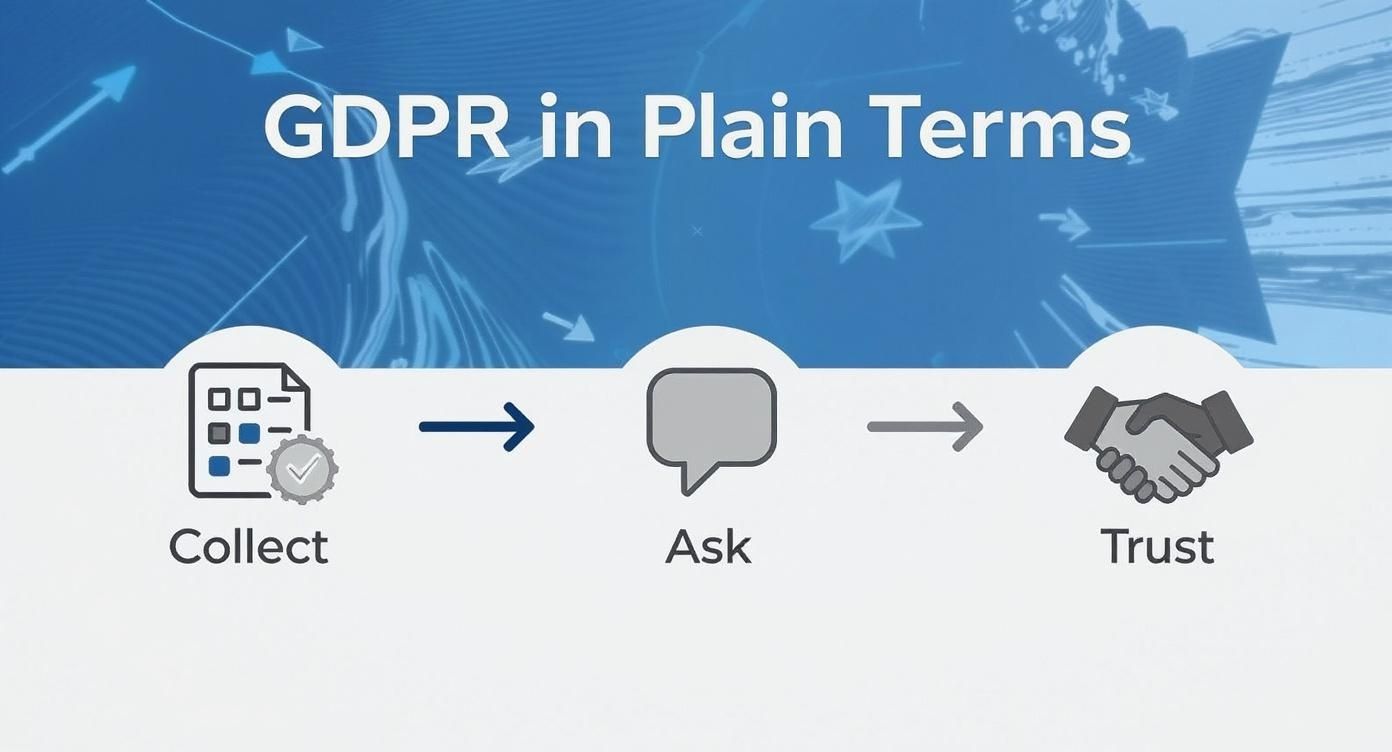
When you look at it this way, genuine consent is the bridge between collecting user data and earning the trust you need for a healthy relationship with your audience.
The Most Common Consent Mistakes to Avoid
Many of the "old school" consent methods you still see online are now direct violations of GDPR. These are often called "dark patterns"—design tricks meant to nudge or confuse people into agreeing without fully understanding what they're saying yes to.
Here are the biggest pitfalls you need to steer clear of:
- Pre-checked Boxes: Consent has to be an active opt-in. This means any checkboxes for marketing, analytics, or other non-essential cookies must be unchecked by default.
- Implied Consent: Banners declaring "By continuing to browse, you agree to our use of cookies" are non-compliant. Scrolling, swiping, or just staying on the page is not a clear, affirmative action of consent.
- No "Reject" Option: If your banner only has an "Accept" button without an equally easy and obvious way to decline, you're not offering a genuine choice. The ability to say "no" is non-negotiable.
The core principle is simple: under GDPR, consent isn't valid if the user has no real choice, feels pressured, or faces negative consequences for refusing. The power must always stay with the individual.
How to Design a Cookie Banner That Actually Complies
A good cookie banner does two things: it clearly informs the user, and it accurately records their choice. Think of it less like a gatekeeper and more like a transparent menu. Your visitors should be able to see exactly what's on offer and pick what they're comfortable with.
Here’s a look at some common practices and how to get them right.
Compliant vs. Non-Compliant Consent Practices
| Practice | Compliant Approach (Do This) | Non-Compliant Approach (Avoid This) |
|---|---|---|
| Initial State | All non-essential cookie toggles are off by default. Users must actively opt-in. | Boxes for Analytics or Marketing are pre-checked. This tricks users into consent. |
| Buttons | "Accept All" and "Reject All" buttons have equal visual weight and prominence. | The "Reject" option is hidden, grayed out, or buried in a "Settings" menu. |
| Action for Consent | Users must click a clear "Accept" or "Agree" button. | Banners state that "continued browsing" or scrolling counts as consent. |
| Granularity | Users can easily access settings to approve specific cookie categories (e.g., Analytics but not Marketing). | Only an "Accept All" option is provided, forcing an all-or-nothing decision. |
| Cookie Walls | The website remains accessible even if the user rejects non-essential cookies. | Blocking access to the site entirely until the user clicks "Accept." |
Ultimately, a compliant banner is built on transparency and respect for user autonomy. It's not about finding loopholes; it's about being upfront.
To make sure your banner ticks all the boxes, focus on these four elements:
- Clear Language: Ditch the legal jargon. Explain why you use cookies in simple, straightforward terms anyone can understand.
- Granular Controls: Give users the power to consent to different cookie categories separately (like Analytics, Marketing, etc.). An "all or nothing" choice isn't good enough.
- Equal Prominence: Your "Accept" and "Reject" buttons should be designed as equals. Don't use color, size, or placement to trick users into clicking "Accept."
- Link to Policies: Always provide a direct link to your detailed Cookie Policy and Privacy Policy. If you need a refresher, you can learn everything you need to know about cookies in our detailed guide.
The Google Analytics Problem and Privacy-First Alternatives
Analytics are vital for understanding how your website is performing, but popular tools like Google Analytics have run into trouble with EU regulators. The main issues often circle back to consent and cross-border data transfers.
Recent rulings, particularly from authorities like France's CNIL, have put a huge spotlight on how data is sent to the US. This regulatory heat, combined with the strict consent rules, means just installing Google Analytics out of the box is no longer a safe bet.
This has paved the way for a new generation of privacy-focused analytics tools. These platforms are built from the ground up to respect user privacy and comply with GDPR, often by ditching cookies and personal data collection altogether.
- Cookie-less Tracking: Instead of tracking individuals, these tools use anonymized data and aggregation to give you powerful insights without compromising privacy.
- Data Anonymization: They automatically strip out personal identifiers like IP addresses before any data is even processed.
- No Cross-Site Tracking: Your website's data is never mixed with data from other sites to create invasive profiles of your users.
Tools like Swetrix are leading this charge. They provide the essential metrics you need—top pages, traffic sources, user behavior—without collecting a single piece of personal data. By opting for a privacy-first solution, you're not just ensuring GDPR compliance; you're building a more honest and trustworthy relationship with your visitors.
Writing a Privacy Policy People Actually Understand
Let's be honest: your privacy policy is probably one of the most important documents on your website, but it often reads like a dense legal contract that no one actually wants to read. If that sounds familiar, you're missing the entire point of GDPR.
Think of your privacy policy less as a legal shield and more as an open conversation with your users. Its job is to build trust by answering a few simple, crucial questions: What information are you collecting from me, and why do you even need it?

This isn't just about being friendly; it's a legal requirement. A policy that’s buried in jargon or impossible to navigate can be deemed non-compliant just as easily as one with missing information.
The Core Components of a GDPR-Ready Privacy Policy
To get this right, your policy needs structure and clarity. It must lay out every part of your data-handling process in a way that’s comprehensive yet easy to follow. At the very least, you absolutely have to include these key sections:
- Who You Are: Start with the basics—your company’s name, address, and contact details. If you have a Data Protection Officer (DPO), their contact information goes here, too.
- What Data You Collect: Be incredibly specific. List every single type of personal data you gather, whether it's names and emails from a contact form or the IP addresses and cookie data used for your analytics.
- Why You Collect It (Your Lawful Basis): For each piece of data, explain your legal reason for processing it. This could be user consent (for a newsletter), a contractual necessity (to complete an e-commerce order), or a legitimate interest (for essential website analytics).
- Who You Share It With: Be transparent about any third-party services that handle data for you. This includes your email marketing platform, your analytics provider, your payment processor, and even your cloud hosting service.
- How Long You Keep It: You can't hold onto data forever. State your data retention periods clearly. Explain how long you store each category of data and the criteria you use to decide when it's deleted or anonymized.
- Explaining User Rights: You must clearly tell users about their GDPR rights—like the right to access, correct, or completely delete their data—and provide simple, straightforward instructions on how they can do it.
A privacy policy isn't a "set it and forget it" document. It must be a living, breathing reflection of your current data practices. If you add a new analytics tool or change how you collect marketing consent, your policy must be updated immediately to reflect that change.
Look Beyond the Policy Page: Just-in-Time Notices
While a detailed policy is the foundation, GDPR also pushes for transparency right at the point where you collect data. This is where "just-in-time" notices come into play.
These are simply brief, contextual explanations that appear exactly when a user is about to hand over their information. For example, right under your newsletter signup form, a small notice could say: "We'll use your email to send you weekly updates. You can unsubscribe at any time." That one sentence reinforces transparency without making the user go hunt for your full policy.
These notices are a game-changer for getting meaningful consent. Yet, a surprising number of businesses still get this wrong. A 2025 survey showed that around 30% of European businesses are still not fully GDPR-compliant, often because of things like incomplete privacy policies or missing cookie banners. You can dig into the full analysis of GDPR compliance trends for more details.
By making your policies clear, accessible, and contextually relevant, you're doing more than just ticking a compliance box. To see how this looks in practice, take a look at our own data policy here. It’s about building a stronger, more honest relationship with your audience—and turning a legal obligation into a real advantage.
How to Handle User Data Requests
Under the GDPR, your website visitors are no longer just passive users. They are "data subjects," and the law gives them powerful rights over their own personal information. A privacy policy is just the start; you need a real, repeatable process for when people exercise those rights.
Think of it this way: GDPR hands your users a remote control for their data. They can ask to see what you have, demand you fix a mistake, or even hit the "delete" button. Your job is to make sure those buttons actually work.
Understanding Key User Rights
GDPR compliance really boils down to respecting several core rights that every user from the EU has. While there are eight rights in total, a few of them come up far more often than the others for typical website owners.
Here are the big ones you'll most likely need to handle:
- The Right of Access: Users can demand a complete copy of every piece of personal data you hold on them. This isn't just their name and email; it could include any analytics data or user history tied directly to them.
- The Right to Rectification: If a user spots that the information you have is wrong or incomplete, they have the right to get it corrected, and you can't drag your feet.
- The Right to Erasure (The "Right to be Forgotten"): This is probably the most famous part of GDPR. A user can request that you wipe their personal data from your systems, and in most situations, you have to do it.
- The Right to Data Portability: Users can ask for their data to be handed over in a common, machine-readable format (like a CSV file). The idea is to make it easy for them to take their information and move it to a different service.
Ignoring these requests can land you in hot water with regulators. But on the flip side, handling them well is a fantastic way to show you're trustworthy.
Creating a Simple and Effective Workflow
You absolutely need a clear, step-by-step plan. You can't afford to be scrambling to figure out what to do when a request lands in your inbox. The clock starts ticking the second it arrives—you have just one month to respond.
Having a solid workflow turns a potential legal nightmare into a straightforward administrative task.
Critical Takeaway: Your process for handling data requests needs to be as clear and easy to find as your privacy policy. Hiding the process or making it difficult for users to exercise their rights is a direct violation of GDPR.
Follow these steps to build a process that holds up:
Create a Designated Channel: Don't make people dig around your site to figure out how to contact you. Set up a dedicated email address (e.g.,
privacy@yourdomain.com) or a specific web form just for data requests. Make sure you list this channel clearly in your privacy policy.Verify the User's Identity: This step is crucial. Before you hand over or delete anything, you must be confident the person asking is who they claim to be. This prevents a potential data breach. You can ask for information only the real user would know, like the date of their last purchase or the original email address they used to sign up.
Locate and Compile the Data: Once you've confirmed their identity, the hunt begins. You need to track down every piece of data linked to that user across all of your systems. That means checking your CRM, your email marketing platform, your analytics tools, and any website databases.
Fulfill the Request:
- For access requests: Securely package and send the compiled data to the user.
- For correction requests: Update the incorrect information everywhere it lives.
- For erasure requests: Permanently delete the user's data from all systems.
Document Everything: Keep a secure, internal log of every single request. Note the date it was received, what was asked, how you verified their identity, the specific actions you took, and the date you completed it. If a regulator ever questions you, this log is your proof of compliance.
Securing Your Website and Preparing for Breaches
GDPR compliance is so much more than just cookie banners and privacy policies. At its core, it's about safeguarding the personal data you've been entrusted with. A data breach doesn't just invite hefty fines; it can shatter the trust you've built with your audience in an instant.
This is why robust technical security isn't just a good idea—it's a non-negotiable part of the regulation.
Think of your website like a digital vault. You wouldn't leave the combination sitting on top of it, right? The same logic applies to user data. You have to build strong protections right into the foundation of your website from the very beginning, a concept known as "privacy by design."

This proactive mindset makes all the difference. It's also worth noting how different data protection concepts fit together; you can get a better handle on the nuances by exploring the differences between privacy vs security. Both are absolutely vital for a solid GDPR strategy.
Foundational Security Measures for Every Website
The good news is that securing your website doesn't have to break the bank. It all starts with putting fundamental best practices in place to build a strong first line of defense against the most common threats out there.
Here are the security basics every website needs:
- Install an SSL Certificate (Use HTTPS): This is the lock on the digital envelope. It encrypts the data traveling between a user's browser and your server, protecting things like login details and form submissions from prying eyes.
- Keep Everything Updated: Outdated software is a welcome mat for hackers. Make a habit of regularly updating your website’s core system (like WordPress), along with all your plugins and themes, to close known security gaps.
- Enforce Strong Passwords: Don't make it easy for attackers. Require strong, complex passwords for all user accounts, especially your own admin accounts. Think length, a mix of characters (numbers, symbols, uppercase), and maybe even a policy for periodic changes.
Preparing for the Worst: An Incident Response Plan
Let's be realistic: no matter how buttoned-up your security is, you can never completely eliminate the risk of a data breach. What truly sets you apart is how you prepare for that possibility. Having a clear, straightforward plan before anything goes wrong is essential.
Your incident response plan doesn't need to be a 100-page novel. It just needs to clearly spell out the immediate steps your team will take to contain the damage and meet your legal obligations under GDPR.
A data breach under GDPR isn't just a technical glitch—it's a legal event with a stopwatch. From the moment you're aware of a breach, you have just 72 hours to notify the relevant supervisory authority.
That incredibly tight deadline means you simply don't have time to figure things out when the pressure is on. Your plan should define roles, responsibilities, and the precise sequence of actions to take.
Your 3-Step Breach Notification Workflow
When you discover a breach, your response has to be fast and methodical. A well-defined workflow helps ensure you meet your legal duties while minimizing the harm to your users.
- Investigate and Contain: First things first, stop the bleeding. Shut down any unauthorized access, figure out how the attackers got in, and patch the vulnerability immediately. At the same time, you need to assess exactly what data was stolen and who it belongs to.
- Notify the Supervisory Authority: You have to report the breach to your main data protection authority (DPA) within that 72-hour window. This report needs to detail the nature of the breach, the types of data involved, roughly how many people are affected, and the steps you've taken to fix it.
- Inform Affected Individuals: If the breach is likely to pose a high risk to people's rights and freedoms—like if financial details or other sensitive information was exposed—you must also inform the affected users directly and without unnecessary delay. This message should clearly explain what happened and what they can do to protect themselves.
10. Your GDPR Website Compliance Checklist
Okay, we've covered a lot of ground. Now it's time to put all that theory into practice. Think of this checklist as your self-audit tool—a way to cut through the complexity and ask some simple, direct questions about your website.
This isn't a test with a pass/fail grade. It's a practical roadmap. Every item you check off gives you peace of mind, and every item that needs review is a clear signpost pointing you toward what to fix next.
Consent and Cookie Management
This is your most public-facing GDPR component and, frankly, the easiest place to get things wrong. Real consent is about giving your visitors a genuine, active choice, not tricking them into clicking "yes."
- Does your website truly wait for a user's explicit consent before loading any non-essential cookies or trackers? (No "fire-on-load" scripts for analytics or ads).
- Are all the toggles for non-essential cookie categories unchecked by default in your consent management tool?
- Do your "Accept" and "Reject" options carry equal weight visually? Avoid dark patterns like a big, bright green "Accept" button next to a tiny gray "Reject" link.
- Is it just as easy for a user to change or completely withdraw their consent as it was to give it in the first place?
A compliant consent banner is more than a legal checkbox; it's a handshake. It tells your visitors you respect their privacy from the very first click.
Privacy Notices and Transparency
Your privacy policy is a conversation with your users. It needs to be clear, honest, and accessible, not buried under layers of legalese.
- Is your privacy policy written in plain English that a non-lawyer can actually understand?
- Does it clearly spell out what data you collect, why you need it, how long you'll keep it, and who you share it with (naming third-party services)?
- Are you using "just-in-time" notices? For example, a quick sentence under your newsletter signup form explaining what they're signing up for.
Handling User Data Rights
The GDPR gives individuals powerful rights over their data, and you have to be ready to act on them. Having a plan in place is essential for handling these requests smoothly and professionally.
- Do you have a clear, easy-to-find process for people to submit data subject requests (like asking for a copy of their data or requesting deletion)?
- How do you verify the person's identity before you hand over or delete data? You need a solid process to avoid accidentally causing a data breach.
- Can you actually find and manage a specific person's data across all your systems? This includes your website's database, your CRM, your analytics platform, and your email marketing tool.
Security and Breach Preparedness
Finally, you have a fundamental duty to protect the data you hold. Strong security isn't just a good idea; it's a legal requirement.
- Is all traffic to your website encrypted using an SSL certificate (HTTPS)? This is a baseline security measure.
- Do you have a written incident response plan? You need to know exactly what to do and who to call if a data breach happens, especially with that 72-hour notification deadline looming.
GDPR Website Compliance Checklist
To bring everything together, use the table below as a high-level summary to audit your website. Go through each item and honestly assess your status. This will create a clear action plan for any remaining compliance gaps.
| Compliance Area | Checklist Item | Status (Compliant/Needs Review/Non-Compliant) |
|---|---|---|
| Privacy Policy | Is it clear, comprehensive, and easily accessible? | |
| Cookie Consent | Is consent actively given before non-essential cookies are set? | |
| Consent UX | Are "Accept" and "Reject" options given equal prominence? | |
| Withdrawal of Consent | Can users easily change or revoke their consent at any time? | |
| Data Subject Rights | Is there a clear process for handling user requests (access, deletion, etc.)? | |
| Lawful Basis | Is a valid lawful basis identified for all data processing activities? | |
| Data Minimization | Are you only collecting data that is strictly necessary? | |
| Security | Is the website secured with HTTPS? | |
| Breach Notification | Do you have an incident response plan for the 72-hour deadline? | |
| Cross-Border Transfers | Are international data transfers properly safeguarded (e.g., using SCCs)? | |
| Records of Processing | Do you maintain updated records of your data processing activities (ROPA)? |
Completing this checklist is a major step. It moves you from simply knowing about GDPR to actively implementing it, ensuring you not only meet your legal obligations but also build a more trustworthy relationship with your audience.
Common GDPR Questions Answered
Even with a solid grasp of the basics, some of the trickier GDPR scenarios can leave you scratching your head. Let's tackle some of the questions that pop up most often.
Do I Need a Data Protection Officer?
For the vast majority of small to medium-sized websites, the short answer is no.
The requirement to appoint a formal Data Protection Officer (DPO) only kicks in under specific circumstances, like if your main business is large-scale, systematic monitoring of people (think an ISP or a big data analytics firm) or processing massive amounts of sensitive data (like health records).
That said, it’s just good practice to have someone on your team be the go-to person for all things privacy. They don't need the official "DPO" title, but someone should own the responsibility.
Does GDPR Apply to B2B Websites?
Yes, absolutely. This is a huge point of confusion for many businesses.
The GDPR is designed to protect "natural persons"—real, living individuals. A business email address like john.smith@acmecorp.com is still personal data because it clearly identifies John Smith. It doesn't matter if you're selling to a company; you're still interacting with and collecting data from a person.
A common misconception is that GDPR is only for consumer-facing businesses. The regulation makes no distinction; if you collect data that can identify an individual—even in a professional context—you must comply.
How Long Can I Keep User Data?
There's no single, universal deadline in the GDPR for deleting data. Instead, it’s all about the principle of "storage limitation."
This means you can only hold onto personal data for as long as you genuinely need it for the specific reason you collected it in the first place. Once that purpose is fulfilled, the data should be securely deleted.
For example, you might need to keep a customer's purchase records for seven years to comply with tax laws. But if someone unsubscribes from your newsletter, you should delete the data associated with that marketing consent right away. The key is to define these retention periods yourself, document them, and state them clearly in your privacy policy.
Ready to simplify your analytics while ensuring GDPR compliance? Swetrix offers a privacy-first web analytics platform that gives you actionable insights without collecting personal data. Start your free 14-day trial and see how easy compliance can be.