- Date
The Best Google Analytics Alternative For Bloggers In 2026
 Andrii Romasiun
Google Analytics used to show you exactly who read your latest post and where they came from. Today, opening the dashboard presents an empty canvas requiring custom SQL-like explorations to see basic pageviews. Because you write content instead of running an enterprise data science team, the platform actively works against your goals. Add the burden of intrusive cookie banners and mounting privacy laws, and the tool becomes a liability. Swetrix operates as the best Google Analytics alternative for bloggers looking to boost page speed, protect reader privacy, and permanently delete annoying consent pop-ups.
Why Bloggers Are Leaving Google Analytics 4
Google built GA4 to track complex user journeys across massive corporate applications. It excels at measuring how a user moves from an iOS app to a checkout portal, but it fails to tell a solo publisher if their latest 2,000-word essay held anyone's attention. Review your current GA4 dashboard to see how many clicks it takes to find a basic pageview count.
The Complexity of GA4 and Data Loss
In 2020, Google shifted its analytics architecture from a session-based model to an event-based system, which destroyed the simple traffic reporting bloggers relied on for a decade. Out of the box, the new interface hides standard metrics behind dense menus and requires specialized training to configure custom reports.
Worse, Google mandated Consent Mode v2 for European traffic in March 2024 to comply with the Digital Markets Act, forcing websites to pass explicit consent signals back to Google's servers. Because a large percentage of readers reject tracking cookies when presented with a choice, GA4 relies on data modeling to fill the gaps. The software guesses what your unconsented visitors did based on machine learning algorithms, so you lose raw accuracy. Your reports blur into probability rather than concrete traffic numbers.
The GDPR Compliance Nightmare
Beyond the convoluted interface, running Google's tracker exposes independent creators to severe legal friction. The EU General Data Protection Regulation heavily restricts transferring personal data, including IP addresses, to servers outside Europe. The enforcement is not theoretical, as regulators have levied over 6.11 billion euros in GDPR fines to date.
National Data Protection Authorities in France, Austria, and Italy have repeatedly ruled that default GA4 configurations violate privacy laws because they expose European visitor data to US surveillance programs under the CLOUD Act. Maintaining a strictly legal setup requires configuring server-side tagging and anonymization proxies, demanding a dedicated engineering budget most solo operators lack. Transitioning to a privacy-first platform removes this liability. Check your site's privacy policy to ensure you disclose international data transfers if you keep Google Analytics installed.
Core Features of the Best Google Analytics Alternative for Bloggers
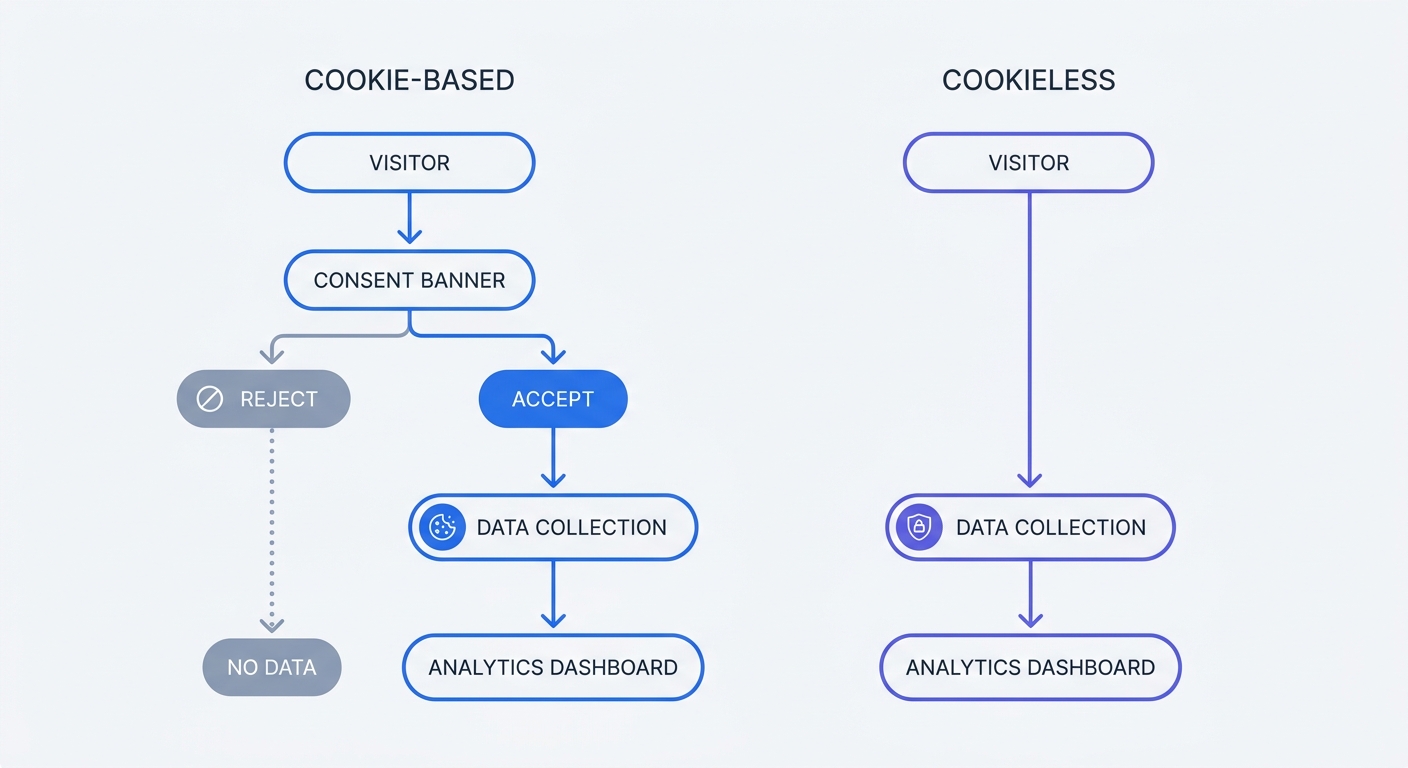
To avoid legal penalties and improve the reading experience, the web is moving toward cookieless tracking, which processes traffic without storing files on a visitor's device or tracking them across the internet.
Cookieless Tracking and No Cookie Banners
Traditional analytics tools drop a text file onto a reader's phone to identify them when they return, while cookieless architecture processes data ephemerally.
When a visitor loads your article, a platform like Swetrix generates a unique hash using their IP address and browser type combined with a daily rotating salt to create a temporary identifier. This counts pageviews and unique visitors for that specific day. At midnight, the salt changes, making yesterday's hashes untraceable. Because this method collects zero personally identifiable information, it bypasses the need for consent under GDPR, CCPA, and PECR.
By permanently deleting your cookie consent banner, you give readers immediate access to your writing without forcing them to click through a pop-up. You also capture full visibility into your traffic because nothing relies on an arbitrary "Accept All" button.
Simpler Metrics: Engagement vs. Bounce Rate
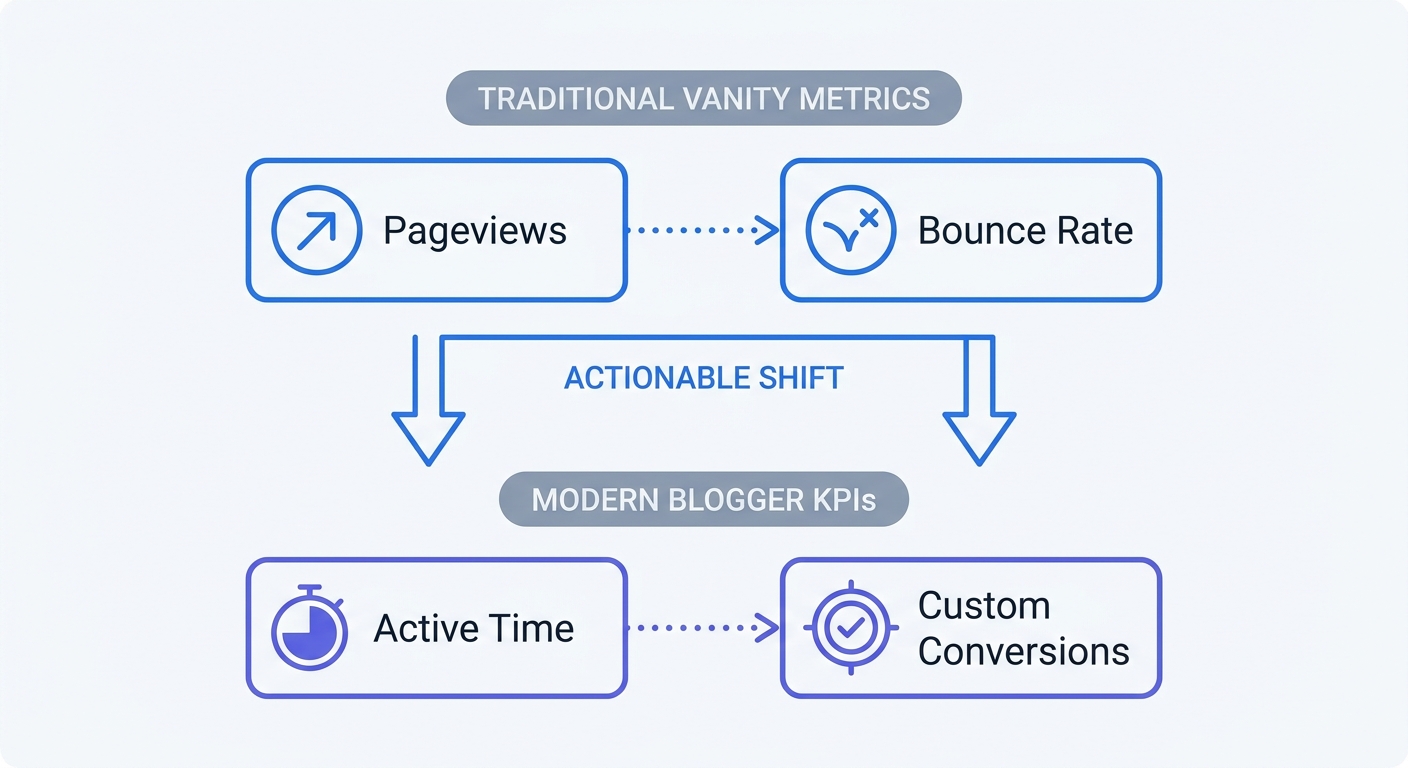
Traditional vanity metrics mean very little when AI summaries actively reduce organic search clicks, so you need to know if the people who arrive read your work. GA4 replaced traditional bounce rate with an "Engagement Rate" metric that counts anyone who stays for ten seconds, but this threshold tells you nothing about long-form reading behavior.
A recent Contentsquare benchmark puts the global cross-industry average time on page at 44 seconds, though this number varies wildly by industry—ranging from under 45 seconds for quick retail visits to over 1.3 minutes for B2B platforms—and depending on whether you publish short news updates or technical tutorials. If your analytics software marks a 12-second visit as a success, it creates a misleading report. High bounce rates also carry a stigma in the blogging industry, despite median rates often exceeding 60 percent for long-form content. A high bounce rate combined with a high time on page means the reader found the answer they needed and left satisfied.
Instead of broad session metrics, track active time on page and scroll depth. Cookieless platforms ping the server periodically while the user actively scrolls, measuring the exact duration of their attention rather than waiting for a second pageview that might never happen. Audit your current analytics dashboard today, and if your reports prioritize total sessions over active reading time, adjust your columns to surface engagement duration.
Swetrix: A Privacy-First Analytics Platform
Finding a lightweight, accurate replacement leads directly to Swetrix. Built from the ground up to respect user privacy, it combines traffic reporting with full-stack site observability, tracking everything you need to grow a publication without monetizing your audience.
Open-Source Data Ownership
Because true data ownership requires transparency, Swetrix operates fully open-source under the AGPL-3.0 license. If you possess the technical knowledge, you can self-host the entire platform via Docker on your own infrastructure, which bypasses subscription fees and eliminates third-party data access risks.
If you prefer a managed solution, Swetrix Cloud hosts all data on European servers. Pricing starts at $19 per month for up to 100,000 events, with a 14-day free trial to test the interface. Review your current monthly pageviews to determine which tier fits your publication. You control the retention policies, ensuring nobody else mines your audience for advertising profiles.
Built-in Blog Performance Monitoring
Traffic means nothing if a slow site drives readers away before the text renders. Most standalone analytics tools ignore site speed, forcing you to run separate software for performance tests. Swetrix includes built-in performance monitoring right next to your visitor counts to solve this fragmentation.
The dashboard tracks Core Web Vitals, Time to First Byte, and page load speeds across different countries and devices while capturing JavaScript errors on your live blog. If a broken email signup form throws a console error on mobile devices, the platform logs the issue alongside the exact browser version. Plan a transition to a combined tracking tool to streamline your software stack, because replacing Google's heavy script with a lightweight tracker immediately improves your load times.
How to Track Blogger KPIs Easily
After your platform runs smoothly, you must measure outcomes rather than counting pageviews. Traditional setups require Google Tag Manager to build separate triggers and tags for every button click, a complexity that deters bloggers from tracking the actions that drive revenue.
Defining Your True Conversions
A blog survives on concrete actions like newsletter signups, e-book downloads, and affiliate link clicks. Because these actions represent your core business metrics, you must define them and map them to your reporting.
Swetrix uses semantic HTML attributes to track these events without requiring custom JavaScript. To track clicks on an affiliate link to a hosting provider, add data-swetrix-name="affiliate_click" directly to the HTML tag in your WordPress or Ghost editor. When a reader clicks, the platform files the event under that exact name. Write down the three main conversion goals for your blog right now, and map out which links or buttons represent those actions.
To understand where converting visitors originate, append UTM tags to the links you share on social media or in newsletters. Using a UTM generator standardizes your campaign names. When visitors arrive via those tagged links, Swetrix categorizes them automatically to show you which specific newsletter issue drove the most affiliate clicks.
Filtering Out Bots and Spam
Your conversion rates look artificially low when automated bots inflate your overall traffic numbers. Because the open web is filled with web scrapers, AI crawlers, and referral spam pinging your domain, GA4 struggles to filter out aggressive datacenter traffic. This forces you to manually exclude spam domains in your property settings.
Swetrix applies strict network intelligence filters at the server level to automatically strip out known bots and automated scripts before they reach your dashboard. Check your current reports for unusual traffic spikes from foreign countries to identify existing bot pollution. With clean data in place, you can trust your subscriber conversion percentages.
Steps to Migration Your Blog Analytics Today
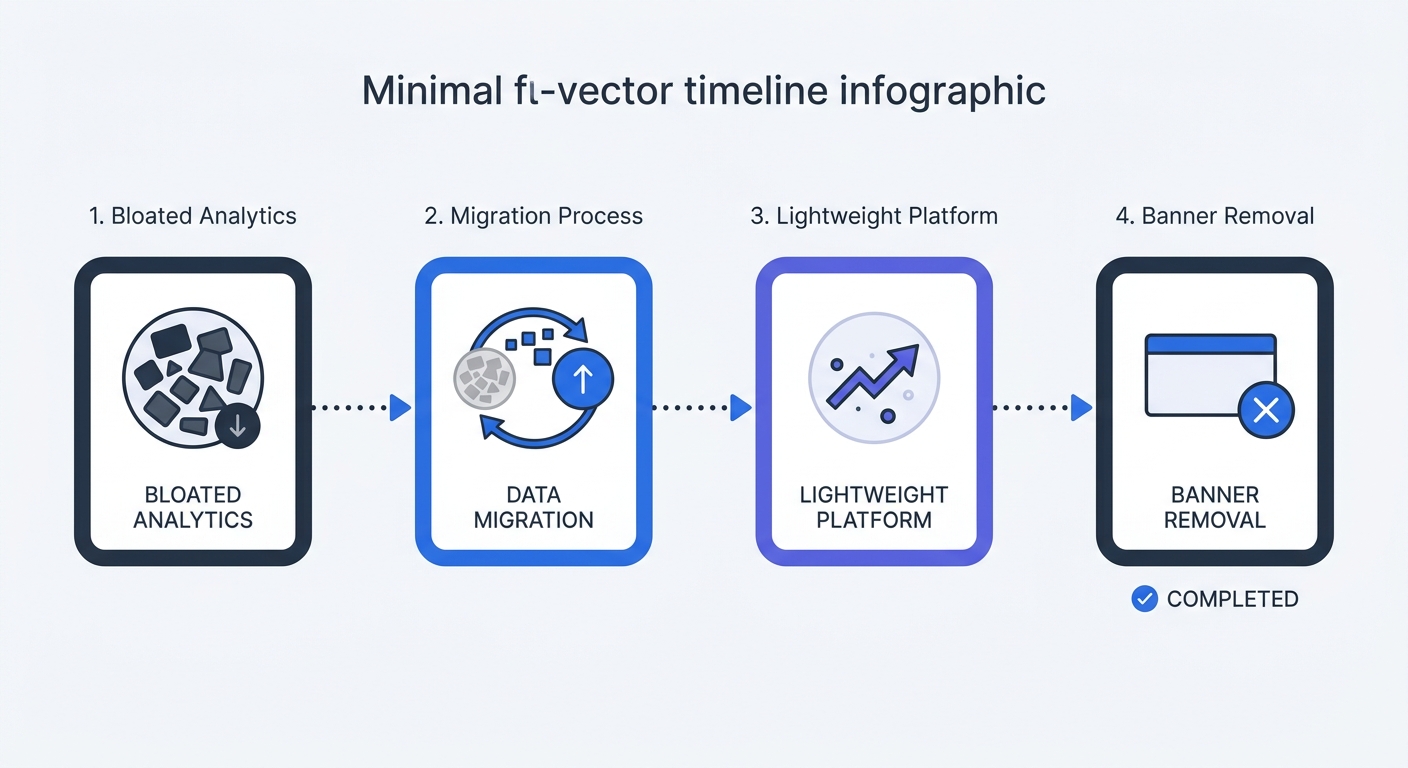
Swapping your analytics engine requires a careful transition, as ripping out your old code immediately leaves you with no historical baseline to understand how your new metrics compare to the old ones.
Running Tools in Parallel
Keep GA4 active while you deploy your new tracker; because lightweight scripts do not conflict with Google's tags, you can run both tools in parallel for thirty days.
During this month, compare the traffic sources and referrer data. You will notice discrepancies because cookieless tracking operates strictly on exact page loads, while GA4 relies on modeled estimates for users who rejected cookies. Once you understand the baseline difference in your numbers, trust the new reports and follow this weekly schedule:
- Week 1: Create your new analytics property and paste the lightweight tracking snippet into your site header alongside the existing GA4 tag.
- Week 2: Map your three core conversions using semantic HTML attributes on your most important buttons.
- Week 3: Compare the bounce rate in GA4 against the active time on page in your new dashboard to see how engagement differs.
- Week 4: Verify that your affiliate clicks and newsletter signups are registering correctly in the new platform.
Removing the Cookie Banner
After the thirty-day overlap, execute the final cleanup by deleting the GA4 property from your Google account. Next, remove the Google Tag Manager snippet from your site header entirely, and uninstall any cookie consent plugins you previously relied on.
Your blog now loads faster with a cleaner layout on mobile devices, allowing every visitor to interact with your content without clicking through a legal pop-up. This setup keeps you fully compliant with international privacy laws while capturing highly accurate performance data.
Stop fighting with complex interfaces and inaccurate machine-learning data models. Take control of your audience insights with a platform built specifically for speed, simplicity, and privacy. Start your 14-day free trial at Swetrix to permanently delete your cookie banner today.