- Date
Best Cookieless Product Analytics Tools for SaaS Teams in 2026
 Andrii Romasiun
SaaS teams need product analytics that help founders, marketers, and product teams answer product questions without turning visitors into ad profiles. Track signups, activation, feature use, funnels, revenue, errors, and user flows. Keep cookies, personal data, and cross-site tracking out of the default setup.
Swetrix sits at the front of that shortlist for teams that want cookieless analytics, no personal data collection, open source code, self-hosting, EU-hosted Cloud, real-time dashboards, custom events, goals, funnels, user/session analysis, feature flags, A/B experiments, performance monitoring, error tracking, revenue analytics, and AI Chat in one product.
Use a tight definition for this article: cookieless product analytics should let you measure your own product without tracking people across unrelated sites. Some tools match that model by default. Others need consent gates, SDK config, event filtering, or a server-side path. In Europe, the French regulator says audience measurement cookies can avoid consent under narrow conditions when the purpose stays limited to site or app measurement and the output stays anonymous, according to the CNIL guidance on audience measurement.
Quick Answer
| Rank | Tool | Best fit | Product analytics depth | Privacy and ownership fit |
|---|---|---|---|---|
| 1 | Swetrix | SaaS teams that want privacy-first web and product analytics in one tool | Events, goals, funnels, user flows, flags, experiments, revenue, errors, performance | Cookieless, no personal data collection, open source, self-hosting, EU Cloud |
| 2 | PostHog | Engineering-led product teams | Events, funnels, retention, flags, experiments, replay, warehouse | Strong with config, EU region choice, open source core |
| 3 | Matomo | Teams that want self-hosted web analytics with broad add-ons | Events, goals, funnels, ecommerce, A/B tests through plan or plugin choices | Strong data ownership when self-hosted |
| 4 | Plausible | Marketing sites that need privacy-first traffic plus goals | Events, goals, funnels, ecommerce on higher plans | Cookieless, EU-hosted, open source |
| 5 | Fathom | Teams that want one-page web analytics and event goals | Events, ecommerce, UTMs, filters | Cookieless, simple data model |
| 6 | Umami | Self-hosted web analytics for smaller SaaS teams | Events, UTMs, teams, session replay on Business Cloud | Open source, self-hostable, Cloud usage tiers |
| 7 | Simple Analytics | Public websites and agencies that want a narrow privacy-first dashboard | Events, goals, AI assistant, traffic reports | No cookies, no personal data, EU data storage |
| 8 | Mixpanel | Product teams that need cohorts, funnels, retention, and flows | Strong product analytics, replay, campaign reports | Needs consent, identity, and payload review |
| 9 | Amplitude | Larger product and growth teams | Product analytics, experiments, feature management, replay, AI | Needs consent and identity storage config |
| 10 | Heap | Teams that need autocapture and retroactive analysis | Autocapture, funnels, journeys, segments | High data scope, needs governance |
Start With The Decision
Pick the tool based on the decision you need to make each week.
| Decision | Metric to track | Tool requirement |
|---|---|---|
| Which channel creates activated users? | signup_completed to first_value_event | Referrers, UTMs, funnels, goals |
| Which feature deserves more work? | Feature use per account segment | Custom events, user/session analysis |
| Which release should reach more users? | Variant conversion and error rate | Feature flags, A/B tests, error tracking |
| Which campaign creates paid accounts? | Revenue per source | Stripe, Paddle, or server-side revenue API |
| Which onboarding step breaks? | Funnel drop-off plus errors | Funnels, user flows, session analysis |
Instrument five events before you compare dashboards:
| Event | Fires when | Useful properties |
|---|---|---|
signup_started | A visitor opens account creation | source, plan, landing_page |
signup_completed | Account creation succeeds | source, plan |
project_created | A user creates the first workspace, site, or project | plan, template |
first_value_event | The user reaches the action that predicts retention | feature, time_to_value_bucket |
paid_conversion | The account pays or starts a subscription | currency, plan, billing_provider |
For a simple Swetrix event on a marketing site, tag the button:
<button swetrix-event="signup_started">Start trial</button>
Keep emails, names, raw IP addresses, account IDs, and pasted prompts out of event metadata. Product teams can measure behavior without storing personal data in analytics.
1. Swetrix
Choose Swetrix when you want acquisition, product behavior, site health, experiments, and revenue in one privacy-first dashboard.
Swetrix tracks pageviews, referrers, UTM parameters, custom events, goals, funnels, user flows, user/session analysis, performance, JavaScript errors, shared dashboards, organisations, feature flags, A/B experiments, AI Chat, and revenue from Stripe, Paddle, or the API. Swetrix Cloud uses EU hosting. Teams that want full control can self-host the open-source product.
Cloud plans start at 100,000 events/mo for $19/mo, with a 14-day free trial. Swetrix Cloud has no free plan, so treat the trial as your proof period and pick the event tier after you estimate traffic and product event volume.
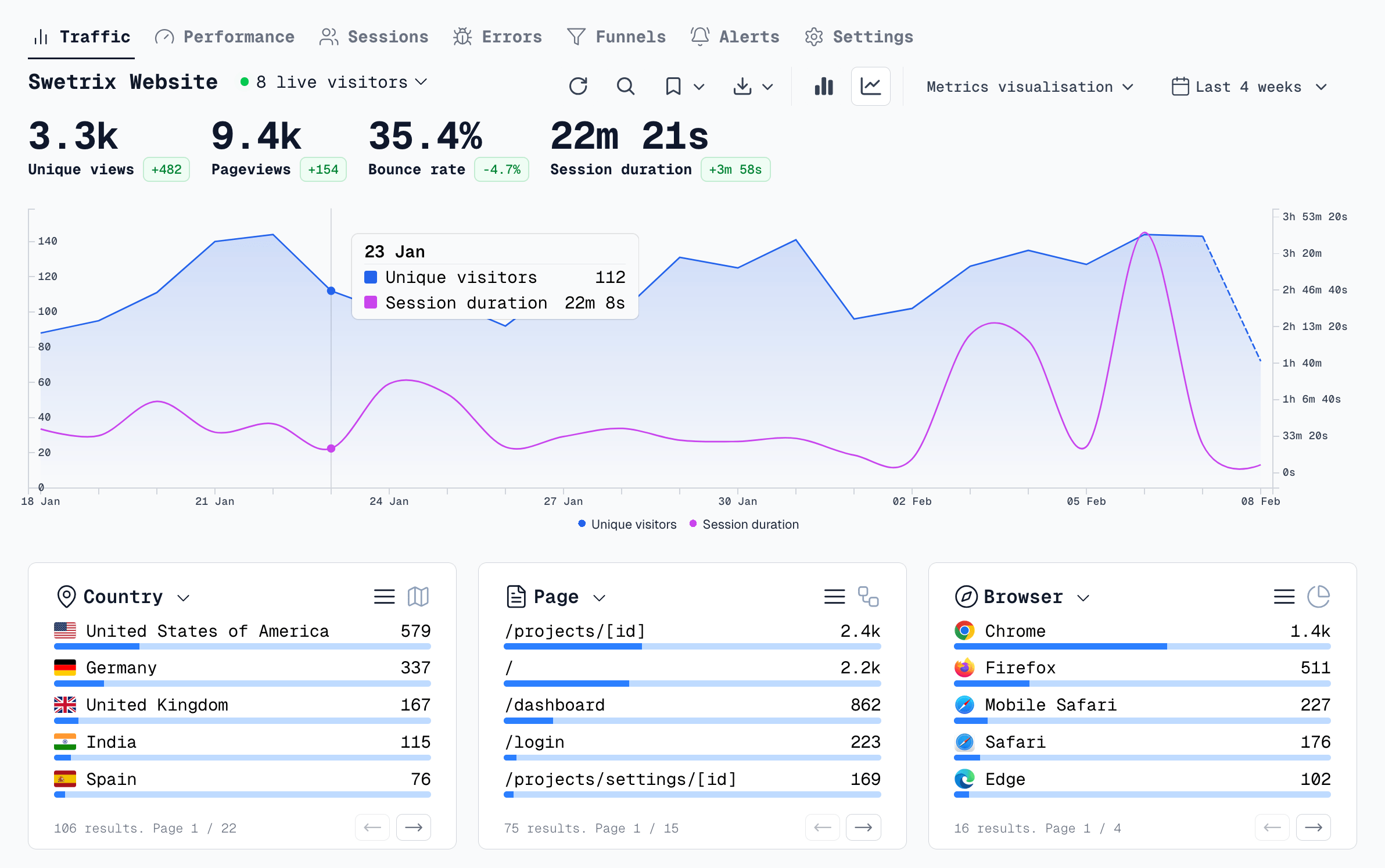
Use Swetrix if you want to answer these questions in one place:
- Which referrers, UTMs, and landing pages create trial starts?
- Which onboarding steps drop users before activation?
- Which release variant wins without increasing JavaScript errors?
- Which campaign creates Stripe or Paddle revenue?
Check before rollout: map your top five product events, connect Stripe or Paddle if you sell subscriptions, then build a funnel from landing page to activation. Use AI Chat for quick questions, then inspect the saved filters before you change budget or roadmap work.
2. PostHog
Choose PostHog when engineers own analytics and want a broad product OS.
PostHog gives teams product analytics, funnels, retention, session replay, feature flags, experiments, surveys, error tracking, data warehouse tools, and AI features. PostHog lists product analytics, session replay, feature flags, experiments, error tracking, warehouse rows, and AI credits as separate meters on its pricing page, so run your expected events and flag requests through the calculator before you commit.
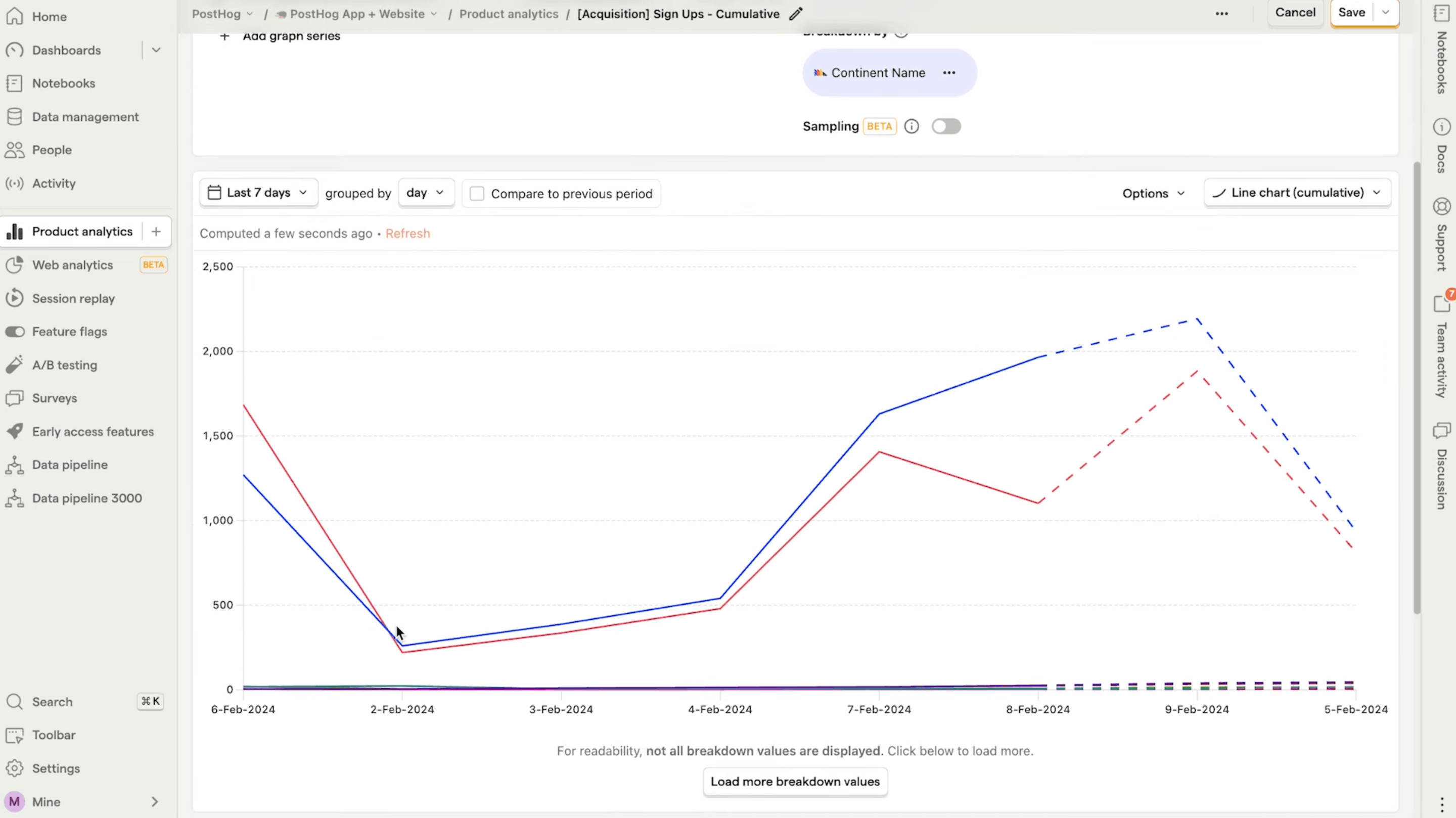
Use PostHog if your team wants to instrument a web app, test releases, run experiments, and write custom analysis with engineering support. It can fit startups that want one stack for product questions and release controls.
Privacy check: choose the right region, review cookie behavior, avoid sending personal data in event properties, and set billing limits. Self-hosting can work for teams that have infrastructure time, but the operational load sits higher than lightweight web analytics tools.
3. Matomo
Choose Matomo when data ownership and self-hosting outweigh setup speed.
Matomo fits organisations that want a long-running web analytics stack, on-prem control, and broad reporting. It can track events, goals, ecommerce, funnels, heatmaps, session recording, and A/B tests depending on Cloud plan or plugin choices.
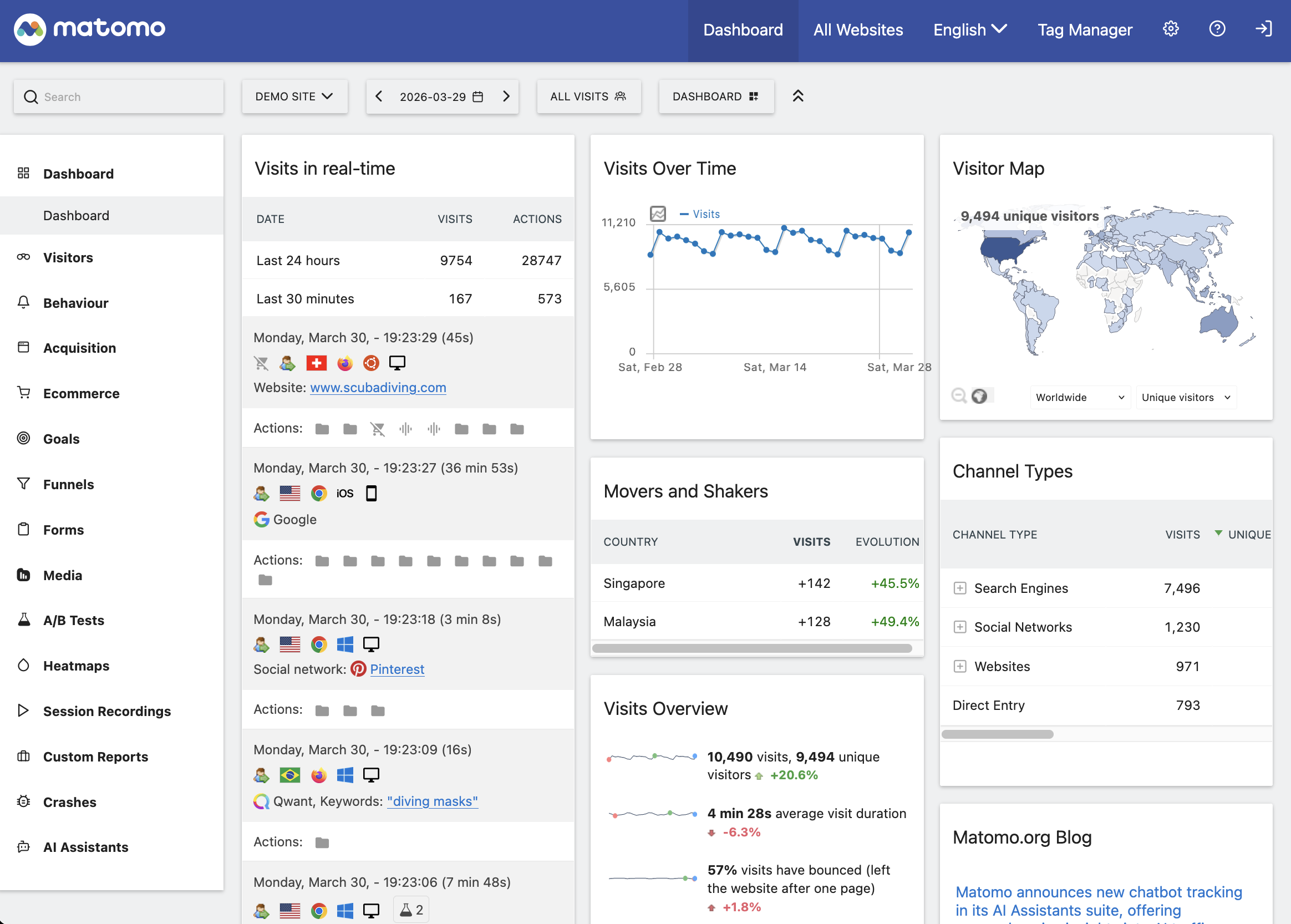
Use Matomo if your team has a compliance or procurement reason to run analytics on your own infrastructure. Agencies and regulated teams often like the control.
Check before rollout: list the add-ons you need, estimate hosting cost, and decide who maintains upgrades, backups, bot filters, and database growth. Product teams that need feature flags or release experiments may still need a second tool.
4. Plausible
Choose Plausible when your SaaS marketing site needs a clean traffic dashboard, goals, events, funnels, and ecommerce revenue attribution without cookie banners.
Plausible works well for founders, marketers, and agencies that want a fast view of traffic, campaigns, and conversion goals. Its Business tier adds funnels, user journeys, custom properties, and ecommerce revenue attribution.
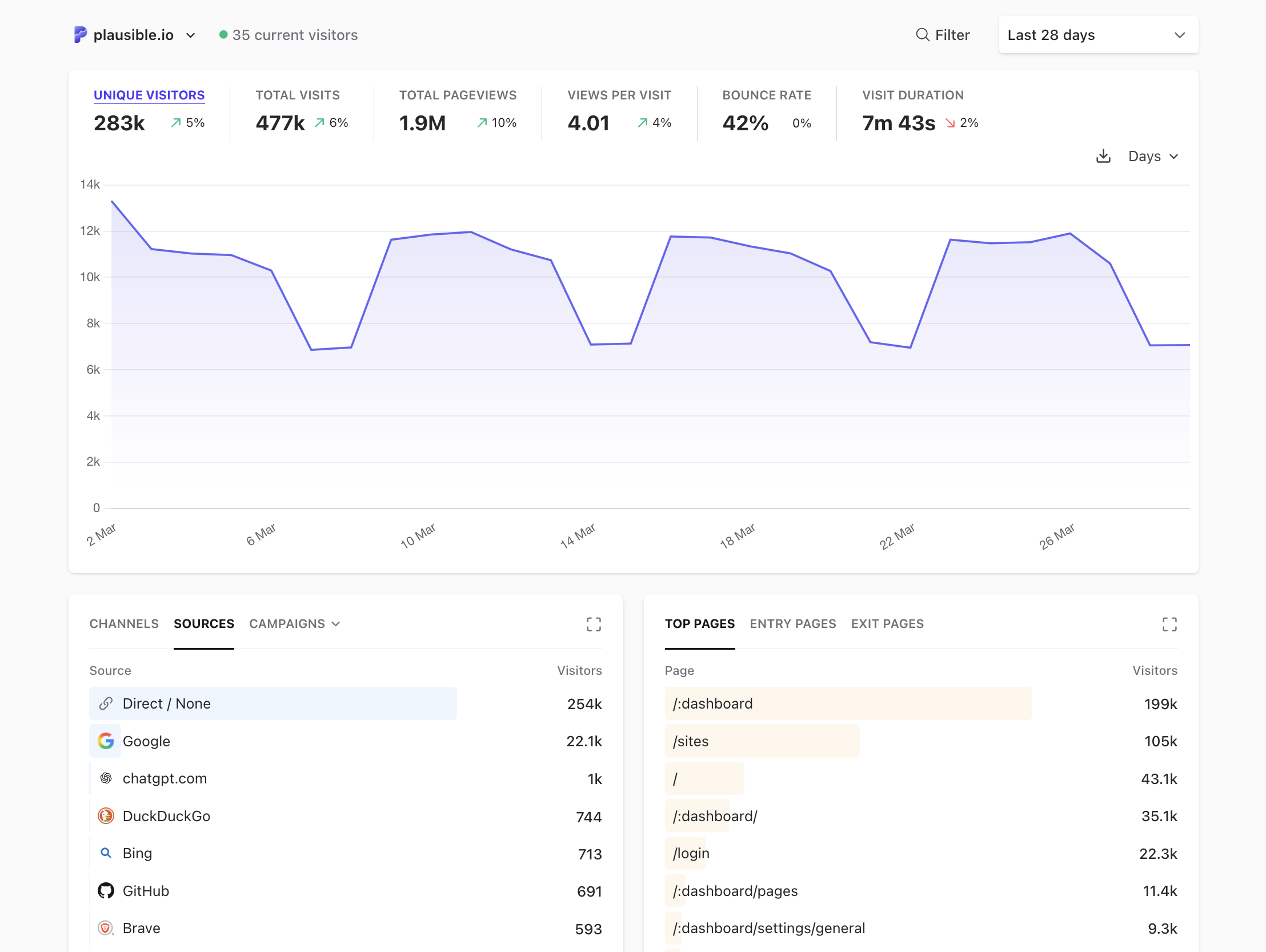
Use Plausible for acquisition reporting and lightweight conversion tracking. Pick a product analytics stack for feature flags, in-app retention analysis, and broad event taxonomies.
Check before rollout: confirm which plan unlocks funnels and revenue attribution, then build a short funnel from landing page to signup. Keep product events concise so the dashboard stays useful.
5. Fathom
Choose Fathom when setup speed and a one-page dashboard matter more than product depth.
Fathom covers pageviews, referrers, UTMs, events, ecommerce event values, live visitors, exports, and shared dashboards. It suits marketing sites, content sites, and agencies that want clear web analytics with low maintenance.
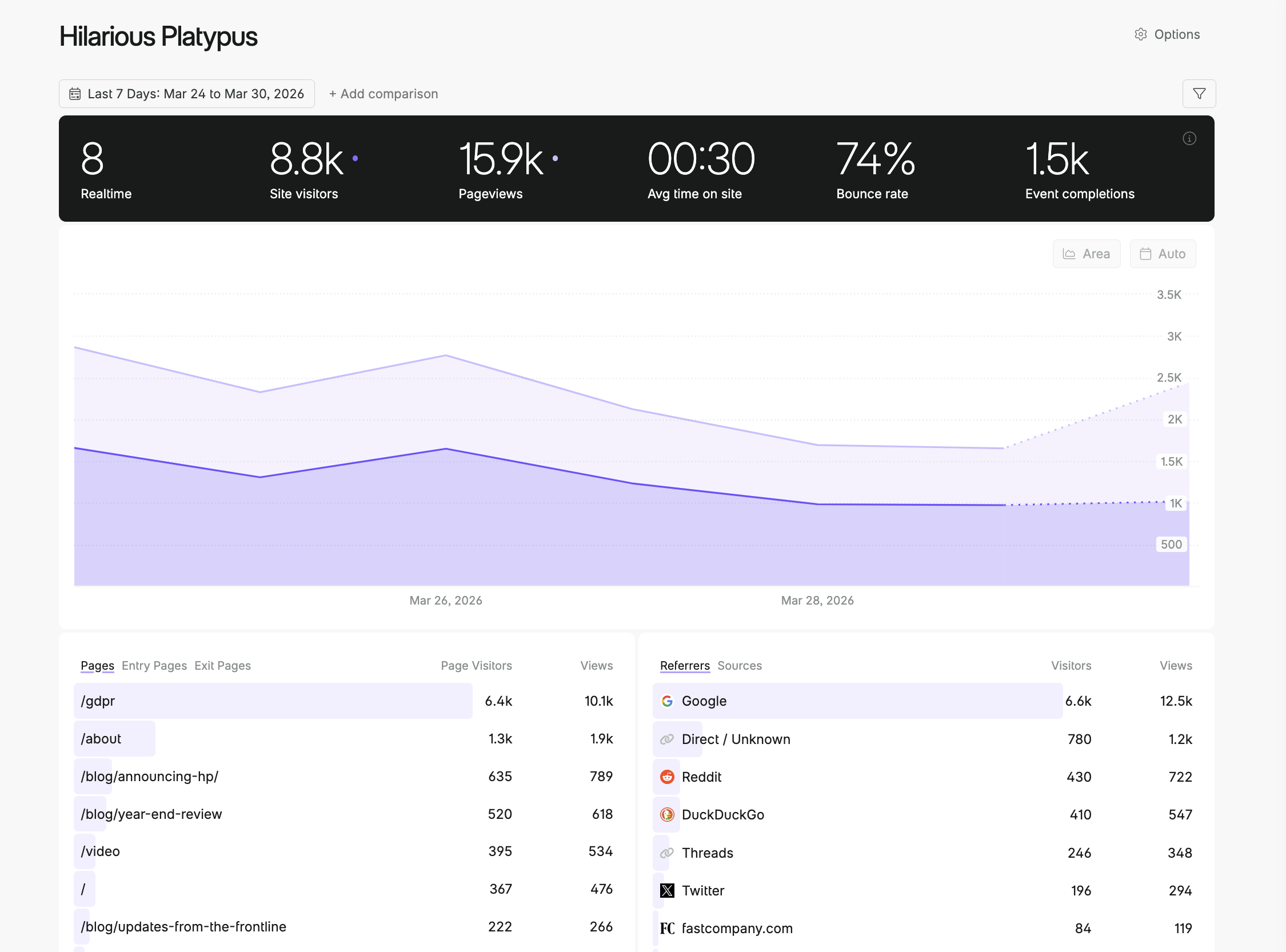
Use Fathom if your team needs traffic and conversion numbers without a data model workshop. Product teams that need retention cohorts, feature flags, or experiment rollout controls will add another tool.
Check before rollout: define event names for the actions that matter, such as signup_started, demo_requested, and checkout_completed. Keep the naming scheme short so reports stay readable.
6. Umami
Choose Umami when you want open-source, self-hosted web analytics with a small interface.
Umami handles pageviews, events, referrers, UTMs, devices, countries, teams, and Cloud usage tiers. Business Cloud also adds session replays. It fits internal tools, indie SaaS, docs sites, and teams that want to self-host with a modest setup.
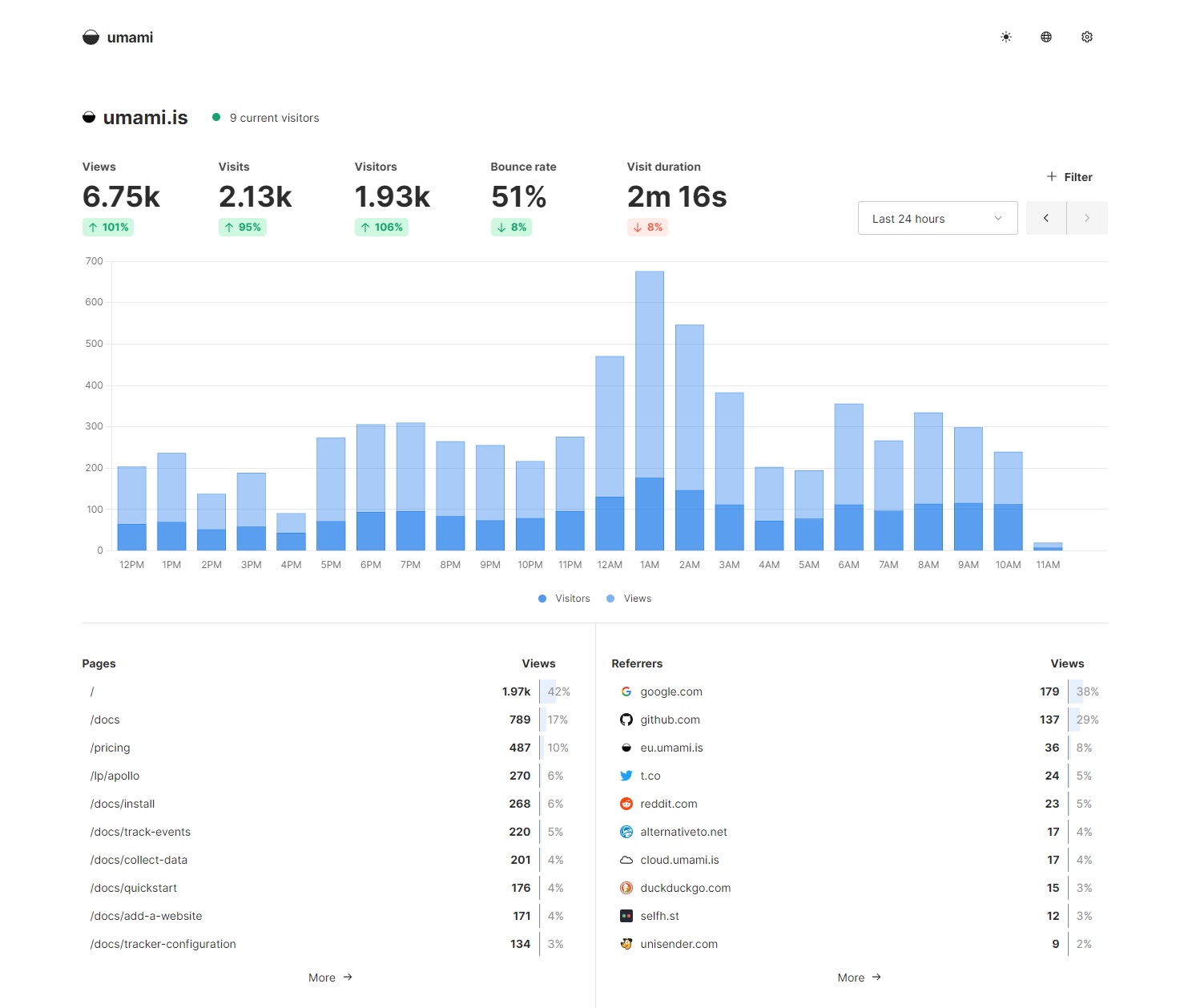
Use Umami for web analytics when you value open source code and a small footprint. For feature flags, A/B tests, revenue sync, or detailed user/session analysis, pair it with a product tool or choose Swetrix.
Check before rollout: estimate events per month, choose Cloud or self-hosting, and decide how long you need data retention.
7. Simple Analytics
Choose Simple Analytics when legal and marketing teams want a narrow privacy-first web dashboard with no cookies and no personal data.
Simple Analytics covers traffic, events, goals, AI assistant workflows, exports, and EU data storage. It works well for public websites, public sector teams, and agencies that want readable reports with minimal setup.
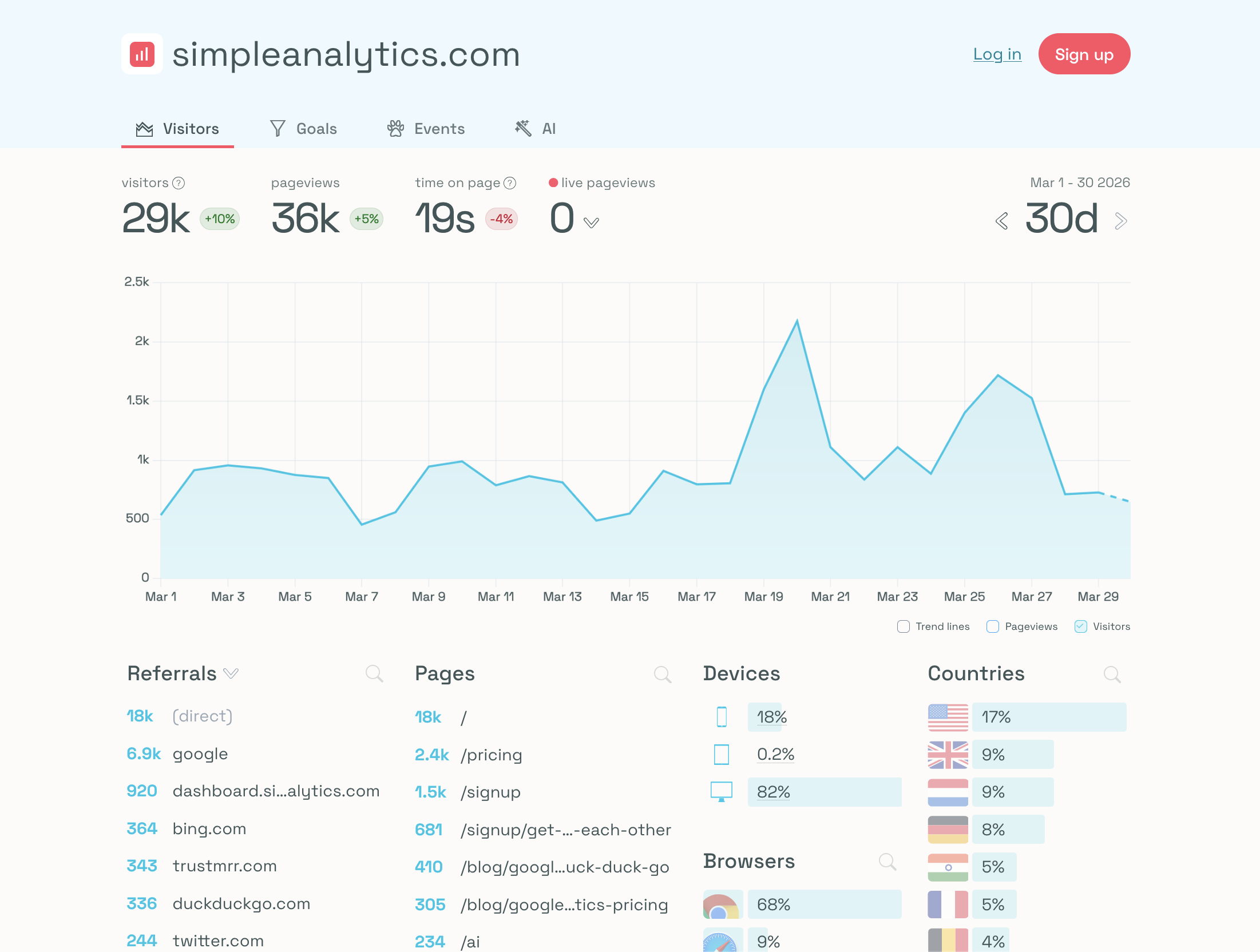
Use it for website reporting, not full SaaS product instrumentation. Teams that need feature flags, A/B experiments, product funnels, and revenue attribution should compare Swetrix first.
Check before rollout: confirm user limits, retention, data exports, and event volume. Then build a goal dashboard around signup, demo, and purchase events.
8. Mixpanel
Choose Mixpanel when product managers need strong funnels, cohorts, retention, flows, and session replay.
Mixpanel suits SaaS apps with large event streams and teams that spend time on product questions each week. It helps product managers inspect activation, churn, feature adoption, and customer segments across web and mobile products.
Privacy-conscious teams need a stricter rollout plan. Define the identity model, choose data residency, gate tracking where consent rules demand it, and strip personal data from event properties. Pair Mixpanel with Swetrix when you want cookieless acquisition analytics on your marketing site and deeper product reports inside the app.
Check before rollout: run a sample event volume forecast. A SaaS app with 20,000 active users and 40 tracked events per user per month produces 800,000 events before pageviews, replay, and backend events enter the bill.
9. Amplitude
Choose Amplitude when a larger product and growth team needs analytics, experiments, feature management, session replay, heatmaps, guides, surveys, and AI in one suite.
Amplitude works well for mobile apps, multi-product SaaS, and teams with product operations support. It can answer advanced retention, cohort, and journey questions.
Privacy review needs attention. Amplitude's Browser SDK docs list cookie, localStorage, sessionStorage, and none as identity storage choices, and its consent management docs tell teams to defer SDK initialization in places where cookies need consent before use.
Check before rollout: write an event schema, pick identity storage, decide consent behavior by market, and document which user properties your team can send.
10. Heap
Choose Heap when your team wants autocapture and retroactive analysis.
Heap captures clicks, taps, swipes, pageviews, and form fills from the point of installation. That helps product, UX, and growth teams answer questions they did not instrument in advance.
With that capture model, your team collects a wider data scope than manual event tracking. Run Heap on product surfaces where your privacy review accepts broad capture, and scrub sensitive form fields before data enters the tool.
Check before rollout: define allowed capture zones, excluded fields, data retention, and access rules. Feature flags, A/B rollouts, and revenue attribution may need adjacent systems.
Workflow Recommendations
| Workflow | Start with | Add or avoid |
|---|---|---|
| Marketing acquisition without cookie banners | Swetrix | Add Search Console for Google query data |
| Activation funnels plus revenue | Swetrix | Add Mixpanel or Amplitude if PMs need deep cohort work |
| Engineering-led release control | Swetrix or PostHog | Add a feature flag policy and rollout checklist |
| Self-hosted analytics | Swetrix or Matomo | Use Umami for narrower web analytics |
| Public agency dashboards | Swetrix, Plausible, or Simple Analytics | Avoid tools that expose product internals |
| Retroactive UX analysis | Heap | Scope capture and consent review before install |
Privacy Checklist
Write the privacy decision before you install a product analytics tool.
- Define the purpose: acquisition, activation, retention, error debugging, revenue, or release testing.
- List every event and property. Remove emails, names, raw IP addresses, account IDs, tokens, and support messages.
- Pick storage behavior: no client storage, cookie, localStorage, sessionStorage, server-side event, or self-hosted store.
- Pick region and owner: EU Cloud, US Cloud, or self-hosted.
- Set retention and access rules before events start flowing.
- Test consent paths in every market where you sell.
- Review pricing with real event volume, not pageview volume alone.
SaaS teams create the highest privacy risk when they mix marketing attribution, product events, support data, and revenue into one undisciplined event stream. Keep the schema narrow. Add events when a real decision needs them.
Final Recommendation
Start with Swetrix if you want the best cookieless product analytics balance for a SaaS team: acquisition, events, funnels, user flows, feature flags, A/B experiments, errors, performance, revenue, open source, self-hosting, EU hosting, and no personal data collection.
Pick Matomo when self-hosted control matters more than speed. Pick PostHog if engineers want a broader product OS and can manage event volume, identity, and pricing meters. Pick Plausible, Fathom, Umami, or Simple Analytics for lighter website reporting. Test Mixpanel or Amplitude after a privacy review if your product team needs advanced cohorts and retention analysis. Use Heap for scoped autocapture projects where broad event capture passes review.
Try swetrix.com/signup free for 14 days. Connect Swetrix to your SaaS, track events, goals, funnels, feature flags, experiments, errors, performance, revenue, and user flows without cookies or personal data collection.

The web analytics your site deserves.
Tired of bloated dashboards, privacy concerns, and data you can't trust? Switch to Swetrix and get simple, powerful analytics that respects your users.