- Date
What is device fingerprinting? A Practical Guide to How It Works
 Andrii Romasiun
Ever visited a website and felt like it recognized you, even if you’d cleared your cookies? You likely encountered device fingerprinting. It’s a clever way to identify a device by collecting a bunch of anonymous technical details it naturally broadcasts—things like its operating system, screen size, and even the fonts it has installed.
These signals are then stitched together to create a unique identifier, or "fingerprint," that can spot a returning visitor without ever needing cookies.
A Simple Look at Device Fingerprinting
Think of a detective trying to identify someone in a crowd without a name or photo. They wouldn't look for one single thing. Instead, they’d piece together a bunch of small, seemingly random clues: the way the person walks, the specific brand of shoes they're wearing, and the old, faded band t-shirt they have on. None of these clues alone is enough, but combined, they create a profile that’s almost impossible to mistake.
Device fingerprinting operates on the exact same principle. It builds a unique profile of your computer or phone based on its specific hardware and software configuration. Instead of dropping a file on your device like a cookie, it just passively observes the technical traits your browser shares with every website it visits.
The list of these attributes can get pretty long, but some of the most common ones are:
- Browser Type and Version: Are you on Chrome 125 or Safari 17?
- Operating System: Is it Windows 11, macOS Sonoma, or Android 14?
- Screen Resolution: What are the exact pixel dimensions of your monitor?
- Installed Fonts: The specific collection of fonts on your system can be surprisingly unique.
- Language and Timezone: Your default language and geographical location.
This screenshot gives you a glimpse into just how many data points can be pulled together to form a digital fingerprint.
Each bit of information helps narrow down the possibilities. A common operating system isn't unique, but when you combine it with a specific screen resolution, browser version, and an unusual font pack you installed for a design project, the combination can become one-of-a-kind.
This technology has become a go-to alternative as the world moves away from traditional tracking cookies, especially with privacy laws like GDPR changing the game. The global device fingerprinting market has already hit USD 2.37 billion, which shows just how vital it’s become. You can learn more about the market's growth and what’s driving these changes.
With third-party cookies on their way out, this approach gives businesses a way to understand user behavior without being overly intrusive. For example, analytics platforms like Swetrix rely on it to provide cookieless insights, helping website owners see how people are using their site without compromising individual privacy. It’s the backbone of everything from modern fraud prevention to the next generation of privacy-first web analytics.
How a Digital Fingerprint Is Actually Created
So, how does this all work in practice? Think of it like a detective building a profile. They don't have one single clue; instead, they gather dozens of small, seemingly unrelated details—the type of shoes a person wears, the way they talk, the brand of their watch. Individually, these details mean little. But together? They create a unique profile that can identify one person out of a crowd.
That's exactly what device fingerprinting does. The moment you land on a website, a script starts gathering these little "clues" that your browser and device openly share. This isn't a file stored on your computer; it's an identity constructed in real-time from your device’s unique characteristics.
The process boils down to collecting various signals, combining them, and then generating a unique ID from that specific mix.
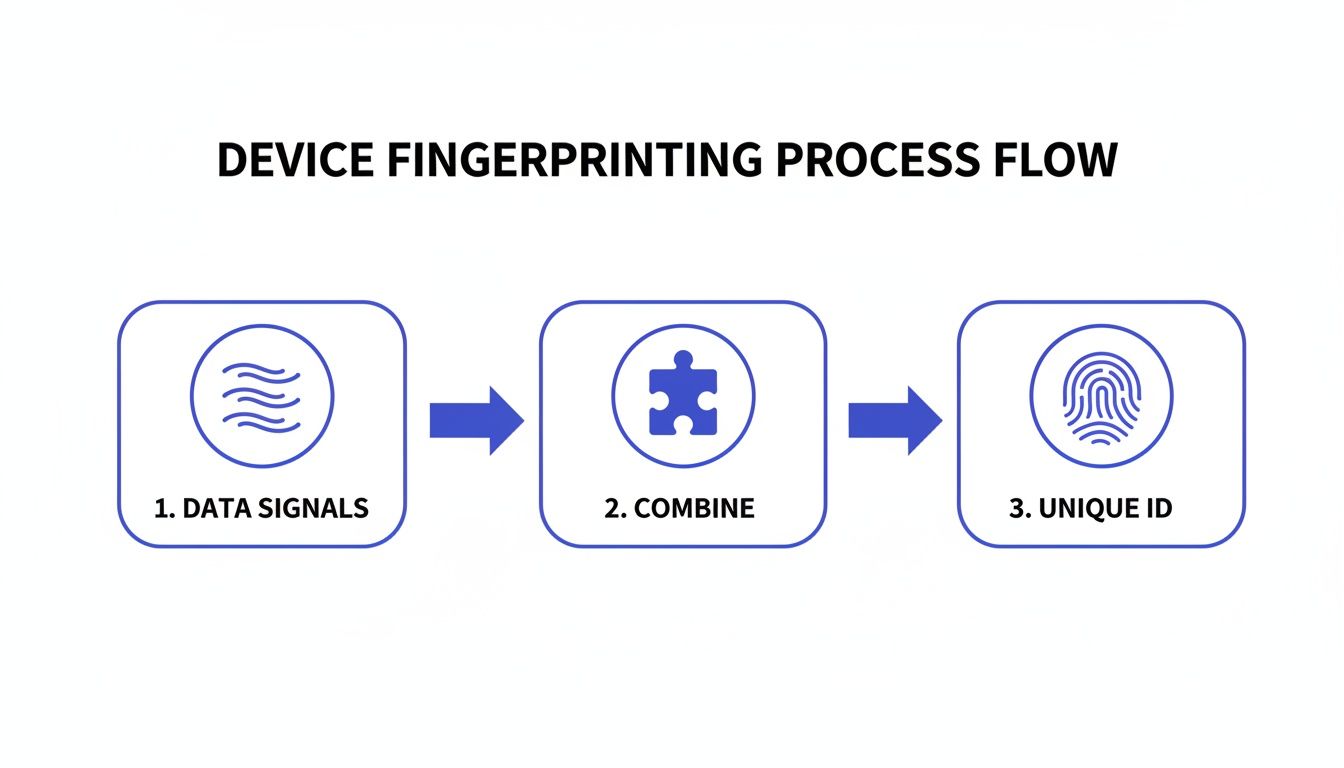
As you can see, it's the specific combination of all these attributes—not any single one—that makes the fingerprint so powerful and accurate.
The Two Flavors of Fingerprinting: Active vs. Passive
Fingerprinting techniques fall into two main camps, distinguished by how they get their information: passive observation or active interrogation.
Passive fingerprinting is the quiet observer. It collects information that your browser sends out with every request as part of the normal flow of web traffic. There's no special request needed; the server just listens to what your browser is already saying.
It's like a shopkeeper noticing a customer's accent, their winter coat in July, or the foreign currency they use. The shopkeeper isn't asking questions; they're just piecing together clues from standard interactions.
Active fingerprinting, on the other hand, is much more inquisitive. It uses JavaScript to actively probe your browser and hardware for specific details that aren't typically shared. This approach digs deeper to find more unique identifiers, resulting in a much more accurate and stable fingerprint.
Some common active techniques include:
- Canvas Fingerprinting: This clever method asks your browser to draw a hidden, invisible image. Because every device’s hardware (GPU, graphics drivers) and software render that image in a slightly different way, the resulting digital data creates a powerful and highly unique signature.
- Plugin and Font Enumeration: A script can simply ask your browser for a complete list of every plugin you have installed and all the fonts on your system. Your specific combination of fonts is surprisingly unique.
- Audio Fingerprinting: Similar to the canvas method, this technique tests how your device's audio hardware and software process sound. The subtle variations in how audio is handled can be measured and used as another data point in your fingerprint.
Once all these data points are collected—both passive and active—they are fed into an algorithm that converts them into a single string of letters and numbers called a hash. This hash is the final fingerprint, a server-side ID that lets a website recognize you instantly on your next visit, all without ever placing a cookie on your device.
Common Data Points in a Device Fingerprint
So, what specific "clues" are being collected? While the list is long and always evolving, some of the most common attributes provide a good picture of how detailed these profiles can get.
The table below breaks down some of the typical data points, what they reveal about you, and how much they contribute to making your fingerprint unique.
| Data Point (Attribute) | What It Reveals | Uniqueness Factor |
|---|---|---|
| User-Agent String | Your browser type and version, operating system, and rendering engine. | Medium |
| IP Address | Your general geographic location and Internet Service Provider (ISP). | Low (Can be shared/dynamic) |
| Installed Fonts | The specific list of fonts installed on your system. | High |
| Browser Plugins | The list of browser extensions and plugins you have enabled. | High |
| Timezone | Your device's configured timezone (e.g., UTC-5 for EST). | Medium |
| Screen Resolution & Color Depth | The dimensions of your screen and the number of colors it can display. | Medium |
| Canvas Fingerprint | Unique rendering patterns from your specific GPU and graphics driver combo. | Very High |
| Audio Context Fingerprint | Subtle variations in how your device's audio hardware processes sound. | Very High |
| Hardware Specs | Number of CPU cores, memory size, and other hardware attributes. | High |
| Language Settings | The preferred language(s) configured in your browser (e.g., en-US). | Medium |
As you can see, while your timezone or screen resolution might be shared by millions, the exact combination of all these attributes is what makes your device stand out. A recent study by the Electronic Frontier Foundation found that for browsers with Flash or Java enabled, 94.2% of fingerprints were unique. That's the power of combining many small data points into one comprehensive identifier.
Digging Deeper: Advanced Fingerprinting Techniques
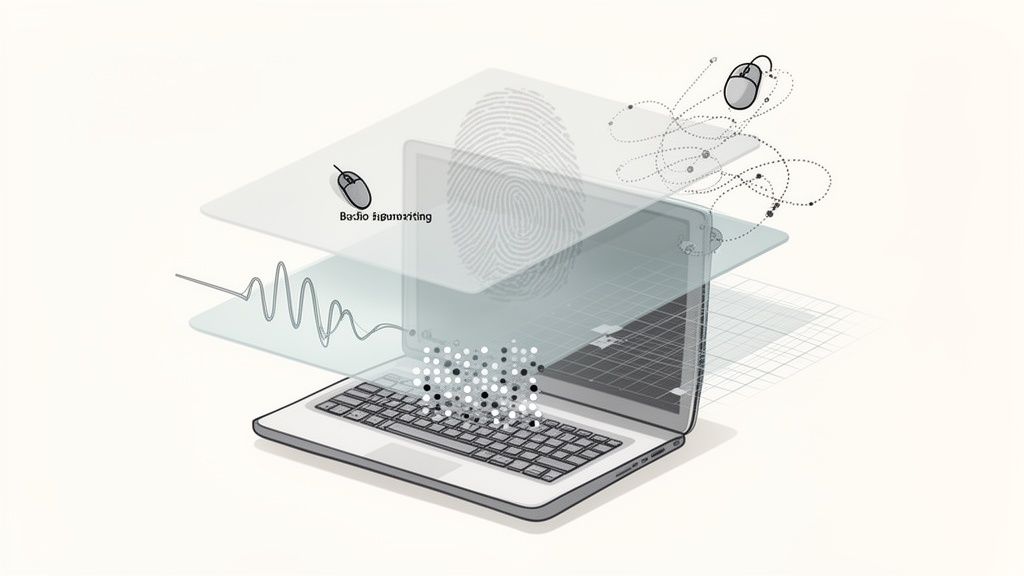
While the basics of fingerprinting rely on pulling together static data points, the really sophisticated methods go much further. They start looking at dynamic, behavioral, and even hardware-level signals to build a fingerprint that’s not just unique, but incredibly resilient.
Think about it like this: you can recognize a friend by their coat and hat. That's basic fingerprinting. But you can really recognize them from a distance by the specific way they walk or their unique posture. That’s the level we’re talking about here—it’s about how a device behaves, not just what it is.
This is where behavioral biometrics come in. This advanced layer watches how you physically use your device. It’s analyzing things like your typing rhythm, how you move your mouse in subtle arcs and pauses, and even your scrolling habits. Do you flick through a page or scroll smoothly? All these little quirks create a signature that's uniquely yours.
Signatures from Your Hardware and Graphics Card
Beyond your behavior, the most advanced techniques probe the very heart of your device—the hardware itself. This is where fingerprinting gets incredibly powerful because these are signals a user has almost no control over.
Two of the most common methods are:
- Audio Fingerprinting: This trick sends a tiny, inaudible sound signal through your device’s audio stack and measures the output. The subtle differences in your audio hardware create a unique "sound" that can be logged.
- WebGL Fingerprinting: This works a lot like canvas fingerprinting but uses the Web Graphics Library to render a 3D image. The final picture is a direct result of your specific GPU, graphics drivers, and OS, creating a highly detailed hardware signature.
When you combine a device's attributes with these behavioral patterns, the results are staggering. While device fingerprinting alone is effective, adding behavioral biometrics can push identification accuracy up to an incredible 99.9%. This combination is central to the rise of cookieless tracking, giving companies deep insights without relying on old-school methods.
The Machine Learning Connection
Of course, collecting all this complex data is just the first step. The real magic happens when machine learning gets involved. AI models are trained on massive datasets of fingerprints and user behaviors to learn what "normal" looks like.
Then, when a new user session starts, the system compares its fingerprint and behavior to that established baseline in real-time. This allows it to spot tiny inconsistencies instantly, flagging anything that looks like a bot, a hacked account, or other suspicious activity. This fusion of advanced data collection and smart analysis is what makes modern device fingerprinting such a powerful tool.
You can learn more by checking out a market report on behavioral biometrics from Datos Insights.
Real-World Applications of Device Fingerprinting
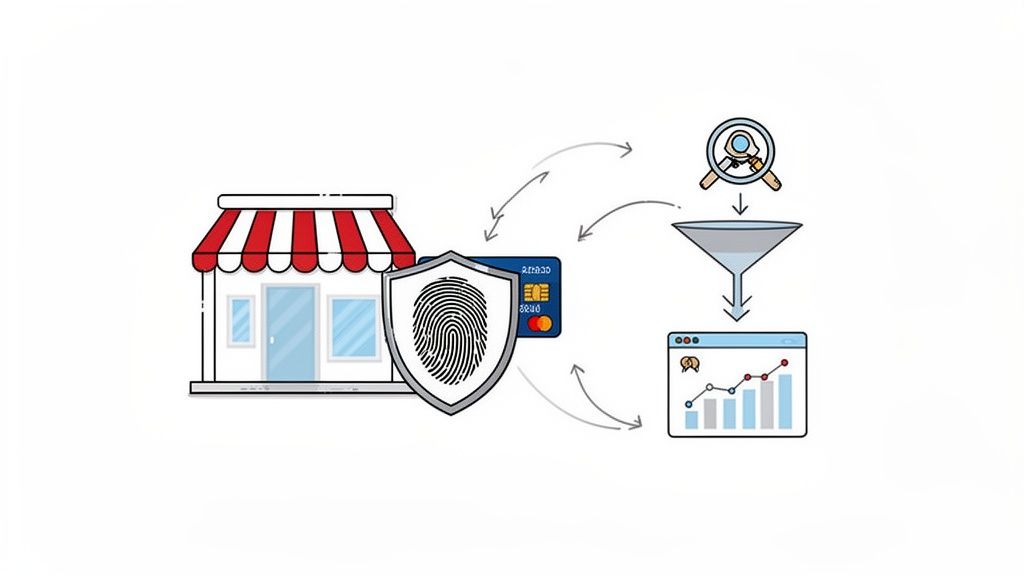
So, where does device fingerprinting actually show up in the wild? It’s not just theory; this technology is already a powerful force shaping our daily digital lives. It plays a huge role in everything from locking down our online accounts to powering a new wave of web analytics. Looking at these real-world examples shows just how much impact it has.
One of its most important jobs is fraud prevention. Think of it as a silent security guard for your bank or favorite online store. When you log in, the service takes a quick fingerprint of your device. If a bad actor tries to use your credentials from a totally different computer on the other side of the world, that new, unrecognized fingerprint immediately raises a red flag, often triggering a request for two-factor authentication.
This kind of proactive defense is a game-changer against a few common headaches:
- Account Takeover: It’s great at spotting when stolen login details are being used on a device that doesn’t match your usual one.
- Payment Fraud: It can recognize if a single device is churning through dozens of stolen credit card numbers, which is a classic sign of fraud.
- Bot Attacks: Fingerprinting is remarkably good at telling a real person apart from an automated script trying to spam a site or create fake accounts.
A Cornerstone of Cookieless Analytics
With the slow death of third-party cookies, device fingerprinting has stepped up as a vital tool for privacy-first analytics. Platforms like Swetrix rely on it to get a clear picture of website traffic and user behavior without dropping any tracking files onto a user’s computer. This gives businesses the insights they need while still respecting user privacy.
This software trend mirrors what's happening in the hardware world. The fingerprint sensor market, which was valued at USD 5.74 billion in 2023, is expected to explode to USD 17.23 billion by 2032. This shows a huge demand for unique, secure identifiers. Software-based fingerprinting meets that same need, giving tools the ability to achieve reliable tracking across 95% of browsers—a critical capability as Chrome phases out a technology used by 3 billion people. For more on this, check out the full fingerprint sensor market analysis.
Device fingerprinting allows website owners to piece together the user journey accurately. It can distinguish a single user making multiple visits from several different users visiting once, providing clean data for conversion funnels and session tracking. This is foundational for making informed business decisions.
Enhancing User Experience and Testing
Finally, fingerprinting is quietly working behind the scenes to make your web experience better and more consistent. For product teams running A/B tests, it ensures you see the same version of a webpage every time you visit. This prevents messy, unreliable data and leads to much more accurate test results. It’s also the key to understanding how one person moves through a site over multiple visits. If you want to go deeper, you might find our guide on understanding cross-device tracking helpful.
This same principle powers content personalization. A website can remember your preferences—like language or dark mode—by recognizing your device’s fingerprint, no cookies required. It just makes for a much smoother, more intuitive visit. From security to analytics and beyond, device fingerprinting has become an essential part of the modern web toolkit.
The Privacy and Ethical Minefield
Device fingerprinting is powerful, but that power comes with some serious responsibility. Think about it: these identifiers are built from your device's unique quirks, not just a simple file like a cookie. That makes them incredibly difficult for a regular person to clear or control. It's why they've earned the nickname "supercookies"—they stick around.
This persistence is exactly what sparks the heated ethical debate. Sure, it's great for stopping bad guys, but it can also be used to track you across different websites and build a surprisingly detailed profile of who you are, often without you ever clicking an "I agree" button. Naturally, privacy watchdogs and regulators have taken notice, raising red flags about how easily this can be misused.
What Do The Lawyers Say?
Major privacy laws, like Europe's GDPR and California's CCPA, have waded into these murky waters. They don't outlaw fingerprinting entirely, but they draw a very clear line based on one simple question: why are you doing it?
The legal heart of the matter isn't if you can fingerprint a device, but for what purpose. Generally, if it's for something essential to security—like stopping fraud—regulations often permit it without explicit consent. But the moment you start using it for advertising, personalization, or analytics, you absolutely need to get clear, informed permission from the user.
This distinction is everything when it comes to building trust. It's about separating legitimate security measures from the kind of invasive tracking that feels like someone is looking over your shoulder everywhere you go online.
Walking the Ethical Tightrope
For any business using this tech, the golden rule is transparency. Hoarding data without telling people what you're doing with it is a surefire way to destroy trust and land in legal hot water. The right way to do it is to be completely upfront about what you're collecting and why, making it obvious what the user gets in return.
Many companies are now figuring out how to use this technology responsibly, gaining valuable insights without stepping over the privacy line. If you're curious about how to strike that balance, our guide on how to track website visitors ethically breaks down methods that keep user trust front and center.
At the end of the day, the line between security and surveillance is razor-thin. It’s on companies to be incredibly disciplined, collecting only the data they absolutely need for a specific, legitimate reason. Using fingerprinting for anonymous analytics is a completely different universe from building shadow profiles to sell more ads. Making that distinction isn't just a good idea anymore; it's the price of admission for doing business responsibly online.
How to Use Fingerprinting The Right Way
Using powerful technology without crossing ethical lines is the real challenge for any modern business. While some companies have given device fingerprinting a bad name by using it to build exhaustive user profiles for ad targeting, a responsible approach looks completely different. It’s about prioritizing privacy by collecting the absolute bare minimum of data needed to get the job done.
At Swetrix, this principle is at the core of everything we do. We use a privacy-first version of device fingerprinting to deliver valuable analytics without ever collecting personal data or tracking users across different websites. Our goal is to provide insight, not to build invasive dossiers on individuals.
This means we focus on anonymous, aggregated data to help you understand your website’s performance.
The Swetrix Approach to Ethical Analytics
Our method is built for one single purpose: to accurately measure website traffic and user journeys on your site alone. We do this by focusing on just the essentials and rejecting the data-hungry practices that have become so common.
Here’s a look at how we use fingerprinting the right way:
- Minimal Data Collection: We gather just enough anonymous technical signals—like browser type and operating system—to distinguish one session from another. We deliberately avoid collecting overly unique or sensitive data points that could be used to identify a specific person.
- No Cross-Site Tracking: The anonymous identifier created for a visitor on your site is never used to follow them anywhere else on the internet. This is a critical line in the sand that separates ethical analytics from the surveillance-based models of ad-tech giants.
- Purpose Limitation: The data we collect is used exclusively for analytics on your website. This includes things like tracking campaign performance, understanding user funnels, and monitoring custom events you’ve set up. It’s never sold or shared with third parties.
By committing to these principles, we provide a cookieless analytics solution that actually respects user privacy. This isn't just about ethics; it's about building customer trust, which is the most valuable asset you can have.
Choosing a privacy-first stance means you can make data-driven decisions with a clear conscience, knowing you are honoring your users' right to privacy. It’s simply a smarter way to do business in a world where transparency is no longer optional.
Common Questions About Device Fingerprinting
Even after getting the hang of what device fingerprinting is, a few practical questions always seem to pop up. Let's tackle some of the most common ones to clear up any lingering confusion.
Is Device Fingerprinting Even Legal Under GDPR?
Yes, but it's complicated. The legality of device fingerprinting under GDPR hinges entirely on why it's being used.
If it's for something strictly necessary for a service to work—think preventing payment fraud or securing a login—it can often fall under "legitimate interest" and may not require explicit consent. The idea is that the security benefit outweighs the privacy intrusion.
But the moment that fingerprint is used for advertising, cross-site tracking, or behavioral analytics, the rules change completely. For those purposes, you absolutely need clear, informed user consent. Transparency and purpose are everything.
Privacy-first tools can use fingerprinting for anonymized analytics, which is a much better approach. By not collecting personal data, they align with GDPR principles. Still, companies should always be upfront about this in their privacy policies to keep things above board.
How Is This Different From a Cookie?
The core difference comes down to storage and control. Cookies are just tiny text files that websites store on your device. You can see them, delete them, and block them right from your browser settings. You're in the driver's seat.
Device fingerprinting is a whole different beast. It doesn't store anything on your device. Instead, it creates an ID on the fly based on your device's unique combination of settings and attributes. This makes the identifier "stateless" and way more persistent because there's no file for you to find and delete.
Think of it this way: cookies are like a name tag you can take off, while a fingerprint is based on who you are.
Can I Actually Stop Websites From Fingerprinting Me?
Completely stopping it is a lot tougher than just clearing your cookies. It's a real cat-and-mouse game.
Some privacy-centric browsers like Brave and the Tor Browser have built-in defenses that try to make your device look more generic by randomizing certain signals. These tools help, but they aren't foolproof and can occasionally cause websites to act strangely.
For the most part, mainstream browsers like Chrome and Safari offer very little protection against the more advanced fingerprinting scripts. You can try browser extensions that attempt to spoof your device's signals, but again, this can interfere with your browsing. Because there’s no simple "off switch," the responsibility really falls on companies to use this technology ethically and transparently from the get-go.
Ready to get clear, actionable insights from your website traffic without compromising user privacy? Swetrix provides a powerful, cookieless analytics solution that respects your users and gives you the data you need to grow. Start your 14-day free trial today at https://swetrix.com.