- Date
What Is a Referral Source in Web Analytics
 Andrii Romasiun
So, what exactly is a referral source in web analytics?
Think of it as a digital word-of-mouth recommendation. It's any external website that sends a visitor to your site by having them click a link. One site essentially points its audience toward yours.
Decoding Your First Referral Source
Let's use a real-world analogy. Imagine your website is a brand-new local coffee shop. You’re making incredible coffee, but people need a way to discover you.
A referral source is like a popular food blogger who writes a glowing review and includes a link to your shop's address. Every customer who walks in because they found you through that blog post was "referred." In this scenario, the blogger's website is your referral source.
Online, this happens when someone clicks a hyperlink on one site (the referrer) that leads them to another site (yours). This path is very different from other ways people might find you online. To really get it, you need to see how referral traffic stands apart from other channels. We dive deep into all the different website traffic sources in our detailed guide.
Key Website Traffic Sources Explained
To put referral traffic into perspective, let's quickly compare it with the other main ways people find websites. Each source tells a different story about your visitor's journey.
| Traffic Source | How It Works | Example |
|---|---|---|
| Referral | A user clicks a link on another website (not a search engine). | A visitor reads a partner's blog post that links to your product page. |
| Organic | A user types a query into a search engine and clicks a non-paid result. | Someone searches "best project management tools" on Google and clicks on your site. |
| Direct | A user types your URL directly into their browser or uses a bookmark. | A loyal customer types www.yoursite.com into their address bar. |
| Paid | A user clicks on a paid advertisement, like a search ad or social media ad. | A person clicks a sponsored post you're running on LinkedIn. |
This comparison highlights why referral traffic is so valuable.
The distinction is critical because visitors who come from a referral link often arrive with a built-in level of trust. The credibility of the referring site transfers over to yours, making these visitors more likely to stick around, read your content, or even make a purchase.
This isn't just a niche source, either. According to Chartbeat, in the first quarter of the year, African publishers saw a massive 51% of their pageviews come from referrals. Even in North America, they accounted for a solid 15%, proving their consistent importance across different markets.
How Analytics Tools Track Referral Traffic
Ever wonder how your analytics platform knows exactly where a visitor came from? It’s not magic, but a clever bit of communication baked into the very fabric of the web. The secret ingredient is something called the HTTP referer header.
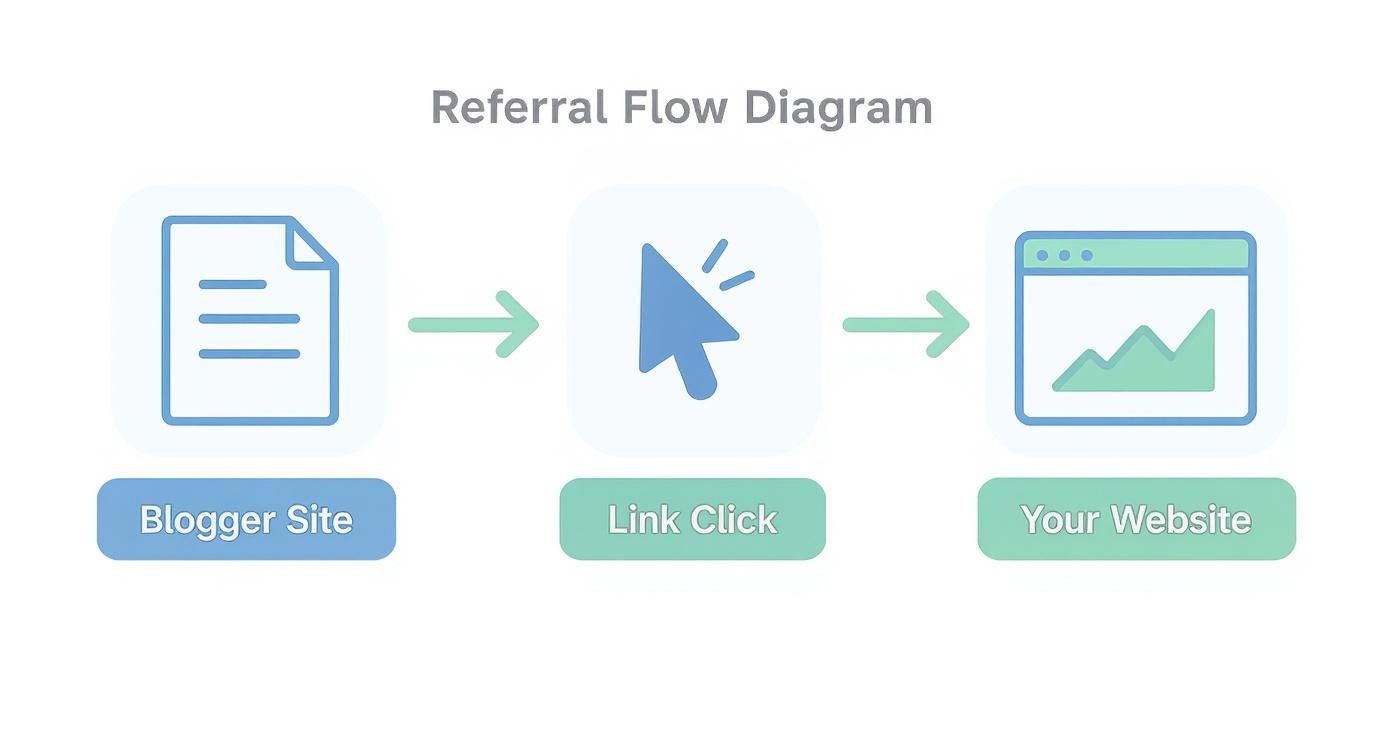
Think of the referer header as a digital breadcrumb. When someone clicks a link on BloggerSite.com to visit your website, their browser sends a little packet of information along with the request. Tucked inside that packet is a "referer" field that basically says, "Hey, this person just came from BloggerSite.com."
Analytics tools like Swetrix are built to catch these breadcrumbs. The moment a user lands on your page, the lightweight analytics script you installed springs into action and checks for this referer header. If you're curious about the mechanics, our guide on installing a web analytics tracking script breaks down how that little code snippet does its job. The script simply grabs the referring URL and logs it as the referral source for that visitor's entire session.
This simple flow shows that journey from a blog post to your website in action.
While the process seems straightforward, that digital breadcrumb can sometimes get lost along the way, which can create some confusing gaps in your data.
When Referral Data Goes Missing
As reliable as the referer header is, it isn't perfect. There are a few common scenarios where this crucial piece of information just doesn't get passed along, which can skew how your traffic gets categorized. Knowing what these are is the key to accurately reading your analytics.
Here are a few reasons you might see referral data disappear:
- Going from Secure to Non-Secure: If someone clicks a link on a secure site (HTTPS) that points to an insecure one (HTTP), modern browsers will strip the referer header as a security precaution.
- Redirects and Link Shorteners: Sometimes, complex redirect chains or certain URL shorteners can break the chain of communication, causing the original source to get lost in translation.
- User Privacy Tools: Visitors who use privacy-first browsers or browser extensions designed to block trackers might prevent the referer header from ever being sent in the first place.
When this referral information is missing, analytics platforms don't just give up. They have to classify that visitor somehow. More often than not, that traffic gets bucketed as 'Direct'. This makes sense, because without that "came from" note, the visit looks exactly like someone typed your URL straight into their browser bar.
Understanding these technical quirks helps you read between the lines of your analytics. It's a good reminder that referral tracking is incredibly powerful, but the story it tells is based on the data that successfully makes the journey from one site to the next.
Why High-Quality Referrals Are a Growth Engine
Knowing what a referral source is and how to track it is a great start, but it's only half the story. The real magic happens when you realize that not all traffic is created equal. Referral traffic isn't just another number to report—it's often your most engaged, high-value audience and can become a powerful engine for real, sustainable growth.
Think about it like this: a visitor who clicks through from a trusted industry blog or a partner’s website is already warmed up. The site they came from did the heavy lifting by establishing credibility. This digital "warm introduction" means the visitor is already primed and interested in your niche, making them far more receptive to your message.
The Power of Transferred Trust
This built-in trust is the secret sauce. When a reputable source links to you, they're essentially giving you their stamp of approval. Their audience trusts their judgment, and that trust carries over to your brand the moment they land on your page.
This translates directly into tangible business results. Visitors who show up with this positive mindset are much more likely to stick around, read your content, and ultimately do what you want them to do—whether that's signing up, making a purchase, or something else.
A high-quality referral is more than just a click—it's an endorsement. This inherited trust is precisely why referral traffic consistently outperforms other channels in converting visitors into loyal customers.
And this isn't just a gut feeling; the data backs it up in a big way. Recent studies have shown that referral marketing is one of the most trusted channels out there. Globally, a staggering 86% of consumers say they trust recommendations from people they know far more than any form of traditional advertising. This trust fuels incredible results: referred customers are three times more likely to convert, and their lifetime value is, on average, 16% higher. If you're curious, you can explore more referral marketing statistics to see the full impact.
Creating a Self-Sustaining Growth Loop
The benefits don't stop at immediate conversions, either. Every single high-quality referral you get from a relevant, authoritative website sends a positive signal to search engines like Google. These backlinks are a foundational piece of search engine optimization (SEO), telling the algorithms that your site is a valuable resource that deserves to be ranked higher.
This process kicks off a powerful, self-sustaining loop for growth:
- Attract Referrals: You get a new stream of visitors from a quality backlink.
- Boost SEO Authority: That backlink strengthens your site's domain authority.
- Rank Higher: Your improved authority helps you climb the rankings in organic search results.
- Increase Visibility: Higher rankings bring in more organic traffic and make it more likely that other sites will discover and link to you.
Each new, high-quality referral source doesn't just send you visitors—it fortifies your entire digital presence, making your website stronger and more visible over the long haul. This cycle is how a smart referral strategy becomes a true engine for compounding growth.
Finding Actionable Insights in Your Referrer Report
Knowing what a referral source is in theory is one thing, but the real magic happens when you start digging into your own data. Your analytics dashboard isn't just a list of websites; it's a treasure map showing you which partnerships, guest posts, and collaborations are actually paying off. Let's walk through how to turn that raw referral data into a solid action plan.
First things first, you need to find your "Referrers" report. In Swetrix, you'll spot this in your main dashboard, usually under the traffic sources section. Think of this report as a ranked leaderboard of every external site that has sent you visitors.
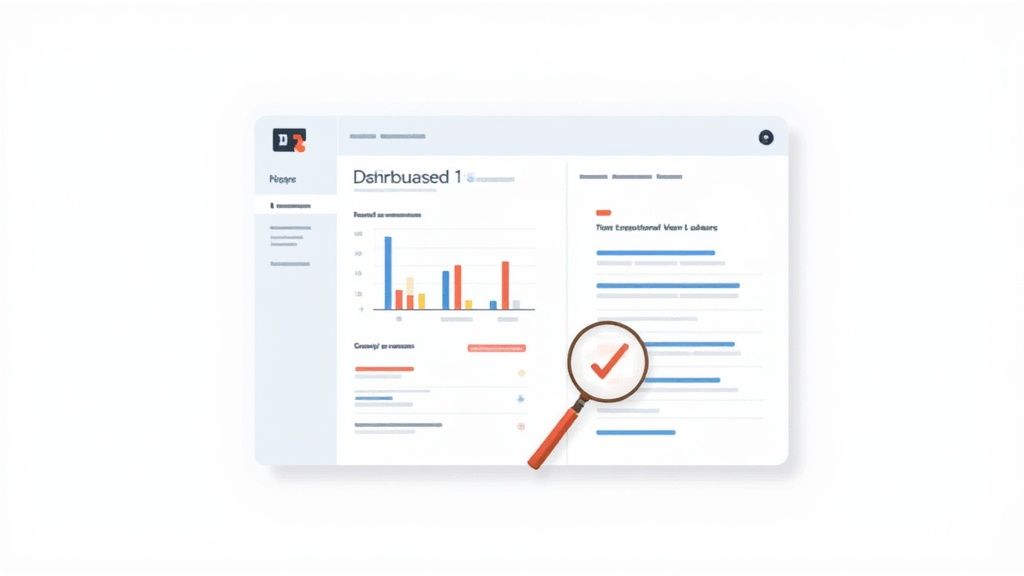
This gives you a quick, at-a-glance summary of which domains are pushing the most traffic your way.
Looking Beyond Visitor Counts
The raw number of visitors from each source is the most obvious metric, but it only tells you half the story. To find the really juicy, actionable insights, you have to look at how those visitors behave once they arrive.
Keep an eye on these key indicators to gauge traffic quality:
- Average Session Duration: How long are people from a specific referrer sticking around? A longer session means they’re genuinely interested in what you have to say.
- Bounce Rate: What percentage of visitors hit your site and leave after seeing just one page? A low bounce rate is a fantastic sign that the referring site’s audience is a great match for yours.
- Pages per Session: Are visitors clicking around and exploring, or just landing and leaving? More pages per session points to high engagement and curiosity.
By comparing these metrics across your referral sources, you can quickly see which partners are sending you truly engaged visitors—not just empty clicks.
Identifying Your Top Performers and Pinpointing Pages
Once you’ve identified which domains are sending you high-quality traffic, it’s time to get granular. Most analytics tools, Swetrix included, let you click on a specific referring domain to see the exact pages on that site sending you traffic.
This is where things get really powerful. For instance, you might find that 80% of the traffic from a huge partner site is coming from a single link buried in one of their most popular articles. That insight is pure gold. It tells you exactly what content and context resonates, giving you a proven formula you can replicate elsewhere.
To take it a step further, especially for specific marketing campaigns, you'll want to add campaign tracking. You can learn more about using UTM parameters to see precisely how different links within emails, social media, or partner content are performing. Combining referral data with UTM tracking gives you the complete picture, so you can confidently double down on what’s working and fine-tune your growth strategy.
Cleaning Up Your Data: How to Deal with Spam and Self-Referrals
Let’s be honest, not all traffic is good traffic. Sometimes, you’ll look at your referral report and see it cluttered with junk from bots and spam sites. It's the digital equivalent of getting a mailbox stuffed with flyers you never asked for. This referral spam can seriously mess with your numbers, inflating visitor counts and making your engagement metrics look worse than they really are.
If you want to make decisions based on what's actually happening on your site, you need clean, reliable data. That means rolling up your sleeves and filtering out the noise.

What to Look For: Spotting Unwanted Referrals
First, you need to know what you’re up against. Unwanted referrals usually come in two flavors: pure spam and the trickier self-referrals.
Referral spam is exactly what it sounds like—traffic from sketchy, low-quality domains. These are often bots hitting your site for shady reasons, like trying to get their link to show up in public stats or probing for vulnerabilities.
Self-referrals are a different beast. This is when traffic from your own domain (like yoursite.com) appears as a referral. It’s not malicious, but it’s a sign of a tracking hiccup. This often happens when a visitor moves between subdomains (e.g., from blog.yoursite.com to shop.yoursite.com), causing their session to break and restart, mistakenly crediting your own site as the source.
Think of your analytics data as a clean drinking water supply. Spam and self-referrals are contaminants. A good filtering system is essential to ensure you're consuming pure, trustworthy information to guide your strategy.
So, how do you spot the junk? The dead giveaway is usually in the engagement metrics. A real human visitor clicks around, but a bot just hits the page and leaves. Spam traffic almost always has a 100% bounce rate and an average session duration of zero seconds.
To help you quickly tell the difference, here’s a breakdown of what to look for.
Identifying Valuable vs. Unwanted Referral Traffic
| Characteristic | High-Quality Referral | Unwanted Referral (Spam/Self-Referral) |
|---|---|---|
| Source Domain | A relevant, reputable website in your niche. | A strange, irrelevant, or suspicious domain. |
| Bounce Rate | Varies, but typically well below 80-90%. | Usually 100% or very close to it. |
| Session Duration | Visitors spend time on the site (seconds to minutes). | Almost always 0 seconds. |
| Pages per Session | Visitors often view more than one page. | Almost always just one page. |
| Conversions | May lead to goal completions (signups, purchases). | Never results in a meaningful conversion. |
This table should make it crystal clear. If a source sends traffic that bounces instantly and never engages, it’s not helping you. It's just noise.
Filtering Unwanted Sources in Swetrix
Once you’ve identified a problem source, it’s time to block it. In Swetrix, you can easily set up filters to stop this junk traffic from polluting your future reports.
It’s a pretty straightforward process:
- Navigate to Your Project Settings: From your dashboard, head into the settings for the specific website you're working on.
- Find the Filtering Options: Look for a section related to data filtering or exclusion rules. This is your command center for cleaning up incoming data.
- Add the Unwanted Domain: Simply enter the full domain of the spammer (e.g.,
spam-site.com) or your own domain to fix self-referrals (yoursite.com) into the exclusion list.
By adding these domains to your filter, you’re essentially telling Swetrix, "Hey, ignore any visits that come from this place from now on." This won't erase your past data, but it guarantees your reports will be clean and accurate moving forward.
Making a habit of checking your referrers and updating your filters every so often is a small task that pays huge dividends. It ensures the data you rely on is data you can actually trust.
The Next Wave of Digital Referrals
Just when we thought we had a handle on web traffic, the game changed. Again. While backlinks from blogs and partner sites are still the bread and butter of referral traffic, a whole new category of referrers has exploded onto the scene: artificial intelligence.
Think about it. AI search assistants and chatbots like ChatGPT and Perplexity don't just spit out a list of links anymore. They synthesize answers and, crucially, cite their sources. Every one of those citations is a high-quality referral link, pointing a user directly to the website that provided the key piece of information.
This isn’t some far-off trend. It’s happening right now, and the scale is staggering.
The Rise of AI as a Referral Source
Last year, AI platforms sent over 1.13 billion referrals to the top 1,000 websites on the globe. That’s a jaw-dropping 357% jump in just one year.
Looking at the big players, Google alone received 53.1 million AI referrals. Reddit and Facebook weren't far behind, pulling in 11.1 million and 11.0 million respectively. These numbers make one thing crystal clear: AI is now a major traffic driver, and you have to account for it. If you want to dive deeper, you can explore the full findings on AI referral growth.
So, what does this mean for you? It means optimizing your content so AI models can easily find, understand, and cite it. Clear, authoritative, and well-structured articles are your new best friends.
Beyond AI: Other Emerging Channels
The AI boom is huge, but it's not the only new game in town. Other referral sources are bubbling up, often in more private, community-driven corners of the internet. These can deliver incredibly engaged audiences if you know where to look.
Keep these channels on your radar:
- Niche Online Communities: Think Discord servers, specialized forums, and private Slack groups. These are digital watering holes for enthusiasts. A single trusted recommendation here can send a wave of high-quality, relevant traffic your way.
- Private Messaging Apps: This is the world of "dark social"—sharing that happens on apps like WhatsApp, Telegram, and Signal. It's tough to track with standard analytics, but it's incredibly powerful. A link from a friend is the ultimate endorsement and can lead directly to conversions.
The lesson here is simple: you have to meet your audience where they're going, not just where they've been. By preparing for these next-wave referrers, you can stay ahead of the curve and keep valuable traffic flowing to your site for years to come.
Still Got Questions About Referral Sources?
Even when you've got the basics down, a few tricky questions always seem to surface. Let's clear up some of the common head-scratchers so you can really get a handle on your referral data.
How Is Referral Traffic Different from Direct Traffic?
Think of it this way: referral traffic is like a customer walking into your shop and saying, "Hey, Dave from the bakery down the street sent me." You know exactly who recommended you. In the digital world, that "recommendation" is a link from another website, and the visitor arrives with a note (the referer header) telling you where they came from.
Direct traffic is more like a mystery shopper. They show up at your door without any introduction. Maybe they typed your website address directly into their browser, used a bookmark, or clicked a link from an email app that strips referer data. It's great for brand recall, but you lose that crucial piece of context—the why behind their visit.
What Are the Best Ways to Get More Referral Traffic?
Hoping for referral traffic to just appear is like waiting for lightning to strike. You have to be proactive and give people a reason to link to you. It's all about building relationships and creating genuinely useful stuff.
A few proven strategies that actually work:
- Guest Blogging: Find respected blogs in your space and offer to write an article for them. It’s a classic for a reason: you get your expertise (and a link back to your site) in front of a perfectly targeted audience.
- Building Partnerships: Team up with businesses that serve a similar audience but aren't direct competitors. Think co-hosted webinars, joint research projects, or even just promoting each other's content. It’s a win-win.
- Creating "Link Bait": This sounds a bit sneaky, but it's really just about making awesome things people can't help but share. Think original research reports with surprising stats, a super helpful infographic, or a free tool that solves a common problem.
At the end of the day, it boils down to one thing: create value. Give other websites a fantastic reason to send their hard-won audience your way. That's how you earn referrals that matter.
Do I Really Need UTM Parameters for Referrals?
For basic referral tracking, no, you don't need them. Your analytics will show you that traffic came from forbes.com, for instance. But what if you have two links in that Forbes article? Or you’re running a specific campaign with a partner? That's where UTM parameters become your secret weapon.
Think of UTMs as little labels you add to your links. They let you tag traffic with a source, medium, and campaign name, so you can see not just that someone came from Forbes, but that they clicked the link in the author bio as part of your "Summer Launch" campaign. This transforms a vague report into a precise, actionable analysis of what’s actually working.
Ready to stop guessing and see exactly where your best visitors are coming from? Swetrix provides clear, privacy-first analytics to help you understand your referral sources and make data-driven decisions. Start your 14-day free trial today!