- Date
Website Visitor Tracking: A Practical Guide to website visitor tracking
 Andrii Romasiun
Think of website visitor tracking as having a superpower: the ability to see how people actually move through your website. It’s like being a shopkeeper who can watch which aisles customers walk down, what products they pick up, and where they get stuck before leaving. This isn't about spying on people; it's about understanding the flow of traffic to make the experience better for everyone.
What Is Website Visitor Tracking Anyway?
Let's stick with that coffee shop analogy. If you owned one, you'd naturally notice which pastries sell out first, what time of day is busiest, and which corner table is everyone’s favorite. You’d use those observations to stock more croissants, add another barista for the morning rush, and maybe put a power outlet near that popular table.
Website visitor tracking is the exact same idea, just for your digital space. It’s about collecting anonymous data to answer really important questions. Why are people abandoning their shopping carts? Where are my best customers coming from? Is anyone even using that new feature we just launched? Getting answers to these questions is how you grow.
Why Visitor Tracking Matters for Business Growth
Running a website without tracking data is like driving with your eyes closed. You might be moving, but you have no idea if it's in the right direction. Good tracking replaces guesswork with actual insights, giving you the confidence to make smart decisions that directly affect your bottom line. To get the full picture, it helps to understand the broader field of what web analytics is and why it's important.
The ripple effects of good tracking data are felt across the entire business:
- Smarter Marketing: When you know which channels—like a specific social media campaign or your SEO efforts—are bringing in visitors who actually convert, you can stop wasting money on what doesn't work and double down on your winners.
- Improved User Experience (UX): Tracking helps you find the digital roadblocks on your site. By seeing where people get frustrated and leave (we call these "drop-off" points), you can smooth out those rough patches and create a much more enjoyable journey for your users.
- Data-Driven Product Decisions: Ever wonder if a feature is a hit or a miss? Tracking shows you exactly what people are clicking on and what they're ignoring. This is gold for your product team, helping them decide what to build next and what to improve.
At its heart, website visitor tracking is about turning a stream of anonymous clicks into a clear story about user behavior. That story is your guide to improving your website, your marketing, and your entire business.
Ultimately, tracking closes the gap between what you assume your users want and what their actions prove they want. This kind of insight is no longer a "nice-to-have"—it's a must-have for any online business that wants to thrive, not just survive.
For a long time, the digital world ran on cookies. Specifically, third-party cookies. Think of them as tiny digital trackers that followed you around the internet. They’re the reason you’d see an ad for a pair of shoes on a news website right after you looked at them on a retail site.
This method was the backbone of online advertising for years because it was simple and effective for tracking users across different domains. But the game has changed. Growing demand for user privacy has put these cookies on a fast track to extinction. Browsers like Safari and Firefox already block them, and with Google phasing them out in Chrome, the entire industry is being forced to adapt.
The Rise of Modern Tracking Technologies
As the cookie crumbles, a new generation of tracking methods has emerged. These aren't just one-for-one replacements; they represent a smarter, more ethical approach to understanding how people interact with your website.
Two of the most important new approaches are server-side tracking and cookieless tracking.
- Server-Side Tracking: Instead of your browser sending data directly to a third-party analytics tool, it sends the information to your own web server first. From there, your server forwards it. This simple change gives you complete control over what data is shared, helps bypass ad blockers that often skew your numbers, and adds a significant layer of security.
- Cookieless Tracking: This is where the future of privacy-first analytics is heading. Rather than planting a persistent file on a user's device, this method relies on anonymous data points to map out user sessions and journeys without personal identifiers.
What Is Digital Fingerprinting?
One of the cleverest techniques in the cookieless toolkit is digital fingerprinting. The name might sound a bit intense, but it's an entirely anonymous process. It works by creating a unique but temporary ID—a "fingerprint"—from the non-personal information your browser naturally shares, like its version, screen resolution, and language settings.
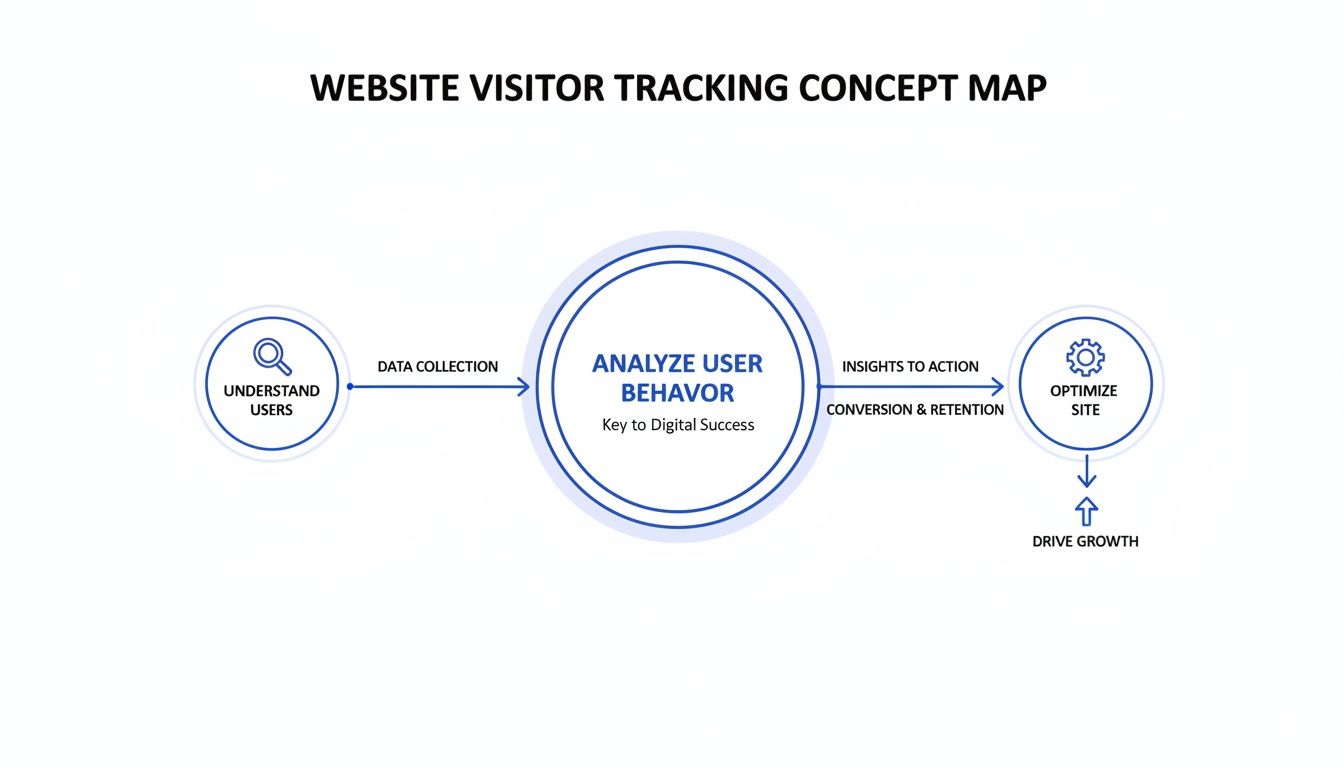
This is the core idea: turning anonymous data points into a meaningful picture of user behavior, which ultimately helps you improve your site and grow your business.
A great analogy for fingerprinting is identifying a car by its make, model, color, and year—without ever looking at the license plate. You can recognize it if you see it again shortly after, but you don't know who owns it or where it's registered.
This approach delivers valuable insights into website traffic and engagement while respecting user privacy by design. To get a better handle on the specifics, it’s worth reading up on how cookieless tracking works in modern analytics.
Comparing Website Visitor Tracking Methods
The push for better tracking isn't just about privacy; it's also about keeping up with reality. Mobile devices now account for anywhere between 61.19% and 83.64% of global website visits. When you consider that a site like google.com can see 152.80 billion mobile hits in a single month, it becomes obvious that old-school, clunky cookie methods just can't keep up. You can explore more of the latest website traffic statistics and trends on rebootonline.com.
To help you sort through the options, let's break down the key differences between the old and new ways of tracking.
Comparing Website Visitor Tracking Methods
This table compares the key differences between traditional and modern website visitor tracking technologies, focusing on privacy, accuracy, and common use cases.
| Tracking Method | How It Works | Privacy Impact | Key Advantage | Key Disadvantage |
|---|---|---|---|---|
| Third-Party Cookies | Stores a file on a user's browser to track them across different websites. | High | Cross-site ad retargeting | Blocked by modern browsers, invasive |
| Server-Side Tracking | Data is sent to your server first, then forwarded to analytics tools. | Low to Medium | Improved accuracy and control | More complex to set up |
| Cookieless Tracking | Uses anonymous methods like fingerprinting from browser data to identify sessions. | Very Low | Privacy-friendly, GDPR/CCPA safe | Can be less accurate for long-term user identification |
This comparison makes it pretty clear why the industry is shifting so decisively toward a cookieless future. It finds the sweet spot between gathering the insights you need to run your business and respecting a user's right to privacy—something that's no longer just a nice-to-have, but a fundamental requirement.
Turning Website Metrics into Business Insights
So you’ve started tracking your website visitors. That's a great first step, but the raw data itself—just a pile of numbers and percentages—isn't where the value is. The real magic happens when you learn how to turn those numbers into a story about your users, a story that can guide your most important business decisions.
Think of it like being a detective. A single footprint doesn't solve the case. But when you combine it with other clues—a timeline, witness accounts, and a motive—a full picture starts to emerge. Your website metrics are no different.
Core Metrics That Tell a Story
To start cracking the case, you need to focus on a handful of core metrics. These aren't just for showy reports; they're signals that tell you what’s working, what's broken, and where your biggest opportunities are hiding.
Let's break down the essentials and what they really mean.
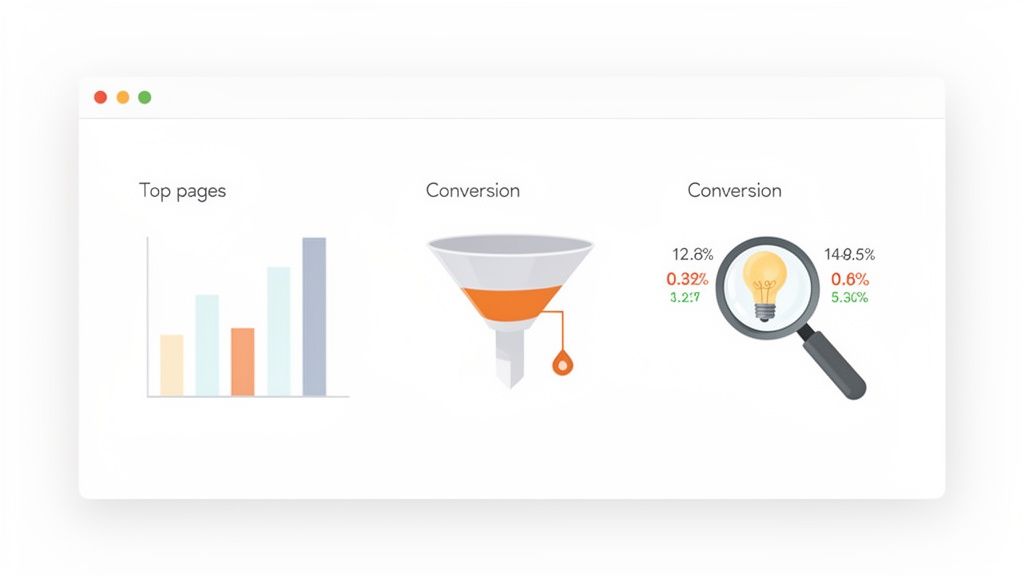
Traffic Sources: This tells you exactly how people are finding you. Is it that new social media campaign? Good old organic search? Or a referral from a partner's blog? Knowing your top sources helps you invest your marketing budget more effectively by doubling down on what actually works.
Top Pages: This is a simple list of your most popular pages. By seeing which blog posts, landing pages, or product features get the most love, you get a direct line into what your audience cares about. This is gold for planning future content and understanding user intent.
Session Duration: This is the average time someone hangs around on your site in a single visit. A long session usually means you've got them hooked—your content is hitting the mark. On the flip side, a super short duration can be a sign that visitors aren't finding what they were promised.
Bounce Rate: A "bounce" is when someone lands on a page and leaves without clicking anything else. A high bounce rate, especially on a critical page like your pricing or sign-up form, is a massive red flag. It often screams that there's a disconnect between what they expected and what they got, telling you to clarify your message or fix the page design.
Key Takeaway: A high bounce rate isn't just a vanity metric; it's a direct signal of a problem. If 70% of visitors hit your pricing page and immediately leave, they're not just "bouncing"—they're telling you your value isn't clear or your pricing is confusing.
Connecting the Dots with User Flows and Funnels
Individual metrics are useful, but the real insights come when you string them together to see the whole customer journey. This is where user flows and conversion funnels become your best friends.
A user flow is like a trail map of the paths people take through your site. It shows you the sequence of pages they visit, from where they first landed to where they decided to leave. Looking at these paths can uncover some seriously unexpected behavior. For instance, you might find people jumping back and forth between your features and pricing pages, which could mean they're missing a key piece of information to make a decision.
This leads us to an even more powerful tool for analysis: conversion funnels.
Building Your First Conversion Funnel
A conversion funnel tracks the specific steps someone needs to take to complete a goal, whether it's buying a product or signing up for a trial. Setting one up lets you pinpoint exactly where people are dropping off.
Imagine a simple e-commerce checkout funnel:
- Step 1: Add a product to the cart.
- Step 2: Go to the checkout page.
- Step 3: Enter shipping information.
- Step 4: Complete the purchase.
Your analytics might show that 90% of users who add an item to their cart make it to checkout. Great! But then you see only 40% of those actually enter their shipping info. That huge drop-off between steps 2 and 3 is your smoking gun. Maybe your shipping costs are a surprise, or the form is just too clunky.
Without that funnel, all you'd see is the final sales number. You’d be completely blind to the fact that a simple tweak to your checkout page could unlock a massive amount of revenue. By turning raw data into real intelligence, you stop guessing and start making confident, data-driven decisions that actually grow your business.
How to Navigate Privacy Laws and Ethical Tracking
In the world of website analytics, trust is your most valuable asset. While gathering data is crucial for understanding your audience and growing your business, doing it irresponsibly is a surefire way to alienate customers and land in legal hot water.
The trick is to navigate both the letter of the law and the spirit of ethical data collection. This isn't about becoming a legal scholar overnight. It's about understanding the core ideas behind major regulations like Europe’s General Data Protection Regulation (GDPR) and the California Consumer Privacy Act (CCPA), which have completely reshaped how we handle user data.
Interestingly, these privacy regulations are a huge driver of growth in the analytics industry. The global market for website visitor tracking tools, currently sitting at around $121 million, is expected to see double-digit growth through 2033. This isn't a coincidence. It shows a massive market shift toward ethical tools that deliver insights without compromising user privacy. You can see more on these trends in this detailed website visitor tracking tool market report on cognitivemarketresearch.com.
Understanding Core Privacy Principles
At their core, privacy laws like GDPR and CCPA aren't as scary as they sound. They boil down to a few foundational principles that every website owner needs to internalize. Getting these right is the first step toward building a brand people trust.
Here’s a simple breakdown of what they ask of you:
- Consent: You can't just start tracking people. You need to ask for clear, explicit permission before you drop non-essential cookies or collect any personal data. This is the whole reason cookie banners are now a standard part of the web.
- Data Minimization: Collect only what you absolutely need to achieve your goal. If you want to know which blog posts are the most popular, you have no business collecting a user's precise location or other personal details. Less is more.
- Purpose Limitation: Be upfront about why you're collecting data, and then stick to that reason. If someone gives you their email for a newsletter, you can't turn around and sell it to a third-party advertiser.
- User Rights: Your visitors have rights. They can ask to see the data you hold on them, request corrections, and even demand that you delete it entirely. You need to have systems in place to make that happen.
If you want to go deeper on this, our guide on achieving GDPR compliance for websites is a great resource that gets into the practical steps.
Moving Beyond Compliance to Ethical Tracking
Let's be clear: legal compliance is the minimum requirement, not the ultimate goal. True ethical tracking means putting your user's privacy and trust at the very heart of your strategy. It’s a fundamental shift from asking, "What can I legally get away with?" to "What's the right thing to do for my visitors?"
"Privacy is not an obstacle to overcome; it's a feature to be celebrated. When you respect your users' data, you're not just complying with a law—you're building a stronger, more trustworthy brand."
This means being radically transparent. Explain what you track and why you track it, using simple language that doesn't require a law degree to understand. More importantly, it means using the data you collect to actually improve their experience—not just to find clever ways to manipulate them into a purchase. It means consciously rejecting invasive practices like cross-site tracking or selling user data, even if you could find a legal loophole to do so.
The Role of Privacy-First Analytics
This is exactly where privacy-first analytics tools like Swetrix come into the picture. They are built from the ground up to operate within these legal and ethical frameworks. By using cookieless methods and anonymizing data, they let you gather the essential insights you need—top pages, referral sources, user flows—without creating detailed profiles of individual users.
Choosing a privacy-first tool isn't just a technical decision; it's a statement of your brand's values. It tells every person who visits your site that you respect their privacy. In an era of increasing skepticism about big tech and data collection, that simple act of respect might just be your most powerful competitive advantage.
Putting a Privacy-First Tracking Strategy into Action
Knowing the theory is one thing, but making it happen is what really counts. Shifting to a privacy-first analytics setup isn't just a box-ticking exercise for compliance; it's about building a more resilient and trustworthy foundation for your business. Let's walk through the practical steps to get you there.
First, you'll face a big decision: cloud-hosted or self-hosted? A cloud solution is managed for you, which means a fast setup and almost no maintenance. Think of it as renting a fully-furnished apartment. On the other hand, self-hosting is like owning the building—you have total control and ownership of your data because it lives on your servers. For those with the technical chops, it's the ultimate way to own your analytics.
A Five-Step Implementation Plan
Making the switch doesn't have to be a headache. Breaking it down into a few manageable steps ensures you end up with a system that actually gives you the insights you need.
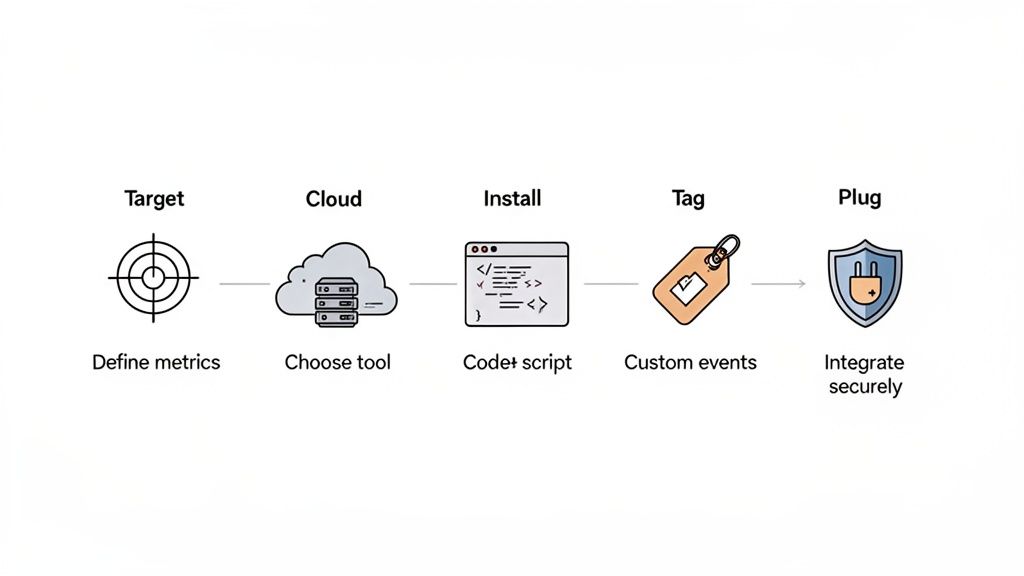
- Define What You Need to Measure: Before you even think about code, get clear on your goals. Are you trying to boost trial signups? Figure out why people are abandoning their shopping carts? Pinpoint your key performance indicators (KPIs) first, because this will guide every other decision.
- Choose the Right Tool for the Job: Now, find an analytics platform that matches your privacy principles and measurement needs. Privacy-focused tools like Swetrix are built for the modern web, offering powerful features without the invasive cookies that create headaches in the GDPR/CCPA era.
- Install the Tracking Script Correctly: Once you’ve picked your tool, you’ll get a small snippet of JavaScript. This needs to go in the
<head>section of your website’s HTML. Placing it here ensures it loads on every single page, giving you an accurate picture of each visitor's session from start to finish. - Configure Custom Events for Key Actions: Pageviews are just the starting line. The real magic happens when you track specific user actions that show intent. Set up custom events to monitor things like button clicks, form submissions, or video plays—the interactions that truly matter to your business.
- Connect Analytics with Your Other Tools: Your analytics data becomes so much more powerful when it’s not stuck in a silo. Hook it up to other systems you use every day. Think real-time alerts in Slack or Discord when you hit a conversion goal, or integrating with Stripe to see exactly where your revenue is coming from.
Setting Up Custom Event Tracking
Generic metrics are fine, but custom events tell the real story of what users are doing on your site. An "event" is simply any specific interaction a visitor has that goes beyond just loading another page.
For instance, a software-as-a-service (SaaS) business would get huge value from tracking events like:
signup_form_submit: A user filled out and submitted the registration form.trial_started: A new user officially kicked off their free trial.feature_X_used: A user engaged with a critical product feature for the first time.
By tracking these specific moments, you can map out conversion funnels and see precisely where people are dropping off. Your website visitor tracking goes from being a passive report card to an active diagnostic tool that helps you improve your product and user experience.
The need for this kind of efficient, privacy-safe tracking is only growing. Consider the massive scale of the web today. By December 2025, google.com alone is projected to see an unbelievable 95.36 billion monthly visits. This kind of volume puts an incredible strain on old-school, cookie-based trackers, which are already being phased out by privacy laws. This is exactly where cookieless tools like Swetrix come in, capturing the metrics you need in real-time without collecting personal data. You can dig into more of these mind-boggling global traffic trends at Semrush.
Implementing a privacy-first strategy isn't about collecting less data; it's about collecting the right data. By focusing on anonymous behavioral insights and specific user actions, you build a more effective and ethical engine for business growth.
This approach gives you the clarity to make better decisions, smooth out your user journeys, and build a brand that people genuinely trust—all without crossing any privacy lines.
2. Solving Common Website Visitor Tracking Problems
Even the most carefully planned tracking setup can run into trouble. Maybe your data looks a little off, or you’ve noticed your site feels sluggish since you installed a new script. These are common growing pains, but the good news is that most issues are pretty easy to fix.
One of the biggest culprits behind wonky data today is the modern web framework. If you’re seeing suspiciously low page views but you know traffic is flowing, you’re likely dealing with a single-page application (SPA). Because SPAs don't do a full "reload" when a user clicks a link, your tracking script fires only once—at the very beginning—and misses everything that happens after.
Diagnosing and Fixing Inaccurate Data
To get SPAs to report correctly, you have to manually tell your analytics tool whenever a user navigates to a new "page." It's less complicated than it sounds. You just need to trigger a page view event every time the route changes in your application. For example, a privacy-first tool like Swetrix makes this simple by letting you call a function for each navigation event, ensuring every view is counted.
Another classic mistake is leaving old and new tracking scripts running at the same time. If you’re trying out a new analytics tool but haven’t removed the old one, they can step on each other's toes. This can lead to inflated numbers, strange data discrepancies, or even JavaScript conflicts that break other parts of your site.
Pro Tip: When you're switching analytics providers, it's smart to run both scripts in parallel for a short time just to make sure the new data lines up. But once you've confirmed everything looks good, get that old script out of there to prevent future headaches and performance drag.
Protecting Your Site Performance
Your analytics should work for you in the background, not slow you down. A heavy, clunky tracking script can add precious seconds to your load time, and that's bad news for everyone. It frustrates users, dings your SEO, and can tank your conversion rates. We're talking a significant drop in conversions for even a one-second delay.
Here’s how to keep your tracking lean and fast:
- Pick a Lightweight Tool: Go for an analytics service that’s built for speed. Privacy-focused platforms often have much smaller script sizes because they aren't trying to load dozens of different trackers.
- Load Scripts Asynchronously: Always ensure your tracking script loads asynchronously. This tells the browser not to wait for the script to finish before rendering the rest of your page. The content pops up instantly for the visitor, while the script loads quietly in the background.
By tackling these common issues—tweaking your setup for SPAs, cleaning up old scripts, and keeping an eye on performance—you’ll build a tracking system you can actually trust. Your data becomes a reliable asset for making smart decisions, not just another technical problem to solve.
Your Top Questions About Visitor Tracking, Answered
Even after diving deep into the nuts and bolts of website tracking, a few key questions always seem to pop up. Let's tackle some of the most common ones we hear from folks trying to make sense of their website data.
Is It Legal to Track Visitors on My Website?
Absolutely, as long as you do it correctly. Website visitor tracking is legal, but it comes with some important rules, mainly thanks to regulations like the GDPR in Europe and the CCPA in California. The two magic words are transparency and consent.
You have to be upfront with your visitors about what data you're collecting and how you plan to use it. For anything beyond the basics (like tracking for targeted ads), you need their explicit permission before you start collecting data. This is a big reason why privacy-focused analytics platforms are taking off—they're built from the ground up to gather insights without crossing any legal or ethical lines.
Can I Actually See _Who_ Is Visiting My Website by Name?
Nope, and that's a good thing. Modern, ethical website tracking is all about understanding trends and patterns in aggregate, not singling out individuals. You won't see "Jane Doe from accounting visited your pricing page," but you will see that a certain percentage of your visitors arrived from a specific marketing campaign or live in a particular country.
The whole point of modern analytics is to understand user behavior, not to spy on individual users. This shift protects privacy while still giving you the crucial information you need to improve your site.
What’s the Real Difference Between Google Analytics and Something Like Swetrix?
The main distinction boils down to their core philosophy on data and privacy. Google Analytics is an incredibly powerful tool, but its business model often involves collecting vast amounts of user data with cookies. This can make complying with privacy laws a serious headache.
Swetrix, on the other hand, is built as a privacy-first alternative. It uses cookieless tracking to give you the essential metrics you need—like page views, referrers, and user journeys—without collecting any personally identifiable information (PII). This makes it a much simpler and more transparent choice for anyone who wants actionable data without sacrificing user trust. It's about focusing on the core insights, not building invasive user profiles.
Ready to understand your visitors without compromising their privacy? Swetrix offers a powerful, cookieless analytics solution that turns traffic into insight. Start your 14-day free trial today.