- Date
Understanding Referrer Policy Strict-Origin-When-Cross-Origin
 Andrii Romasiun
Ever wondered how a website knows you clicked a link from another site to get there? That's the HTTP Referer header at work, acting like a digital "return address" for web traffic. The strict-origin-when-cross-origin policy is a smart, privacy-focused rule that controls this process.
It tells your browser to share only the basic origin (like https://your-site.com) when you navigate to a different website, keeping the full, potentially sensitive URL path private.
The New Standard for Smarter, Safer Browsing
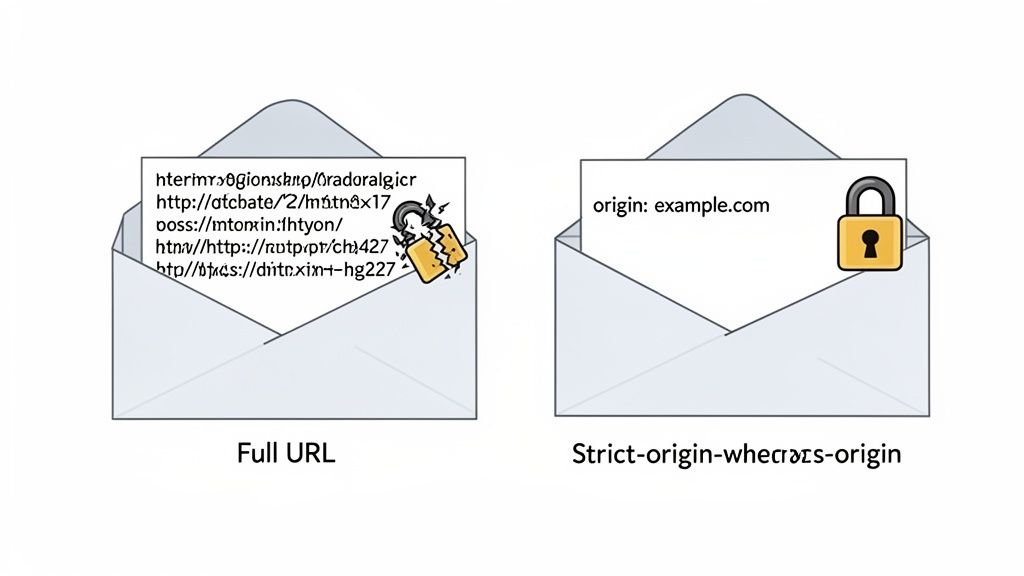
For a long time, the web was a bit of an over-sharer. When you clicked a link, the destination site got the entire URL of the page you just left. Imagine a letter's return address revealing not just your street, but the exact room you were in when you wrote it. This old approach created a huge privacy hole, as sensitive data in URLs—think search terms, user IDs, or password reset tokens—could easily leak.
The strict-origin-when-cross-origin policy fixes this. It strikes a perfect balance between providing useful referral data for analytics and fiercely guarding user privacy. It simplifies that digital "return address" down to the essentials.
How Strict-Origin-When-Cross-Origin Works at a Glance
This table breaks down exactly what referrer information gets sent in different scenarios when this policy is active.
| Request Scenario | Referrer Information Sent | What This Means |
|---|---|---|
Same-Origin (site-a.com to site-a.com/page) | Full URL (https://site-a.com/previous-page) | Your own site gets all the details, which is safe and useful for internal analytics. |
Cross-Origin (site-a.com to site-b.com) | Origin only (https://site-a.com/) | The other site knows where you came from (the domain), but not the specific page. |
| Downgrade (HTTPS to HTTP) | No referrer | Nothing is sent when moving from a secure to an insecure site, preventing data leaks. |
Essentially, it's a "need-to-know" basis for your browsing history, keeping your specific path private from third parties.
A Major Shift in Browser Behavior
This wasn't just a minor tweak; it became the new law of the land for browsers. In 2020, Google Chrome made a huge move, switching its default Referrer-Policy to strict-origin-when-cross-origin with version 85. Firefox followed suit in March 2021.
Today, this single policy governs over 90% of global web traffic. This change fundamentally reshaped how referral data is collected, making modern, privacy-friendly analytics more important than ever for getting an accurate picture.
Key Takeaway:
strict-origin-when-cross-originbecame the browser default because it offers the best of both worlds. It gives analytics tools just enough info to identify traffic sources without exposing the private data often found in full URLs.
Why This Matters for Your Analytics
Understanding this policy is vital if you're using an analytics tool like Swetrix. When you look at your referral traffic, this policy is why you see example.com as a source, but not the specific page like example.com/users/123/private-settings.
Here’s why that’s a good thing:
- Protects User Privacy: It stops the accidental leak of personally identifiable information (PII) or session tokens that might be in a URL.
- Keeps Data Useful: It still provides the origin, which is the single most valuable piece of information for attributing traffic to the right source.
- Boosts Security: By default, it blocks the referrer completely when you go from a secure (HTTPS) site to an insecure (HTTP) one, preventing your data from being sent over an unencrypted connection.
This intelligent default ensures website owners can still get meaningful insights into where their visitors come from without ever compromising on privacy and security.
Breaking Down How the Policy Works
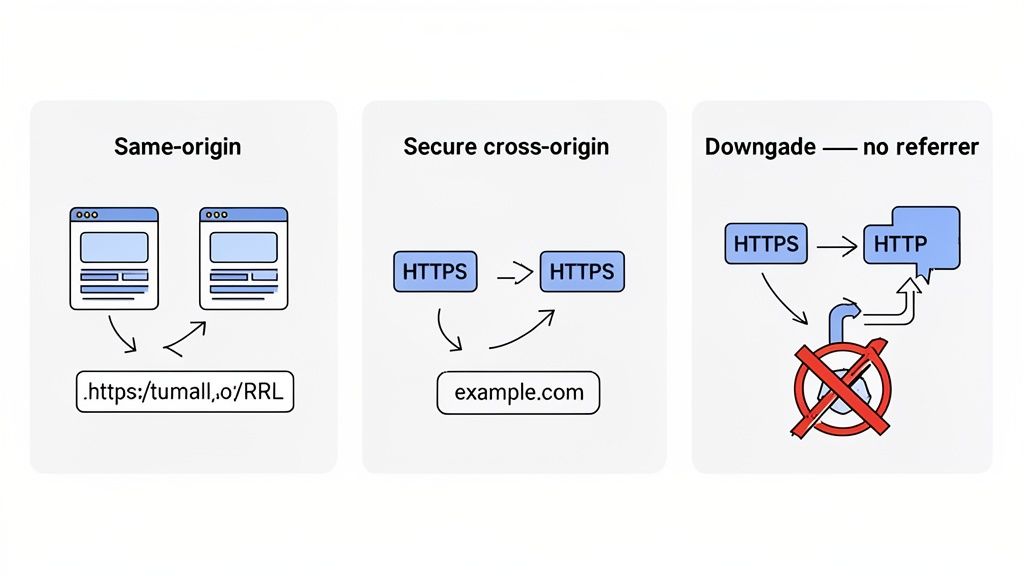
To really get a feel for strict-origin-when-cross-origin, you have to see it in action. It isn't a blunt, all-or-nothing rule. Instead, think of it as a smart gatekeeper for your website's data, one that carefully assesses where a user is coming from and where they're headed before deciding what information to share.
This policy's logic is built around a simple but crucial distinction: is the user moving around inside your site, or are they leaving for somewhere else? By breaking down its behavior into three common scenarios, you can see just how it strikes a balance between privacy and practicality.
Scenario 1: Same-Origin Requests
Let's start with the most straightforward case—a visitor clicking from one page to another on your own website. This is what we call a same-origin request. Imagine someone lands on your homepage (https://your-site.com) and then clicks over to your "About Us" page (https://your-site.com/about).
In this scenario, strict-origin-when-cross-origin is completely transparent. It sends the full URL as the referrer.
- Origin:
https://your-site.com - Destination:
https://your-site.com/about - Referrer Sent:
https://your-site.com/
This is fantastic for internal analytics. You can see the exact path visitors take, figure out which pages are driving conversions, and generally understand how people navigate your content. Since the data never leaves your domain, there's no privacy leak to worry about.
Scenario 2: Secure Cross-Origin Requests
Okay, now what happens when a visitor clicks a link that takes them to a totally different website? This is a cross-origin request. A classic example would be a link from your blog post to a partner’s website.
This is where the policy really shines. As long as the journey is secure (from your HTTPS site to another HTTPS site), it sends only your site's origin, stripping out the rest of the URL.
Example: A user is reading
https://your-blog.com/posts/top-10-toolsand clicks a link tohttps://partner-site.com/signup. TheRefererheader sent to the partner site will just behttps://your-blog.com/.
This is the heart of the policy. It lets the other site know traffic came from you—which is key for understanding what is a referral source—but it hides the specific page the user was on. This simple step prevents potentially sensitive details in the URL, like /posts/my-private-draft, from ever being shared. If you want to dive deeper, we cover this in our guide explaining what is a referral source.
Scenario 3: Downgrade Protection
The final scenario is the most important one for security. What if someone on your secure HTTPS site clicks a link to an old, insecure HTTP site? This is known as a downgrade request, and it’s a big red flag because any data sent over HTTP is unencrypted and vulnerable.
Here, strict-origin-when-cross-origin takes the strongest possible stance: it sends no referrer information at all.
- Origin:
https://your-secure-site.com - Destination:
http://insecure-partner.com - Referrer Sent: Nothing. The header is completely omitted.
This "no-referrer-when-downgrade" behavior is a critical security feature baked right in. It effectively firewalls your data, guaranteeing that not even your site's origin is transmitted over an insecure connection. This helps prevent man-in-the-middle attacks where an attacker could spy on referral data. Seeing these three scenarios together shows how the policy offers a smart, layered approach to data privacy for the modern web.
Alright, let's get down to the practical side of things. Ready to take control of your site’s referrer data? Deciding on a referrer policy is a small change that makes a big impact on user privacy and the reliability of your analytics.
Even though most browsers now default to strict-origin-when-cross-origin, explicitly setting it yourself is a smart move. It leaves nothing to chance and ensures your site behaves exactly as you intend.
You’ve got two main ways to do this: set an HTTP response header or add a meta tag to your HTML. Let's walk through both, starting with the one I almost always recommend.
Method 1: Use an HTTP Header (Recommended)
Setting the Referrer-Policy as an HTTP header is the gold standard. Why? Because it’s more secure, it covers every single request that leaves your pages (not just links, but images, scripts, and stylesheets too), and you can manage it from one central place on your server. It’s a "set it and forget it" solution that just works.
Here’s how to get it done on a couple of common server setups.
For Nginx Servers
If you're running on Nginx, you'll want to pop open your server block configuration file (usually tucked away in /etc/nginx/sites-available/). Just add this one line inside your server block:
add_header Referrer-Policy "strict-origin-when-cross-origin";
Save the file, give Nginx a quick restart, and you're good to go. This simple command tells Nginx to tack that header onto every response leaving your server.
For Apache Servers
For those on an Apache stack, the process is just as straightforward. You can either edit your .htaccess file or your main Apache config file (httpd.conf). First, make sure the mod_headers module is enabled, then add this line:
Header set Referrer-Policy "strict-origin-when-cross-origin"
Just like with Nginx, this applies the policy across your entire site. The HTTP header method is hands-down the most robust way to implement this.
Method 2: Use an HTML Meta Tag
Don't have access to your server configuration? No problem. You can also implement the policy using a simple HTML meta tag. This is a great fallback if you need a quick fix or want to apply a policy to a single page.
All you have to do is place this little snippet inside the <head> section of your HTML document:
This tells the browser to apply the policy to all the links on that specific page. The only catch is that it has some limitations. The policy only kicks in after the browser has started parsing the HTML, so it might not cover every resource that gets requested before the tag is read.
Even with
strict-origin-when-cross-originas the modern default, a 2025 POPETS study revealed that explicit meta tag implementation is still pretty low, hovering around 7-11% on major websites. On the bright side, some frameworks like Ruby on Rails are helping push adoption by setting this policy by default since version 5.2.0. If you want to dive deeper, check out this analysis of HTTP security header implementation on popular websites.
How Policies Are Prioritized
So, what happens if you set a policy in multiple places? Thankfully, browsers have a clear pecking order. The most specific rule always wins.
Here’s how it works, from most powerful to least:
- Link-Specific Policy: You can put a
referrerpolicyattribute right on an individual link (e.g.,<a href="..." referrerpolicy="no-referrer">). This overrides everything else for that one link. - Page-Level Policy: Next in line is the meta tag in your HTML
<head>. It sets the policy for the entire page. - Site-Wide Policy: The
Referrer-PolicyHTTP header acts as the default for your entire website. - Browser Default: If you haven’t set anything at all, the browser falls back to its own default, which is typically
strict-origin-when-cross-origin.
This layered system is actually pretty handy. It lets you set a strong, secure default across your whole site with an HTTP header but gives you the flexibility to override it for a specific link when you have a good reason to.
Comparing Your Referrer Policy Options
To really get why strict-origin-when-cross-origin is the king of referrer policies today, it helps to see what it's up against. Think of referrer policies as a spectrum, with total secrecy on one end and risky oversharing on the other. Each option strikes a different balance between useful analytics data and protecting your users' privacy.
Making this choice isn't just a tech setting you can forget about. It has real-world consequences for your analytics, site security, and the trust you build with your audience. Let's walk through the main contenders to see where each one fits.
The All-or-Nothing Policies
First, let's look at the two extremes. These policies are blunt instruments—they either send everything or nothing at all. You'll rarely want to use them, but understanding them provides important context.
no-referrer: This is the Fort Knox of privacy. It strips theRefererheader from every single request leaving your site, no exceptions. While that sounds great for privacy, it completely blinds your analytics. You get zero information about where your traffic is coming from, making attribution and marketing analysis practically impossible.unsafe-url: This one is exactly what it sounds like: unsafe. It sends the visitor's full URL—path, query strings, everything—with every request. It even does this on "downgrade" navigations from a secure HTTPS site to an insecure HTTP one. This is a massive security hole that can easily leak sensitive user data in the URL. Just avoid it.
These two policies show why a more thoughtful approach is necessary. You need nuance, not a sledgehammer.
The Middle-Ground Policies
Sitting between those extremes are policies that try to find a more practical balance. For a long time, the most common default you’d see was no-referrer-when-downgrade.
This policy sends the full URL as the referrer, which is great for analytics, but it wisely cuts off the Referer header if the user is navigating from an HTTPS page to an HTTP page. For years, this was the go-to standard. The problem? It still broadcasts the full, potentially sensitive URL to every other secure website a user visits from your site.
This is exactly where strict-origin-when-cross-origin comes in and improves things. It keeps the smart security of no-referrer-when-downgrade but adds a crucial layer of privacy for any links that lead to a different website.
The
strict-origin-when-cross-originpolicy strikes a near-perfect balance. You get the full, detailed URL for internal navigation (same-origin), but only the clean, top-level origin is sent for external links (cross-origin). Nothing is sent on insecure downgrades. This simple change has a huge impact, reducing potential data leaks from URL paths by up to 95%, according to research shared on web.dev. You can dive deeper into these referrer best practices from web.dev.
This hierarchy diagram shows how referrer policies are applied. You can set them at the server level for your entire site, on a specific page, or even on a single link.
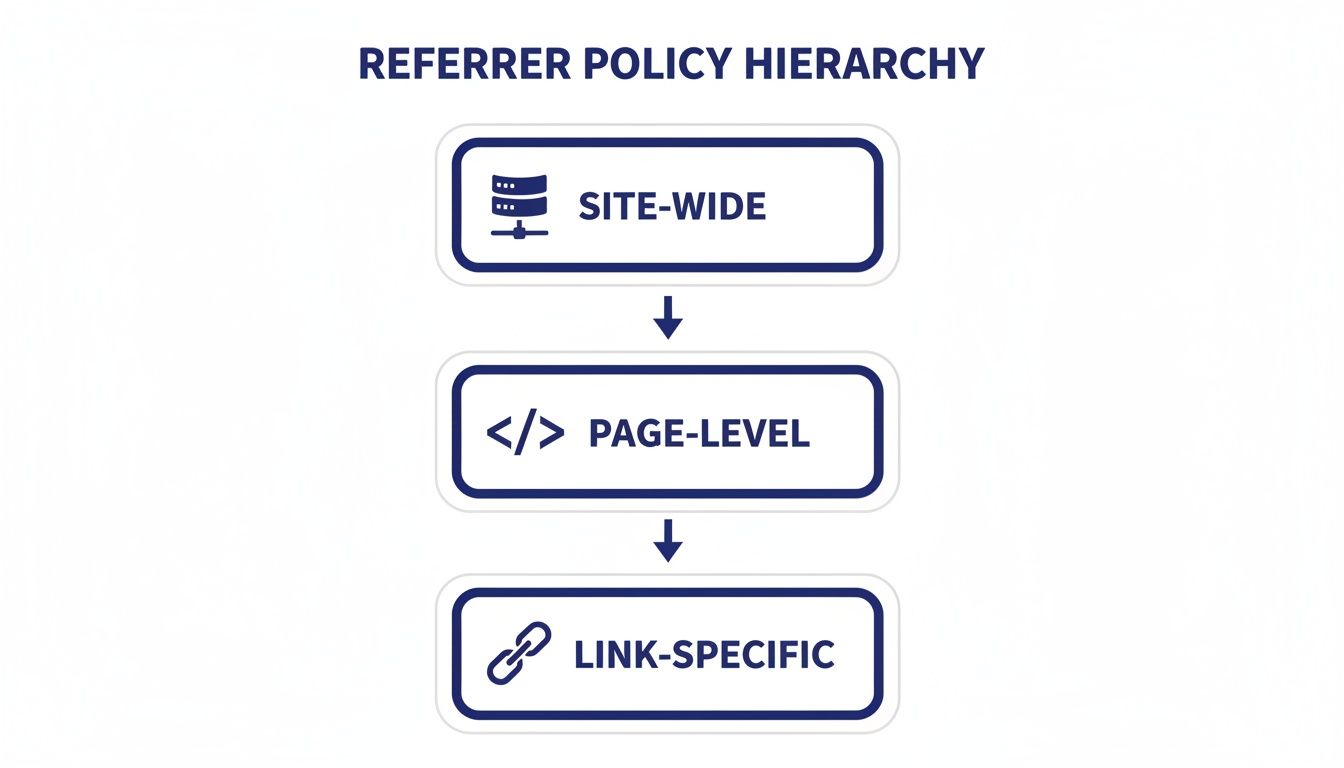
The main takeaway here is that the most specific policy always wins. A policy set on an individual link will always override what’s set at the page or site level.
A Head-to-Head Look at Referrer Policies
Choosing the right policy is much easier when you see them side-by-side. This table breaks down what each policy does and how it affects your data, user privacy, and analytics.
| Policy | What It Does | Privacy Impact | Best For |
|---|---|---|---|
unsafe-url | Sends the full URL on all requests, even insecure ones. | Very Low | Highly discouraged; poses a significant security risk. |
no-referrer-when-downgrade | Sends the full URL unless downgrading from HTTPS to HTTP. | Medium | Legacy systems; a former default but less private than modern options. |
strict-origin-when-cross-origin | Sends the origin for cross-origin requests, full URL for same-origin. | High | The modern default; recommended for almost all websites. |
no-referrer | Sends no referrer information at all. | Maximum | Situations where complete anonymity is required, at the cost of analytics. |
Looking at this comparison, it's clear that strict-origin-when-cross-origin wasn't just picked at random to be the new browser default. It’s the product of years of finding that sweet spot—giving website owners the essential referral data they need while fiercely protecting user privacy.
How This Policy Impacts Privacy-First Analytics
The switch to strict-origin-when-cross-origin as the default wasn't some minor technical tweak. It sent shockwaves through the web analytics world, fundamentally redrawing the line on what kind of traffic data is available and how it can be ethically collected.
For a long time, many analytics platforms were built on the assumption that they’d always get the full, detailed referrer URL. When browsers suddenly turned off that tap, many legacy tools were left scrambling. It’s a major reason you might see a puzzling spike in "Direct" traffic in older analytics setups—they can't interpret the limited referrer, so they just assume the visitor typed your URL by hand.
The New Reality for Referral Data
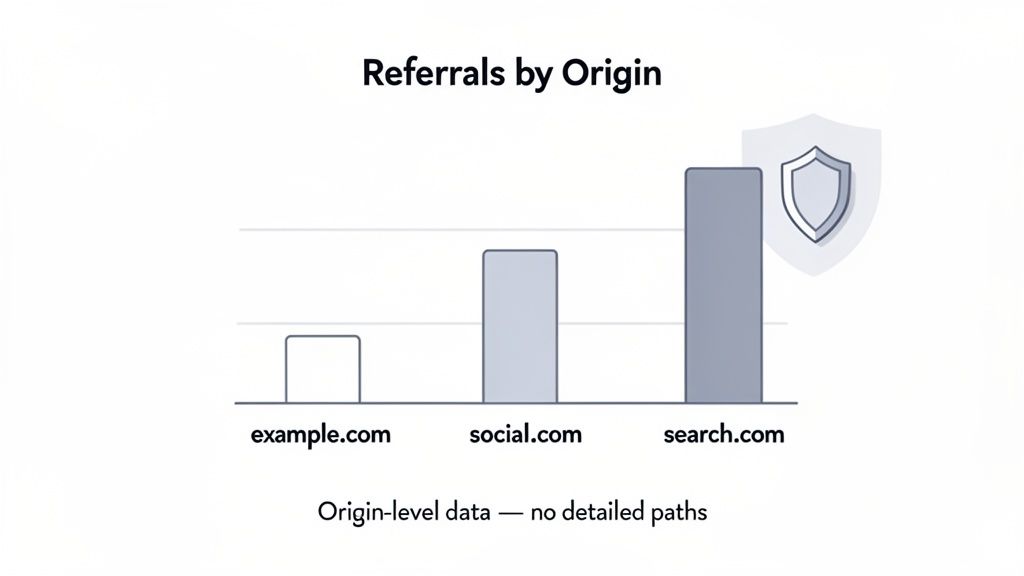
The days of seeing precisely which article on another site sent you traffic are mostly behind us. You no longer get to see that a visitor came from a specific page like https://partner-blog.com/posts/a-specific-article-you-were-mentioned-in. All you get now is the origin: https://partner-blog.com/.
This change poses a huge problem for platforms designed to vacuum up as much granular data as possible. But for privacy-first analytics tools, this is the environment they were built for from day one.
Modern analytics platforms like Swetrix don't just put up with this change; they embrace it. They're designed to pull meaningful, big-picture insights from the origin-level data that
strict-origin-when-cross-originprovides, all without needing to track individual users across the web.
Privacy-focused analytics operate on a simple principle: you don't need to be invasive to get valuable insights. The origin is usually the most important piece of the puzzle for attribution, and this policy keeps it intact while ditching the parts that threaten user privacy.
Why UTM Parameters Are More Important Than Ever
So, if the full referrer path is gone for cross-origin visits, how do you track the performance of a specific ad, email, or social media post? The answer is a time-tested tool that has become absolutely essential: UTM parameters.
UTM (Urchin Tracking Module) parameters are just simple tags you append to a URL. They let you tell your analytics platform exactly where a visitor came from. A link with UTMs looks something like this:
https://your-site.com?utm_source=newsletter&utm_medium=email&utm_campaign=q4_promo
Even though the Referer header gets trimmed by the browser, these parameters are part of the URL itself. They travel with the user and arrive at your website completely intact, giving your analytics tool all the context it needs to correctly attribute the visit.
Adapting Your Measurement Strategy
Here’s how you can adjust your strategy to thrive in this new reality and keep your attribution sharp:
- Get serious about UTMs: Create and stick to a consistent naming convention for all your campaigns. This discipline is key to preventing a messy, unusable dataset and allows for clean, accurate comparisons between channels.
- Focus on the source, not the path: Instead of obsessing over which specific page sent a visitor, shift your analysis to which domains (sources) are driving your most engaged traffic. This is where privacy-first analytics truly shines.
- Embrace the big picture: Learn to value insights from aggregated trends and user behavior rather than trying to follow individual user journeys. This approach is not only better for privacy but also tends to reveal more stable, actionable strategies.
This method works hand-in-glove with platforms like Swetrix, which are built to automatically parse UTMs and display the data in clean, straightforward reports. You can still measure conversions, track ROI, and analyze engagement without ever crossing a privacy line.
For businesses that want maximum control, a self-hosted web analytics solution is a fantastic option. It allows you to own your data completely while still respecting modern privacy standards.
How to Verify Your Referrer Policy Is Working
So, you've set a referrer policy. That's a great first step, but how do you know it's actually working? You can't just trust a line of code is doing its job—you need to verify it.
Thankfully, you don't need any special tools for this. Everything you need is already built into your browser's developer tools. This hands-on check is the best way to debug. If your Swetrix dashboard isn't showing the referral data you expect, or if you're worried about accidental data leaks, this process will give you a clear answer in minutes. It shows you exactly what your server is telling browsers to do and what information your site sends when users click away.
Step 1: Check the Response Header
First things first: let's confirm your server is actually sending the Referrer-Policy header. This header is the instruction manual your site gives to every visiting browser.
You can check this on any page of your website. Here's the drill:
- Open Developer Tools: Right-click anywhere on your page and hit "Inspect," or just press F12 (or Cmd+Option+I on a Mac).
- Go to the Network Tab: Find and click on the "Network" tab.
- Reload the Page: With the Network tab open, refresh the page (F5 or Ctrl+R). This captures all the network activity as your site loads.
- Inspect the Main Document: The very first item in the request list should be your page's HTML document. Click on it.
- Look for the Header: A new panel will pop up. Under the "Headers" tab, scroll down to the "Response Headers" section. You should see
Referrer-Policywith the valuestrict-origin-when-cross-origin.
If you see it, you're golden! Your server is configured correctly. If it's missing, it's time to double-check your server configuration file or that HTML meta tag.
Step 2: Inspect the Outgoing Referer
Okay, the server is sending the right instructions. Now, let's make sure the browser is actually following them. We need to check the Referer header on a request made when someone clicks a link from your site to a different one.
Key Distinction: Remember,
Referrer-Policyis the instruction your server sends in a response. TheRefererheader is the result of that instruction, which the browser sends in a new request.
Here's how to test it:
- Find an External Link: Make sure you have a link on your site that points to a completely different domain.
- Open Developer Tools Again: If it's not still open, get the "Network" tab ready.
- Enable "Preserve log": Look for a checkbox labeled "Preserve log" and tick it. This is super important because it prevents the log from clearing when you navigate away to the new page.
- Click the Link: Now, click your external link.
- Examine the New Request: In the Network log, you'll see a new entry for the external site's document. Click it and look at the "Request Headers" section.
You should find a Referer header showing just your origin (like https://your-site.com/), without the full path of the page you came from. If you see that, it's official: your referrer policy strict-origin-when-cross-origin is working perfectly.
Common Questions About Referrer Policy
Even after you get the hang of strict-origin-when-cross-origin, a few practical questions always pop up. Let's tackle some of the most common ones you'll likely run into when putting this policy to work.
Will This Policy Break My Affiliate Marketing Links?
This is a big one, and the answer is almost certainly no.
Modern affiliate programs are smart. They don't depend on the Referer header anymore. Instead, they embed tracking information right into the link itself with unique parameters, like ?ref=123 or ?affiliate_id=abc.
Remember, this policy only cleans up the data sent in the separate Referer header. It never changes the URL a user clicks on. Since your affiliate tracking is part of that URL, your links will work just fine.
Is There Any Reason to Use a Different Policy?
Honestly, for over 99% of websites out there, strict-origin-when-cross-origin is the perfect sweet spot. It gives you the best balance of user privacy, strong security, and just enough data for useful analytics.
The only real exception might be a complex web application that needs to send the full URL path to a trusted partner service for a critical function. Even then, you'd want to set a more permissive policy for that single link using an HTML attribute—never as your site-wide default. The privacy risks are just too high otherwise.
How Does This Policy Work with Single-Page Applications?
This is a great question. In a Single-Page Application (SPA), when a user navigates between internal views, the browser doesn't do a full page load. This means the Referer header isn't even sent for that kind of internal "routing."
So, where does the referrer policy matter for an SPA? It comes into play in two key moments:
- When a user first lands on your app from an external site.
- When a user clicks a link inside your app that takes them to a completely different website.
In both of these cases, your strict-origin-when-cross-origin policy will kick in and manage the referrer information exactly as it's supposed to.
Gain a clear, complete picture of your website's traffic with **Swetrix**. Our privacy-first analytics platform is built for the modern web, giving you actionable insights without compromising user privacy. Start your free 14-day trial and see what you've been missing.