- Date
How to find 404 errors and fix them fast
 Andrii Romasiun
Finding and fixing 404 errors is about much more than just tidying up broken links. It's about defending your user experience, protecting your hard-won SEO performance, and ensuring your website is actually working for you. The best strategies I've seen involve a mix of tactics: digging into server logs, keeping a close eye on Google Search Console's Coverage report, running a site crawler like Screaming Frog, and using real-user monitoring tools for real-time alerts.
Why Finding 404 Errors Is a High-Stakes Game
That "Page Not Found" message isn't just a minor glitch; it's a dead end that can quietly sabotage your brand and your bottom line. Think about it: every 404 is a broken promise to a user who clicked a link expecting to find something valuable. If you let these errors pile up, you’re creating a frustrating experience that drives people away, increases your bounce rate, and kills potential conversions.
And it’s not just visitors you have to worry about. Unchecked 404s send all the wrong signals to search engines. Your website's crawl budget is a limited resource, and if Googlebot keeps running into dead ends, it has less capacity to find and index your most important, money-making pages.
The Hidden SEO Costs of Broken Links
Every 404 error is essentially a leak in your SEO foundation. When another website links to one of your pages, it's passing along valuable "link equity" or authority. If that link leads to a 404, that equity just vanishes into thin air. You're basically letting all that hard-earned authority go to waste.
This digital decay snowballs into bigger issues:
- Wasted Crawl Budget: Search engine crawlers learn to avoid paths that lead to 404s, which means they might miss your new or updated content entirely.
- Lost Link Equity: Those valuable backlinks pointing to nowhere stop contributing to your site's overall domain authority.
- Poor User Signals: High bounce rates from 404 pages tell Google that your site might not be providing a great user experience, which can hurt your rankings.
The rise of AI-driven search has thrown a new wrench in the works. AI assistants sometimes "hallucinate" links when generating answers, creating 404 errors out of thin air. This makes proactive monitoring more crucial than ever to maintain user trust.
The New Threat of AI-Generated 404s
The problem is getting worse in the era of AI-powered search. A September 2025 analysis revealed that ChatGPT hallucinates links, with a staggering 2.38% of its cited URLs leading to 404 errors—that’s nearly three times the rate of Google Search.
When you consider that AI Overviews are already slashing clicks to top pages by 34.5%, making sure your site is error-free becomes non-negotiable for capturing the precious traffic that’s left. You can dig into more data on AI's impact on SEO to see how these trends are playing out. The takeaway is clear: you're no longer just fixing your own mistakes; you're now defending against errors you didn't even create.
Your Toolkit for Uncovering Hidden 404 Errors
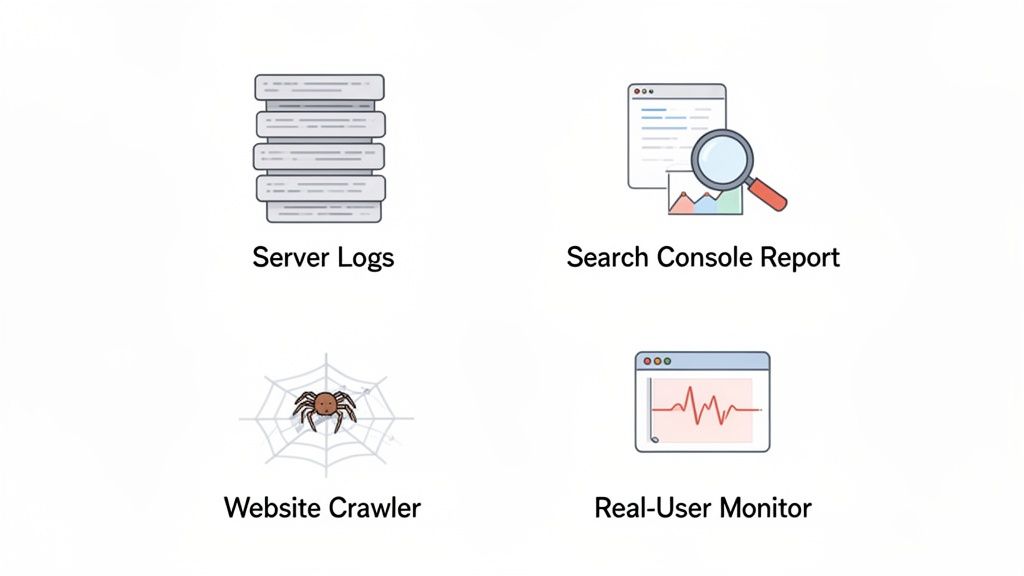
Alright, you know why 404s are a problem. Now, let's get into the nitty-gritty of how to hunt them down. Finding these errors isn't about using a single magic tool; it's about building a solid process using a few different angles of attack. Each method gives you a unique piece of the puzzle.
Think of it this way: server logs tell you what actually happened, Google Search Console tells you what Google sees, a crawler tells you what’s broken on your own site, and user monitoring tells you what your visitors are experiencing right now. Let's break down each one.
Go Straight to the Source with Server Logs
Want the raw, unfiltered truth? Dive into your server logs. Every single request to your site—from real users, search engine bots, and everything in between—gets recorded here. This is where you’ll find 404s that other tools might completely miss, like those from old bookmarks or bad inbound links from obscure sites.
Fair warning, this method is pretty technical. You’ll need server access and might have to get comfortable with command-line tools to sift through the data. But the payoff is a complete list of every single "not found" request, along with the timestamp and who (or what) made the request. It’s the ultimate source of truth.
Use Google Search Console for SEO Insights
For anyone focused on search traffic, Google Search Console (GSC) is non-negotiable. It’s a free, direct line to Google, and its Coverage report is where you'll find gold. This is Google telling you, "Hey, I tried to crawl these URLs you linked to, but they're dead."
Look for the "Not found (404)" section in the report. Any URL listed here is a high-priority issue. Why? Because Google is explicitly telling you it's hitting a dead end, which can waste your crawl budget and hurt your site's authority over time. Fixing these is a direct way to improve your relationship with Google.
Perform a Deep Dive with Website Crawlers
To find broken internal links, nothing beats a good website crawler. Tools like Screaming Frog SEO Spider or the site audit feature in Ahrefs act like your own personal search engine bot. They systematically click through every link on your site, building a comprehensive map of your internal architecture.
During the crawl, they keep a running list of any link that returns a 404 status code. This is absolutely critical for user experience. A single broken link in your main navigation or footer can instantly create a frustrating dead end on hundreds of pages. Regular crawls help you catch these issues before they cause real damage.
Catch Errors in Real Time with User Monitoring
The methods we've covered so far are great for finding existing problems, but what about errors happening right now? That's where real-user monitoring (RUM) comes in. Tools like Swetrix track what your actual visitors are doing and can immediately flag when someone hits a 404 page.
This isn't just an error log; it's a window into the user's experience. You can often see the user's browser, device, and location, which helps you pinpoint problems that might only affect a specific segment of your audience. If you want to explore more options, our guide on the best real-user monitoring tools is a great place to start.
Comparison of 404 Error Detection Methods
Choosing the right tool depends on your goal. Are you focused on SEO, user experience, or technical completeness? This table breaks down the strengths and weaknesses of each approach.
| Method | Best For | Pros | Cons |
|---|---|---|---|
| Server Logs | Finding every 404, including those from bots and direct traffic. | The most comprehensive and unfiltered data source available. | Highly technical, requires server access, and can be noisy. |
| Google Search Console | Prioritizing fixes that directly impact SEO and Google's crawl. | Free, easy to use, and shows exactly what Google sees as broken. | Only shows URLs Google has tried to crawl; can have a data lag. |
| Website Crawlers | Auditing and fixing broken internal links to improve site health. | Excellent for on-site SEO, user experience, and link equity flow. | Can miss errors from external sources or direct traffic. |
| Real-User Monitoring | Catching errors as they happen and understanding user impact. | Real-time data, provides context (device, browser), proactive. | Only tracks errors encountered by actual visitors. |
Ultimately, a combination is your best bet. Use GSC and a crawler for your routine health checks, and a RUM tool to catch live issues before they escalate.
Understanding Digital Decay and Its Impact
It’s easy to think 404 errors are just a sign of a typo or a messy website migration. And sure, those are common culprits. But the real issue is something much bigger and, frankly, unavoidable: the internet is in a constant state of flux. This process is often called digital decay, where links and pages simply break down over time. No website, big or small, is safe from it.
Imagine a library where books get moved without updating the card catalog, pages are torn from chapters, or entire sections are just gone one day. That’s what’s happening online. Other sites redesign and break their links pointing to you, you archive old content without setting up a redirect, or a domain you linked to simply expires. This isn't a sign you've done something wrong; it's the natural entropy of the web at work.
The Inevitable Process of Link Rot
This slow, creeping degradation has a name: "link rot." A perfectly functional website can rack up dozens of broken links in a year without you touching a thing. It happens because the web is always changing around your site—resources you linked out to get taken down, a partner company changes its URL structure, or old social media posts pointing to your content get deleted.
This is exactly why you need to find 404 errors proactively. The trick is to treat it like ongoing maintenance, not a one-off cleanup project. You’re essentially defending your site against the web's natural tendency to crumble.
A consistent monitoring strategy transforms you from a digital archaeologist digging up old problems to a proactive gardener, pruning dead links before they can affect the health of your entire site.
How Quickly Does the Web Disappear?
The scale of this decay is pretty shocking. The web feels permanent, but the data tells a different story. It’s disappearing faster than most people realize, which makes the case for vigilant 404 monitoring crystal clear.
A 2024 study from the Pew Research Center put some hard numbers to this. They found that a mind-boggling 38% of webpages that existed in 2013 are gone today. Think about that for a second. More than a third of the web from a decade ago has vanished. The study also found that of all the pages they sampled between 2013 and 2023, a full 25% were broken by October 2023. This wasn't just a few broken links here and there; it included entire websites going offline for good. You can read their full findings on disappearing online content for more detail.
This constant erosion means that keeping your site healthy isn't a project with an end date. It requires a persistent strategy to find and fix the broken links that will inevitably pile up. By staying on top of it, you protect your user experience and stop your hard-earned SEO value from slowly bleeding out. Your website doesn't exist in a bubble; it's part of a dynamic, and sometimes decaying, ecosystem.
Setting Up Automated Error Monitoring and Alerts
Checking for 404s manually is a good starting point, but it's fundamentally reactive. You're always playing catch-up. To really get ahead of broken links, you have to switch from occasionally hunting for problems to a system that tells you about them the moment they happen.
This is where automated monitoring completely changes the game. Instead of finding out about a broken link from an angry user or waiting for your next scheduled site crawl, you get an instant heads-up. This gives your team a chance to jump on the fix before it affects too many visitors or, even worse, gets indexed by search engines.
It's a process often called "digital decay" or "link rot." Even the healthiest sites will eventually break down without consistent upkeep. It's inevitable.
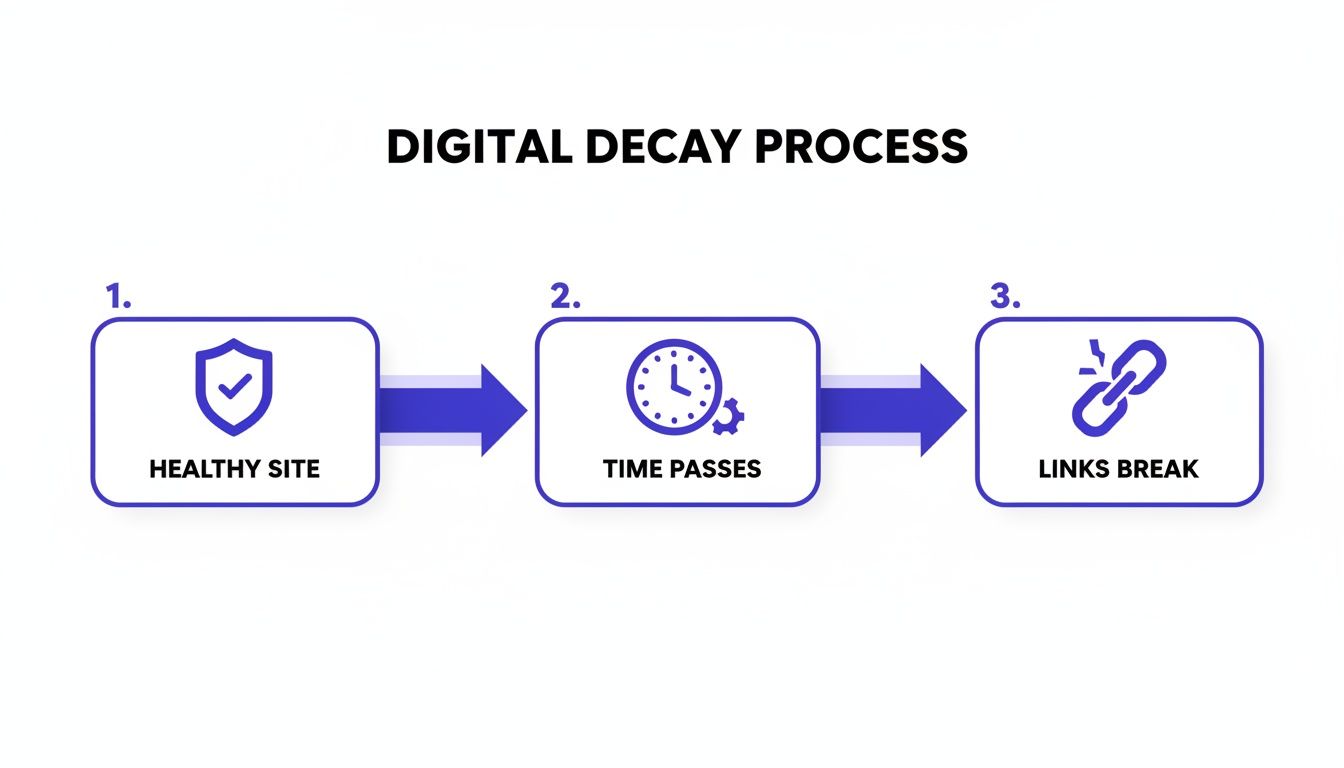
This slow but steady decay is exactly why you can't just check your site once and call it a day. Continuous monitoring is essential.
Building Your Automated Alert System
Don't worry, setting up an automated system is probably easier than you think. With a tool like Swetrix, you can use its built-in features to gather and diagnose issues without much fuss. The real goal is to move beyond a simple "a 404 happened" notification and actually understand the context behind it.
A good alert system will give you the full story for every single error:
- What specific URL is broken?
- What browser and device was the person using? This can help you spot platform-specific bugs.
- Where was the user geographically? This might point to a regional server or CDN problem.
- Crucially, what was the referring page? This tells you exactly where the broken link is located.
Having this level of detail turns a generic error alert into a ready-to-go ticket for your developers. Our guide on comprehensive error tracking is all about helping you build this kind of intelligent setup.
Configuring Real-Time Notifications
Once your tool is collecting all this great data, the last piece of the puzzle is to send the alerts where your team will actually see them. You want to get that information to the right people immediately, closing the gap between discovery and resolution.
Most modern monitoring platforms can plug directly into the tools your team already uses every day, like Slack, Discord, or Telegram. You can even set up custom rules for when an alert should fire.
For instance, you could configure an alert to:
- Go off instantly if a high-traffic page, like a key product page, starts returning a 404.
- Only trigger if 404 errors spike above a certain threshold, like 50 events in an hour, to filter out random, one-off issues.
- Send notifications to a dedicated channel, like
#dev-alertsin Slack, so they don’t get lost in general chatter.
This kind of setup completely transforms your workflow. Instead of burning hours every month just looking for problems, your team can focus on building new things, knowing your automated watchdog has your back.
This proactive approach has benefits beyond just user experience. Think about this: the WebAIM Million 2025 report found an average of 51 accessibility errors per page. But their analysis specifically excluded pages that returned a 404. That means every broken link on your site is a blind spot, potentially hiding other serious issues from your audits. By fixing 404s promptly, you make sure your entire site is actually available for these crucial health checks.
Prioritizing 404 Fixes for Maximum SEO Impact
So, you've run your reports and now you're staring at a giant list of 404 errors. It can feel a little overwhelming. But here’s the secret: don't panic and don't try to fix every single one.
The key is to work smart. You need to triage these broken links just like a doctor in an emergency room. Some are just minor scrapes, barely worth a glance. Others are bleeding out your site's authority and user trust, and those are the ones you need to rush to first.
Find Your High-Value Pages
First things first, you need to figure out which broken URLs actually matter. A 404 on an obscure blog post from six years ago with no traffic is a totally different problem than a 404 on your main service page.
To build your priority list, dig into your analytics and cross-reference it with your 404 report. I always look for broken pages that used to have:
- Real, organic traffic: These are the pages people were actually finding and visiting from search engines. Every 404 here is a lost visitor and a bad signal to Google.
- Good backlinks: Fire up a tool like Ahrefs or Moz to check if any of these dead URLs have valuable links pointed at them. Letting those links hit a dead end is like throwing away free SEO authority.
- A crucial role in conversions: Was the page a pricing page, a product detail page, or a form to download an ebook? If it was part of your conversion funnel, it's a critical fix.
Your Toolkit: 301 Redirects vs. Custom 404 Pages
Once you have your high-priority list, it's time to decide on the right fix for each one. Your two best friends here are 301 redirects and a well-crafted custom 404 page. The right choice really just depends on the situation.
A 301 redirect is the perfect tool when a page's content has moved or you have a new, highly relevant replacement. For example, if your-site.com/old-service-name is now your-site.com/new-service-name, a 301 redirect seamlessly sends users and search engine bots to the new location. This is crucial because it passes along the vast majority of the original page's ranking power.
But what do you do when there's no obvious new page to send people to? That’s where a genuinely helpful custom 404 page comes in. Instead of a dead-end "Not Found" message, you can guide lost visitors with a search bar, links to your most popular content, and clear navigation.
Sometimes, it’s honestly okay to just let a low-value page die and return a 404, especially if it has zero traffic and no backlinks. Fixing it wouldn't move the needle.
This kind of strategic thinking is a core part of site health. If you want to go deeper on this, our ultimate guide for website optimisation is a great next step. It's all about making sure you're working smarter, not just harder, on the things that actually make a difference.
Got Questions About 404 Errors? We've Got Answers
Alright, you’re armed with the right tools and a solid game plan for tracking down 404 errors. But a few common questions always seem to pop up when you're in the trenches. Let's clear the air on these so you can handle any 404 situation like a pro.
Do 404 Errors Directly Hurt SEO Rankings?
The short answer is no, not directly. Google has said that a few random 404s won't get your site penalized. But don't let that fool you—a widespread 404 problem can absolutely tank your SEO performance indirectly.
Think of it from a user's perspective. Hitting a bunch of dead ends is frustrating, which can send your bounce rate through the roof. Broken internal links are even worse. They act like dams, stopping the flow of link equity—that valuable "SEO juice"—from moving through your site. Over time, this starves your important pages of authority and can cause their rankings to wither.
What's The Difference Between a 404 and a Soft 404?
This is a great question because the difference is subtle but incredibly important. A standard 404 error is honest. It sends a clear signal to browsers and search engine bots that the page is gone, and that's that.
A soft 404, however, is a liar. It’s when a URL for a page that doesn't exist still returns a 200 OK status code, which means "everything is fine here!" This often happens when a server is configured to redirect non-existent URLs to the homepage or a generic error page instead of serving a proper 404. It tells search engines to index a page that has no real content, wasting your precious crawl budget and muddying your site's overall quality signals.
You'll find these sneaky soft 404s flagged in your Google Search Console Coverage report. Make fixing them a priority. They send confusing, mixed signals to crawlers, telling them a page is perfectly fine when it’s actually a dead end.
How Often Should I Check for 404 Errors?
There's no one-size-fits-all answer here. The right rhythm depends entirely on how big and dynamic your website is.
- For small, static websites: If you have a simple brochure site that rarely changes, running a manual check once a month with a site crawler or in Google Search Console should be enough to stay on top of things.
- For large, dynamic sites: If you're running an e-commerce store, a busy blog, or a news site, content is constantly shifting. For these, continuous, automated monitoring isn't just a nice-to-have; it's essential.
For high-velocity sites, tools that offer real-time alerts are a lifesaver. They let you find 404 errors the moment they happen, so you can squash them before they cause any real damage. This proactive approach is the key to maintaining a healthy site and preventing minor hiccups from turning into major SEO headaches.
Ready to stop hunting for errors and start getting real-time alerts? With Swetrix, you can automatically track 404s and get the context you need to fix them fast. Start your 14-day free trial today and see what you’ve been missing.