- Date
How To Audit Your Analytics Setup In 2026
 Andrii Romasiun
Poor data quality drains budgets and obscures marketing performance. Browsers block traditional third-party trackers by default in 2026. Users reject consent banners at record rates. Learn how to audit your analytics setup to fix inaccurate data, ensure strict privacy compliance, and transition to reliable cookieless tracking.
Why You Must Audit Your Analytics Setup Today
Dashboards with missing data force teams to make decisions based on guesswork. Broken tracking scripts inflate bounce rates, and unconfigured consent banners block half your conversion data. You must identify these gaps before allocating your next marketing budget.
The Hidden Cost Of Bad Data
Flawed data collection impacts the entire business. Marketing teams optimize campaigns for the wrong keywords. Sales teams chase unqualified leads. Gartner researchers report that poor data quality costs enterprise organizations an average of $12.9 million per year. Analysts at MIT Sloan estimate that bad data drains between 15 to 25 percent of revenue for most companies.
Calculate your own data gap now. Open your web analytics dashboard and pull total reported sessions for the last 30 days. Pull your server log files for the same period. Subtract the analytics sessions from the server requests to find your untracked traffic.
Every missing session obscures a user journey. Marketers lose visibility into what pages hold attention and which campaigns generate pipeline.
Why Traditional Tracking Is Failing
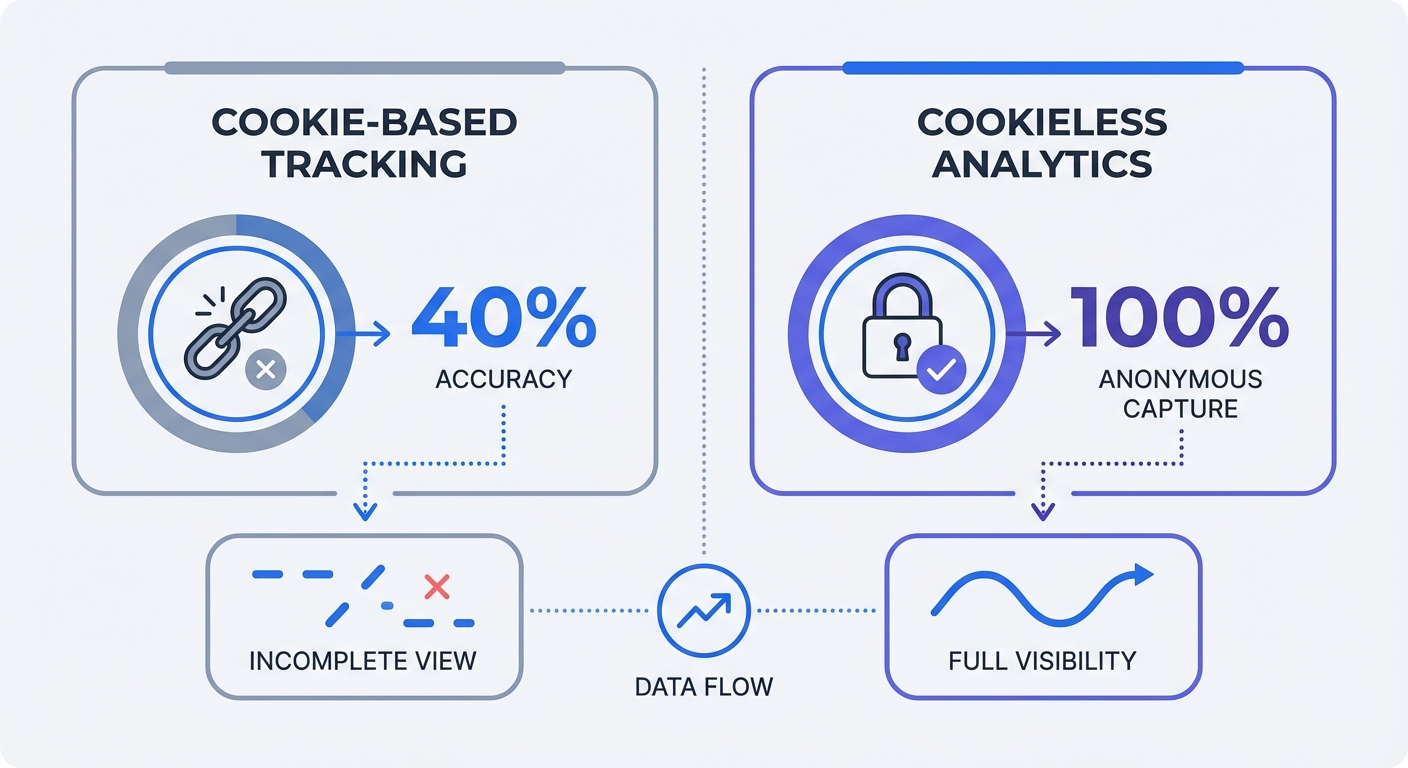
Client-side cookie tracking no longer functions as a reliable measurement standard. Google Chrome finalizes the deprecation of third-party cookies in 2026. Apple Safari and Mozilla Firefox block these trackers through Intelligent Tracking Prevention and Enhanced Tracking Protection.
Browser restrictions and ad blockers can prevent tracking requests from reaching analytics providers. Compare backend conversions with analytics events to measure the gap for your own audience.
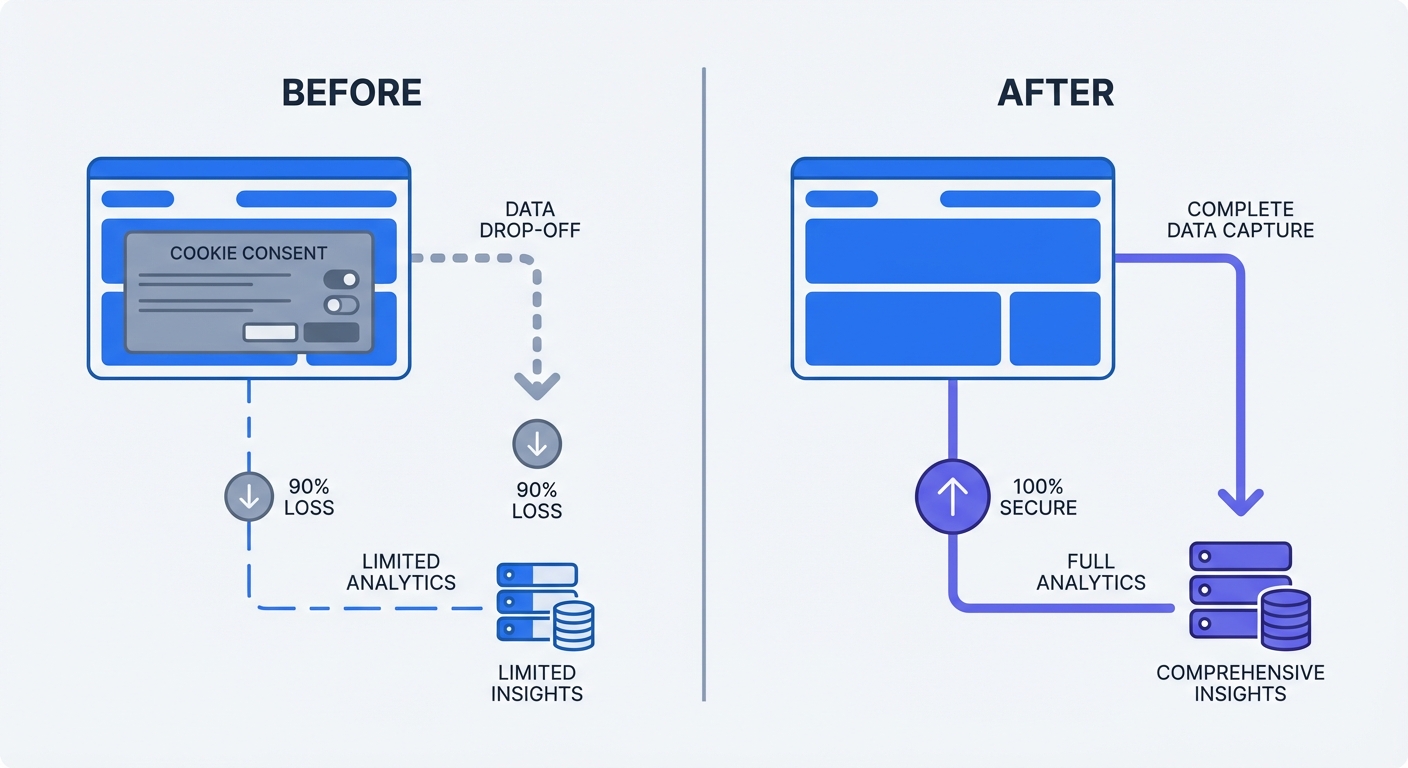
User behavior compounds this technical limitation. The average opt-in rate for marketing cookies across the European Union varies by industry and banner design, but typically ranges from 30 to 54 percent. Visitors arrive, see a consent pop-up, and click "Reject All." Traditional scripts respect that choice and stay dormant, leaving marketing teams with zero data for those sessions.
How To Prepare For Your Analytics Audit
An audit requires a baseline. You must document your tracked metrics and data storage locations before altering any code.
Define Your Core Metrics
List all tools loading on your website. Marketing teams accumulate redundant scripts over years of testing different platforms. Administrators uncover multiple heatmapping tools and legacy analytics tags loading on every page.
Create a spreadsheet to inventory your active platforms. Include columns for the tool name, the script location, the owner, and the specific metrics it measures.
Define the user actions that matter for your business goals. E-commerce sites track cart additions, checkout initiations, and completed purchases. B2B software companies measure demo requests, whitepaper downloads, and newsletter signups.
Build an event tracking dictionary. Standardize the naming conventions for every custom event.
- Use lowercase letters for all event names.
- Separate words with underscores.
- Format the name as
noun_verb(e.g.,form_submit,button_click,video_play).
Share this dictionary with your development team. Consistent naming prevents fragmented data scenarios where one developer tracks SubmitForm and another tracks form_submitted.
Identify Current Legal Risks
Data privacy regulations carry severe financial consequences. Regulators issued €7.1 billion in cumulative GDPR fines by January 2026. The rollout of the EU AI Act adds another layer of scrutiny. Feeding non-compliant, unstructured data into AI training models exposes organizations to multimillion-dollar penalties.
Document the geographic storage location of your user data. European companies face compliance failures when they send analytics data to servers hosted in the United States without adequate safeguards. Verify that your current provider offers regional data hosting.
Review your data retention settings. Platforms default to indefinite storage out of the box. Configure your analytics to delete user data after 14 or 26 months. Retaining data past its business utility violates the principle of data minimization.
Step-By-Step: How To Audit Your Analytics Setup
Testing your setup requires methodical comparison and technical validation. Execute these three steps to uncover tracking failures and compliance violations.
Step 1: The Backend Match Test
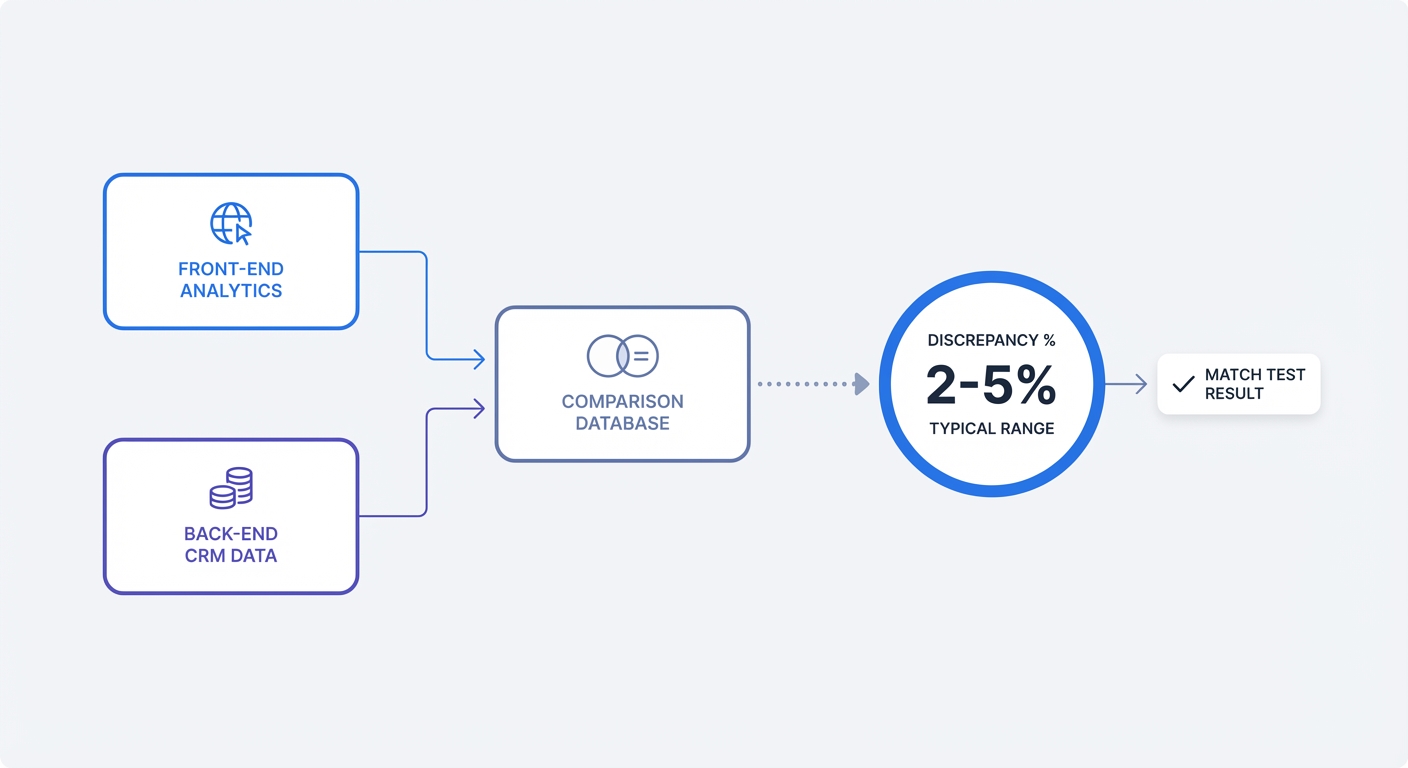
Your analytics dashboard must match your database records. The Backend Match Test compares front-end analytics conversions against those back-end systems.
Pick a specific conversion event, like a contact form submission or a processed transaction. Select a date range from the past 30 days. Pull the total number of conversions reported in your analytics tool. Next, export the corresponding records from your CRM or payment processor for that timeframe.
Calculate the discrepancy using this formula:
((Backend Sales - Analytics Conversions) / Backend Sales) * 100
Review the resulting percentage against these benchmarks:
| Discrepancy Rate | Assessment | Required Action |
|---|---|---|
| 0 to 5% | Normal | None. This accounts for canceled transactions and minor sync delays. |
| 6 to 15% | Warning | Investigate ad blockers or missing tags on specific landing pages. |
| 16%+ | Critical Failure | Rebuild your tracking setup. Data is unreliable. |
High discrepancies point to broken confirmation pages, misfiring tags, or heavy cookie rejection rates. Identify the specific devices, browsers, or geographic regions driving the missing data to isolate the root cause.
Step 2: Consent Flow Testing
Regulators penalize websites that track users before securing permission. You must verify that your cookie-dependent scripts remain blocked until the user interacts with your banner.
Open an incognito window in Google Chrome. Navigate to your website and leave the cookie banner untouched.
Right-click the page and select "Inspect" to open Developer Tools. Click the "Network" tab, then reload the page. Type the name of your analytics provider into the "Filter" box at the top of the pane.
If network requests populate in the list, your site tracks users without consent. This setup represents a critical compliance failure.
Return to the browser and click "Reject All" on your consent banner. Clear the network log. Reload the page. If the analytics requests appear again, your banner acts as a placebo. You must configure your tag manager to read the consent state variable and block the tags from firing.
Step 3: Check For PII Leakage
Analytics platforms forbid the collection of Personally Identifiable Information (PII). Sending names, email addresses, or phone numbers to your analytics dashboard risks account suspension and legal action.
Examine your page URLs. Misconfigured site search tools and form handlers append user input into the URL string. A user submits a password reset, and the browser loads yoursite.com/reset?email=john@example.com. Your analytics script captures that URL and logs the email address in plain text.
Check your custom dimensions and event properties. A developer might pass the contents of a lead generation form into an event payload.
Within your analytics dashboard, search for the @ symbol in your page paths and event labels. Run a second search for common names. Finding results indicates a PII leak. Redact the data in the platform settings and rewrite your form handling logic to use POST requests instead of GET requests.
Fixing Data Gaps With Cookieless Analytics
Privacy compliance and data accuracy do not have to conflict. You can resolve missing sessions, failing consent flows, and PII risks by abandoning legacy tracking architectures.
Ditching The Cookie Banner Without Legal Risk
Traditional analytics rely on persistent identifiers. These systems place a file on the user's device to track behavior across multiple sessions and websites. This profiling triggers privacy laws and mandates the disruptive cookie banner.
You bypass the banner requirement by switching to cookie-free analytics. Platforms like Swetrix use anonymous hashing instead of persistent cookies. The script generates a temporary, randomized string based on the user's IP address and browser user agent.
The system discards the salt used to generate the hash every 24 hours, preventing the platform from tracking the user across different days or external websites. Because this method strips all identifiable information, it falls outside the scope of GDPR consent requirements. You gain visibility into every visitor journey without demanding permission via pop-ups.
Boosting Accuracy And Page Speed
Compare a server-side or cookieless setup with your existing implementation using the same conversion definition and reporting window. Check duplicates, missing events, and consent handling before interpreting any increase as more accurate measurement.
Cookieless scripts bypass ad blockers because they do not track users across domains. These tools load for every visitor, restoring the missing traffic lost to banner rejections. Marketing teams base their decisions on the complete picture.
Lightweight analytics improve your technical SEO. Legacy tracking scripts download heavy JavaScript bundles that delay page rendering. These obsolete tags inflate your Largest Contentful Paint and block the main thread. Swetrix offers a minimal, open-source script under 2KB. Replacing your legacy tag with a lightweight alternative improves your Core Web Vitals and elevates your search rankings.
Maintaining Accuracy Post-Audit
An audit provides a snapshot of your data health. Websites evolve, marketing teams launch new campaigns, and developers ship new code. You need systems to catch tracking errors before they corrupt your quarterly reports.
Setting Up Routine Checks
Schedule a technical review of your tracking infrastructure every twelve months. Web standards shift, and analytics platforms deprecate old features. Annual maintenance prevents your setup from decaying.
Trigger an immediate mini-audit after any major site change. Redesigns, CMS migrations, and checkout flow updates strip tracking scripts from critical pages.
Monitor your 404 error reports every week. Broken links bleed traffic and ruin attribution. Create a custom dashboard widget that displays the number of sessions landing on your "Page Not Found" template. Spikes indicate a broken ad campaign URL or a botched site migration. Configure your analytics to capture the referer URL for these 404 hits to trace the source of the broken link.
Use UTM parameters for all inbound marketing links. Unstructured links dump expensive campaign traffic into the "Direct" bucket. Generate standardized tags using a UTM builder before publishing social posts, email newsletters, or paid ads. Append source, medium, and campaign to every URL to ensure reliable revenue attribution.
Filtering Internal Traffic
Employee activity skews behavioral data. A developer refreshing a staging page 50 times inflates your session count. Sales representatives checking pricing tables alter your average time on page.
Exclude internal traffic from your production analytics using IP address filtering.
- Gather the static IP addresses for your corporate office.
- Ask remote employees to provide their home IP addresses.
- Open your analytics settings and navigate to the data filters section.
- Create an exclusion rule for the collected IP addresses.
Dynamic IP addresses complicate this approach. Remote workers on residential ISPs get new IP addresses whenever their router reboots. Provide these employees with a custom exclusion link. When clicked, the link sets a local storage variable in their browser. Configure your tracking script to check for this variable and abort data collection when present.
Segregate your testing environments. Never send data from localhost or staging.yoursite.com to your main reporting view. Create a separate project ID in your analytics platform for development traffic. Configure your environment variables to load the development tracking ID on staging servers and the production tracking ID on live servers.
End your reliance on broken cookie tracking and incomplete dashboards. Swetrix provides privacy-focused, cookie-free web analytics that capture full traffic data without violating user trust. Try the Google Analytics alternative that loads faster, bypasses consent banners in compliance with privacy laws, and keeps your data accurate. Start your free trial at Swetrix.com.