- Date
Pirsch vs Umami: Detailed Open Source Analytics Comparison
The shift towards privacy friendly analytics has produced some excellent tools, and if you are evaluating your options, Pirsch and Umami are likely on your radar. Both tools offer clean, fast dashboards, reject the use of invasive cookies, and provide a much simpler experience than Google Analytics.
However, they differ significantly in their approach to open source software, proactive alerting, and team management features.
Let us dive into a detailed comparison between Pirsch and Umami, and then explore why Swetrix is the comprehensive analytics platform that surpasses them both in technical depth and growth capabilities.
Pirsch Overview
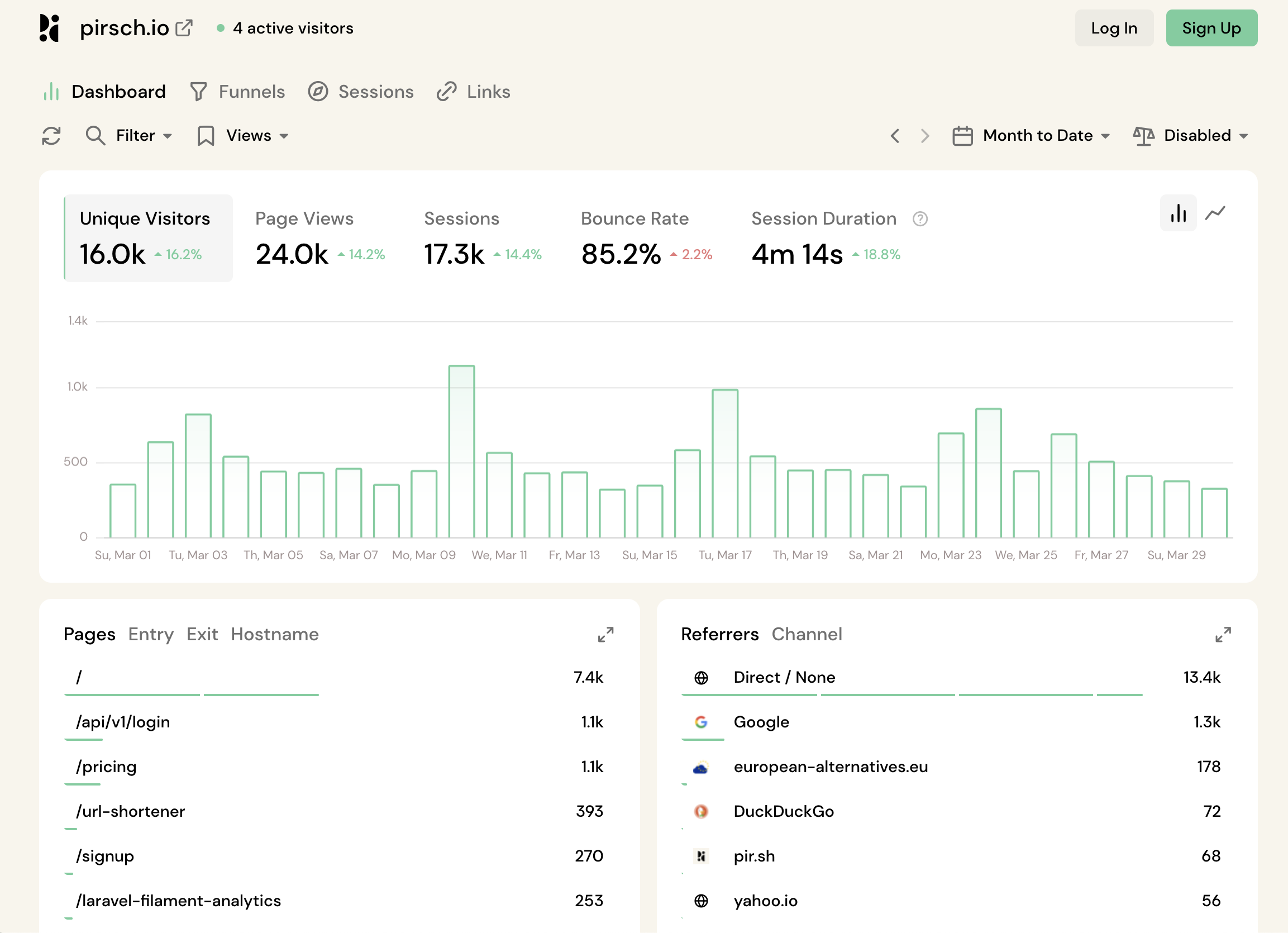
Pirsch is a fast, developer focused analytics platform built in Germany. It prioritizes speed, an intuitive interface, and excellent API documentation, making it very easy to integrate traffic data into custom dashboards and workflows.
Strengths:
- Proactive Alerts: Allows you to configure notifications for traffic spikes or custom events.
- Developer Friendly: Robust API and easy integration options.
- Team Management: Good support for managing organizations and multiple domains.
Cons:
- "Open Core" Only: Full self hosting is complex and advanced features are often gated behind enterprise tiers, unlike fully open source projects.
- Lacks Technical Metrics: Does not track page load speeds or error logs.
Umami Overview
Umami is a highly popular, 100% open source analytics tool designed with minimalism in mind. It is widely praised by developers for being incredibly easy to self host and for providing a clean, single page dashboard that gives you your essential stats at a glance.

Strengths:
- Fully Open Source: Transparent codebase that is simple to audit and self host on your own infrastructure.
- Extremely Simple: The UI is uncluttered and accessible to anyone.
- Lightweight: Has a very small tracking footprint.
Cons:
- Missing Proactive Alerts: You must log in manually to see if traffic has spiked or an event has occurred.
- Limited Visuals: Lacks advanced visual tools like user flow diagrams and detailed mapping.
- No Email Reports: Does not support scheduled email reporting for your team or clients.
Feature Comparison: Pirsch vs Umami
Here is how Pirsch, Umami, and Swetrix compare across essential features.
| Feature | Pirsch | Umami |  Swetrix Swetrix |
|---|---|---|---|
| Core Features | |||
| Real-time Analytics | |||
| Custom Events | |||
| Page views | |||
| Live visitors count | |||
| UTM Tracking | |||
| Device stats (browser, OS, type) | |||
| Email Reports | |||
| Advanced Features | |||
| Performance Monitoring (Web Vitals) | |||
| User Flow Analysis | |||
| Error Tracking | |||
| Alerts / Notifications | |||
| Geolocation map visualisation | |||
| Funnels | |||
| Segments | |||
| Multiple Domains per Site | |||
| Growth & Product | |||
| AI Chat | |||
| Goals | |||
| Experiments (A/B tests) | |||
| Feature flags | |||
| User Profiles | |||
| Revenue analytics | |||
| CAPTCHA | |||
| Security & Access | |||
| Bot filtering | |||
| Two-Factor Authentication (2FA) | |||
| Role-based Access Control | |||
| Shared Dashboards | |||
| Organisations (Teams) | |||
| Privacy & Compliance | |||
| Cookie-less Tracking | |||
| Open Source | (Core only) | ||
| Self-hostable | (Enterprise) | ||
| EU data residency | |||
| Technical specifications | |||
| Script size | ~11 KB | ~3 KB | 6 KB |
| API access | |||
| Bypass adblockers | |||
| Pricing & Support | |||
| Entry price | $12.00 | $20.00 | $19.00 |

Where Both Tools Fall Short
Pirsch and Umami are fantastic for basic reporting, but they both hit a ceiling when you need deep insights to actively grow your website.
1. No Technical Observability
A successful website requires more than just high traffic; it needs to be fast and functional. Neither Pirsch nor Umami tracks Core Web Vitals (performance speeds) or JavaScript errors, leaving you entirely blind to the technical experience of your users.
2. Missing Growth Features
If you want to run A/B tests to improve conversions, use feature flags to safely roll out updates, or query your data with AI, you will not find these features in Pirsch or Umami. They are static reporting tools, not active growth platforms.
3. Open Source Trade offs
If you value true data sovereignty, Umami is great, but it lacks team alerts and email reporting. Pirsch has those features, but its "open core" model makes self hosting complex and restrictive.
Why Swetrix is the Superior Choice
You do not have to choose between a fully open source tool with missing features (Umami) and a feature rich tool with open source restrictions (Pirsch). Swetrix gives you the best of both worlds, plus everything they missed.
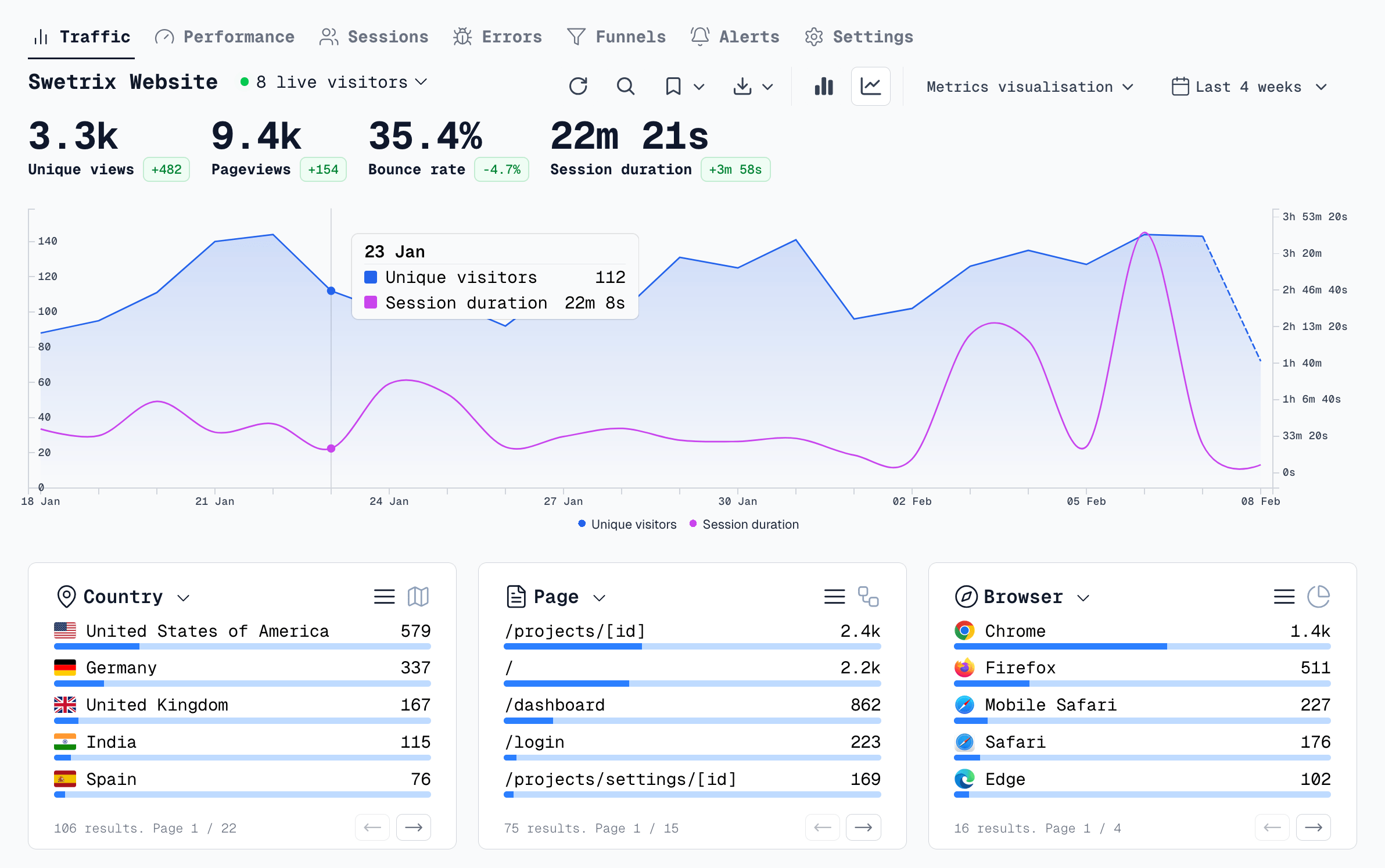
Here is why Swetrix is the clear winner:
- Uncompromised Open Source: Swetrix is 100% open source and easy to self host. We do not hide core features behind enterprise paywalls.
- Complete Technical Monitoring: Track page load speeds and automatically capture JavaScript errors out of the box. Ensure your site is fast and bug free.
- A True Growth Suite: Run privacy friendly A/B tests, manage feature flags, and track revenue seamlessly alongside your traffic data.
- Enterprise Grade Security: Unlike Pirsch and Umami, Swetrix protects your sensitive analytics data with Two Factor Authentication (2FA).
If you are serious about understanding your audience and optimizing your website's performance, Swetrix delivers a complete, professional grade platform.
The web analytics your site deserves.
Tired of bloated dashboards, privacy concerns, and data you can't trust? Switch to Swetrix and get simple, powerful analytics that respects your users.