- Date
Pirsch vs Cloudflare Analytics: Which is the Best Web Analytics Tool?
If you are looking for an alternative to Google Analytics, both Pirsch and Cloudflare Analytics offer compelling options, but they approach the problem from completely different angles.
Cloudflare Analytics is an infrastructure level tool that provides basic traffic insights directly from their edge network, making it incredibly easy to set up if you are already using their CDN. Pirsch, on the other hand, is a dedicated, privacy first analytics platform focused on developer experience and clean design.
Let us compare the strengths and weaknesses of Pirsch and Cloudflare Analytics, and then explore why Swetrix is the ultimate solution for those who need more than just basic traffic counts.
Pirsch Overview
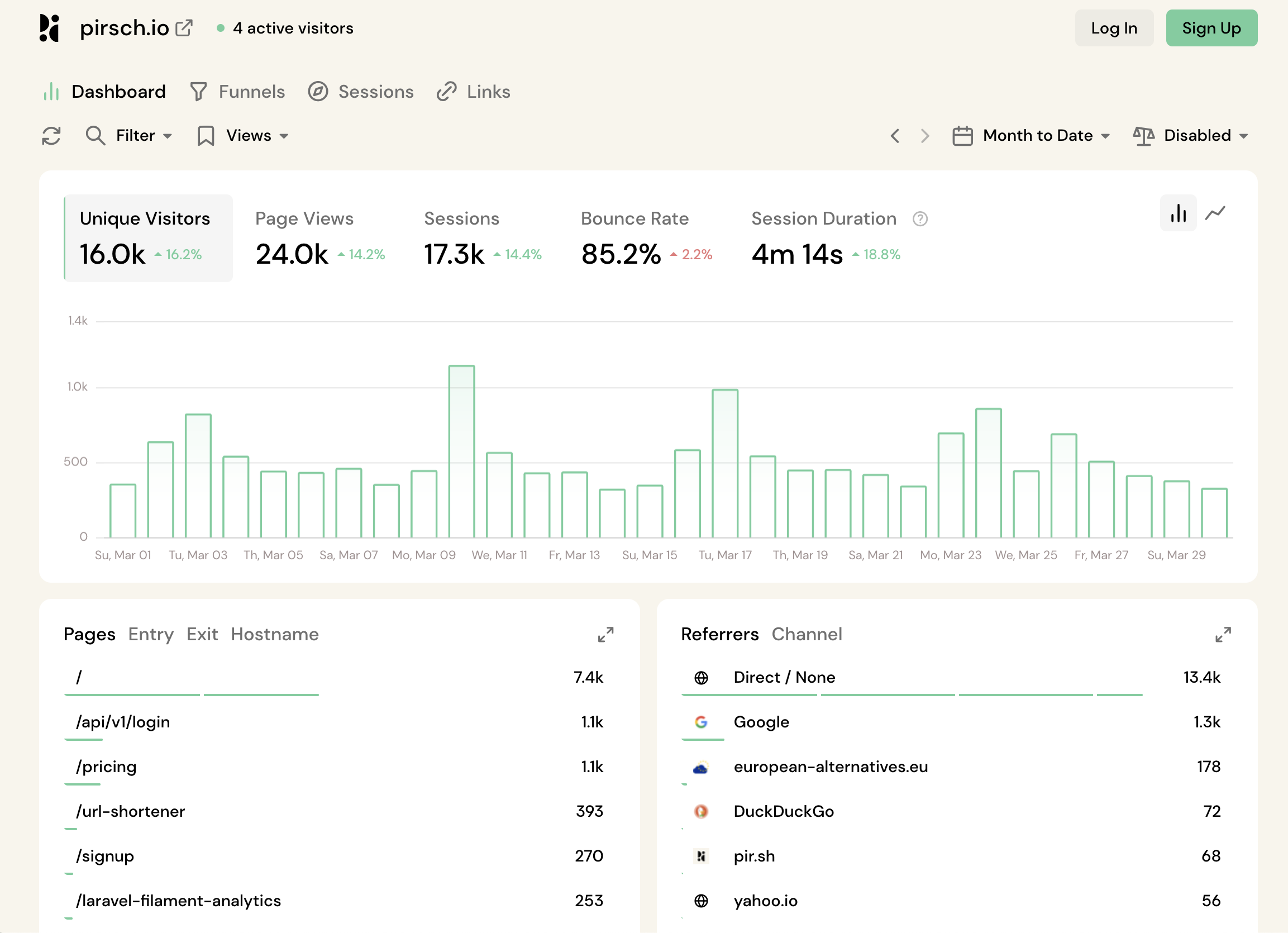
Pirsch is a fast, lightweight analytics tool from Germany. It is designed to respect user privacy by avoiding cookies while delivering a straightforward, easy to read dashboard. It is particularly well loved by developers for its robust API and integrations.
Strengths:
- Dedicated Tool: Analytics is their core business, meaning the product gets continuous, focused updates.
- Developer Ecosystem: Strong API support makes it easy to integrate into custom dashboards and apps.
- Proactive Alerts: You can set up custom notifications for traffic spikes or specific events.
Cons:
- Partial Open Source: Operates on an open core model; full self hosting is either restricted or highly complex.
- Limited Visuals: Relies heavily on simple tables, lacking advanced visual tools like user flow diagrams.
Cloudflare Analytics Overview
Cloudflare Analytics is a free add on for users within the Cloudflare ecosystem. It tracks traffic at the edge (DNS/CDN level), meaning it can often capture requests that client side tracking scripts miss (like adblockers). However, because it is essentially a side feature to their security products, it is quite limited in depth.

Strengths:
- No Script Required: If you proxy your traffic through Cloudflare, you do not even need to add a JavaScript snippet to your site.
- Edge Level Tracking: Excellent at capturing bot traffic and requests blocked by traditional adblockers.
- Performance Integration: Includes basic Web Vitals monitoring.
Cons:
- Severe Data Sampling: The free tier heavily samples your data. You may only be seeing a fraction (e.g., 10%) of your actual traffic.
- Limited Retention: Cloudflare only stores your analytics data for up to 6 months. Year over year comparisons are impossible.
- Vendor Lock-In: You must use Cloudflare's CDN and proxy your DNS to get the most out of the tool.
Feature Comparison: Pirsch vs Cloudflare Analytics
Here is a side by side look at the features of Pirsch, Cloudflare Analytics, and Swetrix.
| Feature | Pirsch | Cloudflare Analytics |  Swetrix Swetrix |
|---|---|---|---|
| Core Features | |||
| Real-time Analytics | |||
| Custom Events | |||
| Page views | |||
| Live visitors count | |||
| UTM Tracking | |||
| Device stats (browser, OS, type) | |||
| Advanced Features | |||
| Performance Monitoring (Web Vitals) | |||
| User Flow Analysis | |||
| Error Tracking | |||
| Alerts / Notifications | |||
| Geolocation map visualisation | Limited | ||
| Funnels | |||
| Segments | Basic | ||
| Multiple Domains per Site | |||
| Growth & Product | |||
| AI Chat | |||
| Goals | |||
| Experiments (A/B tests) | |||
| Feature flags | |||
| User Profiles | |||
| Revenue analytics | |||
| CAPTCHA | (Turnstile) | ||
| Data Quality & Freedom | |||
| Data Sampling | 0% (None) | 10% (only 1 of 10 visitors counted) | 0% (None) |
| Data Retention | Unlimited | 6 months | Unlimited |
| Vendor Lock-in | |||
| Open Source | (Core only) | ||
| Self-hostable | (Enterprise) | ||
| Privacy & Compliance | |||
| Cookie-less Tracking | |||
| EU data residency | |||
| Pricing & Support | |||
| Entry price | $12.00 | Free* | $19.00 |

Where Both Platforms Fall Short
While Pirsch and Cloudflare Analytics are useful, they force you into uncomfortable compromises if you are serious about understanding your users.
1. Inaccurate or Missing Data
Cloudflare's heavy data sampling and 6 month retention limit make it impossible to use as a serious long term business tool. Your numbers will simply be estimates. Pirsch does not sample data, but it misses crucial technical insights like page speed performance and JavaScript error tracking.
2. Lack of User Behavior Insights
Neither platform provides a visual understanding of how users interact with your site. Cloudflare doesn't even support custom events or UTM tracking. While Pirsch has basic funnels, neither tool offers visual User Flow diagrams to show exactly where users drop off.
3. Missing Growth Capabilities
If you want to run A/B tests or implement feature flags, both Cloudflare and Pirsch leave you empty handed. You will have to buy and integrate separate products to accomplish these tasks.
The Superior Alternative: Swetrix
You shouldn't have to choose between a dedicated tool with no technical insights (Pirsch) and an infrastructure tool with heavy data sampling (Cloudflare). Swetrix gives you accurate, complete data without the compromises.
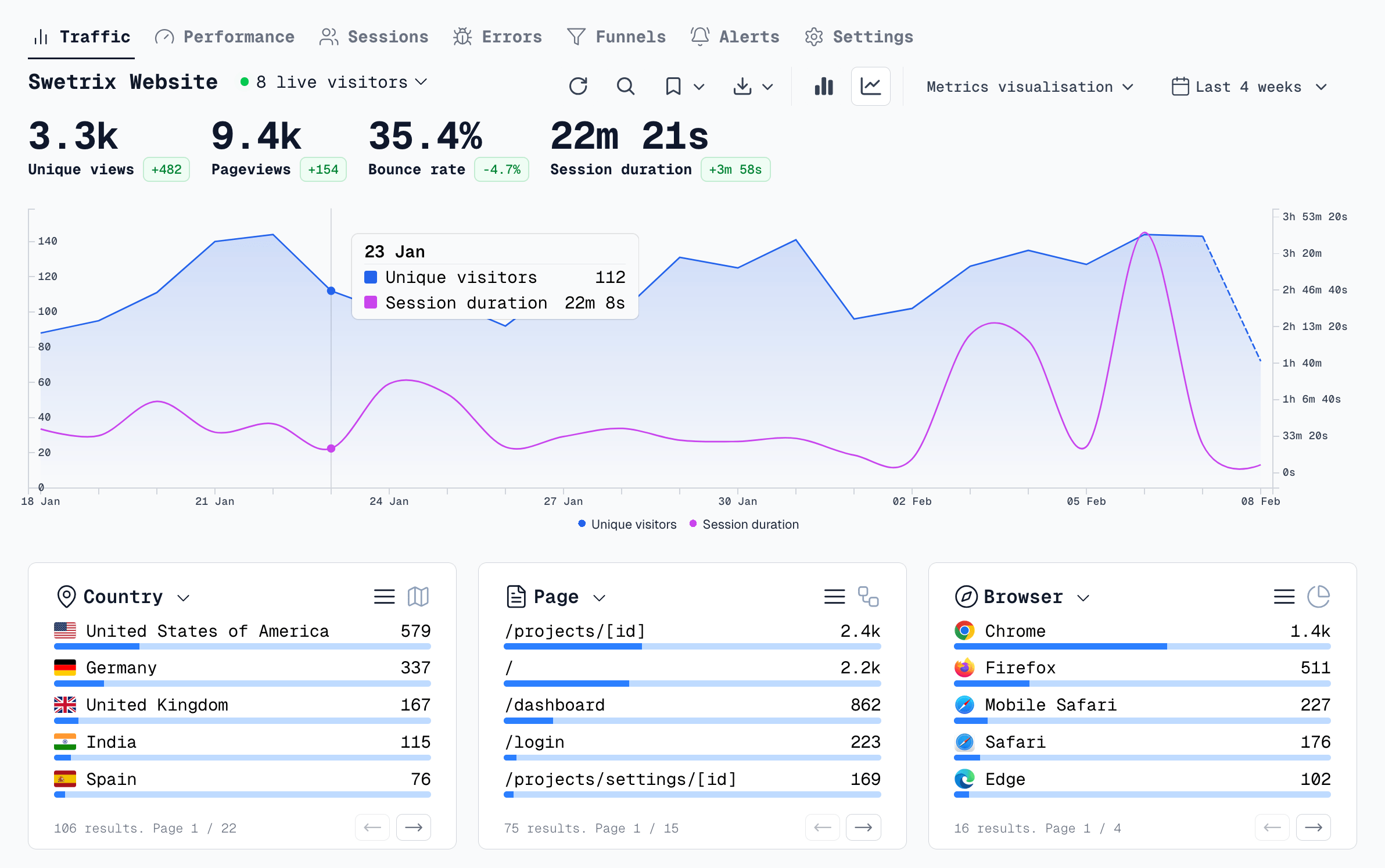
Here is why Swetrix outperforms both Pirsch and Cloudflare Analytics:
- 100% Accurate Data: Swetrix never samples your data and offers unlimited retention. You own your history and the numbers you see are exact.
- Deep Technical Insights: Monitor Core Web Vitals and automatically track JavaScript errors directly within your dashboard. Know exactly when technical issues are impacting your users.
- Infrastructure Freedom: Unlike Cloudflare, Swetrix works with any hosting provider or CDN. You are never locked into a specific vendor.
- Built in Growth Suite: Swetrix is a true product analytics platform, featuring built in A/B testing, feature flags, and revenue tracking—tools that neither Pirsch nor Cloudflare offer.
If you are ready for a tool that delivers professional grade insights while respecting user privacy and keeping your data accurate, Swetrix is the clear winner.
The web analytics your site deserves.
Tired of bloated dashboards, privacy concerns, and data you can't trust? Switch to Swetrix and get simple, powerful analytics that respects your users.