- Date
Cloudflare Web Analytics vs Simple Analytics: Which Tool is Better in 2026?
If you are exploring privacy-centric website analytics platforms, you have likely encountered Cloudflare Web Analytics and Simple Analytics. Both platforms are highly regarded for their strict commitment to cookie-less tracking and respecting user privacy, but they operate on fundamentally different models.
Cloudflare Web Analytics is an edge-based tool tied to the Cloudflare ecosystem, focusing on raw speed and basic server-side data collection. Simple Analytics, on the other hand, is an independent, paid SaaS tool that prides itself on offering the most straightforward, no-nonsense analytics dashboard on the market.
In this comprehensive guide, we will break down the strengths and limitations of both Cloudflare Web Analytics and Simple Analytics. Finally, we will explain why Swetrix offers a superior middle ground by combining an open-source ethos with the advanced behavioral features that both of these tools lack.
Cloudflare Web Analytics Overview
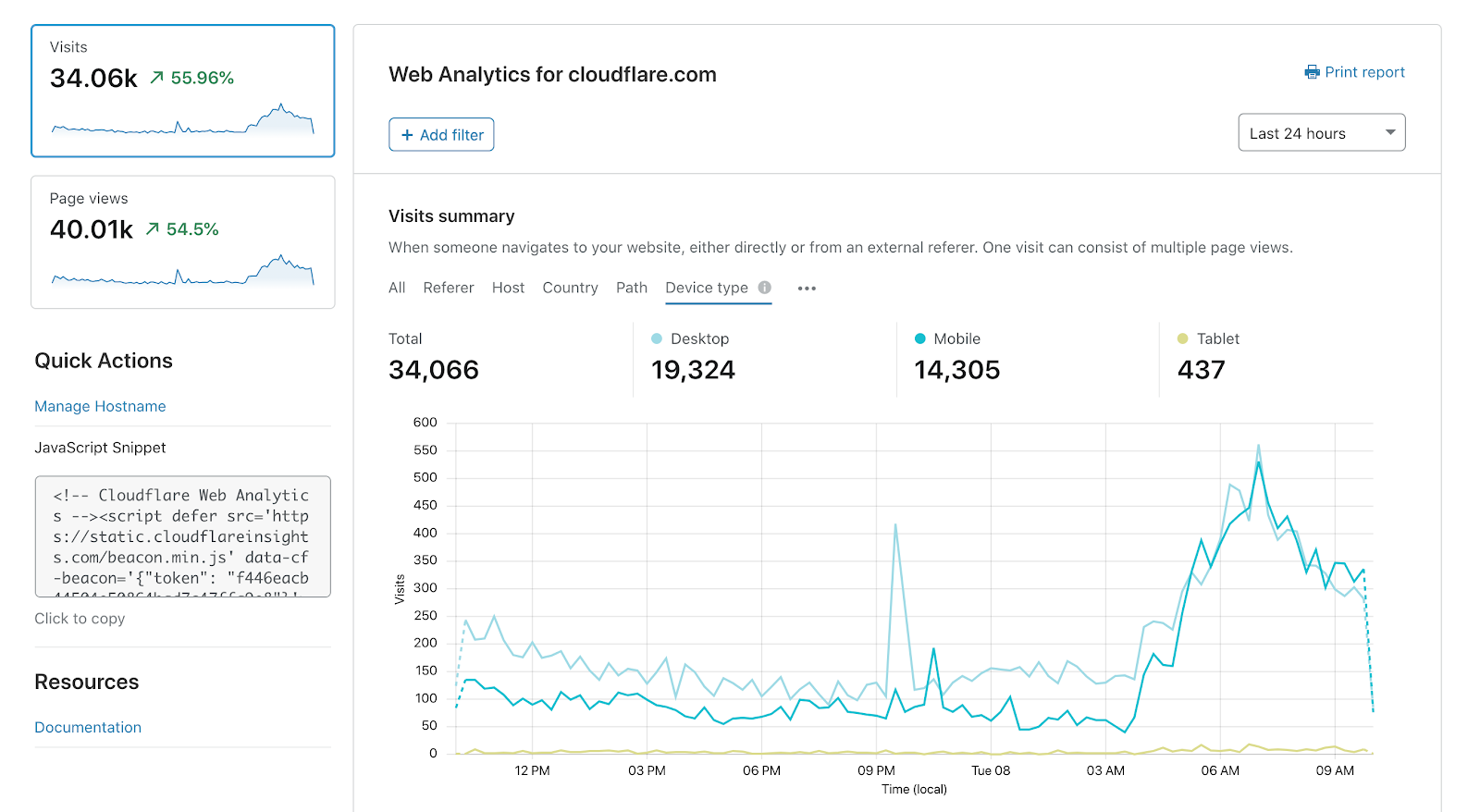
Cloudflare Web Analytics is essentially a free perk for users routing their traffic through Cloudflare's network. It captures analytics at the DNS level, meaning it doesn't always require a heavy JavaScript snippet to function, making it incredibly fast.
Strengths:
- Zero Impact on Performance: Because it operates at the network edge, it has virtually no impact on your website's load times.
- Includes Speed Metrics: Automatically tracks Core Web Vitals, giving you a high-level view of your site's performance.
- Privacy by Default: Operates without tracking cookies, making GDPR compliance effortless.
Cons:
- Severe Data Sampling: Cloudflare aggressively samples your data. You may only see a small fraction of your actual visitors on historical reports.
- Missing Core Features: It lacks standard capabilities like Custom Events, UTM tracking, live visitor counts, and funnels.
- Vendor Lock-in: It requires you to use Cloudflare. If you ever switch to a different CDN or hosting provider, your analytics stop working.
- No Long-Term Data: All historical data is permanently deleted after just 6 months.
Simple Analytics Overview
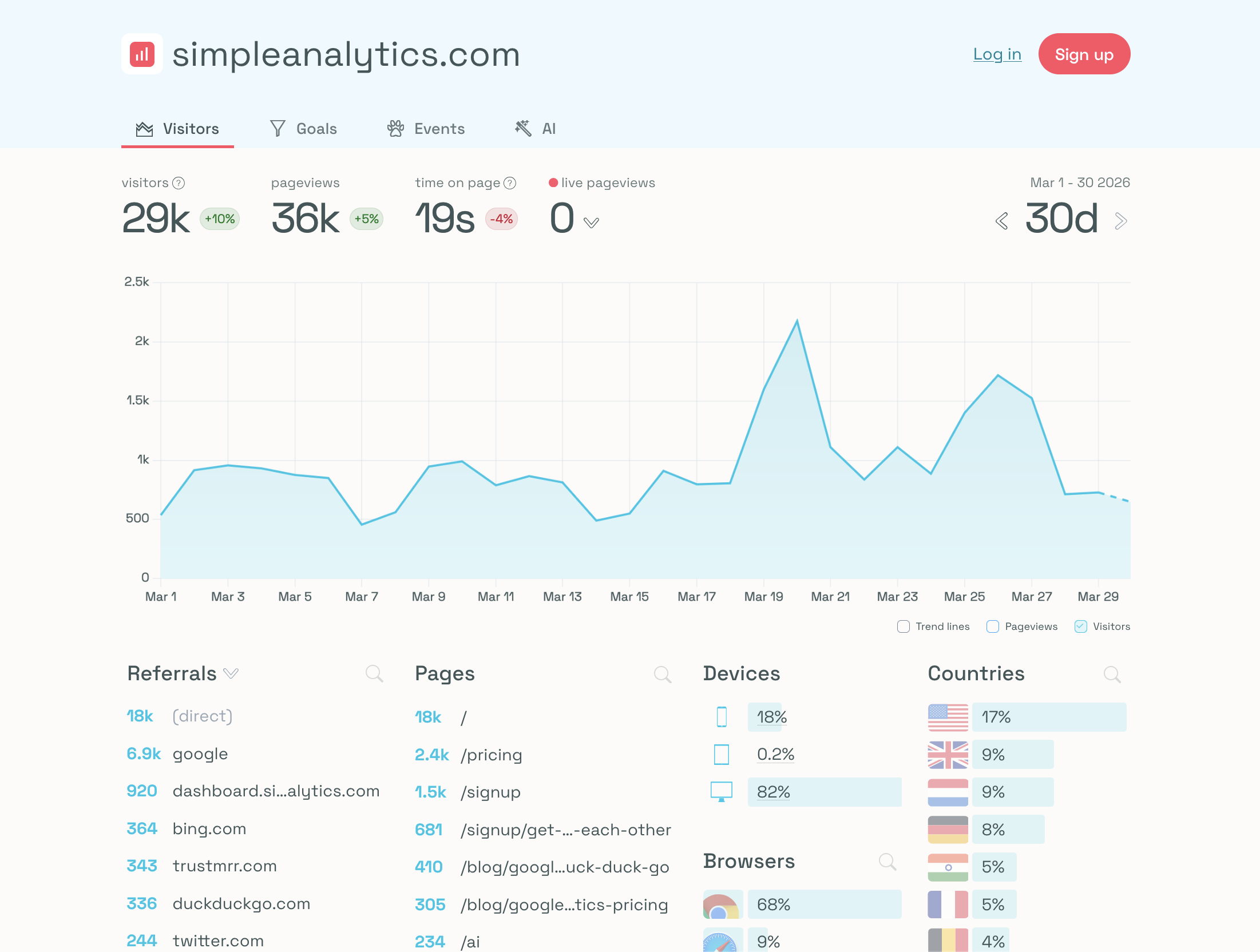
As its name suggests, Simple Analytics strips away all the clutter associated with traditional analytics tools. It is a premium product designed to give you exactly what you need to know about your traffic in a single, clean dashboard, without ever tracking individual users.
Strengths:
- True Simplicity: Incredibly easy to use with zero learning curve. The dashboard is intuitive and perfectly clear.
- 100% Accurate Data: Unlike Cloudflare, Simple Analytics does not sample data, ensuring you get accurate visitor counts.
- AI Integration: It features an AI assistant that allows you to query your traffic data using plain English.
Cons:
- Closed-Source Platform: It is entirely proprietary software. You cannot self-host it or inspect the code.
- No Advanced Insights: Lacks performance monitoring, error tracking, and detailed user flow analysis.
- Limited Visualizations: It does not offer funnels or deep segmentation, making it difficult to optimize conversion rates.
Feature Comparison: Cloudflare Web Analytics vs Simple Analytics
To provide a clear picture of what you get with each tool, here is a direct, feature-by-feature comparison comparing Cloudflare, Simple Analytics, and Swetrix.
| Feature | Cloudflare Analytics | Simple Analytics |  Swetrix Swetrix |
|---|---|---|---|
| Core Features | |||
| Real-time Analytics | |||
| Page views | |||
| Custom Events | |||
| Live visitors count | |||
| UTM Tracking | |||
| Device stats (browser, OS, type) | |||
| Email Reports | |||
| Geolocation data | Limited | Basic (Country only) | Full (Country, State, City) |
| Advanced Features | |||
| Performance Monitoring (Web Vitals) | |||
| User Flow Analysis | |||
| Error Tracking | |||
| Alerts / Notifications | |||
| Geolocation map visualisation | Limited | ||
| Funnels | |||
| Segments | Basic | ||
| Multiple Domains per Site | |||
| Growth & Product | |||
| AI Chat | |||
| Goals | |||
| Experiments (A/B tests) | |||
| Feature flags | |||
| User Profiles | |||
| Revenue analytics | |||
| CAPTCHA | (Turnstile) | ||
| Security & Access | |||
| Bot filtering | |||
| Two-Factor Authentication (2FA) | |||
| Role-based Access Control | |||
| Shared Dashboards | |||
| Organisations (Teams) | |||
| Privacy & Compliance | |||
| Cookie-less Tracking | |||
| Open Source | |||
| Self-hostable | |||
| EU data residency | |||
| Data Quality & Ownership | |||
| Data Sampling | 10% (only 1 of 10 visitors) | 0% (None) | 0% (None) |
| Data Retention | 6 months | Unlimited | Unlimited |
| Data Export | |||
| CDN Independent | |||
| Technical specifications | |||
| Script size | ~1 KB | >7 KB | 6 KB |
| API access | |||
| Bypass adblockers | |||
| Pricing & Support | |||
| Entry price | Free* | $15.00 | $19.00 |
| Customer support | |||

Where Both Tools Fall Short
While both Cloudflare Web Analytics and Simple Analytics are great at what they do, they leave significant gaps for growing businesses that need deeper insights.
1. Lack of Behavioral Context
If you want to improve your website's conversion rate, you need to understand how users navigate your pages. Simple Analytics offers no funnels, and Cloudflare lacks even basic custom events. Furthermore, neither platform provides User Flow Analysis, leaving you totally blind to the actual paths visitors take before they drop off.
2. Missing Technical Observability
Simple Analytics is purely a traffic counter; it will not warn you if your site is slow or if your code is broken. Cloudflare provides basic speed metrics but completely lacks Error Tracking. If a JavaScript bug is preventing users from clicking a checkout button, you won't know about it until a customer complains.
3. Compromises on Data and Open Source
With Simple Analytics, you are paying for a closed-source platform, meaning you cannot verify the code or self-host it to ensure total data sovereignty. With Cloudflare, you get a free tool, but the cost is severe data sampling, forced vendor lock-in, and a strict 6-month limit on data retention.
The Clear Winner: Swetrix
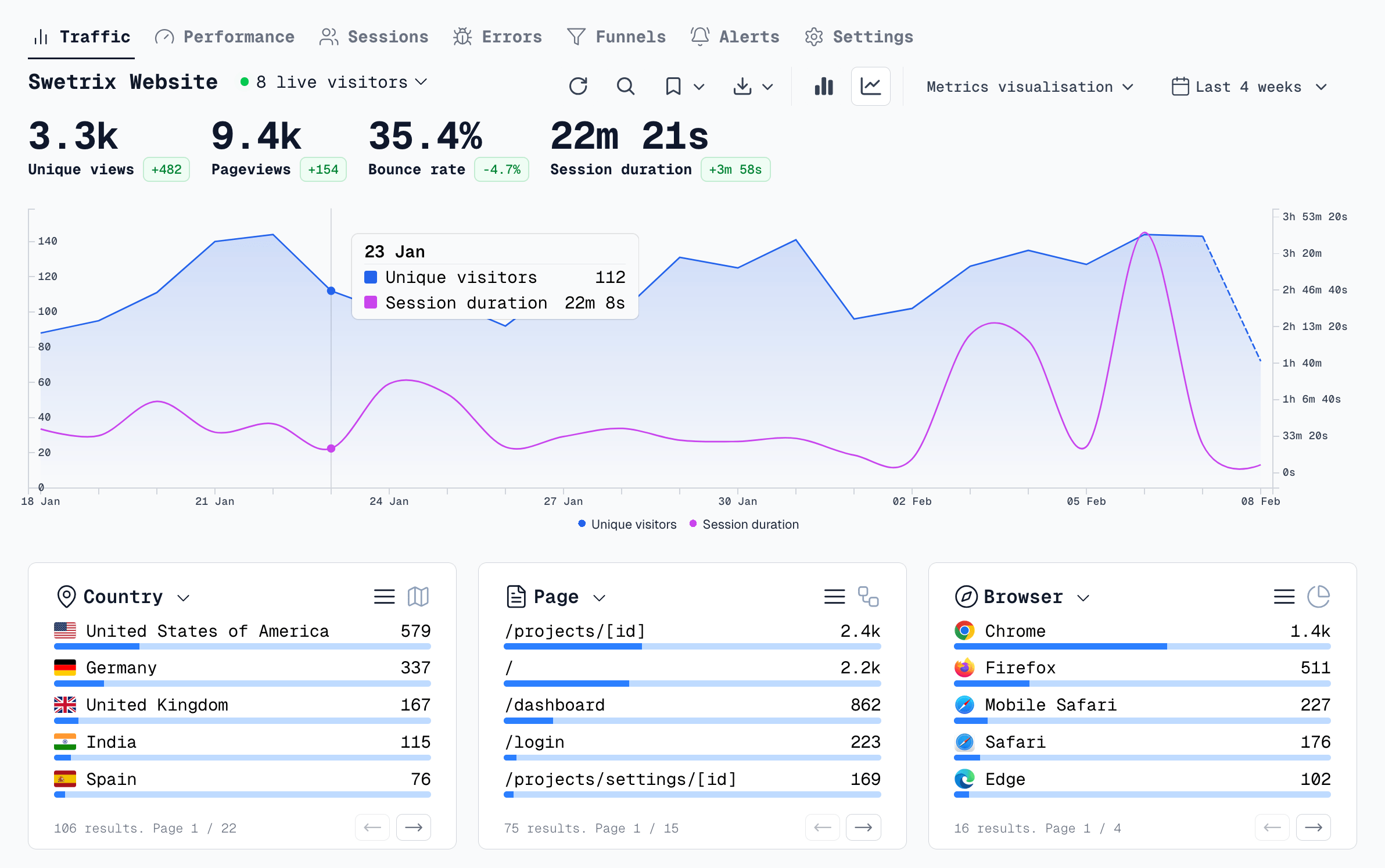
You shouldn't have to choose between keeping things simple and actually understanding your audience. Swetrix provides the clarity of Simple Analytics alongside the performance tracking of Cloudflare, all while adding enterprise-level depth and open-source freedom.
Here is why Swetrix is the definitive upgrade:
- 100% Open Source and Independent: Unlike Simple Analytics and Cloudflare, Swetrix is fully open-source and self-hostable. You own your data forever, with zero data sampling and no ties to a specific CDN provider.
- Deep Technical Insights: Swetrix bridges the gap by offering robust Performance Monitoring and automated Error Tracking. You can proactively fix broken code and slow pages before they hurt your revenue.
- Visualizing the User Journey: Stop guessing what your users do. Swetrix includes detailed User Flow Analysis, custom Funnels, and interactive Geolocation maps so you can visually map out your audience's exact journey.
- A Complete Growth Suite: Instead of paying for multiple tools, Swetrix includes built-in Experiments (A/B testing), Feature Flags, and Revenue Analytics to help you optimize and grow your product.
Analytics should empower your business with accurate, actionable insights without sacrificing your ethics. With its modern feature set, open-source transparency, and powerful dashboard, Swetrix is the smarter choice for 2026.
The web analytics your site deserves.
Tired of bloated dashboards, privacy concerns, and data you can't trust? Switch to Swetrix and get simple, powerful analytics that respects your users.