- Date
12 Best User Behavior Analytics Tools for 2025 (Privacy-First Options Included)
 Andrii Romasiun
In a digital landscape where every click, scroll, and interaction tells a story, understanding user behavior is no longer optional-it's essential for growth. But with increasing privacy regulations like GDPR and a user base wary of intrusive tracking, how do you get clear insights without compromising trust? The answer lies in choosing the right user behavior analytics tools. This guide cuts through the noise to analyze the best platforms available today.
We go beyond surface-level feature lists. Instead, this resource provides a comprehensive breakdown of 12 leading solutions, including Swetrix, Mixpanel, Amplitude, and Hotjar. For each tool, you'll find a detailed analysis of its core functionalities, such as session replay, event tracking, and funnel analysis. We'll also examine crucial, often-overlooked factors like privacy posture, GDPR compliance, and deployment models-comparing self-hosted options against traditional SaaS.
This article is designed to help you make an informed decision quickly. Whether you're a startup founder needing a privacy-first solution, a product manager optimizing user journeys, or a developer looking for an open-source alternative, you'll find the practical information you need. Each entry includes screenshots, direct links, and an honest assessment of its best-fit use cases and potential limitations. Our goal is to equip you with the knowledge to select a platform that turns raw data into actionable, privacy-conscious insights for your specific needs.
1. Swetrix
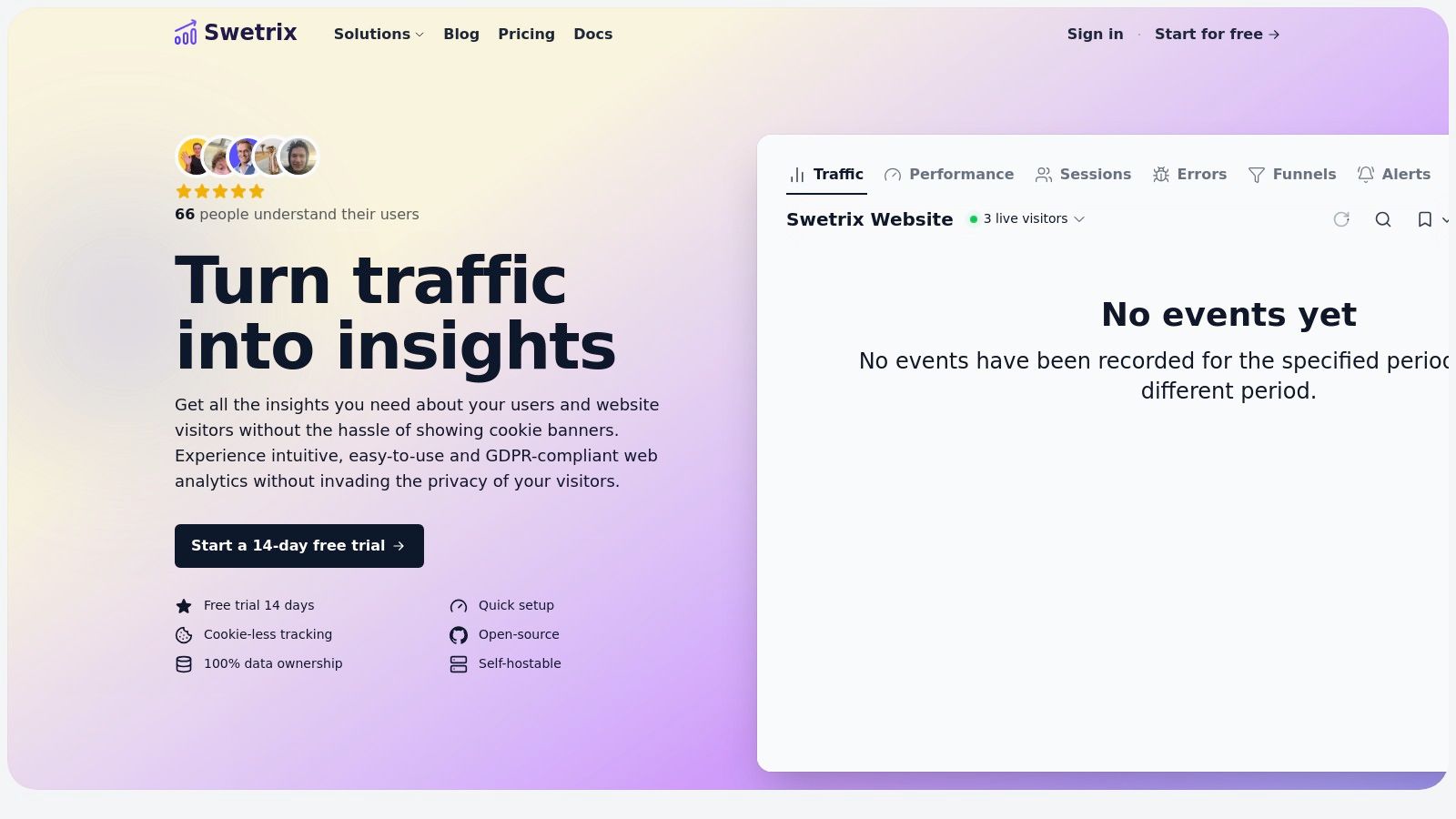
Swetrix positions itself as a powerful, privacy-first alternative in the world of user behavior analytics tools. It’s engineered for teams who need comprehensive insights without compromising visitor privacy, making it an exceptional choice for GDPR-conscious businesses. The platform effectively merges essential web analytics like traffic sources, top pages, and UTM tracking with advanced behavioral analysis features.
This is not just a tool for marketers. Swetrix provides session analysis, user flows, and conversion funnels for product managers, alongside real-user performance monitoring and aggregated error tracking for developers. This integrated approach gives a holistic view of both user engagement and website health in a single, clean dashboard.
Key Differentiators and Use Cases
Swetrix’s core strength lies in its ethical, cookieless design and deployment flexibility. It guarantees 100% data ownership and avoids personal identifiers, making it a safe choice for privacy-focused organizations.
- For Product Teams: Use funnels and user flow analysis to identify friction points in the customer journey and optimize conversion paths.
- For Marketing & Growth: Track campaign performance with UTM parameters and understand traffic sources without invasive cookies, ensuring GDPR compliance.
- For Developers: Leverage real-user monitoring (RUM) and error tracking to diagnose performance bottlenecks and bugs experienced by actual users.
A standout feature is its dual-deployment model. You can opt for the convenient hosted cloud service or self-host the open-source Community Edition on your own infrastructure for maximum control and zero subscription costs. The platform also includes team-centric features like project roles, API access, and configurable alerts for Slack, Telegram, or Discord, streamlining collaborative workflows.
Pricing and Access
Swetrix offers a transparent, event-based pricing model for its cloud service, starting at $19/month for 100,000 events and scaling up. A 14-day free trial is available without a credit card. For those who prefer to avoid subscription fees entirely, the open-source Community Edition can be self-hosted.
Pros:
- Privacy-First & Cookieless: GDPR-friendly by design with anonymous data collection.
- All-in-One Platform: Combines behavioral analytics with performance and error monitoring.
- Flexible Deployment: Choose between a managed cloud service or a free, self-hosted option.
- Predictable Pricing: Simple, event-based plans make costs easy to forecast.
- Team-Friendly: Built for collaboration with roles, integrations, and API access.
Cons:
- No Permanent Free Hosted Plan: The cloud version requires a subscription after the trial.
- Limited Cross-Device Tracking: Its privacy-centric design means it doesn't support persistent user IDs across devices.
Website: https://swetrix.com
2. Mixpanel
Mixpanel is a powerful, event-based product analytics platform that excels at helping teams understand how users engage with features over time. Unlike session-based tools, its core strength lies in tracking specific user actions (events) to build sophisticated reports on conversion funnels, user retention, and behavioral flows. This makes it one of the premier user behavior analytics tools for product teams focused on optimizing engagement and reducing churn.
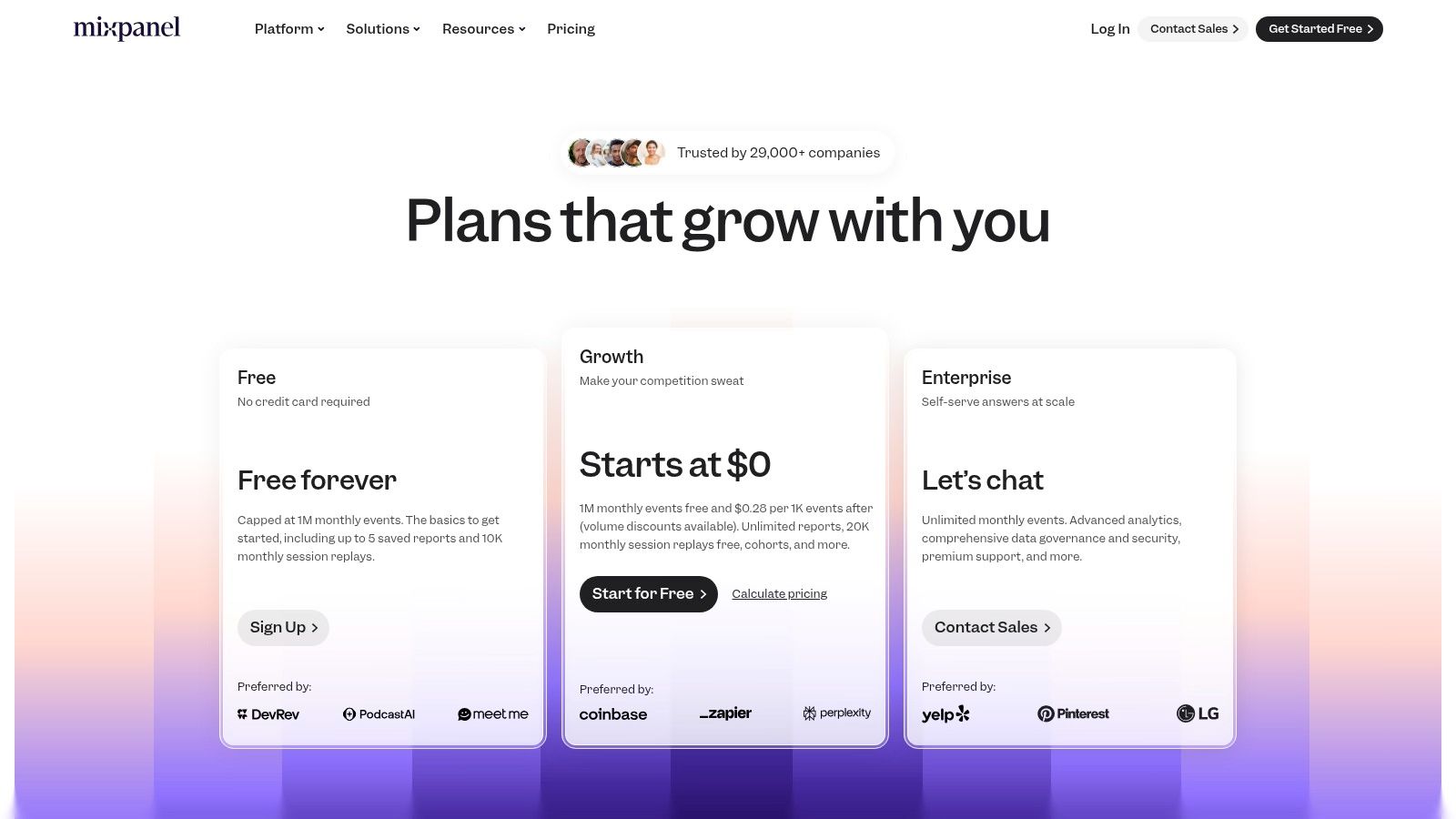
The platform recently integrated session replays, bridging the gap between quantitative event data and qualitative user experience. Now, you can identify a drop-off point in a funnel and immediately watch relevant session recordings to understand why users are struggling. Mixpanel also offers data residency options in the US or EU, a crucial consideration for GDPR compliance.
Pricing & Key Features
Mixpanel's pricing is event-based, scaling with your user activity. It offers a generous Free forever plan that includes up to 1 million monthly events and 10,000 session replays, making it highly accessible for startups and smaller projects.
- Core Analytics: Deep analysis of funnels, user flows, and retention cohorts.
- Session Replay: Built-in functionality to watch user sessions tied to event data.
- Governance & Privacy: US/EU data residency and advanced data management controls on higher tiers.
- Integrations: A strong ecosystem connects with data warehouses, marketing automation tools, and more.
While the free tier is robust, advanced governance features and unlimited data history are reserved for paid plans. The event-based pricing model can become costly for high-traffic applications, so careful event planning is recommended.
Best for: Product teams at SaaS companies and mobile apps that need to deeply understand feature adoption, user retention, and conversion funnels.
Website: https://mixpanel.com/pricing
3. Amplitude
Amplitude positions itself as a unified digital analytics platform, going beyond simple event tracking to offer a suite of tools for experimentation and feature management. It’s designed for product teams that need to connect user actions directly to business outcomes, making it one of the most comprehensive user behavior analytics tools for data-driven organizations. Its strength lies in deep behavioral cohorting, allowing teams to isolate and analyze specific user groups with precision.
The platform integrates session replays, A/B testing, and feature flagging into one ecosystem. This allows a seamless workflow where a product manager can form a hypothesis, test it on a specific user segment, analyze the behavioral impact, and then roll out the feature with confidence. This all-in-one approach helps teams close the loop between insight, action, and measurement, which you can explore further in this user analytics guide.
Pricing & Key Features
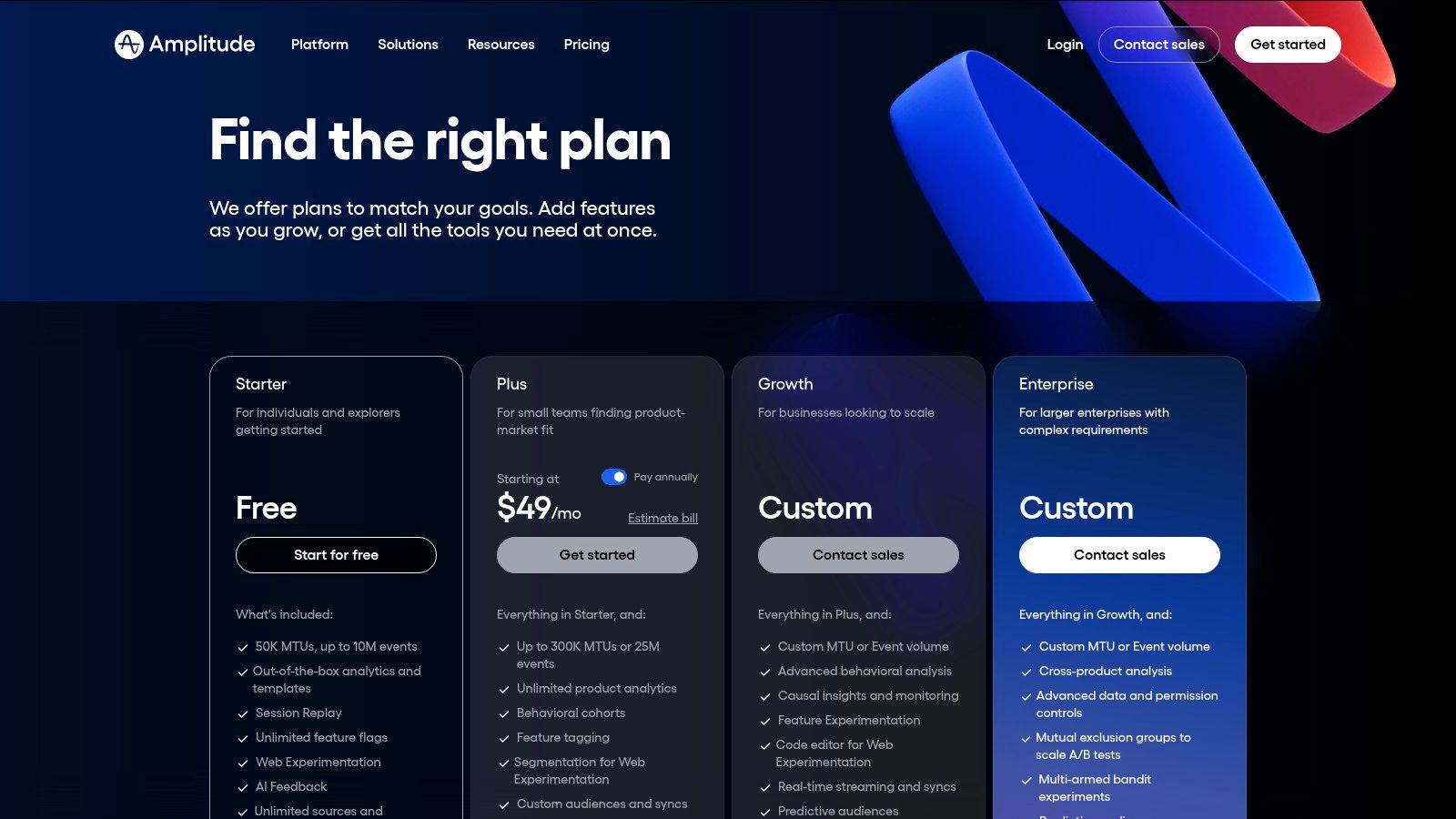
Amplitude offers a Starter free plan that is generous enough for early-stage startups to build a solid analytics foundation. Paid plans like Plus and Growth unlock more advanced analytics, collaboration tools, and higher data limits, though enterprise pricing often requires a sales consultation.
- Behavioral Cohorts: Deep and flexible user segmentation for granular analysis.
- Experimentation & Feature Flags: Built-in tools for A/B testing and phased product rollouts.
- Session Replay: Watch user sessions to understand the qualitative context behind quantitative data.
- Data Integrations: Warehouse-native options and extensive integrations with other data sources and destinations.
While incredibly powerful, Amplitude's advanced modeling and cohorting capabilities can present a steep learning curve for new users. The pricing for larger teams is not transparent and can become a significant investment.
Best for: Growth-stage and enterprise product teams that require a single, integrated platform for analytics, A/B testing, and feature management.
Website: https://www.amplitude.com/pricing
4. Heap (by Contentsquare)
Heap is a product analytics platform renowned for its "autocapture" technology, which automatically collects all user interactions like clicks, swipes, and form submissions without manual event tagging. This unique approach allows teams to retroactively define and analyze events, providing incredible flexibility and a fast time-to-value. For teams that need immediate insights without extensive upfront instrumentation, Heap is one of the most powerful user behavior analytics tools available.
The platform's core strength is enabling non-technical users to build funnels, segments, and journey maps on the fly using past data. This eliminates the common bottleneck of waiting for developers to implement new tracking code. While Heap excels at quantitative analysis, qualitative features like session replay and heatmaps are available as add-ons, allowing you to connect user actions to the visual experience.
Pricing & Key Features
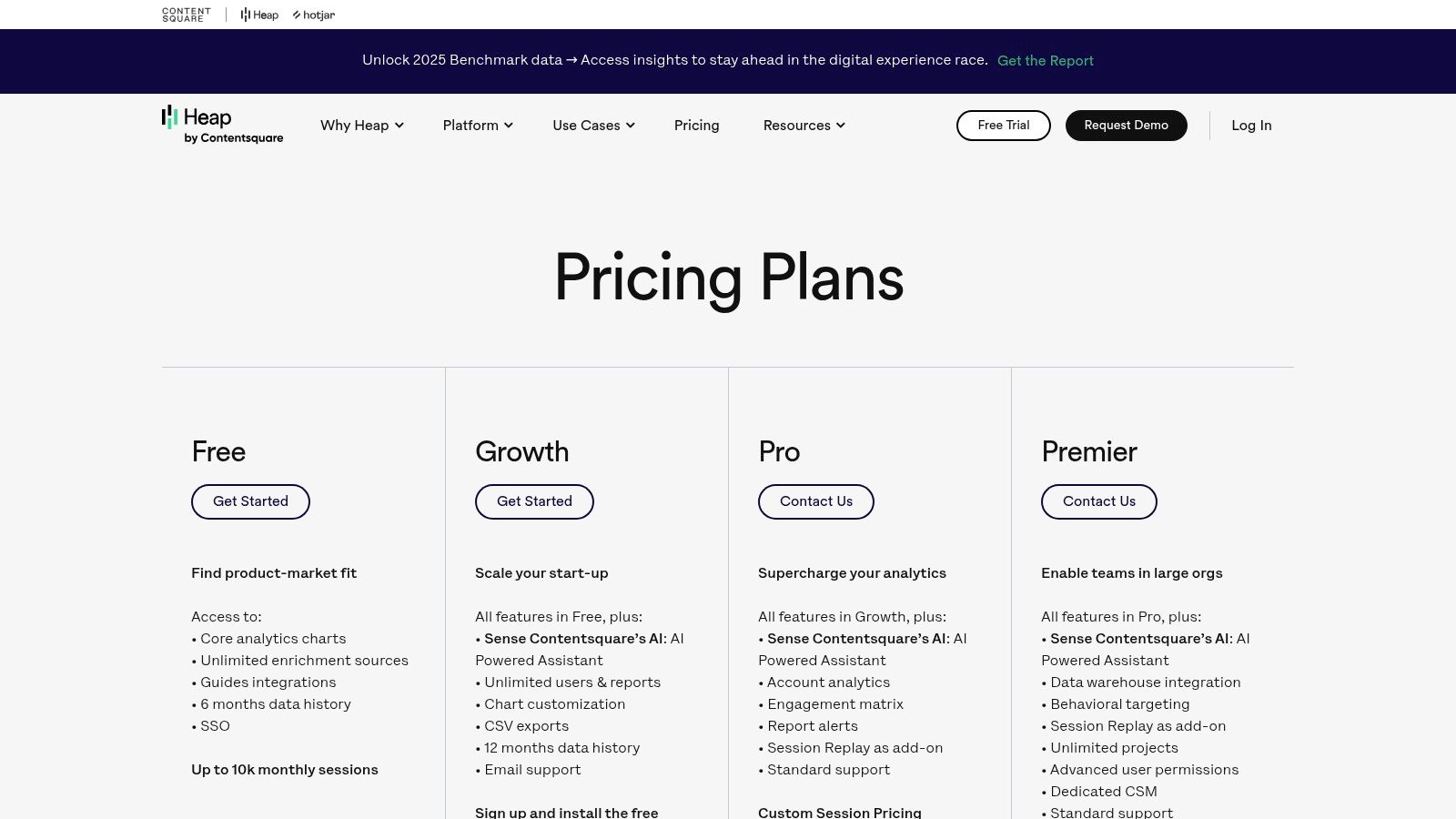
Heap offers a Free plan for up to 10,000 monthly sessions, making it accessible for early-stage projects. Paid plans are session-based and unlock longer data history and advanced features. A key consideration is that overages on paid plans will halt new data collection until you upgrade, requiring careful monitoring of session volume.
- Autocapture & Retroactive Analysis: Automatically captures all user interactions, allowing you to define events and analyze them retroactively.
- Journeys: A powerful feature to visualize and optimize the complete customer lifecycle across different touchpoints.
- Add-On Modules: Session replay and heatmaps can be added to paid plans for deeper qualitative insights.
- Data History: Varies by plan, ranging from 6 months on the free tier to 36+ months with paid add-ons.
Heap's autocapture model is a significant advantage, but it can lead to noisy data if not managed carefully. The separation of session replay and heatmaps into add-ons means the base packages are focused purely on event-based analytics.
Best for: Product and marketing teams that need to move quickly and answer business questions without waiting for engineering resources to instrument events.
Website: https://www.heap.io/pricing
5. Hotjar (Contentsquare)
Hotjar is a leading experience analytics platform designed to provide fast, visual insights into user behavior. Rather than focusing on event-based metrics, it excels at showing how users interact with your site through heatmaps, session recordings, and feedback tools. This makes it one of the most accessible user behavior analytics tools for marketing, UX, and product teams who need to quickly identify usability issues and understand user sentiment without deep technical analysis.
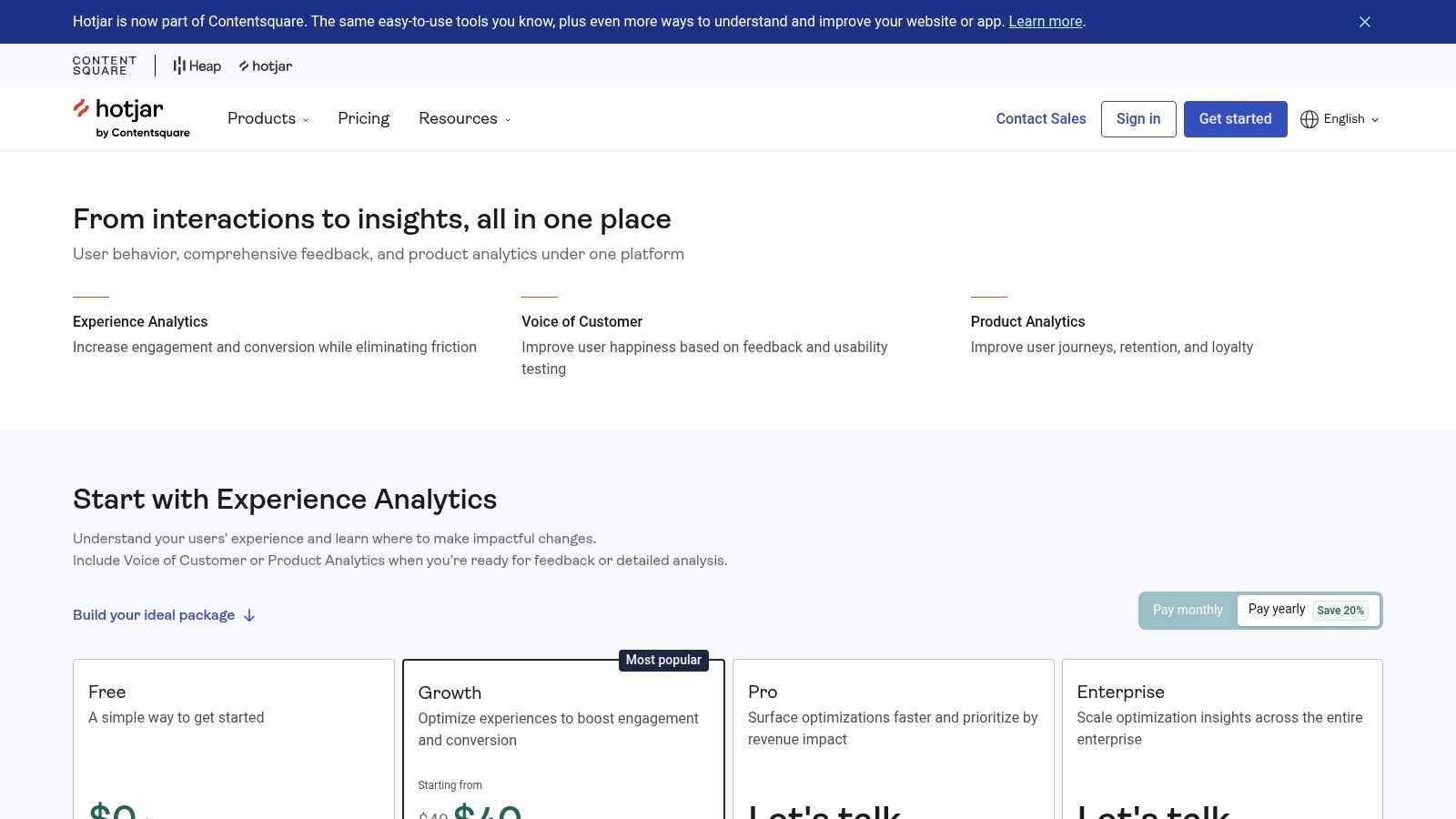
The platform is renowned for its ease of use; you can install a single script and start gathering qualitative data almost immediately. As part of the Contentsquare suite, it also integrates powerful voice-of-customer (VoC) features like surveys and feedback widgets, allowing you to directly connect visual behavior to user-reported experiences. These tools are crucial for gathering direct user insights and validating your optimization hypotheses.
Pricing & Key Features
Hotjar's pricing is session-based and offers several tiers to accommodate different traffic levels. A Free forever plan is available, which includes up to 20,000 monthly sessions and unlimited heatmaps, providing significant value for smaller sites and new projects.
- Heatmaps: Visualize clicks, moves, and scroll depth to see where users focus their attention.
- Session Recordings: Watch anonymized recordings of user sessions to diagnose bugs and friction points.
- Surveys & Feedback: Collect direct user feedback through on-site surveys, polls, and feedback widgets.
- Funnels & Dashboards: Track key user journeys and visualize conversion rates to spot drop-off points.
While incredibly intuitive, data retention is limited on lower-tier plans, and the full suite of Contentsquare features can make the overall product structure and pricing feel complex.
Best for: Marketers, UX designers, and product managers who need quick, visual, and qualitative insights to complement their quantitative analytics data.
Website: https://www.hotjar.com/pricing/
6. FullStory
FullStory is a digital experience intelligence (DXI) platform that leads with exceptionally high-fidelity session replay. It captures nearly every user interaction, providing a pixel-perfect view of the user experience. This focus on qualitative data, combined with robust product analytics, makes it one of the most powerful user behavior analytics tools for teams that need to understand not just what users do, but precisely why they do it, by seeing exactly what they saw.
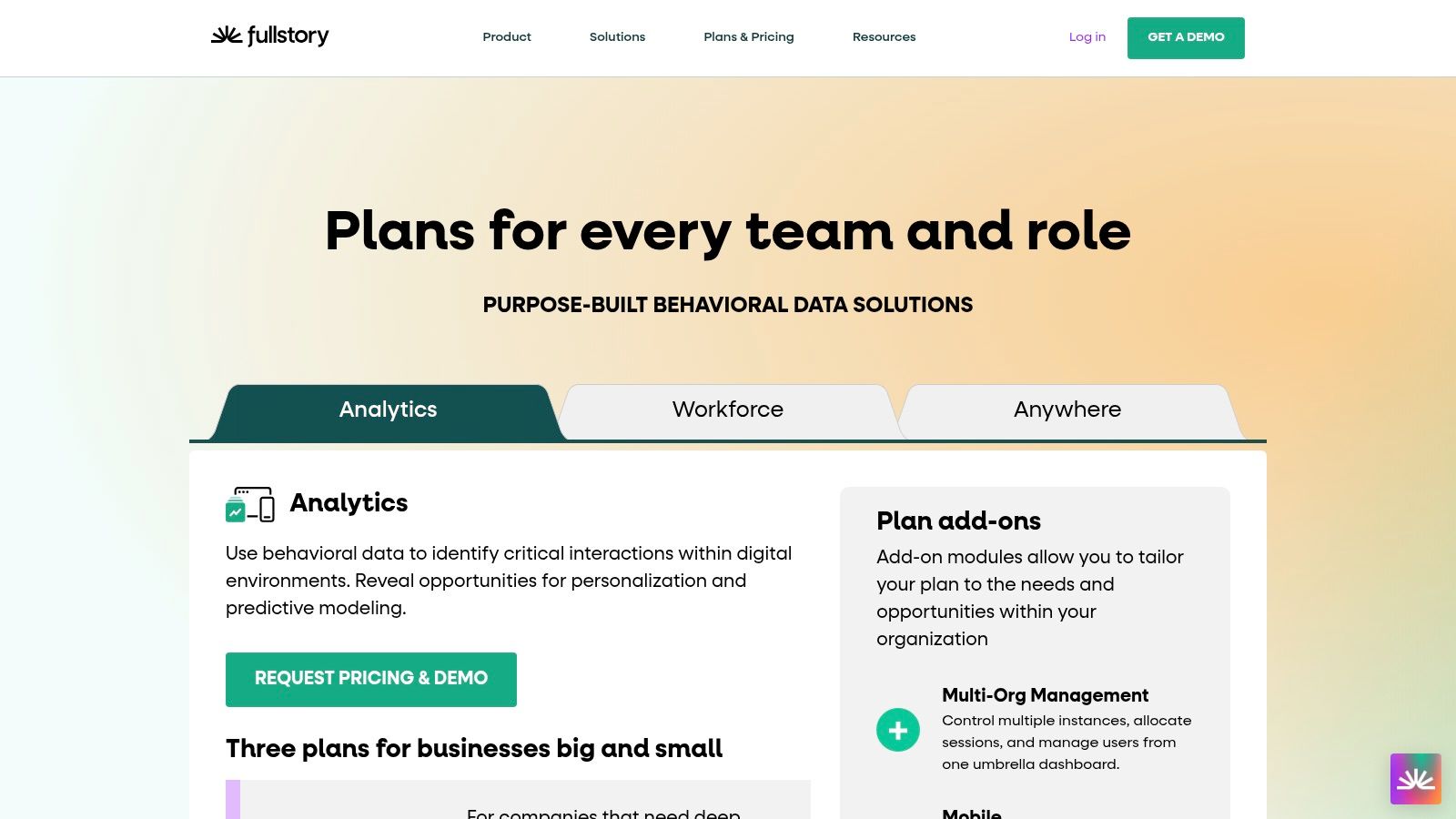
The platform’s strength lies in its searchable session replays, allowing teams to instantly find recordings related to specific user segments, rage clicks, or error messages. FullStory also offers advanced privacy and governance controls, making it a viable option for enterprise-level organizations concerned with GDPR and CCPA compliance. Its AI-assisted insights on paid tiers help automatically surface points of friction and opportunities for improvement.
Pricing & Key Features
FullStory's pricing is session-based, with a Free plan that includes up to 30,000 monthly sessions. Paid plans (Business and Enterprise) offer more advanced features and higher volumes, but pricing is not transparent and requires a sales call. This model necessitates careful planning to manage costs, especially for high-traffic sites.
- High-Fidelity Session Replay: Industry-leading replay quality that captures complex user interactions and dynamic content.
- Product Analytics: Includes funnels, conversion analysis, and friction signals like rage clicks and dead clicks.
- AI-Assisted Insights: StoryAI (on paid tiers) automatically identifies trends and user struggles.
- Privacy & Governance: Advanced controls for data masking, consent management, and compliance with GDPR/CCPA.
While its replay capabilities are top-tier, the lack of transparent pricing for paid plans can be a hurdle for some businesses.
Best for: UX/UI researchers, product managers, and support teams who prioritize deep, qualitative insights from high-quality session replays and need enterprise-grade governance.
Website: https://www.fullstory.com/plans/
7. Microsoft Clarity
Microsoft Clarity is a completely free behavior analytics platform that offers powerful qualitative insights through session recordings and heatmaps. It stands out by providing core visual tools without any cost or traffic limits, making it an incredibly accessible entry point for teams just starting to explore user behavior. Rather than competing on deep quantitative analysis, Clarity focuses on providing the why behind user actions, making it one of the most popular user behavior analytics tools for visual feedback.
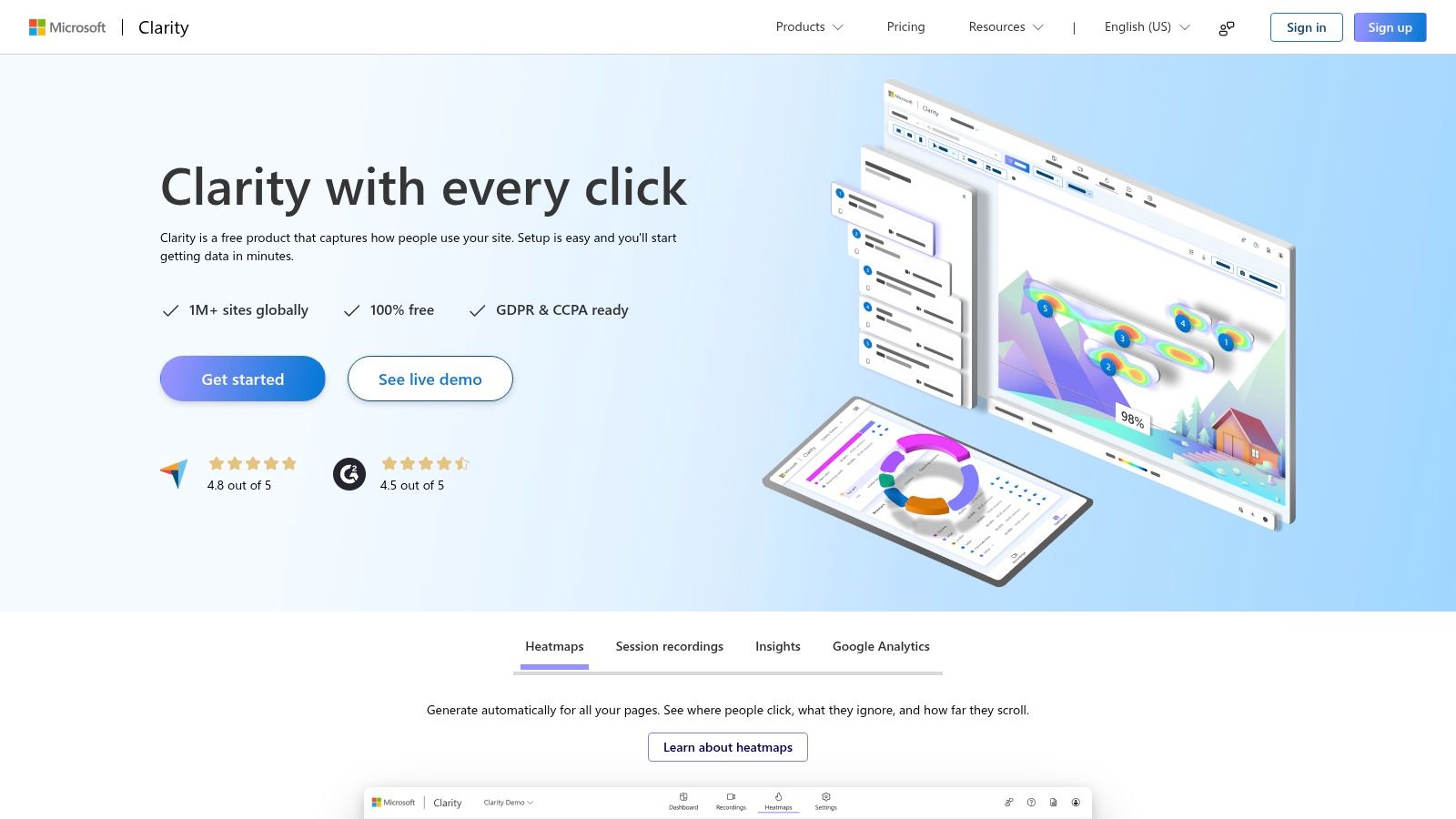
The platform is remarkably easy to set up, often requiring just a small tracking script to begin collecting data. It automatically generates click, scroll, and area heatmaps and uses machine learning to tag recordings with events like "rage clicks" or "excessive scrolling" to help you quickly identify user frustration. It is also designed to be GDPR and CCPA compliant, automatically masking sensitive user inputs.
Pricing & Key Features
Clarity's pricing model is its biggest differentiator: it is 100% free with no traffic limits. This removes the barrier to entry for startups, small businesses, and content creators who need to understand user experience without committing to a paid plan.
- Session Recordings: Watch unlimited recordings of user sessions with AI-powered insights and filters.
- Heatmaps: Automatic generation of click, scroll, and move heatmaps for any page.
- Google Analytics Integration: Connects with GA to link qualitative recordings with your quantitative data.
- Zero Cost: Completely free to use, making it a risk-free addition to any analytics stack.
The main limitation is its lack of advanced quantitative tools like custom event tracking, funnel analysis, or retention cohorts found in more comprehensive platforms. It's best used as a powerful visual supplement to another analytics tool rather than a complete replacement.
Best for: Teams of any size needing free, high-quality session recordings and heatmaps to visually diagnose UX issues and complement their existing quantitative analytics.
Website: https://clarity.microsoft.com/
8. Google Analytics (GA4 and Analytics 360)
As one of the most widely used platforms globally, Google Analytics (GA4) serves as a foundational layer of web analytics for millions of businesses. Its event-based data model offers a more flexible way to measure user interactions across websites and apps compared to its predecessors. While often seen as a marketing and traffic analysis tool, its path exploration and funnel reports provide valuable insights, making it a common starting point for teams exploring user behavior analytics tools.
The platform is split into two main tiers: the standard GA4, which is free, and the enterprise-level Analytics 360. GA4's native integration with the Google ecosystem (like Google Ads) is a major draw for marketing teams, while its BigQuery export allows for unsampled, raw data analysis. However, its complex UI presents a steep learning curve, and the free version's data sampling can be a significant limitation for accurate behavioral analysis. For a deeper dive into its capabilities and alternatives, you can explore this comparison of Google Analytics vs. Swetrix.
Pricing & Key Features
The standard GA4 is free to use, offering generous limits for most small to medium-sized businesses. The enterprise-grade Analytics 360 operates on a negotiated contract, often starting at $50,000+ per year, providing higher data limits, SLAs, and unsampled reporting.
- Event-Based Tracking: A modern data model for tracking user interactions across web and mobile apps.
- BigQuery Export: Native integration allows for advanced, unsampled analysis of raw event data.
- Marketing Integrations: Deep connections with Google Ads and the Google Marketing Platform for attribution analysis.
- Enterprise Scalability: Analytics 360 offers higher quotas, service-level agreements (SLAs), and unsampled reports for large organizations.
While its free offering is powerful, the platform's UI complexity and data sampling can be frustrating. The high cost of Analytics 360 makes it inaccessible for many businesses.
Best for: Marketing teams deeply invested in the Google ecosystem and organizations that need a free, powerful starting point for web and app analytics.
Website: https://marketingplatform.google.com/about/analytics/
9. LogRocket
LogRocket is a front-end monitoring solution that uniquely combines pixel-perfect session replay with performance monitoring and product analytics. It empowers both engineering and product teams to see exactly what users are doing, identify where they get stuck, and proactively fix bugs. This dual focus makes it one of the most comprehensive user behavior analytics tools for teams that prioritize resolving technical issues alongside understanding user journeys.
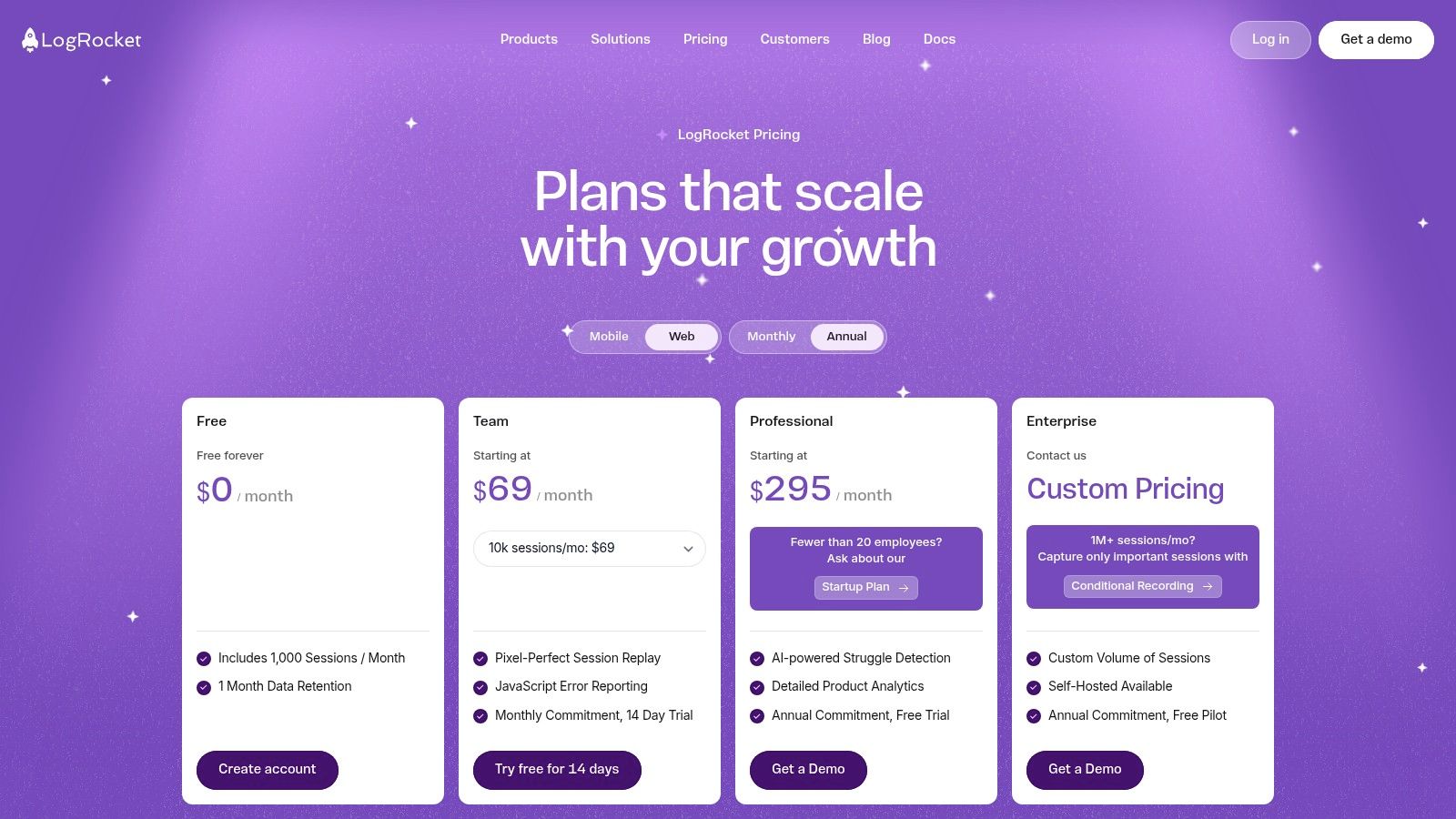
The platform stands out by linking session replays directly to JavaScript errors, network requests, and performance logs. This means when a user reports a bug, you can instantly watch their session to see the error occur in real-time, dramatically cutting down on debugging time. LogRocket also offers AI-powered struggle detection to automatically surface sessions where users are rage-clicking or encountering frustrating experiences.
Pricing & Key Features
LogRocket offers a Free plan that includes 1,000 sessions and 30 days of data retention, ideal for small projects or for evaluating the platform. Paid plans are volume-based and unlock longer data retention, more team members, and advanced features. A self-hosted option is available for enterprises with strict data control requirements.
- Pixel-Perfect Session Replay: Watch high-fidelity recordings of user sessions to understand their exact experience.
- Front-End Error Tracking: Connect user behavior directly to console logs, network requests, and JavaScript errors for rapid debugging.
- Performance Monitoring: Analyze page load times, CPU usage, and other key performance metrics.
- AI-Powered Insights: Automatically detect user frustration signals like rage clicks and dead clicks.
While the integrated debugging capabilities are powerful, the costs can scale quickly with the number of recorded sessions. Advanced features like conditional recording are gated to higher-priced tiers, which may be a consideration for smaller teams.
Best for: Engineering and product teams who need to connect user behavior insights directly with technical performance and error data to improve user experience.
Website: https://logrocket.com/pricing/
10. Smartlook
Smartlook is a robust analytics solution that combines qualitative and quantitative data to provide a complete picture of user behavior on websites and mobile apps. It offers an "always-on" session recording feature, ensuring you never miss a critical user interaction. By integrating session replays directly with event tracking and conversion funnels, Smartlook excels at helping teams quickly identify user friction points and understand the context behind drop-offs, making it one of the most practical user behavior analytics tools for small and medium-sized businesses.
The platform is designed for easy adoption, allowing teams to move from identifying a problem in a funnel to watching relevant user sessions with just a few clicks. This seamless workflow empowers product managers and marketers to validate hypotheses and improve the user experience without needing deep technical expertise. Its cross-platform support for both web and mobile applications provides a unified view of the user journey.
Pricing & Key Features
Smartlook operates on a freemium model, offering a Free forever plan with 3,000 monthly sessions and basic features, which is ideal for small projects or for evaluating the platform. Paid plans scale based on session volume and unlock more advanced features and longer data retention periods.
- Always-On Session Recordings: Automatically captures every user session, so you can retroactively analyze behavior without prior setup.
- Heatmaps & Funnels: Visual tools to understand user clicks, scroll depth, and conversion paths.
- Event Tracking: Monitor specific user actions and tie them directly to session replays for deeper context.
- Cross-Platform Support: Provides a single tool for analyzing user behavior across both web and native mobile applications.
While the "always-on" recording is a major benefit, the depth of analysis and data retention are limited on lower-tier plans. The pricing structure, which is not always prominently displayed, can also require direct contact for enterprise-level needs.
Best for: SMBs, e-commerce sites, and marketing teams looking for an all-in-one, easy-to-use platform that combines session replays with core analytics features.
Website: https://www.smartlook.com/
11. G2
While not a direct analytics platform, G2 is an indispensable resource for researching and comparing the best user behavior analytics tools on the market. It serves as a comprehensive B2B software marketplace where real users leave verified reviews, ratings, and feedback. This makes it a crucial first stop for anyone trying to create a shortlist of potential vendors based on authentic, crowd-sourced experiences rather than just marketing claims.
G2's platform allows you to filter tools by company size, industry, and specific features, making it easy to find solutions that match your exact needs. The detailed comparison grids and "G2 Score" leaderboards provide a clear, data-driven view of a tool's market presence, customer satisfaction, and overall performance relative to its competitors. You can quickly see how a tool like Swetrix stacks up against older, more established players.
Pricing & Key Features
G2 is entirely free to use for buyers and researchers. Its value comes from aggregating user-generated data into easily digestible formats, helping you make a more informed purchasing decision without any direct cost.
- Verified User Reviews: Access detailed reviews from real users, often including insights on implementation, support quality, and ROI.
- Comparison Matrices: Directly compare multiple tools side-by-side on features, pricing models, and satisfaction ratings.
- Category Leaderboards: Instantly see which tools are considered leaders, high performers, or niche players in the analytics space.
- In-depth Filtering: Narrow down options based on business size, user ratings, and specific functionalities to find the perfect fit.
The main limitation is that visibility can be influenced by sponsored placements, and the quality of reviews can vary. However, it remains one of the best platforms for gathering social proof and understanding the competitive landscape.
Best for: Teams in the research and selection phase who need to compare different analytics platforms using real-world user feedback and satisfaction data.
Website: https://www.g2.com/categories/product-analytics
12. Capterra
While not a standalone tool, Capterra is an essential discovery platform for anyone researching and comparing user behavior analytics tools. It functions as a comprehensive software directory, offering a curated category page where you can filter dozens of options by features, deployment type (cloud or self-hosted), and user ratings. This makes it a powerful starting point for creating a shortlist of potential solutions tailored to your specific needs.
The platform provides high-level overviews, feature checklists, and pricing model indicators (like "per user/month" or "free trial available") for each listed tool. This allows you to quickly gauge whether a product fits your budget and technical requirements before diving deeper into vendor websites. For teams starting their search, Capterra saves significant time by centralizing the initial vetting process.
Pricing & Key Features
Capterra is a completely free resource for buyers; its revenue comes from software vendors who pay for listings and placement. The value lies in its structured comparison and discovery features.
- Advanced Filtering: Narrow down options based on specific features like A/B testing, heatmaps, or funnel analysis.
- Side-by-Side Comparisons: Select multiple tools to see a direct comparison of their features and user ratings.
- User Reviews: Access reviews from verified users to get a sense of real-world performance and customer support quality.
- Buyers' Guides: Provides articles and guides to help understand the market and make an informed decision.
A key tip is to always verify pricing directly on the vendor's site, as Capterra’s information can sometimes lag behind official updates. Also, be mindful that sponsored listings may appear at the top of the results.
Best for: Teams in the initial discovery and comparison phase of selecting a user behavior analytics tool.
Website: https://www.capterra.com/product-analytics-software/
Top 12 User Behavior Analytics Tools Comparison
| Product | Core features | Quality / UX (★) | Value & Pricing (💰) | Target audience (👥) | Unique selling point (✨) |
|---|---|---|---|---|---|
| Swetrix 🏆 | Privacy-first analytics, funnels, sessions, RUM & error tracking, API | ★★★★☆ intuitive, GDPR-friendly | 💰 traffic-based from $19/mo · 14‑day trial · self-host Community | 👥 Founders, PMs, growth teams, devs | ✨ Cookieless tracking + 100% data ownership; hosted or self-hosted |
| Mixpanel | Event-based analytics, funnels, retention, session replay | ★★★★☆ granular event analysis | 💰 generous free tier (1M events); usage-based | 👥 Product & growth teams | ✨ AI query builder, data residency & governance |
| Amplitude | Behavioral cohorts, session replay, experimentation, flags | ★★★★☆ enterprise-grade analytics | 💰 free starter; enterprise pricing | 👥 Product teams, enterprises | ✨ Built-in experimentation & feature flags |
| Heap (Contentsquare) | Autocapture, retroactive events, journeys (replay add-on) | ★★★☆☆ fast time‑to‑value | 💰 freemium; paid add‑ons for replay/history | 👥 PMs, analysts seeking quick insights | ✨ Retroactive event creation without heavy instrumentation |
| Hotjar (Contentsquare) | Heatmaps, session recordings, funnels, VoC tools | ★★★☆☆ very easy for non-analysts | 💰 free tier (20K sessions) · paid tiers | 👥 UX researchers, marketers | ✨ Surveys & voice-of-customer integrations |
| FullStory | High-fidelity session replay, product analytics, AI insights | ★★★★☆ top replay quality | 💰 free tier (30K sessions); enterprise options | 👥 Support, product, privacy-conscious teams | ✨ High-fidelity replays + governance controls |
| Microsoft Clarity | Click/scroll heatmaps, session recordings, automated insights | ★★☆☆☆ lightweight, simple UI | 💰 100% free | 👥 Small teams, starters, complementing tools | ✨ Always-free, easy deployment |
| Google Analytics (GA4/360) | Web/app tracking, BigQuery export, attribution tools | ★★★☆☆ powerful but complex | 💰 GA4 free; 360 enterprise (expensive) | 👥 Marketers, analysts, enterprises | ✨ Deep ad/marketing integration & BigQuery export |
| LogRocket | Pixel-perfect replay, product analytics, front-end error tracking | ★★★★☆ excellent for debugging | 💰 volume-based plans; self-host option | 👥 Engineers & product teams | ✨ Replay + front-end error monitoring in one platform |
| Smartlook | Session recordings, heatmaps, funnels, behavior flows | ★★★☆☆ SMB-friendly, easy setup | 💰 freemium; paid plans for scale | 👥 SMBs, small product teams | ✨ Always-on recording & cross-platform support |
| G2 | Verified reviews, leaderboards, head‑to‑head comparisons | ★★★★☆ strong social proof | 💰 free to browse; vendor-sponsored listings | 👥 Buyers researching tools | ✨ Verified user reviews & comparison tools |
| Capterra | Software directory, buyer guides, filters & comparisons | ★★★☆☆ broad directory view | 💰 free to use | 👥 Buyers & procurement teams | ✨ Curated category pages and buyer guides |
Making Your Final Choice: Balancing Features, Privacy, and Control
Navigating the landscape of user behavior analytics tools can feel overwhelming, but making an informed choice is a pivotal step toward building a better, more user-centric product. This guide has dissected a dozen leading platforms, from enterprise-grade giants like Amplitude and Mixpanel to visual-first specialists like Hotjar and FullStory, and even the ubiquitous Google Analytics. We've explored how each tool addresses core needs, from event tracking and funnel analysis to session replays and error monitoring.
The key takeaway is that there is no single "best" tool for everyone. The right platform is a direct reflection of your company's priorities. It’s a strategic decision that balances sophisticated features against the equally important considerations of data privacy, operational control, and budget.
Your Decision Framework: Key Questions to Ask
Before you commit, your team should revisit its core requirements. Use these questions as a final checklist to guide your selection process:
- What is our primary goal? Are we trying to optimize conversion funnels (Mixpanel, Heap), understand visual engagement with heatmaps (Hotjar), debug technical issues (LogRocket), or gain a holistic, privacy-first view of user interactions (Swetrix)? Define your top one or two use cases.
- How important is data privacy and GDPR compliance? If respecting user privacy is a non-negotiable value for your brand, your options narrow significantly. Tools with European data centers, cookieless tracking, and clear GDPR postures should be at the top of your list.
- Do we need full data ownership? For organizations in sensitive industries or those who simply want ultimate control, self-hosting is the only viable path. This immediately prioritizes open-source or self-hostable solutions over purely SaaS-based platforms.
- What is our technical capacity? Be realistic about your team's ability to implement and manage a tool. Some platforms require extensive engineering resources for event instrumentation (Amplitude, Mixpanel), while others, like Microsoft Clarity, are nearly plug-and-play. Self-hosting requires dedicated DevOps or engineering time.
- What's our budget and scaling plan? Pricing models vary dramatically. Event-based pricing can become expensive quickly as you grow, while session-based models might be more predictable. Always project your costs based on your anticipated growth over the next 12-24 months.
A Spectrum of Choices: From Big Data to Principled Analytics
Your journey through these user behavior analytics tools reveals a clear spectrum. On one end, you have the data-heavy powerhouses designed for large product and data science teams who need to run complex queries and A/B tests. On the other end, you have tools like Microsoft Clarity, which offer incredible value for free but come with limited customization and data control.
In the middle lies a growing category of modern, all-in-one platforms that aim to provide the best of all worlds. They offer a robust feature set that covers analytics, session replays, and performance monitoring, but they do so with a principled approach to data. This is where a tool like Swetrix shines, offering a powerful suite of features while championing user privacy. Its core analytics remains self-hostable, while session replays are an opt-in Swetrix Cloud feature for teams that need visual debugging context.
Ultimately, the best user behavior analytics tool is the one that gets used. It should provide your team with clear, actionable insights without creating ethical dilemmas or technical debt. Use the free trials offered by these platforms, run a pilot on a small segment of your traffic, and see which one empowers your team to make smarter, faster, and more ethical decisions. Your users, and your product, will thank you for it.
Ready to unlock powerful user insights without compromising on privacy or control? Swetrix provides an all-in-one analytics platform with opt-in Cloud session replays, performance monitoring, and the flexibility of a self-hosted option for core analytics. Start your free trial today and see why modern teams are choosing a more transparent approach to user behavior analytics.